

Choosing the right CRM for your solar business is one of the most important decisions you’ll make this year. And the CRM demo is your single best opportunity to see whether a platform can actually deliver on its promises. Yet most solar business owners walk into demos unprepared, watch a polished sales presentation, and leave without the answers they really need.
This guide gives you a complete, step-by-step evaluation checklist for your next CRM demo. Whether you’re comparing platforms for the first time or narrowing down your final shortlist, use this framework to test every critical feature, ask the right questions, and score each vendor objectively. By the end, you’ll know exactly which solar CRM is the right fit for your business.

Why Your CRM Demo Is the Most Important Step in CRM Selection
A CRM demo is not just a product walkthrough. It’s your chance to stress-test the software against your real business needs before you commit budget, time, and your team’s daily workflow to it. According to Gartner’s CRM research, poor software fit is one of the top reasons CRM implementations fail. A thorough demo helps you avoid that costly mistake.
For solar businesses in India, the stakes are even higher. You need a CRM that handles the specific demands of solar sales: fast proposal generation, multi-channel follow-ups, lead tracking from Facebook Ads campaigns, and real-time team performance visibility. A generic CRM demo won’t show you any of this unless you ask for it directly.
How to Prepare Before Your CRM Demo
- List your top 5 daily sales tasks and ask the vendor to demonstrate each one
- Bring a sample lead dataset to test the import process live
- Invite at least one salesperson and one manager to attend together
- Prepare a list of your current pain points (missed follow-ups, slow proposals, poor pipeline visibility)
- Set a time limit: a focused 45-60 minute demo is more valuable than a 2-hour generic walkthrough
The sections below walk you through every feature category you must evaluate during a CRM demo. Use the scoring framework at the end to compare platforms side by side.
1. Lead Management: Test These Features in Every CRM Demo
Lead management is the foundation of any solar CRM. During your CRM demo, don’t just watch the vendor navigate a pre-loaded database. Ask them to show you how a brand-new lead enters the system and moves through your pipeline from first contact to closed deal.
What to Test in the Lead Management Demo
- Multi-source lead capture: Can the CRM pull leads automatically from Facebook Ads, your website, and WhatsApp? Ask for a live demonstration of each channel.
- Bulk Excel import: Bring a sample spreadsheet with 20-30 leads and ask the vendor to import it during the demo. Watch how long it takes and whether duplicates are flagged.
- Lead assignment: Ask how leads are assigned to specific salespeople. Can managers set rules to auto-assign based on location, product type, or capacity?
- Pipeline stage tracking: How many pipeline stages can you customize? Can you see all leads at each stage in a single view?
- Lead prioritization: Does the system flag high-priority or time-sensitive leads? Can you filter and sort by urgency?
For solar businesses managing hundreds of leads per month, lead management India capabilities need to be fast, intuitive, and mobile-friendly. If the demo feels clunky or requires too many clicks to complete basic tasks, that’s a warning sign. You can also read our guide on 7 Proven Ways to Boost Sales Conversion in Solar 2026 to understand how lead management directly impacts your close rates.
2. Proposal Automation: The Make-or-Break Feature for Solar Businesses
For solar EPCs and installers, proposal automation is not a nice-to-have. It’s the feature that separates high-performing sales teams from those stuck manually building quotes in Excel or Word. During your CRM demo, this section deserves the most scrutiny.
Proposal Speed: The 60-Second Benchmark
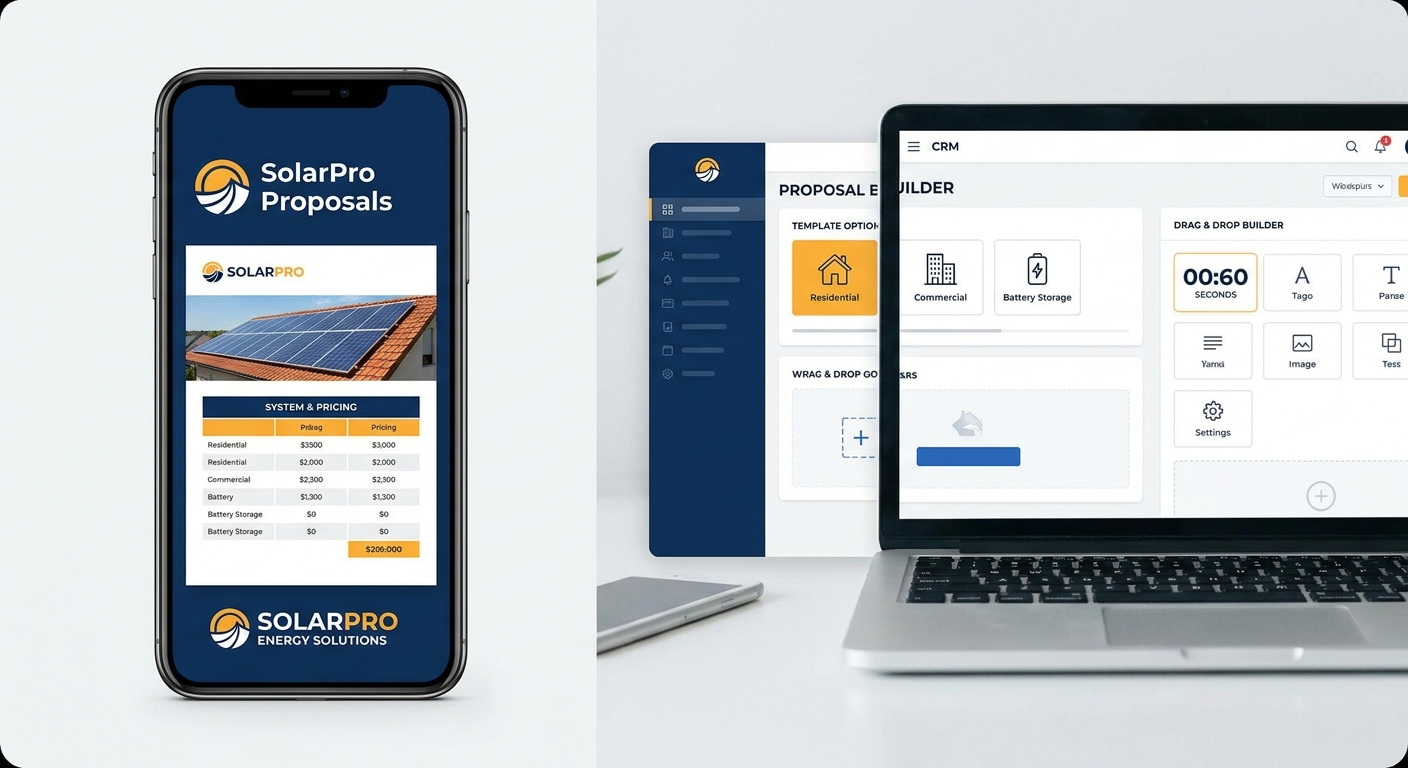
Ask the vendor to generate a complete solar proposal from scratch during the demo. Time it. A modern solar CRM should be able to produce a professional, branded proposal in under 60 seconds. If it takes longer, your salespeople will revert to manual methods under pressure. Platforms like QuickEstimate are built specifically around this benchmark, enabling solar teams to send proposals via WhatsApp or Email within 60 seconds.
Key Proposal Features to Evaluate
- Solar-specific templates: Does the CRM offer templates designed for solar proposals, or are they generic? Generic templates require significant customization and slow your team down.
- Brand customization: Can you add your company logo, colors, and contact details to every proposal? Ask to see this live.
- Pricing and product configuration: How easy is it to update panel prices, inverter costs, and installation charges? Can salespeople adjust these in the field on mobile?
- Delivery channels: Can proposals be sent directly via WhatsApp and Email from within the CRM? This is critical for the Indian market where WhatsApp is the primary business communication channel.
- Revision tracking: If a client requests changes, how does the system handle proposal revisions? Is there version history?
Weak solar proposals cost you deals. If the CRM demo doesn’t impress you with proposal speed and quality, move on. This is the feature your sales team will use every single day.
3. Follow-Up Automation: What to Watch During the CRM Demo
Missed follow-ups are the number one reason solar businesses lose deals they should have won. A strong CRM demo will show you exactly how the platform prevents this from happening. Don’t accept vague answers about “reminders” — ask for a live walkthrough of the entire follow-up automation workflow.
Follow-Up Features to Test
- Automated reminders: Can the system automatically schedule follow-up reminders after a proposal is sent? Ask to see the trigger setup.
- Customizable templates: Does the CRM include pre-built email and WhatsApp follow-up templates? Can your team customize them with the client’s name, proposal details, and a personal message?
- Sequence automation: Can you set up a series of follow-ups (Day 1, Day 3, Day 7) that run automatically without manual intervention?
- Cold lead escalation: What happens when a lead hasn’t responded in 14 days? Does the system alert the manager or reassign the lead?
- Follow-up tracking: Can managers see which follow-ups have been completed and which are overdue?
Sales automation India is rapidly becoming a competitive advantage for solar companies. Businesses that automate follow-ups consistently outperform those relying on manual reminders. For a deeper look at how automation transforms sales results, see our guide on Follow-Up Automation India: Complete Service Guide 2026.
4. Sales Analytics and Reporting: Questions to Ask in Your CRM Demo
You can’t improve what you can’t measure. During your CRM demo, the analytics section often gets rushed through with a quick dashboard screenshot. Push back. Ask the vendor to show you how you would actually use the reporting tools to make a business decision today.
Analytics Questions to Ask During the Demo
- “Show me how I would find out which salesperson has the highest conversion rate this month.”
- “How do I see which pipeline stage is causing the most drop-offs?”
- “Can I generate a report on revenue closed vs. revenue forecasted for Q3?”
- “How do I track team activity — calls made, proposals sent, follow-ups completed?”
- “Can I set up a custom report and schedule it to be emailed to me every Monday?”
Strong CRM features in analytics should give you a real-time view of your entire sales operation. If the vendor struggles to answer these questions during the demo, the platform likely lacks the depth your growing solar business needs. Look for dashboards that show pipeline value, conversion rates by stage, and individual team member performance at a glance.
5. Integration and Mobile Access: Critical CRM Demo Tests
A CRM that doesn’t connect with your existing tools creates more work, not less. During your CRM demo, integration capabilities are often glossed over. Make sure you test them thoroughly, especially if your team relies on Facebook Ads for lead generation or uses third-party tools for communication and billing.
Integration Checklist for Your CRM Demo
- Facebook Ads integration: Can leads from your Facebook lead generation campaigns flow directly into the CRM without manual data entry? Ask for a live demonstration.
- Pabbly Connect and API access: Does the CRM support Pabbly Connect, webhooks, or open APIs for connecting with other business tools?
- Phonebook and contact sync: Can the CRM sync with your team’s phone contacts to avoid duplicate data entry?
- Data import and export: How easy is it to export your data if you ever need to switch platforms? This is a critical question for CRM integration India buyers.
Mobile App: Test It During the Demo
Ask the vendor to demonstrate the mobile app on an actual smartphone during the demo, not just a screen recording. Your salespeople are in the field visiting clients. They need to add leads, send proposals, and log follow-ups from their phones. Test the mobile app for speed, ease of use, and whether it works on both iOS and Android. A poor mobile experience will kill adoption rates on your team.
For more guidance on what to look for before committing to a platform, read our article on CRM Scalability: 8 Critical Questions Before You Buy.
6. Pricing Transparency and CRM ROI: What to Demand from Vendors
CRM pricing conversations are where many buyers get surprised after signing up. During your CRM demo, ask direct questions about the total cost of ownership. Don’t just focus on the monthly or annual subscription fee.
Pricing Questions to Ask Every Vendor
- “What is included in the base plan, and what requires an upgrade?”
- “Are there additional fees for onboarding, training, or customer support?”
- “Is there a free plan available so my team can test the platform before committing?”
- “What happens to my data if I cancel my subscription?”
- “Do you charge per user, per feature, or a flat rate?”
Calculating CRM ROI for Your Solar Business
Before your demo, calculate a simple CRM ROI baseline. If your average solar deal is worth ₹3,00,000 and your team closes 10 deals per month, closing just one additional deal per month because of better follow-up automation would generate ₹3,00,000 in incremental revenue. Compare that to your annual CRM cost to see how quickly the platform pays for itself.
For a detailed breakdown of what solar CRM platforms actually cost and what you’re paying for, see our guide on Solar CRM Software Costs: What You’re Really Paying For.
QuickEstimate offers a FREE Plan at ₹0 so your team can experience the platform before making any financial commitment. For growing solar teams that need the full feature set, the PRO Plan is available at ₹6,999 per user per year, making it one of the most accessible options for CRM pricing in the Indian solar market.
7. Red Flags to Watch for During Any CRM Demo
Not every CRM demo is created equal. Some vendors are skilled at showing you what looks good while hiding what doesn’t work. Here are the warning signs that should make you pause before signing any contract.
Red Flags That Should Concern You
- No live demo available: If the vendor only offers pre-recorded videos or slide decks, they may be hiding usability issues. Always insist on a live, interactive CRM demo.
- No solar-specific features: A general-purpose CRM without solar proposal templates, solar-specific pipeline stages, or industry-relevant workflows will require months of customization. That’s time and money you don’t have.
- Vague answers about data security: Ask directly: “Where is my data stored? Who owns it? What happens if I cancel?” Evasive answers are a serious red flag, especially for CRM implementation India buyers who need to comply with local data regulations.
- Complicated onboarding with no support: If the vendor can’t explain how your team will be onboarded in a clear, step-by-step way, expect a painful implementation process.
- No free trial or money-back guarantee: Reputable CRM vendors stand behind their product. If there’s no way to test the platform risk-free, that’s a concern.
- Poor mobile experience: If the mobile app looks like an afterthought during the demo, your field sales team will abandon the CRM within weeks.
- Slow performance during the demo: If the platform lags during a controlled demo environment, imagine how it will perform when your entire team is using it simultaneously.
When comparing platforms, also consider how each vendor stacks up against the alternatives. General-purpose tools like Zoho CRM or Salesforce may offer broad functionality, but they require significant customization to serve solar-specific workflows. A purpose-built solar CRM will almost always deliver faster time-to-value for your team.
CRM Demo Scoring Framework: Compare Platforms Objectively
After attending multiple CRM demo sessions, it’s easy to confuse features across platforms. Use this scoring framework to evaluate each CRM objectively and make a data-driven decision.

How to Use the Scoring Framework
Rate each platform from 1 to 5 for every category below. Multiply the score by the weight to get a weighted score. Add up all weighted scores to get a total out of 100. The platform with the highest score is your best fit based on your priorities.
| Category | Weight | Score (1-5) | Weighted Score |
|---|---|---|---|
| Lead Management | 20% | __ | __ |
| Proposal Automation | 25% | __ | __ |
| Follow-Up Automation | 20% | __ | __ |
| Analytics and Reporting | 15% | __ | __ |
| Integrations and Mobile | 10% | __ | __ |
| Pricing and Value | 5% | __ | __ |
| Onboarding and Support | 5% | __ | __ |
| Total | 100% | , | __/100 |
Tips for Using the Scoring Framework
- Complete the scorecard immediately after each demo while your impressions are fresh
- Have each team member score independently, then compare results
- Adjust the weights to reflect your business priorities (e.g., if proposal speed is critical, increase the proposal automation weight to 30%)
- Don’t let price dominate the decision, a cheaper CRM that your team doesn’t use is far more expensive than a slightly pricier one with high adoption
For guidance on what happens after you’ve made your decision, our step-by-step guide on CRM Implementation India: Step-by-Step Setup Guide 2026 will help you get your team up and running quickly.
Frequently Asked Questions About CRM Demos
How long should a CRM demo take?
A focused, productive CRM demo should take between 45 and 60 minutes. Anything shorter won’t give you enough time to test key features. Anything longer often means the vendor is padding the session with features you don’t need. Set a clear agenda before the demo and stick to it.
Should I bring my whole sales team to a CRM demo?
Bring at least one salesperson and one sales manager. The salesperson will evaluate day-to-day usability, while the manager will focus on reporting, team oversight, and pipeline visibility. Having both perspectives in the room leads to better decisions.
What data should I bring to a CRM demo?
Bring a sample Excel file with 20-30 real (or anonymized) leads, a sample proposal you currently send to clients, and a list of your current sales stages. Asking the vendor to work with your actual data during the demo gives you a much more realistic picture of how the platform will perform.
How many CRM demos should I attend before deciding?
Attend demos for at least 2-3 platforms before making a decision. Use the scoring framework above to compare them objectively. For solar CRM comparison, the differences between platforms become much clearer when you evaluate them side by side against the same criteria.
Is a free trial better than a demo?
Both serve different purposes. A CRM demo gives you a guided tour with expert guidance. A free trial lets your team use the platform independently. Ideally, do both: attend a demo first to understand the platform’s capabilities, then use the free trial to validate your team’s experience in real conditions. QuickEstimate offers a free plan so you can do exactly this.
What’s the difference between a solar CRM and a general CRM?
A solar CRM India platform is built specifically for the solar sales process. It includes solar-specific proposal templates, pre-configured pipeline stages for solar projects, and integrations relevant to the Indian solar market. A general CRM like Salesforce or Zoho CRM can be customized for solar, but that customization takes time, money, and technical expertise that most solar businesses don’t have in-house.
Make Your Next CRM Demo Count
A well-prepared CRM demo is the difference between a software purchase you’ll celebrate and one you’ll regret. Use this checklist to test every critical feature, ask the hard questions, watch for red flags, and score each platform objectively. Solar businesses that take the time to evaluate their CRM properly close more deals, waste less time on manual tasks, and scale their sales operations with confidence.
If you’re ready to see what a purpose-built solar CRM looks like in action, QuickEstimate is designed specifically for solar EPCs, installers, and B2B sales teams in India. Over 1,000 businesses, including Sunnovative, Heaven Solar, JJ Solar, and Tata Power, use the platform to generate proposals in 60 seconds, automate follow-ups, and track their sales pipeline in real time. Start with the FREE Plan at ₹0 and experience the platform yourself, or upgrade to the PRO Plan at ₹6,999 per user per year to unlock the full feature set for your growing solar team. Have specific questions about how QuickEstimate fits your workflow? Contact us and we’ll walk you through a personalized demo tailored to your business.
This blog post was written using thestacc.com