
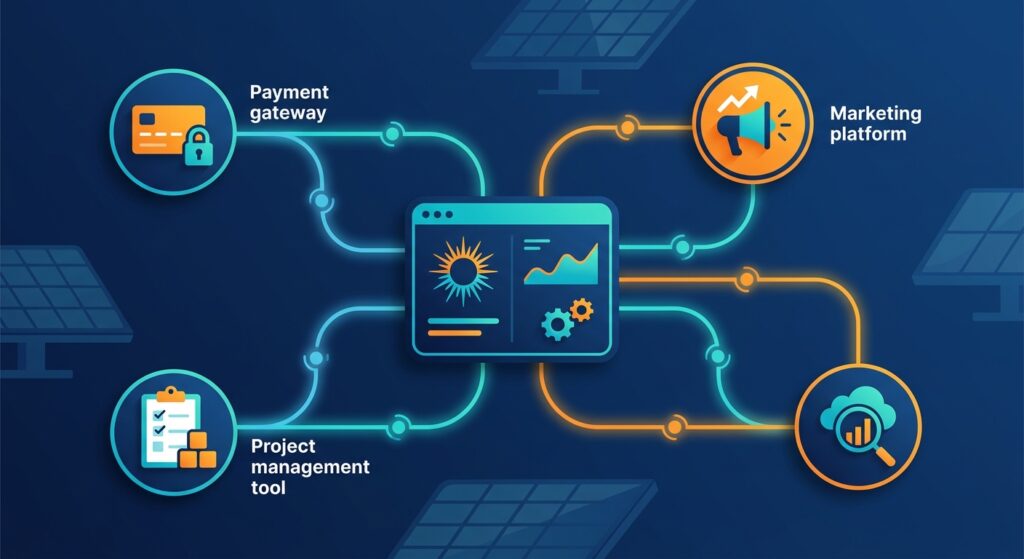
Every solar sales team has the same problem: too many tools, too little time, and too much manual work connecting them. A lead comes in from Facebook Ads, someone copies it into the CRM, another person updates the project sheet, and a third sends a payment confirmation email. That’s three manual steps where one automated process should exist. Webhook automation solves this by letting your solar CRM talk directly to every other tool in your stack, in real time, without anyone lifting a finger.
This guide walks you through exactly how webhook automation works for solar businesses in India, which integrations deliver the most value, and how to set them up step by step using QuickEstimate, a solar CRM built specifically for EPCs, installers, and solar sales teams.
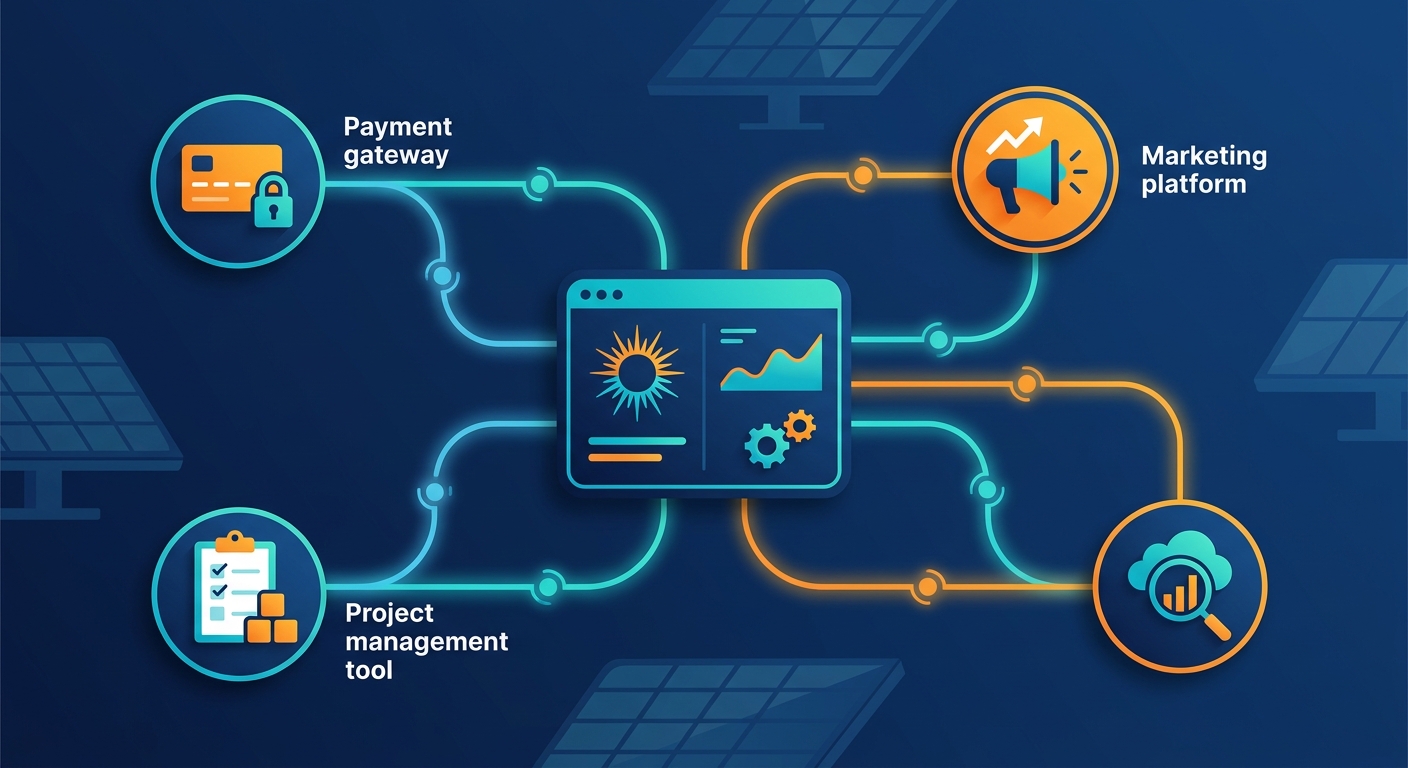
What Is Webhook Automation and Why Solar Businesses Need It
Webhook automation is a method of sending real-time data from one application to another the moment a specific event occurs. Think of it as an automatic notification system between your software tools. When something happens in your CRM (a lead is created, a proposal is sent, a deal is won), a webhook instantly pushes that information to another app without any manual input.
Unlike traditional API polling, where your system repeatedly asks “has anything changed?”, webhooks work the other way around. The source system says “something just changed, here’s the data” and delivers it immediately. This makes webhook automation far faster and more efficient for time-sensitive sales workflows.
The Real Cost of Manual Data Entry for Solar Teams
Solar EPCs and installers in India typically juggle five to eight different tools: a CRM, a proposal tool, a payment gateway, a WhatsApp business account, a project management app, and a reporting sheet. Without webhook automation, someone on the team manually copies data between these systems every single day. Research from Salesforce’s State of Sales report consistently shows that sales reps spend nearly 30% of their time on administrative tasks instead of selling.
For a solar company closing 20 to 50 deals per month, that manual overhead adds up to dozens of hours lost every week. Webhook automation eliminates that waste entirely. When your solar CRM is connected to your other tools via webhooks, data flows automatically, your team focuses on selling, and nothing falls through the cracks.
Webhooks vs. Manual Integrations: A Quick Comparison
- Speed: Webhooks deliver data in milliseconds. Manual entry takes minutes or hours.
- Accuracy: Webhooks eliminate human error in data transfer. Manual entry introduces typos and missed fields.
- Scalability: Webhooks handle 10 or 10,000 events with equal ease. Manual processes break down as volume grows.
- Cost: Webhook automation requires a one-time setup. Manual entry requires ongoing staff time.
For solar businesses scaling their operations across India, webhook automation is not a luxury. It is the foundation of a reliable, repeatable sales process.
How Webhook Automation Works Inside a Solar CRM
The core model behind webhook automation is simple: trigger, payload, action. An event in your CRM (the trigger) sends a data package (the payload) to a destination URL, which then performs an action in another tool.
Here is a practical example. A new lead submits a form on your website. Your solar CRM creates a lead record (trigger). It immediately sends the lead’s name, phone number, and location to your WhatsApp automation tool (payload). That tool sends a welcome message to the lead within seconds (action). The entire sequence happens automatically, with zero manual steps.
QuickEstimate’s Integration Capabilities
QuickEstimate supports webhook automation and API integrations natively, making it straightforward to connect your solar CRM to the rest of your business stack. The platform also works seamlessly with Pabbly Connect, a popular no-code automation middleware that lets you build webhook workflows without writing a single line of code. This is especially valuable for solar sales teams in India who want powerful automation without hiring a developer.
QuickEstimate also supports direct integrations with Facebook Ads for lead capture and phonebook sync, giving solar companies a head start on the most common webhook automation use cases right out of the box.
If you are evaluating whether your current CRM can scale with these integrations, read our guide on CRM Scalability: 8 Critical Questions Before You Buy before committing to a setup.
1. Connect Your Solar CRM to Facebook Lead Ads
Facebook and Instagram ads are among the highest-volume lead sources for solar companies in India. The problem is that Facebook stores your leads inside its own platform. Without webhook automation, your team has to log in, download a CSV, and manually import leads into the CRM, often hours or even days after the lead submitted their information. By that time, the lead has already moved on.
Webhook automation fixes this instantly. When a prospect fills out your Facebook Lead Ad form, a webhook fires immediately and creates a new lead record in your solar CRM. The lead is assigned to the right sales rep, a follow-up task is created, and an introductory WhatsApp message goes out, all within seconds of the form submission.
Step-by-Step: Facebook Leads to Solar CRM via Webhook
- Connect Facebook Lead Ads to Pabbly Connect using the native Facebook integration. Authorize your Facebook Business account.
- Set the trigger as “New Lead” in your chosen Facebook Ad campaign or form.
- Add QuickEstimate as the action app and select “Create New Lead” as the action event.
- Map the fields: match Facebook’s “Full Name” to CRM’s “Contact Name”, “Phone Number” to “Mobile”, and “City” to “Location”.
- Test the workflow by submitting a test lead through Facebook’s Lead Ads testing tool.
- Activate the webhook and watch leads flow into your CRM in real time.
This single webhook automation can save a solar sales team two to four hours per week and dramatically improve lead response time, which is one of the strongest predictors of conversion. For more strategies on turning leads into customers faster, see our post on 7 Proven Ways to Boost Sales Conversion in Solar 2026.
2. Automate Payment Gateway Notifications
When a customer pays a booking amount or project deposit, three things need to happen immediately: the CRM deal stage should update to “Payment Received”, the customer should get a confirmation message, and the operations team should be notified to begin project planning. Without webhook automation, each of these steps requires a separate manual action.
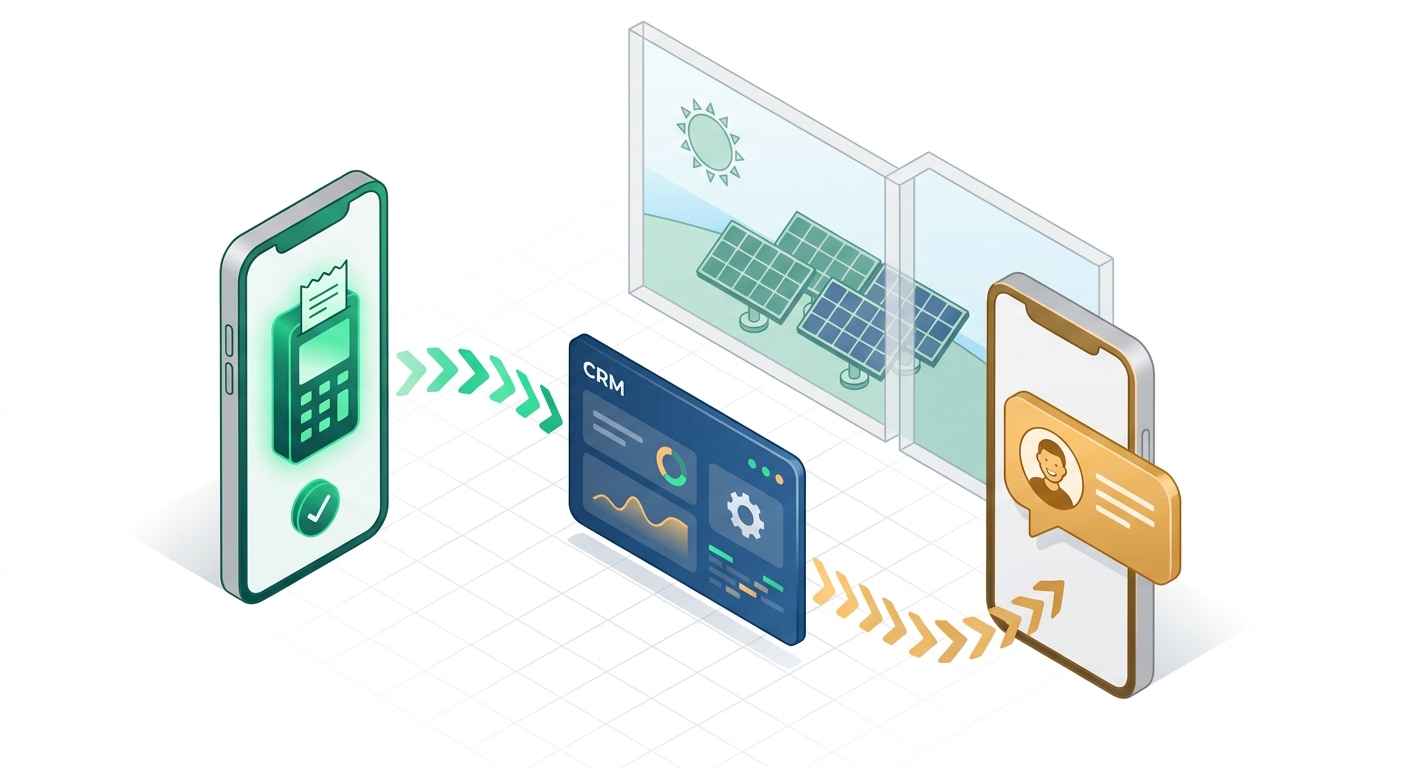
Payment gateway webhooks make all three happen automatically the moment a transaction is confirmed. This is one of the highest-impact webhook automation use cases for solar businesses because it directly affects customer experience and operational speed.
Connecting Razorpay or PayU to Your Solar CRM
Both Razorpay and PayU (the two most widely used payment gateways in India) support outgoing webhooks natively. Here is how to set up the integration:
- Log into your Razorpay or PayU dashboard and navigate to the Webhooks settings section.
- Create a new webhook endpoint pointing to your Pabbly Connect webhook URL (or your CRM’s direct API endpoint if available).
- Select the trigger event: choose “payment.captured” for successful payments.
- In Pabbly Connect, set the action to update the matching deal in QuickEstimate to “Payment Received” stage.
- Add a second action to send a WhatsApp or email confirmation to the customer using the contact details from the CRM record.
- Add a third action to notify the project manager via email or a project management tool that the deal is ready for handoff.
This three-step webhook automation chain replaces what used to be a 15-minute manual process for every single payment received. For a solar company processing 30 payments per month, that is seven or more hours saved every month from this one workflow alone.
3. Sync Solar CRM With Project Management Tools
The handoff from sales to operations is one of the most error-prone moments in any solar company’s workflow. A deal is marked “Won” in the CRM, but the installation team doesn’t find out until someone remembers to send an email. Webhook automation eliminates this gap entirely.
When a deal is marked as “Won” in QuickEstimate, a webhook can automatically create a new project in your project management tool (such as Asana, Trello, or ClickUp), populate it with the customer’s details, assign the installation team, and set a due date based on the agreed timeline. The operations team is notified instantly and can begin planning without waiting for a sales rep to brief them.
Real-World Example: Solar EPC Workflow Automation
Consider a mid-sized solar EPC company in Maharashtra handling 40 residential installations per month. Before webhook automation, their process looked like this:
- Sales rep closes deal and updates CRM manually
- Sales manager sends email to operations head
- Operations head creates project card in Trello manually
- Field team lead is notified via WhatsApp group
- Average delay from deal close to project creation: 4 to 8 hours
After implementing webhook automation between QuickEstimate and Trello via Pabbly Connect, the same process takes under 30 seconds. The deal is won, the project card is created, the team is assigned, and the customer receives a “Your installation is being scheduled” message, all automatically. This kind of seamless workflow is what separates high-performing solar companies from those stuck in manual processes.
4. Automate Follow-Up Sequences With Marketing Tools
Most solar leads do not convert on the first contact. Industry data from HubSpot’s marketing research shows that it takes an average of five to eight touchpoints before a prospect makes a purchase decision. For solar companies selling high-value systems, that number can be even higher. Webhook automation makes it possible to run consistent, personalized follow-up sequences without any manual effort from your sales team.
When a proposal is sent from QuickEstimate, a webhook can trigger a multi-step follow-up sequence: a WhatsApp message the next day, an email with a case study on day three, a reminder call task assigned to the sales rep on day five, and a final “limited availability” message on day seven. Every touchpoint is automated, personalized with the customer’s name and proposal details, and timed perfectly.
Setting Up Automated Proposal Follow-Ups
- Trigger: Proposal sent in QuickEstimate
- Action 1: Add contact to a follow-up email sequence in your email marketing tool
- Action 2: Send a WhatsApp message 24 hours later via your WhatsApp Business API
- Action 3: Create a “Call Follow-Up” task in QuickEstimate assigned to the sales rep on day 5
- Action 4: If no response by day 7, move lead to “Nurture” stage in CRM automatically
This webhook automation sequence ensures that no proposal ever goes cold due to a missed follow-up. For a deeper look at building follow-up systems that convert, read our complete guide on Follow-Up Automation India: Complete Service Guide 2026.
5. Build a Real-Time Sales Dashboard With Webhook Data
Sales managers at solar companies often make decisions based on data that is days old. Weekly reports, manually updated spreadsheets, and end-of-month reviews are too slow for a competitive market. Webhook automation can push live CRM event data to Google Sheets, Power BI, or any analytics tool, giving managers a real-time view of their pipeline without waiting for anyone to update a report.
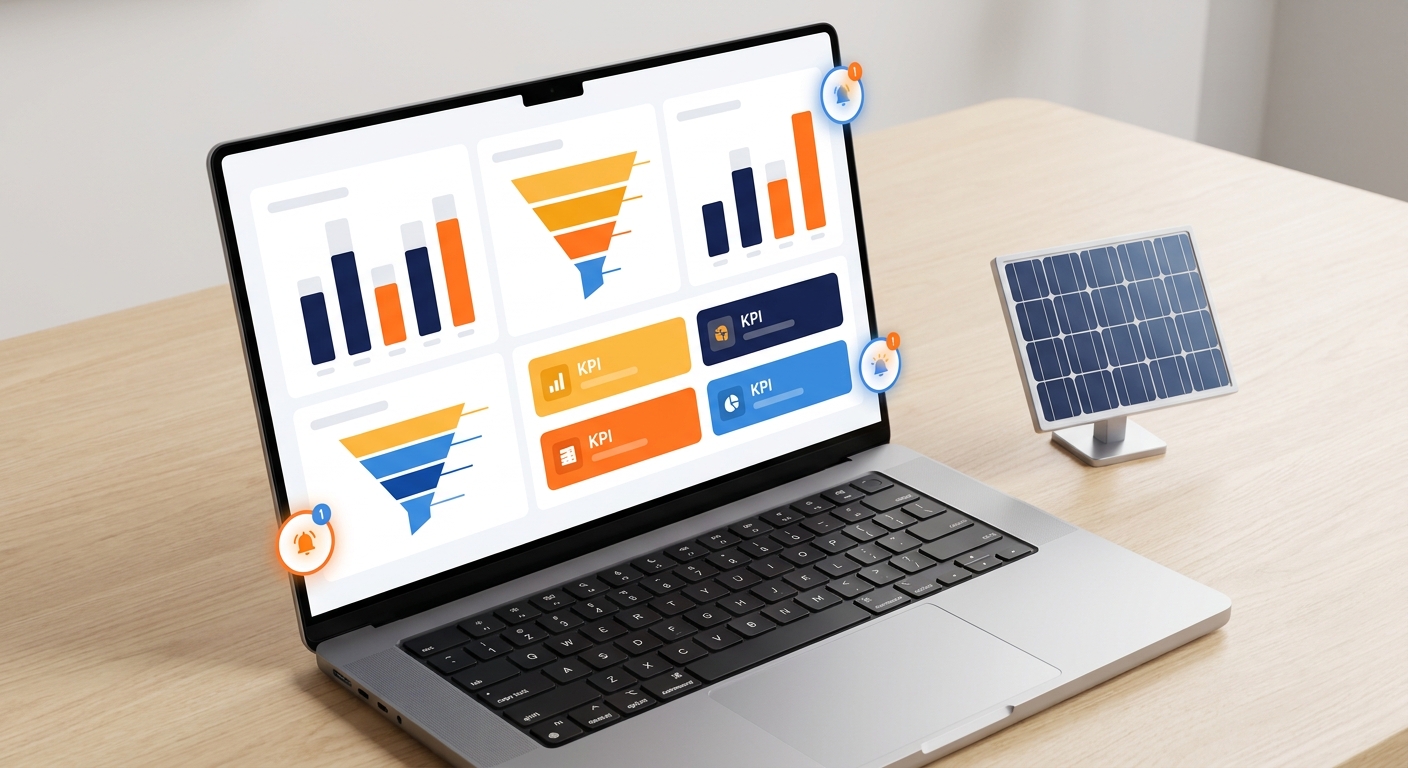
Every time a key event happens in QuickEstimate (lead created, proposal sent, deal won, deal lost), a webhook fires and logs that event in your reporting tool with a timestamp, sales rep name, deal value, and customer location. Over time, this creates a rich dataset that reveals patterns: which rep closes fastest, which lead source converts best, which city has the highest average deal size.
Webhook Events Worth Tracking for Solar Sales Analytics
- Lead Created: Track lead volume by source, date, and location
- Proposal Sent: Measure proposal-to-close ratio and average time to send
- Deal Won: Track revenue, deal size, and winning rep performance
- Deal Lost: Identify loss reasons and patterns by competitor or objection type
- Follow-Up Completed: Monitor follow-up consistency across the team
- Payment Received: Track cash flow and payment timing relative to deal close
QuickEstimate’s built-in analytics dashboard already gives solar sales managers strong visibility into team performance. Combining that with webhook-powered external reporting creates a complete, real-time intelligence layer for your business. Understanding the full cost and value of your CRM investment is also important; our breakdown of Solar CRM Software Costs: What You’re Really Paying For can help you evaluate the ROI of these integrations.
Setting Up Webhook Automation in QuickEstimate: Step-by-Step
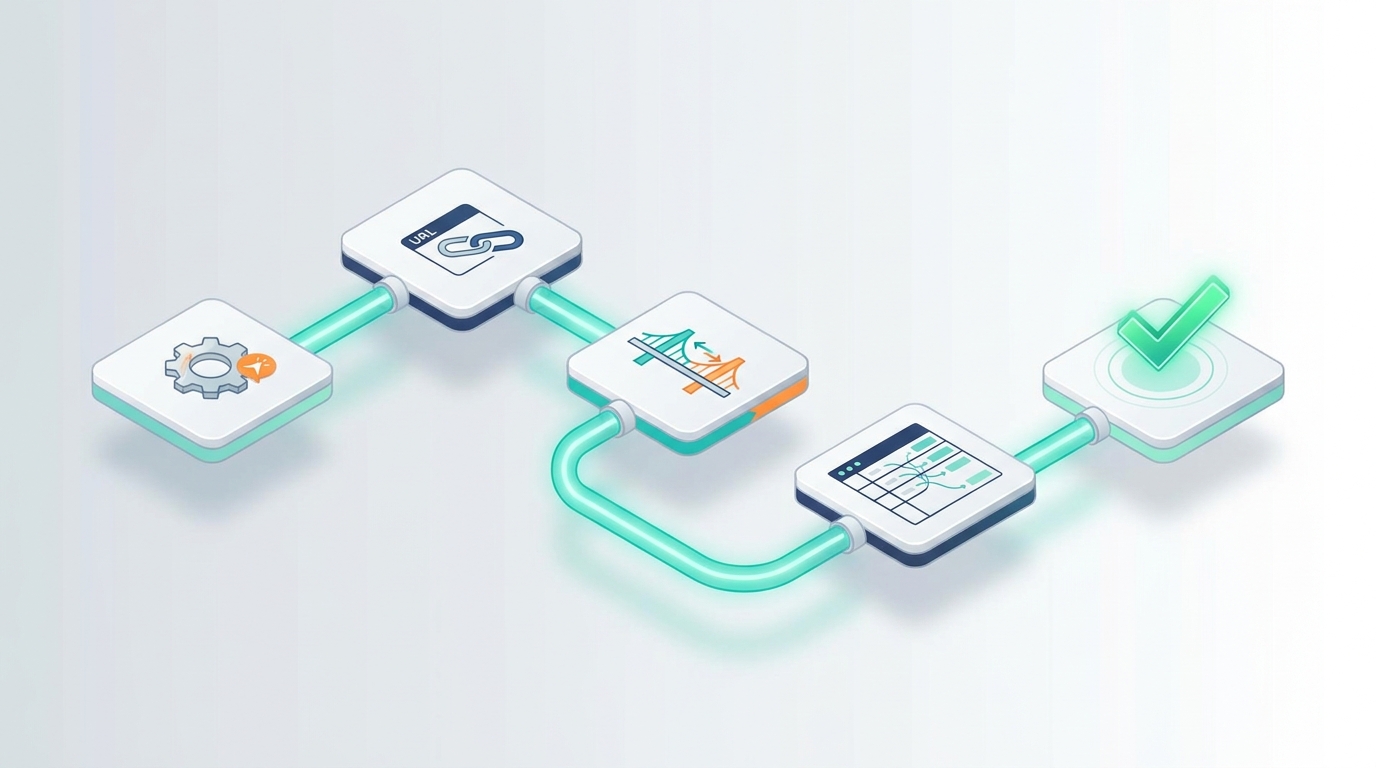
Ready to implement webhook automation in your solar CRM? Here is a clear, repeatable process you can follow for any integration, whether you are connecting a payment gateway, a marketing tool, or a project management app.
Step 1: Identify Your Trigger Event
Start by deciding what event in QuickEstimate should kick off the automation. Common triggers include: new lead created, proposal sent, deal stage changed, payment received, or task completed. Be specific. “Deal stage changed to Won” is a better trigger than “deal updated” because it fires only when the right thing happens.
Step 2: Generate Your Webhook URL
If you are using Pabbly Connect (recommended for no-code setup), create a new workflow and select “Webhook” as your trigger app. Pabbly will generate a unique webhook URL for you. Copy this URL. If you are using QuickEstimate’s direct API, refer to the API documentation for the correct endpoint format and authentication method.
Step 3: Configure the Trigger in QuickEstimate
In QuickEstimate’s integration settings, paste your webhook URL and select the trigger event you identified in Step 1. Save the configuration. QuickEstimate will now send a data payload to that URL every time the trigger event occurs.
Step 4: Map Your Data Fields
In Pabbly Connect (or your chosen middleware), map the fields from QuickEstimate’s payload to the fields in your destination app. For example, map “contact_name” from QuickEstimate to “Customer Name” in your project management tool. Take time to get this right. Field mapping errors are the most common cause of broken webhook automations.
Step 5: Test the Webhook
Before activating, always run a test. Trigger the event manually in QuickEstimate (create a test lead, send a test proposal) and verify that the data arrives correctly in your destination app. Check every mapped field. Fix any mismatches before going live.
Step 6: Activate and Monitor
Once the test passes, activate the webhook. For the first week, check your webhook logs daily to confirm events are firing correctly and data is arriving as expected. Most middleware tools like Pabbly Connect provide a log of every webhook event with success or failure status.
Common Mistakes to Avoid
- Skipping the test step: Always test before activating. A broken webhook on a live deal can cause real problems.
- Using unstable webhook URLs: If your middleware URL changes, your webhook breaks. Use permanent, stable endpoints.
- Ignoring authentication: Always use webhook secrets or API keys to verify that incoming data is from a trusted source.
- Not setting up error alerts: Configure email or Slack notifications for webhook failures so you catch problems immediately.
Troubleshooting Common Webhook Automation Issues
Even well-configured webhook automations can run into issues. Here are the most common problems solar teams encounter and how to fix them quickly.
Webhook Not Firing
If your webhook is not triggering, check three things first: (1) confirm the trigger event is correctly configured in QuickEstimate’s settings, (2) verify the webhook URL is correct and accessible (test it with a tool like Webhook.site), and (3) check that your authentication credentials are valid and have not expired.
Data Mapping Errors
If data is arriving in the wrong fields or missing entirely, review your field mapping in Pabbly Connect. Field names are case-sensitive and must match exactly. If QuickEstimate sends “mobile_number” but your destination app expects “phone”, the field will be empty. Always use the test payload to verify field names before going live.
Duplicate Records
Duplicate records usually happen when a webhook fires multiple times for the same event (due to retries) or when the same lead comes in from multiple sources. Add a deduplication step in your Pabbly Connect workflow that checks for an existing record with the same phone number or email before creating a new one.
Timeout and Retry Handling
Webhooks expect a fast response (usually within 5 to 10 seconds). If your destination app is slow to respond, the webhook sender may time out and retry, causing duplicate actions. Make sure your destination app acknowledges the webhook quickly, even if it processes the data asynchronously afterward.
Using Webhook Logs to Debug
Both QuickEstimate’s API logs and Pabbly Connect’s history panel show every webhook event with its full payload and response status. When something breaks, start here. Look for HTTP 4xx errors (authentication or configuration issues) or 5xx errors (server-side problems in the destination app). The log will usually tell you exactly what went wrong.
Frequently Asked Questions About Webhook Automation for Solar CRM
Do I need coding skills to set up webhooks?
Not with a no-code middleware tool like Pabbly Connect. You can build complete webhook automation workflows using a visual drag-and-drop interface without writing any code. For more advanced custom integrations, basic familiarity with JSON data formats is helpful but not required for most solar business use cases.
What is the difference between a webhook and an API?
An API is a two-way communication channel where your system requests data from another system. A webhook is a one-way push notification where a system automatically sends data to your endpoint when an event occurs. Webhooks are faster and more efficient for real-time automation because they eliminate the need for constant polling. Most modern solar CRM integrations use both: APIs for on-demand data retrieval and webhooks for real-time event-driven automation.
How secure are webhooks for business data?
Webhooks are secure when properly configured. Best practices include using HTTPS endpoints only, validating webhook signatures (a secret key that confirms the data came from a trusted source), and restricting access to your webhook endpoints by IP address where possible. QuickEstimate’s API and webhook system follows standard security protocols to protect your customer and sales data.
Can I use webhook automation on QuickEstimate’s free plan?
QuickEstimate offers both a FREE PLAN at ₹0 and a PRO PLAN at ₹6999 per user per year. Integration and webhook capabilities vary by plan. For full access to API and webhook features needed for advanced automation workflows, the PRO PLAN is recommended. Check the pricing page for the latest feature breakdown by plan.
How many webhook integrations can I run simultaneously?
There is no practical limit to the number of webhook automations you can run simultaneously. A single CRM event can trigger multiple webhooks in parallel, each sending data to a different destination. For example, a “Deal Won” event can simultaneously update your project management tool, send a customer confirmation, notify the operations team, and log the event in your analytics sheet, all from one trigger.
What if my destination app does not support webhooks?
If your destination app does not have a native webhook receiver, you can use Pabbly Connect as a bridge. Pabbly Connect receives the webhook from QuickEstimate and then uses its own API connectors to push data into apps that do not natively support incoming webhooks. This covers the vast majority of business tools used by solar companies in India.
Start Automating Your Solar Sales Stack Today
Webhook automation is the fastest way to eliminate manual data entry, speed up your sales process, and keep every tool in your stack perfectly synchronized. For solar businesses in India managing high lead volumes, multiple team members, and complex project workflows, the efficiency gains are immediate and significant. Whether you are connecting Facebook Ads to your CRM, automating payment notifications, or building a real-time sales dashboard, every webhook you set up is hours of manual work you never have to do again.
QuickEstimate is built for exactly this kind of connected, automated solar sales operation. With native integrations, Pabbly Connect support, and a CRM designed specifically for solar EPCs and installers, it gives your team the foundation to build powerful webhook automation workflows without complexity or high costs. If you are ready to stop copying data between tools and start closing more deals, explore the FREE PLAN to get started at no cost, or unlock the full power of webhook automation and advanced integrations with the PRO PLAN at ₹6999 per user per year. Have questions about which plan fits your team’s automation needs? Contact us and we will help you map out the right integration setup for your solar business.
For a complete guide to getting your CRM up and running with integrations from day one, see our CRM Implementation India: Step-by-Step Setup Guide 2026.
This blog post was written using thestacc.com