
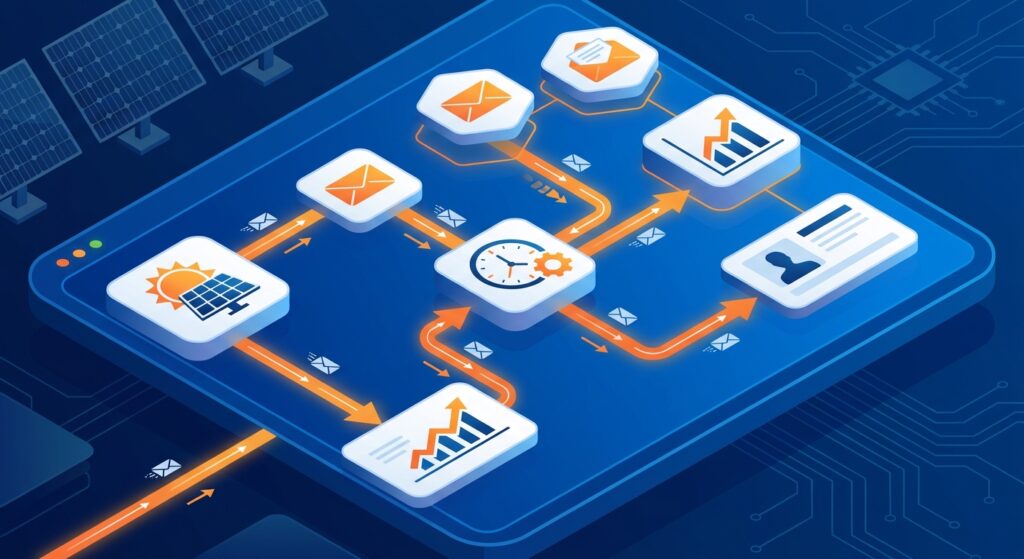
Missing follow-ups cost solar businesses thousands of rupees in lost revenue every single day. A lead inquires about a rooftop solar installation, your sales team sends a proposal, but then life gets busy. Three days pass without a follow-up email, and that potential customer signs with a competitor who stayed in touch. Sound familiar?
This scenario plays out repeatedly across solar companies throughout India. The solution isn’t hiring more salespeople or working longer hours—it’s implementing email automation in your solar CRM. When configured correctly, email automation ensures every lead receives timely, personalized communication without your team lifting a finger. This tutorial walks you through the complete process of setting up email automation in your solar CRM, so you can focus on closing deals instead of chasing leads.
Why Email Automation Is Critical for Solar Businesses in 2026
The solar industry in India is experiencing unprecedented growth, with residential and commercial installations increasing by double digits year over year. This growth brings opportunity—but also intense competition. Solar companies that respond fastest and follow up most consistently win the majority of deals.
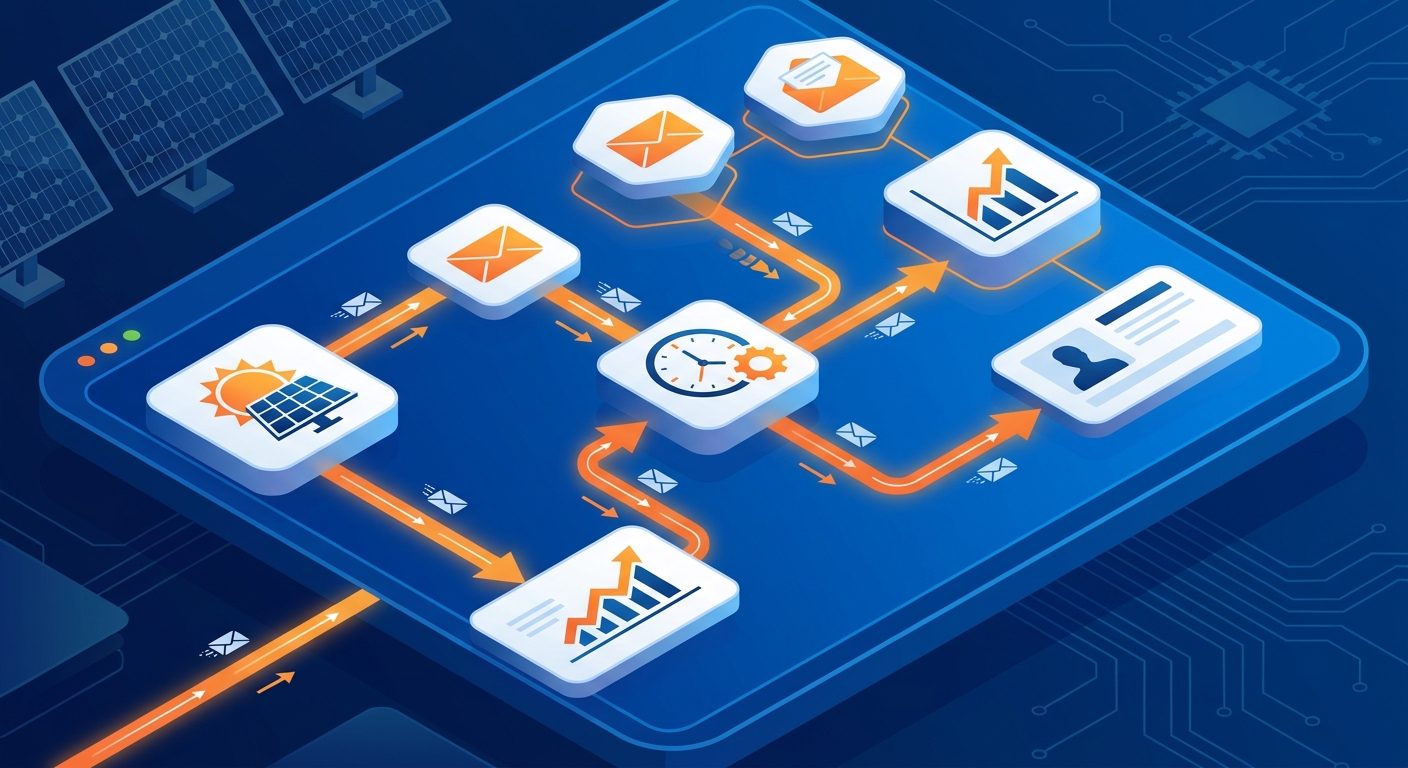
Manual email follow-ups simply cannot keep pace with modern sales demands. Consider these challenges facing solar sales teams:
- Volume overload: A typical solar EPC receives dozens of inquiries weekly from multiple channels—website forms, Facebook ads, phone calls, and referrals. Manually tracking and following up with each lead becomes impossible as volume grows.
- Timing inconsistency: Research shows that responding to leads within five minutes increases conversion rates by 400% compared to waiting 30 minutes. Manual processes introduce delays that cost you deals.
- Human error: Even the most organized sales professionals forget follow-ups when juggling multiple prospects, site visits, and proposal preparations.
- Lack of persistence: Studies indicate that 80% of sales require five or more follow-up touches, yet most salespeople give up after just two attempts.
Email automation solves these problems by creating systematic, reliable communication workflows that nurture every lead consistently. When a new inquiry comes in, your CRM instantly sends a welcome email. When you send a proposal, the system automatically schedules follow-up emails at optimal intervals. When a lead goes cold, re-engagement sequences activate automatically.
The ROI is substantial. Solar companies implementing email automation typically see 30-50% increases in lead-to-customer conversion rates, while sales teams report saving 10-15 hours per week on manual follow-up tasks. That time gets redirected toward high-value activities like site assessments, proposal customization, and closing conversations.
In 2026, email automation isn’t a luxury—it’s a competitive necessity for solar businesses serious about growth. The companies winning market share are those that combine speed, consistency, and personalization through automated workflows.
What Is Email Automation in a Solar CRM?
Email automation refers to the process of sending targeted emails to leads and customers automatically based on predefined triggers, schedules, or behaviors. Instead of manually composing and sending each follow-up email, you create templates and workflows once, then let your CRM handle the execution.
A complete email automation system in a solar CRM consists of four key components:
Triggers: These are the events that initiate an automated email sequence. Common triggers include a new lead entering your system, a proposal being sent, a specific amount of time passing without response, or a lead taking a particular action like clicking a link or downloading a document.
Workflows: These are the sequences of emails that get sent based on triggers. A workflow might include a welcome email sent immediately, a follow-up email sent three days later, and a final check-in email sent one week after that. Workflows can branch based on recipient actions—if someone opens your proposal, they might receive different follow-ups than someone who hasn’t engaged.
Templates: These are pre-written email formats that include your messaging, branding, and personalization fields. Templates ensure consistency while allowing dynamic content like the recipient’s name, company, or specific project details to be inserted automatically.
Sequences: These are the specific series of emails within a workflow, including the timing between each message. A typical solar proposal follow-up sequence might include emails at day 1, day 3, day 7, and day 14 after sending the initial quote.
Email automation differs from simply scheduling emails. Scheduled emails require manual setup for each recipient and send at a predetermined time regardless of recipient behavior. Automated emails, by contrast, respond dynamically to triggers and can adjust based on how leads interact with your messages.
For solar businesses, common email automation use cases include welcoming new leads, following up after proposal delivery, nurturing cold leads with educational content about solar benefits, re-engaging prospects who haven’t responded in 30+ days, and requesting referrals from satisfied customers. Platforms like QuickEst enable solar companies to set up these workflows without technical expertise, making email automation accessible even for small solar installation businesses.
1. Prepare Your Email Automation Strategy
Before diving into the technical setup, you need a clear strategy. Random automated emails annoy prospects rather than nurture them. Effective email automation starts with understanding your customer journey and identifying the moments when automated communication adds value.
Begin by mapping your customer journey from initial inquiry to signed contract. For most solar businesses, this journey includes distinct stages: awareness (lead discovers your company), consideration (lead requests information or proposal), evaluation (lead compares options), decision (lead chooses a provider), and installation (customer moves forward with project). Each stage presents opportunities for automated email support.
Next, define specific automation goals for each journey stage. During awareness, your goal might be to educate leads about solar benefits and establish credibility. During consideration, you want to ensure leads receive their proposal quickly and understand its contents. During evaluation, your goal is to address objections and differentiate your offering. During decision, you aim to create urgency and make the next steps crystal clear.
Audience segmentation is crucial for effective email automation. Not all leads should receive identical messages. Segment your database based on factors like:
- Customer type (residential vs. commercial vs. industrial)
- Project size (small rooftop vs. large ground-mount installation)
- Lead temperature (hot leads who requested proposals vs. cold leads who just downloaded a guide)
- Lead source (website inquiry vs. Facebook ad vs. referral)
- Geographic location (different regions may have different solar incentives or concerns)
- Engagement level (highly engaged leads who open every email vs. unresponsive leads)
With segments defined, plan your email sequences and timing. Research your own sales data to identify patterns. How long does the average customer take to make a decision after receiving a proposal? When do most leads go cold? What follow-up intervals have historically worked best for your team?
A typical solar business might create these core sequences:
- New lead welcome sequence: Immediate welcome email, educational content at day 2, invitation to schedule consultation at day 5
- Post-proposal sequence: Proposal delivery confirmation immediately, value reinforcement at day 3, objection handling at day 7, urgency creation at day 14
- Cold lead re-engagement: Triggered after 30 days of no response, offering new information, case studies, or limited-time incentives
- Long-term nurture: Monthly educational emails for leads not yet ready to buy, keeping your company top-of-mind
Document your strategy before building workflows. This planning phase prevents the common mistake of creating random automated emails that don’t align with your sales process. With a clear strategy in place, you’re ready to build the technical components of your email automation system.
2. Set Up Your Email Templates
Email templates are the foundation of your automation system. Well-crafted templates save time, ensure brand consistency, and improve response rates. Poor templates, even when automated perfectly, generate no results.
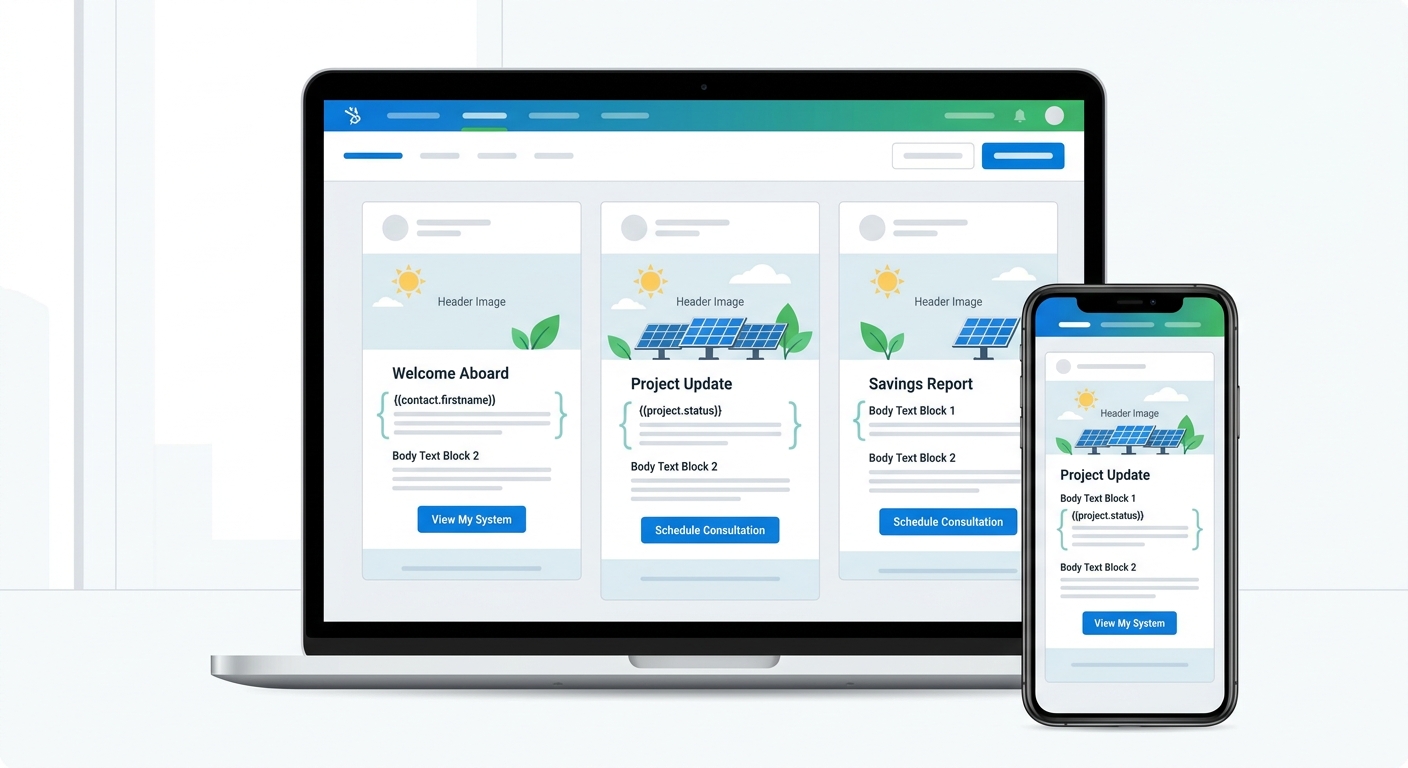
Start by creating a library of reusable templates for each scenario in your customer journey. At minimum, solar businesses need templates for:
- New lead welcome and introduction
- Proposal delivery and explanation
- First follow-up after proposal (3 days)
- Second follow-up emphasizing benefits (7 days)
- Third follow-up creating urgency (14 days)
- Cold lead re-engagement
- Meeting confirmation and reminder
- Post-installation thank you and referral request
For each template, write compelling subject lines that encourage opens. Subject lines should be specific, benefit-focused, and create curiosity without being clickbait. Examples for solar businesses include “Your Custom Solar Proposal – 25% Savings Breakdown,” “Quick Question About Your Solar Project,” or “3 Reasons Homeowners in [City] Choose Solar in 2026.”
Avoid generic subject lines like “Following Up” or “Checking In.” These get ignored. Personalization tokens in subject lines—like the recipient’s name or company, can increase open rates by 20-30%. Test different approaches to see what resonates with your audience.
When structuring email body content, follow this proven format for solar proposals and follow-ups:
- Personalized greeting: Use the recipient’s name, not “Dear Customer”
- Context reminder: Briefly reference your previous interaction or their inquiry
- Value proposition: Clearly state what’s in it for them, savings, energy independence, environmental impact
- Specific information: Provide relevant details about their project, proposal, or next steps
- Social proof: Include a brief testimonial or mention similar successful projects
- Clear call-to-action: Tell them exactly what to do next, schedule a call, review the proposal, ask questions
- Easy response mechanism: Make it simple to reply or take action
Keep emails concise. Busy prospects won’t read lengthy messages. Aim for 150-250 words for most automated emails. Use short paragraphs, bullet points, and white space to improve readability.
Add personalization tokens throughout your templates. Modern solar CRMs like QuickEst allow you to insert dynamic fields that automatically populate with lead-specific information. Common personalization tokens include:
- {{FirstName}} and {{LastName}}
- {{Company}} for commercial leads
- {{ProjectType}} (residential rooftop, commercial ground-mount, etc.)
- {{ProposalAmount}} or {{EstimatedSavings}}
- {{SalesRepName}} to show who’s handling their account
- {{City}} or {{State}} for location-specific messaging
Personalization transforms generic blasts into relevant conversations. An email starting with “Hi Rajesh, I wanted to follow up on the 10kW rooftop solar proposal for your home in Pune” performs dramatically better than “Dear Customer, Following up on your solar inquiry.”
Every template must include a clear call-to-action. Don’t leave recipients wondering what to do next. Use action-oriented language like “Schedule your free site assessment,” “Review your custom proposal,” “Reply with your questions,” or “Book your installation date.” Make CTAs stand out visually with buttons or bold text.
Finally, ensure mobile optimization. Over 60% of emails are opened on mobile devices in 2026. Use responsive templates that adapt to small screens, keep subject lines under 50 characters so they don’t get cut off, use larger font sizes (at least 14px for body text), and make buttons large enough to tap easily. QuickEst’s email templates are mobile-optimized by default, ensuring your automated messages look professional on any device.
Test every template by sending it to yourself and colleagues before activating automation. Check for typos, broken personalization tokens, formatting issues, and overall clarity. A small error in a template gets multiplied across hundreds of automated sends, so quality control at this stage is critical.
3. Configure Automation Triggers and Workflows
With templates ready, you can now build the automation workflows that determine when and how emails get sent. This is where email automation transforms from concept to reality.
Understanding trigger types is essential. Your solar CRM can initiate automated emails based on three main trigger categories:
Time-based triggers activate after a specific duration. Examples include sending a follow-up email three days after a proposal is sent, or triggering a re-engagement sequence 30 days after the last contact. Time-based triggers ensure consistent follow-up intervals without manual tracking.
Action-based triggers respond to specific lead behaviors. When a lead fills out a contact form, opens a proposal email, clicks a link, or schedules a meeting, action-based triggers can send relevant follow-up messages. These triggers enable dynamic, responsive communication that adapts to how leads engage with your content.
Status-based triggers activate when a lead’s status changes in your CRM. When a lead moves from “New” to “Proposal Sent” or from “Negotiating” to “Won,” status-based triggers can send appropriate emails. This keeps communication aligned with where leads are in your sales pipeline.
Let’s walk through setting up a new lead welcome sequence in your solar CRM:
- Create a workflow called “New Lead Welcome”
- Set the trigger: “When lead status = New” or “When lead is created”
- Add Email 1: Send immediately using your welcome template
- Add a wait step: 2 days
- Add Email 2: Send educational content about solar benefits
- Add a wait step: 3 days
- Add Email 3: Invite lead to schedule a consultation
- Set exit conditions: If lead schedules meeting or responds, exit workflow
This sequence ensures every new lead receives a warm welcome and consistent nurturing, even if your sales team is busy with other priorities.
Next, configure proposal follow-up automation, one of the highest-ROI workflows for solar businesses. After your team sends a proposal (which QuickEst enables you to do in 60 seconds via WhatsApp or email), automated follow-ups ensure the lead doesn’t go cold:
- Create a workflow called “Proposal Follow-Up”
- Set the trigger: “When proposal is sent” or “When lead status = Proposal Sent”
- Add Email 1: Immediate confirmation that proposal was sent, with summary of key benefits
- Add a wait step: 3 days
- Add Email 2: Follow-up asking if they have questions, highlighting savings and ROI
- Add a wait step: 4 days
- Add Email 3: Address common objections, include customer testimonial
- Add a wait step: 7 days
- Add Email 4: Create gentle urgency, mention limited installation slots or seasonal factors
- Set exit conditions: If lead responds, schedules meeting, or status changes to “Won,” exit workflow
This automated sequence keeps your proposals top-of-mind without your sales team manually tracking follow-up dates. The result? Fewer leads falling through the cracks and higher conversion rates.
Creating re-engagement workflows for cold leads helps you revive opportunities that seemed lost. Set up a workflow triggered when a lead has had no activity for 30 days:
- Create a workflow called “Cold Lead Re-Engagement”
- Set the trigger: “When last contact date is 30+ days ago AND status = Proposal Sent or Negotiating”
- Add Email 1: Friendly check-in asking if circumstances have changed
- Add a wait step: 7 days
- Add Email 2: Share new case study or customer success story relevant to their project type
- Add a wait step: 7 days
- Add Email 3: Offer to update proposal with current pricing or new incentives
- Set exit conditions: If lead responds or status changes, exit workflow
Many solar companies recover 10-15% of cold leads through systematic re-engagement automation, representing significant revenue that would otherwise be lost.
Setting up reminder sequences for pending decisions helps move deals forward. When a lead is in the final decision stage but hasn’t committed, gentle reminders can provide the nudge needed:
- Create a workflow called “Decision Pending Reminders”
- Set the trigger: “When lead status = Decision Pending”
- Add Email 1: After 3 days, remind them of key benefits and next steps
- Add Email 2: After 7 days, address final concerns and offer to answer questions
- Add Email 3: After 14 days, create urgency with installation timeline or seasonal considerations
QuickEst’s automated follow-up system makes configuring these workflows straightforward through an intuitive interface. You can set up customizable reminders, choose from pre-built email templates, and monitor which workflows are performing best. The platform’s integration with WhatsApp also allows you to extend automation beyond email, reaching leads on their preferred communication channel.
When building workflows, always include exit conditions to prevent leads from receiving irrelevant emails after they’ve taken action. If a lead responds to your second email in a sequence, they shouldn’t receive the third automated message, that creates a poor experience. Smart workflows pause or exit when leads engage, ensuring automation enhances rather than replaces human conversation.
4. Personalize Your Automated Emails
The biggest criticism of email automation is that it feels impersonal. The solution isn’t to avoid automation, it’s to personalize it effectively. Modern solar CRMs provide powerful personalization capabilities that make automated emails feel like one-to-one conversations.
Using dynamic fields is the foundation of personalization. Beyond basic name and company fields, leverage data from your CRM to customize content. Reference the specific solar system size they inquired about, mention their estimated annual savings, or acknowledge their particular concerns noted during initial conversations. The more specific your automated emails, the more effective they become.
For example, instead of a generic follow-up like “I wanted to check if you had any questions about your solar proposal,” use dynamic fields to write: “I wanted to check if you had any questions about the {{SystemSize}} kW rooftop solar system we proposed for {{PropertyAddress}}. Based on your current electricity consumption, this system should save you approximately {{AnnualSavings}} per year.”
This level of specificity is only possible when your CRM captures detailed lead information and makes it available for email personalization. QuickEst’s lead management system tracks all relevant project details, making this data accessible for automated email personalization.
Segmentation strategies enable targeted messaging that resonates with different audience groups. Create separate email workflows for:
- Residential vs. commercial leads (different pain points and decision processes)
- Small projects (under 5kW) vs. large projects (over 20kW)
- Price-sensitive leads vs. quality-focused leads
- Different geographic regions with varying solar incentives
- Leads from different sources (website vs. Facebook ads vs. referrals)
A residential homeowner in Mumbai concerned about electricity bills needs different messaging than a commercial warehouse owner in Bangalore evaluating solar for sustainability goals. Segmented automation allows you to address each audience’s specific motivations and concerns.
Behavioral triggers take personalization further by responding to how leads interact with your emails and content. Set up workflows that adapt based on lead actions:
- If a lead opens your proposal email but doesn’t click through, send a follow-up highlighting the key benefits
- If a lead clicks on financing information, send additional details about payment options and ROI calculations
- If a lead downloads a case study, send similar success stories relevant to their project type
- If a lead visits your pricing page multiple times, trigger an email addressing cost concerns and emphasizing value
Behavioral automation creates the impression that you’re paying close attention to each lead’s interests, even though the system handles it automatically.
Customizing content based on solar project type ensures relevance. A lead interested in a residential rooftop installation has different questions than someone evaluating a commercial ground-mount system. Create template variations that address project-specific considerations:
- Residential templates emphasize aesthetics, home value increase, and family energy independence
- Commercial templates focus on tax benefits, corporate sustainability goals, and long-term ROI
- Industrial templates highlight demand charge reduction, power reliability, and scale economics
The key is balancing automation with authentic communication. Automation should handle routine, predictable communications, welcome emails, proposal delivery confirmations, scheduled follow-ups. But when a lead replies with specific questions or concerns, human salespeople should take over the conversation.
Set up your workflows to notify sales reps when leads engage with automated emails. If a lead replies to an automated follow-up, that response should trigger an alert to the assigned salesperson, who can then provide a personalized, human response. This hybrid approach combines the consistency and efficiency of automation with the relationship-building power of personal attention.
Avoid over-automation. Not every email should be automated. Important milestone communications, like final contract signing, installation scheduling, or addressing specific technical questions, deserve personal attention from your team. Use email automation for the repetitive, time-consuming tasks that prevent leads from being forgotten, but preserve human touch for the moments that matter most in building customer relationships.
5. Test and Optimize Your Email Sequences
Building email automation workflows is not a set-it-and-forget-it task. Continuous testing and optimization separate mediocre results from exceptional performance. Even small improvements in open rates or click-through rates can translate to significant revenue gains when multiplied across hundreds of leads.
A/B testing subject lines and email content reveals what resonates with your audience. Create two versions of an email with different subject lines, send each to half your audience, and measure which performs better. Test variables like:
- Question-based vs. statement-based subject lines
- Personalization (including name) vs. generic subject lines
- Benefit-focused vs. curiosity-focused approaches
- Short subject lines (under 40 characters) vs. longer, more descriptive ones
- Emoji usage vs. text-only subject lines
For email body content, test different approaches to calls-to-action, email length (short vs. detailed), tone (formal vs. conversational), and the inclusion of images or testimonials. Run tests systematically, changing one variable at a time so you can identify what specifically drives improvement.
Testing send times and frequency optimizes when your emails reach recipients. Solar business leads may respond differently depending on when they receive messages. Test sending emails at different times:
- Morning (8-10 AM) vs. afternoon (2-4 PM) vs. evening (6-8 PM)
- Weekdays vs. weekends
- Different days of the week
Also experiment with sequence timing. Does a 3-day gap between follow-ups work better than 5 days? Should your re-engagement sequence start at 30 days or 45 days of inactivity? Your specific audience and sales cycle will determine optimal timing, so test and measure results.
Before launching any automation workflow, complete a quality assurance checklist:
- Send test emails to yourself and team members to verify formatting
- Confirm all personalization tokens populate correctly (test with sample lead data)
- Check that links work and direct to the correct pages
- Verify mobile display on multiple devices and email clients
- Ensure unsubscribe links are present and functional
- Review email content for typos, grammar errors, and clarity
- Confirm workflow triggers activate under the right conditions
- Test exit conditions to ensure leads don’t receive irrelevant emails
- Verify that sales reps receive notifications when leads respond
To avoid spam filters and deliverability issues, follow email best practices:
- Use a professional email domain (not free Gmail or Yahoo addresses)
- Authenticate your domain with SPF, DKIM, and DMARC records
- Avoid spam trigger words like “free,” “guarantee,” “limited time” in excess
- Maintain a healthy text-to-image ratio (don’t send image-only emails)
- Keep your email list clean by removing bounced addresses
- Honor unsubscribe requests immediately
- Don’t purchase email lists, only email leads who’ve expressed interest
- Gradually increase sending volume if you’re new to email automation
Poor deliverability undermines even the best email automation strategy. If your emails land in spam folders, they won’t get read. Monitor your sender reputation and deliverability metrics regularly.
Setting up test workflows before going live prevents embarrassing mistakes. Create a test version of each workflow and run it with dummy lead data or internal team members as recipients. Verify that:
- Emails send at the correct intervals
- Personalization works as expected
- Triggers activate appropriately
- Exit conditions function correctly
- The overall sequence makes logical sense from the recipient’s perspective
Once you’ve confirmed everything works properly in testing, activate the workflow for real leads. Start with a small segment if possible, monitor results closely for the first week, and make adjustments before rolling out to your entire database.
Testing and optimization should be ongoing. Review your email automation performance monthly, identify underperforming sequences, and experiment with improvements. The solar market evolves, customer preferences change, and your messaging should adapt accordingly. Companies that continuously refine their email automation consistently outperform those who set up workflows once and never revisit them.
6. Monitor Performance and Measure Results
Email automation only delivers value if you measure its performance and act on the insights. Without tracking key metrics, you’re operating blind, unable to identify what’s working, what’s failing, or where opportunities for improvement exist.
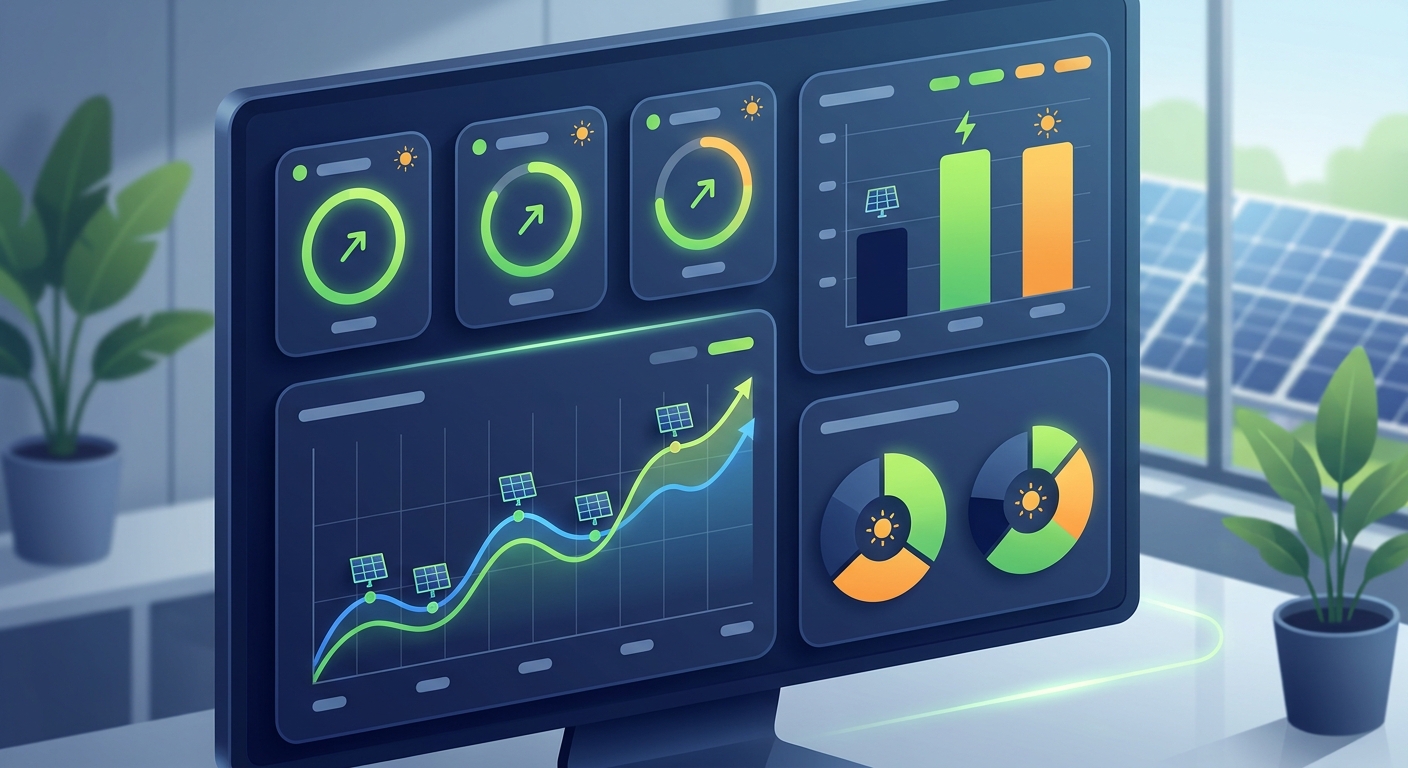
Key email metrics to track include:
Open rate: The percentage of recipients who open your email. Industry benchmarks for B2B emails range from 15-25%, though solar businesses often see higher rates with well-targeted campaigns. Low open rates indicate problems with subject lines, sender reputation, or audience targeting.
Click-through rate (CTR): The percentage of recipients who click links in your email. Typical B2B CTRs range from 2-5%. This metric reveals whether your email content and calls-to-action are compelling enough to drive action.
Conversion rate: The percentage of email recipients who complete your desired action, scheduling a consultation, responding with questions, or moving forward in your sales process. This is the ultimate measure of email effectiveness. For solar businesses, conversion rates from email automation typically range from 5-15% depending on the sequence and audience quality.
Bounce rate: The percentage of emails that couldn’t be delivered. Hard bounces (permanent delivery failures) should be removed from your list immediately. Bounce rates above 2% indicate list quality problems.
Unsubscribe rate: The percentage of recipients who opt out of future emails. Rates above 0.5% suggest your content isn’t relevant or you’re emailing too frequently.
Response rate: The percentage of recipients who reply to your automated emails. For solar businesses, response rates of 3-8% on follow-up sequences indicate healthy engagement.
Time to response: How quickly leads respond after receiving automated emails. This helps optimize send timing and sequence intervals.
QuickEst’s analytics dashboard provides real-time visibility into email automation performance. You can track which email sequences generate the most responses, which templates have the highest open rates, and which leads are engaging with your automated communications. This data-driven approach replaces guesswork with actionable insights.
The dashboard allows you to:
- View email performance metrics by sequence, template, or time period
- Identify which automated workflows drive the most conversions
- Track individual lead engagement with your email sequences
- Monitor overall email deliverability and sender reputation
- Compare performance across different audience segments
- Generate reports showing email automation ROI
Identifying bottlenecks in your email sequences helps you pinpoint where leads disengage. If 40% of leads open your first follow-up email but only 10% open the second, something about that second email isn’t resonating. Perhaps the timing is off, the subject line is weak, or the content doesn’t provide enough value. Analyze drop-off points in your sequences and experiment with improvements.
Look for patterns in high-performing vs. low-performing emails. Do emails with customer testimonials generate more responses than those without? Do shorter emails outperform longer ones? Does mentioning specific savings amounts increase click-through rates? These insights guide optimization efforts.
When to adjust timing, content, or triggers:
- If open rates drop significantly in later emails of a sequence, you may be following up too frequently or not providing enough new value in each message
- If click-through rates are low, your calls-to-action may be unclear or your content may not be compelling enough
- If conversion rates are strong but overall volume is low, you may need to adjust triggers to capture more leads in your workflows
- If unsubscribe rates spike, you’re likely emailing too often or your content isn’t relevant to your audience
- If response rates are high but conversions are low, the issue may be with your sales process after the email, not the email itself
Make data-driven adjustments based on these metrics. Don’t change everything at once, modify one element, measure the impact, then move to the next optimization opportunity.
ROI calculation for email automation efforts demonstrates the business value of your investment. Calculate ROI using this formula:
ROI = (Revenue from email automation – Cost of email automation) / Cost of email automation × 100
Revenue from email automation includes deals closed that originated from or were nurtured through automated email sequences. Track this by noting which leads engaged with your automated emails before converting to customers.
Costs include your CRM subscription (QuickEst offers plans starting at ₹0 for the free tier and ₹6,999 per user per year for the Pro plan), time spent setting up and maintaining workflows, and any additional tools or integrations.
Most solar businesses implementing email automation see ROI of 300-500% or higher within the first year. The combination of increased conversion rates, time savings for sales teams, and reduced lead leakage creates substantial value. For detailed guidance on measuring CRM ROI, check out our guide on solar CRM software costs and what you’re really paying for.
Beyond financial ROI, track operational metrics like hours saved per week on manual follow-ups, percentage of leads receiving timely follow-up (should approach 100% with automation), and sales team satisfaction with the system. These qualitative benefits contribute to overall business performance even if they’re harder to quantify.
7. Advanced Email Automation Strategies for Solar CRMs
Once you’ve mastered basic email automation, advanced strategies can further amplify results. These techniques leverage the full capabilities of modern solar CRMs to create sophisticated, multi-channel nurture campaigns.
Multi-channel automation extends beyond email to include WhatsApp, SMS, and other communication channels. QuickEst’s integration with WhatsApp enables solar businesses to send automated proposal delivery notifications and follow-ups via the messaging platform most Indians use daily. A multi-channel sequence might include:
- Email proposal delivery with detailed PDF attachment
- WhatsApp message 2 hours later confirming proposal was sent and offering to answer questions
- Email follow-up 3 days later highlighting key benefits
- WhatsApp check-in 7 days later with a friendly, conversational tone
This approach meets leads on their preferred channels and increases the likelihood of engagement. Some prospects respond better to email, while others prefer the immediacy of WhatsApp.
Automated proposal delivery via email is a game-changer for solar businesses. With QuickEst, you can generate a professional solar proposal in 60 seconds and have it automatically delivered via email with a personalized message. The system can then trigger follow-up sequences based on whether the recipient opens the proposal, clicks through to view details, or takes no action.
This automation eliminates the manual step of creating proposals, saving them, and remembering to send follow-up emails. The entire process flows automatically from proposal creation to delivery to nurture sequence.
Lead scoring integration with email workflows prioritizes your sales team’s attention. Assign point values to lead behaviors, opening emails, clicking links, visiting your website, downloading resources. As leads accumulate points through engagement, they move up your priority list. Set up automation rules like:
- When lead score reaches 50 points, notify assigned sales rep to make a personal phone call
- When lead score exceeds 75 points, trigger a high-priority follow-up sequence with more aggressive calls-to-action
- When lead score drops below 20 points (indicating disengagement), move to a long-term nurture sequence
Lead scoring ensures your team focuses energy on the most engaged, sales-ready prospects while automation handles lower-priority leads.
Team notification automation keeps everyone informed without manual updates. Configure your CRM to automatically notify team members when:
- A lead responds to an automated email
- A high-value lead opens a proposal
- A lead’s score reaches a threshold indicating sales-readiness
- A lead hasn’t been contacted in X days (preventing leads from being forgotten)
- A lead requests a callback or meeting
These notifications ensure timely human follow-up when automation identifies opportunities requiring personal attention. For more on implementing comprehensive automation systems, see our guide on follow-up automation in India.
Integration with Facebook Ads and other lead sources creates seamless lead capture and nurture workflows. When someone fills out a lead form on your Facebook ad, that information can automatically flow into QuickEst, triggering an immediate welcome email sequence. This integration eliminates manual data entry and ensures instant follow-up, critical for converting paid advertising leads.
QuickEst’s integration capabilities with Pabbly Connect, APIs, and webhooks enable connections with virtually any lead source, ensuring all leads enter your automated nurture workflows regardless of origin.
Seasonal campaign automation for solar businesses capitalizes on timing opportunities. Create workflows that activate during specific periods:
- Pre-monsoon campaigns emphasizing the importance of installing solar before the rainy season
- Year-end campaigns highlighting tax benefits and depreciation advantages for commercial clients
- Summer campaigns focusing on peak electricity costs and solar savings
- Festival season campaigns offering special consultation availability
Schedule these campaigns in advance, and they’ll automatically activate at the right time each year, ensuring you capitalize on seasonal buying patterns without manual campaign management.
Advanced automation strategies require more sophisticated setup but deliver proportionally greater results. As you become comfortable with basic email automation, gradually implement these advanced techniques to maximize the value of your solar CRM investment.
Common Email Automation Mistakes to Avoid
Even well-intentioned email automation can backfire if you fall into common traps. Avoid these mistakes to ensure your automation enhances rather than damages customer relationships:
Over-automating and losing the personal touch: The biggest risk of email automation is creating a robotic, impersonal experience. If every interaction with your company is automated, leads feel like numbers rather than valued prospects. Balance automation with personal outreach. Use automation for routine follow-ups, but have sales reps personally reach out for important conversations, complex questions, or high-value opportunities. When leads respond to automated emails, ensure humans take over the conversation.
Sending too many emails too quickly: Bombarding leads with daily automated emails creates annoyance, not engagement. Respect your prospects’ inbox. Space follow-ups appropriately, typically 3-7 days apart for active sequences, longer for nurture campaigns. Monitor unsubscribe rates; if they spike, you’re likely emailing too frequently. Quality matters more than quantity. One well-timed, relevant email outperforms five generic messages.
Neglecting to update templates and sequences: Email automation isn’t a one-time setup. Your templates should evolve as your offerings change, market conditions shift, and you learn what resonates with your audience. Review and update templates quarterly at minimum. Remove outdated information, refresh examples and testimonials, and incorporate new value propositions. Stale content reduces effectiveness over time.
Ignoring unsubscribe requests and compliance: Failing to honor unsubscribe requests damages your reputation and violates regulations. Ensure every automated email includes a clear, functional unsubscribe link. Process opt-outs immediately, ideally automatically through your CRM. Familiarize yourself with email marketing regulations applicable in India and ensure your practices comply. Never purchase email lists or send to people who haven’t expressed interest in your services.
Not segmenting your audience properly: Sending identical automated emails to residential homeowners and commercial facility managers wastes the power of automation. These audiences have different needs, decision processes, and pain points. Segment your database and create targeted sequences for each group. Generic, one-size-fits-all automation performs poorly compared to segmented, targeted campaigns. Take time to properly categorize leads in your CRM so automation can deliver relevant content.
Failing to monitor and optimize performance: Setting up email automation and never reviewing results is like driving with your eyes closed. Regularly analyze your metrics, identify underperforming sequences, and make data-driven improvements. Schedule monthly reviews of your email automation performance. What worked last quarter may not work this quarter as market conditions and customer preferences evolve. Continuous optimization is essential for sustained results.
Additional mistakes to avoid include:
- Using broken or incorrect personalization tokens that display as {{FirstName}} instead of the actual name
- Forgetting to set exit conditions, causing leads to receive irrelevant emails after taking action
- Creating overly complex workflows that are difficult to manage and troubleshoot
- Neglecting mobile optimization, resulting in poor display on smartphones
- Writing vague calls-to-action that don’t clearly tell recipients what to do next
- Failing to test emails before activating automation, leading to embarrassing errors
- Not training your sales team on how automation works, creating confusion when leads reference automated emails
Awareness of these common pitfalls helps you implement email automation effectively from the start. Learn from others’ mistakes rather than making them yourself. When in doubt, prioritize the recipient experience, if an automated email wouldn’t provide value to you as a recipient, don’t send it.
Start Automating Your Solar Sales Follow-Ups Today
Email automation transforms how solar businesses manage leads, nurture prospects, and close deals. By implementing the strategies outlined in this tutorial, you can ensure no lead falls through the cracks while freeing your sales team to focus on high-value activities like consultations, site assessments, and closing conversations.
The setup process follows a clear path: develop your automation strategy by mapping your customer journey and defining goals, create compelling email templates with personalization and clear calls-to-action, configure workflows with appropriate triggers and timing, personalize content through segmentation and dynamic fields, test and optimize continuously based on performance data, and monitor results using analytics to drive ongoing improvements.
Solar companies implementing comprehensive email automation typically see results within the first month, higher response rates, more consistent follow-up, and increased conversion rates. Within three to six months, the impact becomes substantial: 30-50% improvements in lead-to-customer conversion, 10-15 hours saved per week per sales rep, and significant revenue growth from leads that previously would have been lost.
QuickEst simplifies email automation for solar businesses by providing industry-specific templates, intuitive workflow builders, and powerful analytics, all designed specifically for solar EPCs, installers, and B2B service companies. The platform’s automated follow-up system ensures every lead receives timely, personalized communication, while integration with WhatsApp extends your reach beyond email to the channels your prospects prefer.
The combination of rapid proposal generation (create and send professional proposals in 60 seconds) with automated follow-up sequences creates a complete sales acceleration system. You can move from initial inquiry to proposal delivery to systematic nurturing without manual intervention, dramatically increasing your sales team’s productivity and effectiveness. For insights on maximizing your conversion rates, explore our article on proven ways to boost sales conversion in solar.
Getting started doesn’t require a massive time investment or technical expertise. Begin with one simple workflow, perhaps a new lead welcome sequence or post-proposal follow-up automation. Test it with a small segment of leads, measure results, and refine based on performance. Once you’ve proven the value with one workflow, expand to additional sequences and more sophisticated strategies.
The solar market in India continues to grow rapidly, bringing both opportunity and competition. The businesses that will thrive are those that combine speed, consistency, and personalization in their sales processes. Email automation in your solar CRM provides all three, ensuring you capture more opportunities, nurture leads effectively, and close more deals.
Don’t let another lead slip away due to missed follow-ups or delayed responses. Start implementing email automation today and transform your solar sales process from reactive and manual to proactive and systematic. Whether you’re a small solar installer handling dozens of leads monthly or a large EPC managing hundreds of inquiries, email automation scales with your business and delivers consistent results.
Ready to experience the power of email automation for your solar business? QuickEst offers flexible plans to match your needs, from a free plan at ₹0 to get started with basic automation features, to the comprehensive Pro plan at ₹6,999 per user per year that includes advanced workflow capabilities, unlimited templates, and full analytics. Take the first step toward automated sales success and unlock your team’s full potential. Contact us to learn how QuickEst can transform your solar sales process through intelligent email automation.
This blog post was written using thestacc.com