

Picture this: a homeowner in Pune fills out your Facebook lead form at 9:15 AM. By 9:17 AM, your sales rep receives an automatic notification, the lead is already in your CRM, and a professional solar proposal is on its way via WhatsApp. No manual data entry. No delay. No missed opportunity. That is what CRM automation looks like when it is working for your solar business.
Most solar companies in India are still doing this the hard way. Leads come in from multiple sources, someone copies them into a spreadsheet, a manager assigns them manually, and a rep eventually sends a proposal hours or even days later. By then, the prospect has already heard from a competitor. CRM automation closes that gap permanently. It handles the repetitive, time-sensitive tasks so your team can focus on what they do best: building relationships and closing deals.
This guide covers 11 essential CRM automation workflows that every solar business should have running in 2026. Each one is practical, actionable, and designed to reduce manual work while helping your team capture more leads and win more deals.

Why CRM Automation Is a Game-Changer for Solar Sales Teams
Solar sales is a fast-moving business. Residential and commercial prospects compare multiple quotes, respond to whoever reaches out first, and make decisions quickly. A sales process that depends on manual steps at every stage is a sales process that leaks revenue.
CRM automation replaces manual steps with triggered actions. When a lead comes in, the CRM captures it automatically. When a proposal is sent, a follow-up sequence starts on its own. When a deal goes cold, a re-engagement message fires without anyone having to remember. The result is a sales process that runs consistently, even when your team is busy with other priorities.
For solar businesses in India, the stakes are especially high. With growing competition among EPCs, installers, and solar service providers, the companies that respond fastest and follow up most consistently are the ones that win. CRM automation is what makes that consistency possible at scale. According to Salesforce’s State of Sales research, sales teams that use automation spend 27% more time actually selling. That is time your competitors may not have.
Here are the 11 workflows that deliver the biggest impact for solar businesses.
1. Automated Lead Capture from Facebook Ads
Facebook Lead Ads are one of the most popular lead generation tools for solar companies in India. But the value of those leads drops sharply with every minute that passes before your team responds. CRM automation solves this by connecting your Facebook Ads account directly to your CRM, so every new lead lands in your pipeline the moment the form is submitted.
With a direct Facebook integration, you eliminate the copy-paste workflow entirely. No one needs to log into Ads Manager, download a CSV, and upload it to the CRM. The lead arrives automatically, complete with name, phone number, location, and any other fields you collected. Your sales rep gets an instant notification and can respond within minutes.
Setup tips for this workflow:
- Connect your Facebook Business account to your CRM using the native integration or a tool like Pabbly Connect
- Map your Facebook form fields to the correct CRM fields (name, phone, city, interest type)
- Set up an automatic welcome message via WhatsApp or SMS that fires the moment a lead is captured
- Assign the lead to the right rep automatically based on location or product interest
Platforms like QuickEstimate support direct Facebook Ads integration, making this one of the fastest automations to set up for solar businesses. For a deeper look at this specific workflow, see our guide on Follow-Up Automation India: Complete Service Guide 2026.
2. WhatsApp Proposal Delivery Automation
In India, WhatsApp is not just a messaging app. It is the primary communication channel for business conversations. Solar prospects expect to receive quotes, updates, and follow-ups on WhatsApp. CRM automation makes it possible to send a professional, branded solar proposal via WhatsApp in under 60 seconds, triggered automatically when a lead reaches the right stage in your pipeline.
Instead of a sales rep manually creating a proposal, formatting it, and sending it through WhatsApp, the CRM does it automatically. When a lead is marked as “qualified” or moves to the “proposal” stage, the system generates the proposal using your pre-built template and delivers it directly to the prospect’s WhatsApp number.
Key elements of this automation:
- Pre-built proposal templates with your company branding, panel specifications, and pricing
- Automatic proposal generation triggered by a pipeline stage change
- Delivery via WhatsApp with a personalized message
- Proposal tracking so you know when the prospect opens and views the document
This workflow alone can cut proposal delivery time from hours to seconds, giving your team a significant competitive advantage in a market where speed wins deals.
3. Automated Follow-Up Sequences After Proposal Sent
Sending a proposal is not the end of the sales process. It is the beginning of the follow-up phase, and this is where most solar deals are won or lost. Research from InsideSales consistently shows that it takes multiple touchpoints to convert a prospect, yet most sales reps give up after one or two attempts. CRM automation ensures your follow-up never stops.
A well-designed follow-up sequence for solar proposals might look like this:
- Day 1 (same day as proposal): Automated WhatsApp message confirming the proposal was sent and inviting questions
- Day 3: Follow-up email or WhatsApp asking if the prospect had a chance to review the proposal
- Day 7: A value-add message sharing a case study or testimonial from a similar solar installation
- Day 14: A final check-in with a soft call-to-action to schedule a site visit
Each message in the sequence is pre-written and sends automatically. If the prospect responds or books a meeting, the sequence pauses so your rep can take over the conversation. This keeps your pipeline active without requiring your team to manually track every open proposal.
For solar businesses looking to build more sophisticated follow-up systems, our post on 7 Proven Ways to Boost Sales Conversion in Solar 2026 covers complementary strategies that work alongside automation.
4. Lead Assignment and Task Routing by Territory or Product
When a new lead arrives, someone needs to own it. In many solar businesses, this assignment happens manually: a manager reviews the lead, decides who should handle it, and sends a message to the rep. This process introduces delays and, when managers are busy, leads can sit unassigned for hours. CRM automation handles assignment instantly.
You can set up rules that automatically assign leads based on criteria like:
- Geography: Leads from Maharashtra go to the Mumbai team; leads from Karnataka go to the Bangalore team
- Product type: Residential rooftop inquiries go to one rep; commercial and industrial leads go to another
- Deal size: Large commercial projects above a certain system size go directly to a senior sales executive
- Lead source: Facebook leads go to the digital sales team; referral leads go to the relationship manager
Once a lead is assigned, the CRM can automatically create a task checklist for the rep: call the lead within 2 hours, send a proposal within 24 hours, schedule a site visit within 5 days. This ensures every lead gets the same high-quality treatment regardless of which rep handles it.
5. Deal Stage Progression Triggers
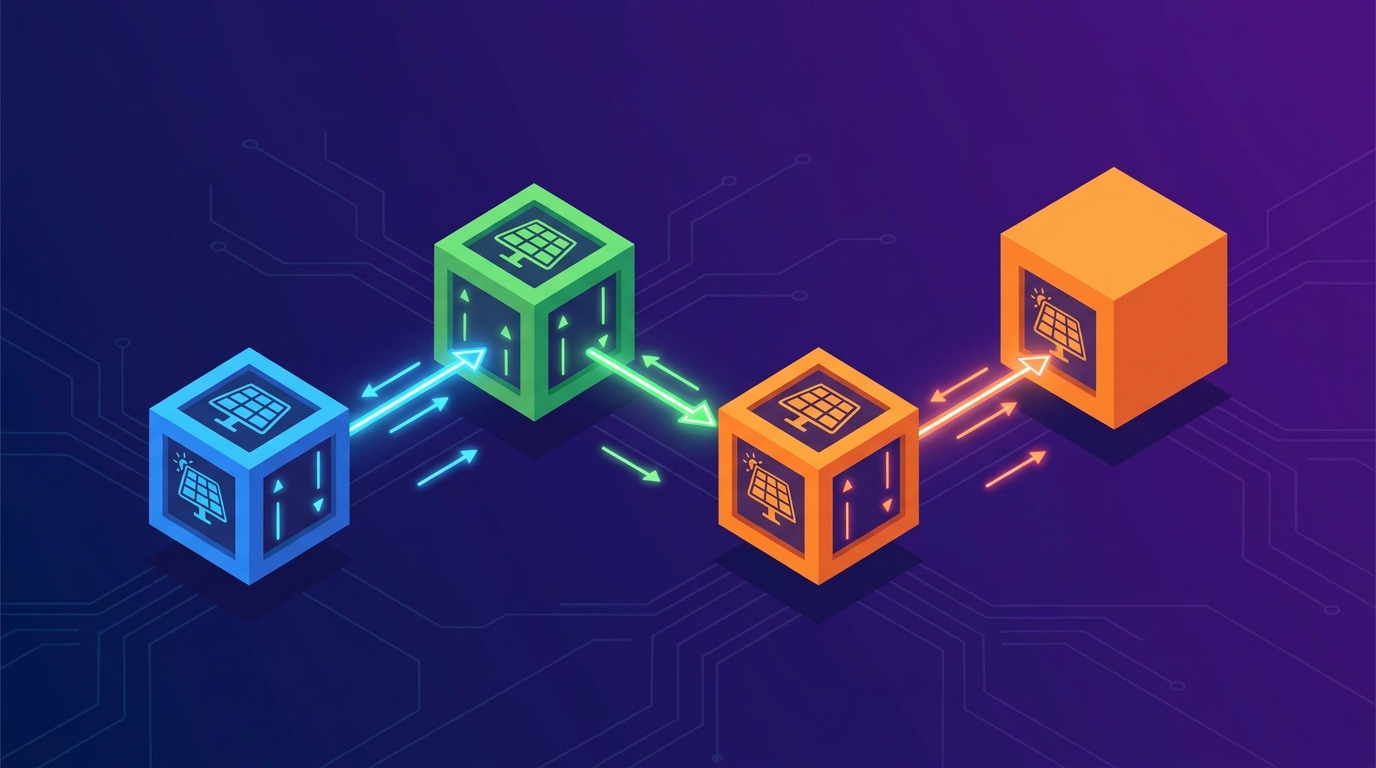
A clean, accurate sales pipeline is one of the most valuable assets a solar business can have. But keeping it up to date manually is tedious, and reps often forget to move deals forward. CRM automation can trigger pipeline movement automatically based on actions taken by your team or your prospects.
Examples of deal stage triggers that work well for solar businesses:
- When a proposal is sent, the deal automatically moves from “Qualified” to “Proposal Sent”
- When a prospect clicks a link in your proposal, the deal moves to “Engaged” and the rep gets a notification
- When a site visit is scheduled, the deal moves to “Site Visit Booked”
- When a deal has been in the same stage for more than 7 days with no activity, an alert fires to the manager
These triggers keep your pipeline accurate in real time. Managers can see exactly where every deal stands without chasing reps for updates. And stalled deals get flagged before they are lost, giving your team a chance to intervene early.
For solar businesses that want to understand pipeline management in more depth, the CRM Adoption Guide for Solar Sales Teams 2026 covers how to build a pipeline culture that supports automation.
6. Bulk Lead Import and Enrichment Automation
Many solar businesses have large lists of leads sitting in Excel files, old CRM exports, or WhatsApp contact lists. Getting those leads into your CRM and activating them quickly is a major opportunity. CRM automation makes bulk import not just a data task but the start of an automated engagement sequence.
Here is how to make bulk import work as an automation trigger:
- Prepare your lead list in a standardized Excel format with columns for name, phone, city, lead source, and interest type
- Import the list into your CRM using the bulk import feature
- Set up auto-tagging rules so leads are segmented by city, product interest, or source on import
- Trigger an automated welcome sequence immediately after import so leads receive a message within minutes
This approach turns a passive data import into an active lead engagement campaign. Instead of leads sitting in your CRM waiting for someone to call them, they receive a personalized message automatically and your team gets a prioritized call list based on who responds.
7. Pabbly Connect and Third-Party Integration Workflows
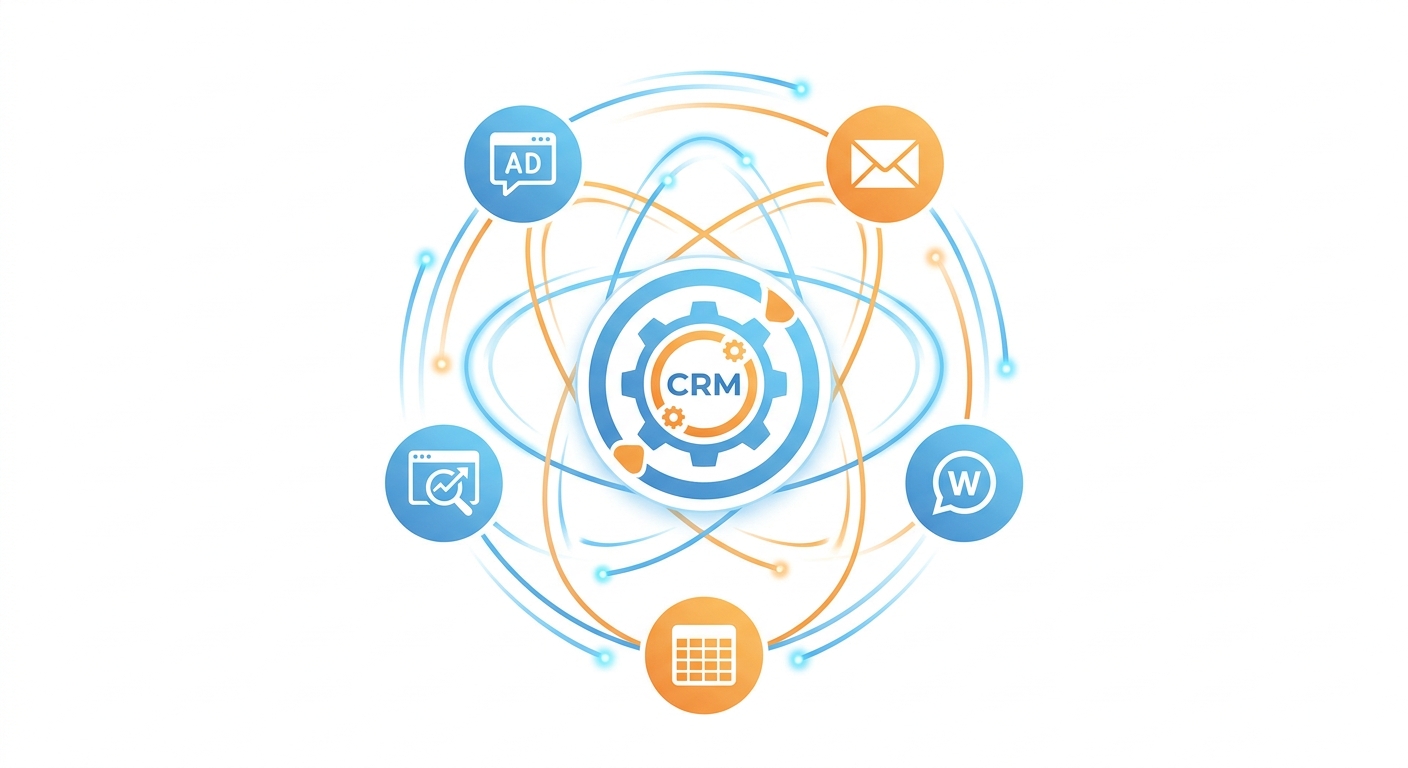
Not every lead source connects directly to your CRM out of the box. Solar businesses in India generate leads from Indiamart, JustDial, Google Ads, website contact forms, and referral networks. CRM automation through integration tools like Pabbly Connect lets you connect all of these sources to your CRM without writing a single line of code.
Pabbly Connect acts as a bridge between your CRM and hundreds of other platforms. You set up a “workflow” in Pabbly that says: “When a new lead arrives from Indiamart, add it to my CRM and assign it to the right rep.” The workflow runs automatically every time a new lead comes in.
Popular integration workflows for solar businesses using Pabbly Connect:
- Indiamart to CRM: New buyer inquiries from Indiamart are automatically added to your CRM pipeline
- Google Sheets to CRM: Leads collected in a shared Google Sheet sync to your CRM in real time
- Website form to CRM: Contact form submissions on your website create new CRM leads instantly
- JustDial to CRM: JustDial leads are captured and assigned automatically without manual entry
- CRM to WhatsApp: When a new lead is created, a WhatsApp message is sent automatically to the prospect
These integrations eliminate the manual data entry that wastes hours of your team’s time every week. Every lead source feeds into one central CRM, giving you a complete picture of your pipeline and ensuring no lead is ever missed.
8. Automated Email Sequences for Lead Nurturing
Not every solar lead is ready to buy immediately. Some prospects are in the early research phase, comparing options, or waiting for the right time to invest. CRM automation lets you stay in front of these leads with a consistent email nurturing sequence that builds trust over time without requiring manual effort from your team.
A basic lead nurturing sequence for solar businesses might include:
- Email 1 (Day 0): Welcome email with an overview of your company, key projects, and a link to your portfolio
- Email 2 (Day 4): Educational content about solar ROI, payback period, and government subsidies available in India
- Email 3 (Day 10): A case study from a similar customer (residential or commercial, depending on the lead type)
- Email 4 (Day 18): A soft offer to schedule a free site assessment or consultation
- Email 5 (Day 30): A final value-add email with a limited-time incentive to take the next step
The key to effective email nurturing is segmentation. Residential leads should receive different content than commercial leads. Leads from tier-1 cities may have different concerns than those from smaller towns. Your CRM automation system should allow you to create separate sequences for each segment so every prospect receives relevant, personalized communication.
9. Sales Performance Reporting Automation
Managers at solar companies spend significant time compiling sales reports manually: pulling data from spreadsheets, chasing reps for updates, and trying to make sense of disconnected numbers. CRM automation eliminates this entirely by generating and delivering reports automatically on a schedule you define.
With automated reporting, you can set up:
- Daily activity reports: Sent to managers every morning showing calls made, proposals sent, and deals moved the previous day
- Weekly pipeline reports: A summary of all active deals, their current stage, and the expected close date
- Monthly performance dashboards: Team-level and individual-level KPIs including conversion rates, average deal size, and revenue closed
- Stalled deal alerts: Automatic notifications when a deal has not moved in a defined number of days
Real-time dashboards take this further by giving managers a live view of the pipeline at any moment. Instead of waiting for a weekly report, you can see exactly how your team is performing right now and make decisions based on current data. This is especially valuable for solar businesses managing multiple teams across different cities or regions.
To understand what metrics matter most for your solar sales operation, see our guide on Solar CRM Software Costs: What You’re Really Paying For, which covers the ROI metrics that justify CRM investment.
10. Re-Engagement Automation for Cold Leads
Every solar CRM has a graveyard of cold leads: prospects who showed interest, received a proposal, and then went silent. Most sales teams write these leads off. But CRM automation can systematically re-engage cold leads at scale, recovering deals that would otherwise be permanently lost.
A re-engagement workflow works by identifying leads that have been inactive for a defined period (say, 30 or 60 days) and automatically sending a re-engagement message. The message should feel personal and relevant, not like a generic marketing blast.
Effective re-engagement triggers and messages for solar businesses:
- Seasonal trigger: “Summer is here and electricity bills are rising. Here is how solar can help you save this year.”
- Policy update trigger: “The government has updated the PM Surya Ghar subsidy scheme. You may qualify for a higher benefit than before.”
- Price drop trigger: “Solar panel prices have dropped since we last spoke. Your system cost may be lower than you expected.”
- Anniversary trigger: “It has been 3 months since you inquired about solar. Many of our customers who waited are now saving ₹4,000–₹8,000 per month.”
Re-engagement campaigns consistently recover 10–20% of cold leads when the messaging is relevant and timely. For a solar business with hundreds of cold leads in the CRM, this represents significant revenue that would otherwise be left on the table.
11. Post-Installation Follow-Up and Referral Automation
The sales process does not end when a solar installation is complete. That moment is actually the beginning of your most valuable lead generation channel: referrals. CRM automation lets you systematically capture referrals from happy customers without relying on your team to remember to ask.
A post-installation automation sequence might look like this:
- Day 7 after installation: Automated WhatsApp message checking in on the customer’s experience and asking if everything is working well
- Day 30: A follow-up message sharing their first month’s estimated savings and asking for a Google review
- Day 45: A referral request message with a simple, clear ask: “Do you know anyone who might benefit from solar? We would love to help them too.”
- Day 90: A check-in on system performance with an offer to schedule a free maintenance review
This workflow turns every completed installation into a potential referral source. When a customer refers a friend or colleague, the new lead enters your CRM automatically and the referral workflow begins. The result is a self-sustaining lead generation engine that grows alongside your installation base.
How to Prioritize CRM Automation Workflows for Your Solar Business

Eleven workflows can feel overwhelming if you try to implement them all at once. The smart approach is to start with the automations that have the highest impact on your current biggest pain point, then build from there.
Use this simple framework to prioritize:
Start with Lead Capture and Assignment (Workflows 1 and 4)
If leads are coming in from Facebook or other sources and sitting unassigned for hours, fix this first. Automated lead capture and assignment is the foundation of every other workflow. Nothing else matters if leads are not getting to the right rep quickly.
Add Proposal and Follow-Up Automation Next (Workflows 2 and 3)
Once leads are being captured and assigned correctly, the next priority is ensuring proposals go out fast and follow-ups happen consistently. These two workflows together address the most common reason solar deals are lost: slow response and inconsistent follow-up.
Build Integration and Nurturing Workflows (Workflows 7 and 8)
After your core sales process is automated, expand to connect additional lead sources and build nurturing sequences for leads that are not yet ready to buy. This is where CRM automation starts to compound, generating results from leads that would previously have been ignored.
Add Reporting and Re-Engagement Last (Workflows 9 and 10)
Automated reporting and re-engagement campaigns are high-value but not urgent. Once your core workflows are running, add these to maximize the return on your existing CRM data.
The key metric to track as you implement each workflow is time saved per week and leads recovered per month. Most solar businesses that implement even three or four of these automations report saving 10 or more hours per week in manual work, which translates directly into more time for selling.
For guidance on getting your team to actually use the CRM consistently so automation can work, the CRM Adoption Guide for Solar Sales Teams 2026 is an essential companion resource.
Frequently Asked Questions About CRM Automation for Solar Businesses
Do I need technical skills to set up CRM automation?
No. Modern CRM platforms designed for solar businesses, including QuickEstimate, are built for sales teams, not developers. Most automations are set up through simple point-and-click interfaces. For more complex integrations with third-party tools, platforms like Pabbly Connect provide no-code workflow builders that anyone can use.
How long does it take to see results from CRM automation?
Most solar businesses see measurable results within the first two to four weeks of implementing their first automations. Lead response times drop immediately. Follow-up consistency improves within days. The compounding benefits, such as re-engagement campaigns recovering cold leads and referral automations generating new business, build over the first two to three months.
Can CRM automation work for small solar businesses?
Absolutely. In fact, small solar businesses often benefit more from CRM automation than large ones because they have fewer people to handle manual tasks. A two-person sales team with good automation can outperform a five-person team without it. The key is choosing a CRM that is affordable and easy to set up without a dedicated IT team.
What is the difference between CRM automation and general marketing automation?
Marketing automation typically focuses on top-of-funnel activities like email campaigns and social media scheduling. CRM automation covers the entire sales process, from lead capture and assignment through proposal delivery, follow-up, pipeline management, and post-sale engagement. For solar businesses, CRM automation is more directly tied to revenue because it operates at every stage of the deal cycle.
How do I know which CRM automation features I actually need?
Start by mapping your current sales process and identifying where leads are being lost or delayed. Common problem areas for solar businesses include slow lead response, inconsistent follow-up, and manual proposal creation. The automations that address your specific bottlenecks will deliver the highest ROI. Our guide on CRM Scalability: 8 Critical Questions Before You Buy can help you evaluate which features matter most for your stage of growth.
Start Automating Your Solar Sales Process Today
CRM automation is not a future investment. It is the competitive advantage that separates solar businesses that scale from those that stay stuck in manual processes. Every hour your team spends on data entry, manual follow-ups, and report compilation is an hour they are not spending on conversations that close deals.
QuickEstimate is built specifically for solar businesses and B2B companies that want to implement CRM automation without the complexity or cost of enterprise platforms. From automated lead capture and 60-second WhatsApp proposal delivery to follow-up sequences and real-time reporting, every workflow in this guide is available on the platform today.
If you are ready to stop losing deals to slower competitors and start building a sales process that runs on autopilot, explore QuickEstimate’s plans. The FREE Plan (₹0) lets you get started immediately with core CRM automation features. When you are ready to unlock the full power of automation including advanced integrations, unlimited proposals, and team management tools, the PRO Plan at ₹6,999 per user per year gives your solar business everything it needs to scale. Have questions about which plan fits your team? Contact us and we will help you find the right setup for your business.
This blog post was written using thestacc.com