

If your solar sales team is working hard but you can’t tell why some months are great and others fall flat, you have a data problem. CRM reporting is the solution. It turns the daily activity of your sales team — every call, every proposal, every follow-up — into clear, actionable insights that help you close more deals and grow faster. This buyer’s guide covers everything solar EPCs, installers, and B2B sales teams in India need to know about CRM reporting in 2026: which metrics matter, which report types to use, how to evaluate reporting features, and how to choose the right CRM for your business.

Why CRM Reporting Is a Game-Changer for Solar Businesses
Most solar businesses in India are growing fast. New leads come in from Facebook Ads, referrals, and walk-ins. Sales reps are juggling multiple proposals. Managers are trying to keep track of who followed up and who didn’t. Without CRM reporting, all of this activity is invisible. You’re making decisions based on gut feeling instead of data.
The cost of this blind spot is real. Deals slip through the cracks because no one tracked the follow-up. Marketing budgets get wasted on lead sources that don’t convert. High-performing reps leave because their contributions aren’t recognized. Underperformers stay because no one has the data to coach them.
In 2026, the solar market in India is more competitive than ever. According to the Ministry of New and Renewable Energy (MNRE), India’s solar capacity continues to expand rapidly, which means more installers, more competition, and tighter margins. The solar companies that win are the ones that use data to work smarter, not just harder.
CRM reporting gives solar businesses a real-time view of their entire sales operation. You can see which lead sources bring the best customers, which pipeline stages lose the most deals, and which team members need support. This guide will show you exactly how to use that data to your advantage.
The Essential CRM Reporting Metrics Every Solar Team Must Track
Not all metrics are created equal. Before you dive into dashboards and reports, you need to know which numbers actually move the needle for a solar business. Here are the core CRM reporting metrics that matter most.
Lead Metrics: Measuring the Top of Your Solar Sales Funnel
Your sales pipeline starts with leads. These metrics tell you whether you’re attracting enough of the right prospects.
- Total leads generated: How many new leads entered your pipeline this week, month, or quarter.
- Qualified leads vs. total leads: What percentage of incoming leads are actually worth pursuing? A low ratio signals a targeting problem.
- Lead source breakdown: Which channels (Facebook Ads, referrals, website, walk-ins) are sending you leads? This is critical for lead management in India, where lead sources vary widely by region and customer type.
- Cost per lead: How much are you spending to acquire each lead from paid channels?
Pipeline Metrics: Tracking Deals in Motion
Pipeline metrics show you the health of your active deals. They help you spot problems before they become lost revenue.
- Pipeline value by stage: The total value of deals at each stage of your sales process (e.g., New Lead, Proposal Sent, Negotiation, Closed Won).
- Stage-to-stage conversion rates: What percentage of leads move from one stage to the next? A sharp drop at any stage reveals a specific problem to fix.
- Stalled deals: Deals that haven’t moved in 7, 14, or 30 days. These are at risk of going cold.
- Average deal age: How long has the average deal been in your pipeline? Older deals are harder to close.
Revenue Metrics: Connecting Sales Activity to Business Outcomes
Revenue metrics connect your team’s daily activity to the financial health of your business.
- Monthly and quarterly revenue: Track trends over time to spot seasonal patterns in solar sales.
- Average deal value: Are you winning more residential (smaller) or commercial (larger) solar projects? This shapes your sales strategy.
- Revenue per sales rep: Who is your top performer? Who needs coaching?
- Revenue forecast: Based on current pipeline, how much revenue can you expect next month? Good CRM reporting makes this predictable.
7 Critical Report Types in Solar CRM Reporting
A powerful CRM doesn’t just store data — it organizes that data into specific report types that answer specific business questions. Here are the seven report types every solar business should use.
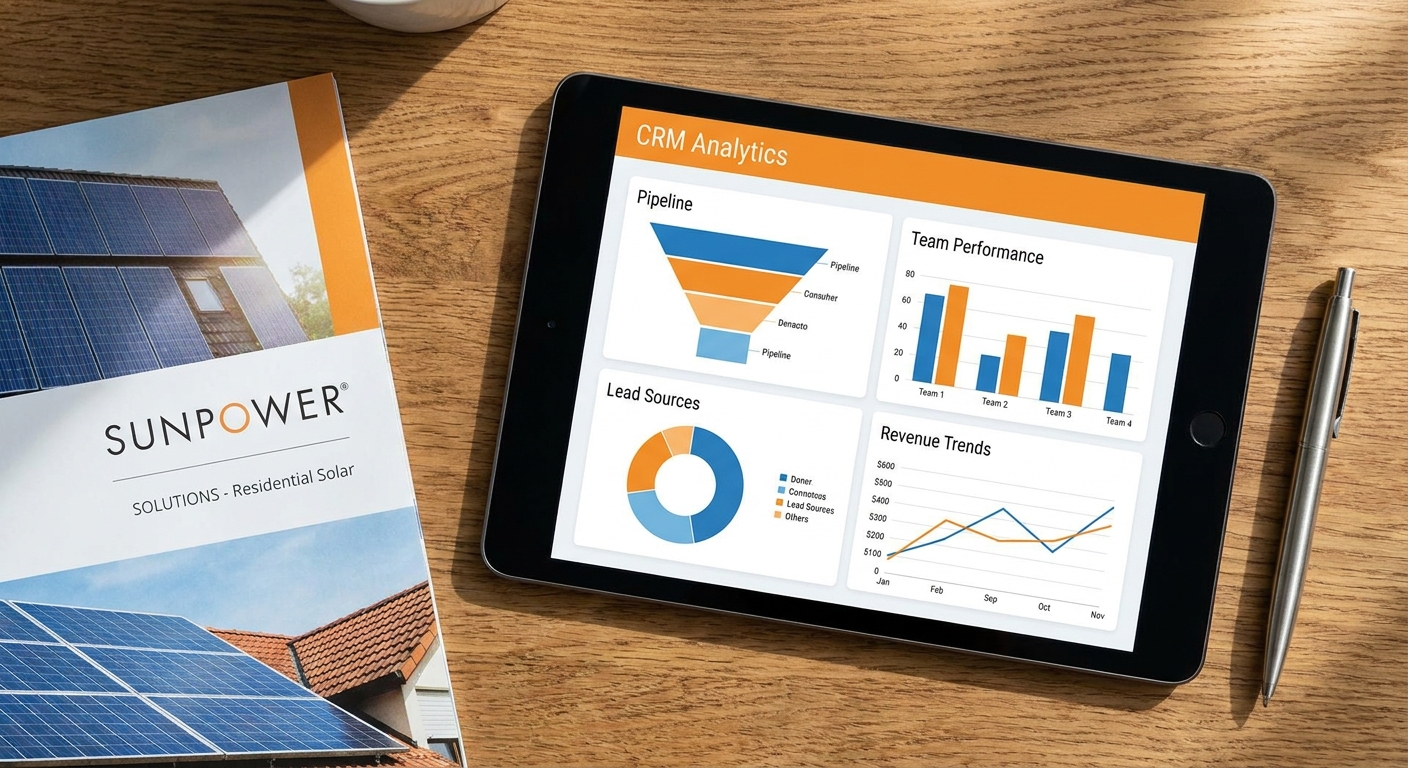
1. Pipeline Reports
A pipeline report gives you a snapshot of every active deal in your sales funnel. You can see deal value, current stage, assigned rep, and last activity date. For solar teams managing dozens of proposals at once, this report is the daily command center. It answers the question: “Where does every deal stand right now?”
2. Team Performance Reports
These reports show you how each sales rep is performing against their targets. You can compare metrics like calls made, proposals sent, deals closed, and revenue generated. This is the most important report for sales managers who want to coach their team effectively and reward top performers.
3. Conversion Analytics
Conversion analytics show you exactly where leads drop out of your pipeline. If 80% of your leads make it to the “Proposal Sent” stage but only 20% move to “Negotiation,” you have a proposal quality problem. This report type is essential for improving your solar sales process step by step.
4. Lead Source Reports
Not all lead sources are equal. A lead source report breaks down your leads by origin (Facebook Ads, referrals, website, trade shows) and shows you which sources produce the highest conversion rates and deal values. This is how smart solar businesses optimize their marketing spend.
5. Proposal Activity Reports
For solar businesses, proposals are the heart of the sales process. A proposal activity report tracks how many proposals were sent, which ones were opened, and which ones were accepted. If proposals are being sent but not opened, you have a follow-up problem. If they’re being opened but not accepted, you have a pricing or presentation problem.
6. Follow-Up Compliance Reports
Missed follow-ups are one of the biggest reasons solar deals are lost. A follow-up compliance report shows you whether your team is following up on schedule. It flags overdue tasks and helps managers hold reps accountable without micromanaging. This connects directly to follow-up automation best practices that top solar teams use to stay consistent.
7. Revenue Forecast Reports
A revenue forecast report uses your current pipeline data to predict future revenue. It factors in deal values, probability of closing, and expected close dates. For solar business owners planning resources and cash flow, this report is invaluable.
How to Evaluate CRM Reporting Features When Choosing a Solar CRM
Not all CRMs offer the same quality of CRM reporting. When you’re evaluating options, here’s what to look for.
Real-Time Dashboards vs. Static Reports
Some CRMs generate reports that are updated once a day or require manual refresh. Others offer live dashboards that update in real time as your team works. For a fast-moving solar sales team, real-time data is far more valuable. You need to know right now if a deal is going cold, not tomorrow morning.
Customizable Reports
Your solar business is unique. You may track metrics that a generic CRM doesn’t support out of the box. Look for a CRM that lets you build custom reports based on the fields and stages that matter to your business. This is especially important for CRM selection in India, where solar sales processes vary significantly between residential, commercial, and industrial segments.
Mobile Access
Solar sales reps spend a lot of time in the field. Your CRM reporting should be fully accessible on mobile devices. A sales manager should be able to pull up a pipeline report or team performance dashboard from their phone while visiting a project site.
Integration with Lead Sources
Your CRM reporting is only as good as the data going in. Make sure your CRM integrates with your lead sources, Facebook Ads, website forms, and third-party tools. Platforms like QuickEstimate support integrations with Facebook Ads, Pabbly Connect, and custom APIs, ensuring your lead data flows automatically into your reports without manual entry.
Ease of Use for Non-Technical Managers
The best CRM reporting tools are ones that your sales managers will actually use. Avoid platforms that require IT support to generate a basic report. Look for clean, intuitive dashboards that non-technical users can navigate confidently.
Role-Based Access
Not everyone on your team needs to see everything. A good CRM lets you control who sees which reports. Sales reps might see their own performance data, while managers see the full team view. This protects sensitive business data while keeping everyone focused on their own metrics.
For a deeper look at what to ask before committing to a CRM, read our guide on 8 critical CRM scalability questions to ask before you buy.
CRM Reporting Comparison: QuickEstimate vs. Generic CRMs
When evaluating CRM reporting options, solar businesses in India often compare purpose-built tools against general-purpose platforms. Here’s how they stack up.
General-Purpose CRMs (Zoho, Salesforce, Pipedrive)
Platforms like Zoho CRM and Salesforce offer powerful reporting engines, but they’re built for a wide range of industries. This means you’ll spend significant time customizing pipelines, fields, and report templates to fit a solar sales workflow. The reporting is capable, but the setup cost, in time and money, is high. For small and mid-sized solar businesses in India, this complexity often means the reporting features go unused.
Solar-Specific CRM Reporting with QuickEstimate
QuickEstimate is built specifically for solar EPCs, installers, and B2B sales teams. Its CRM reporting features are designed around the solar sales process from day one. You get a real-time analytics dashboard that tracks lead volume, pipeline health, proposal activity, and team performance, all without custom configuration.
One feature that sets QuickEstimate apart is proposal activity reporting. Because the platform generates professional solar proposals in under 60 seconds and delivers them via WhatsApp or email, it can track exactly which proposals were sent, opened, and accepted. This level of proposal-level insight is simply not available in generic CRMs without significant customization.
For solar businesses comparing CRM pricing and features, QuickEstimate offers a Free Plan (₹0) and a Pro Plan at ₹6,999 per user per year, a fraction of the cost of enterprise platforms, with reporting capabilities purpose-built for solar sales. You can also explore the Free Plan to experience the reporting dashboard before committing.
To understand the full cost picture, see our breakdown of what you’re really paying for with solar CRM software.
Real-World Examples: How Solar Companies Use CRM Reporting
Theory is useful, but real examples make the value of CRM reporting concrete. Here’s how solar businesses are using data-driven insights to improve their sales results.

Example 1: Prioritizing High-Value Deals with Pipeline Reports
A solar EPC company managing 50+ active deals at any given time was struggling to prioritize. Their sales reps were spending equal time on a ₹50,000 residential quote and a ₹15 lakh commercial project. After setting up pipeline reports in their CRM, the sales manager could instantly sort deals by value and stage. The team refocused their energy on high-value commercial deals, and their average deal size increased significantly within two quarters.
Example 2: Coaching Underperformers with Team Performance Reports
A solar installer with a five-person sales team noticed that overall revenue was flat despite high lead volume. Team performance reports revealed that two reps had strong proposal-sending rates but very low close rates. The manager used the data to identify that these reps were sending proposals but not following up. With targeted coaching and automated follow-up reminders, their close rates improved within 30 days.
Example 3: Cutting Ad Spend with Lead Source Reports
A solar company was spending heavily on Facebook Ads and Google Ads. Lead source reports in their CRM showed that Facebook leads had a 4% conversion rate while referral leads converted at 22%. The business shifted 40% of its ad budget toward a referral incentive program, reducing cost per acquisition and improving overall margins. This is the kind of insight that only CRM reporting can deliver.
Example 4: Closing the Follow-Up Gap with Proposal Activity Reports
One solar business discovered through proposal activity reports that 60% of their sent proposals were never followed up on after the initial send. Prospects were opening proposals but hearing nothing from the sales team. By setting up automated follow-up reminders triggered by proposal opens, they recovered several deals that would have otherwise gone cold. For more on this, see our guide to proven ways to boost sales conversion in solar.
Setting Up CRM Reporting: A Step-by-Step Checklist for Solar Teams
Getting value from CRM reporting requires a thoughtful setup. Follow this checklist to get your solar team reporting-ready.
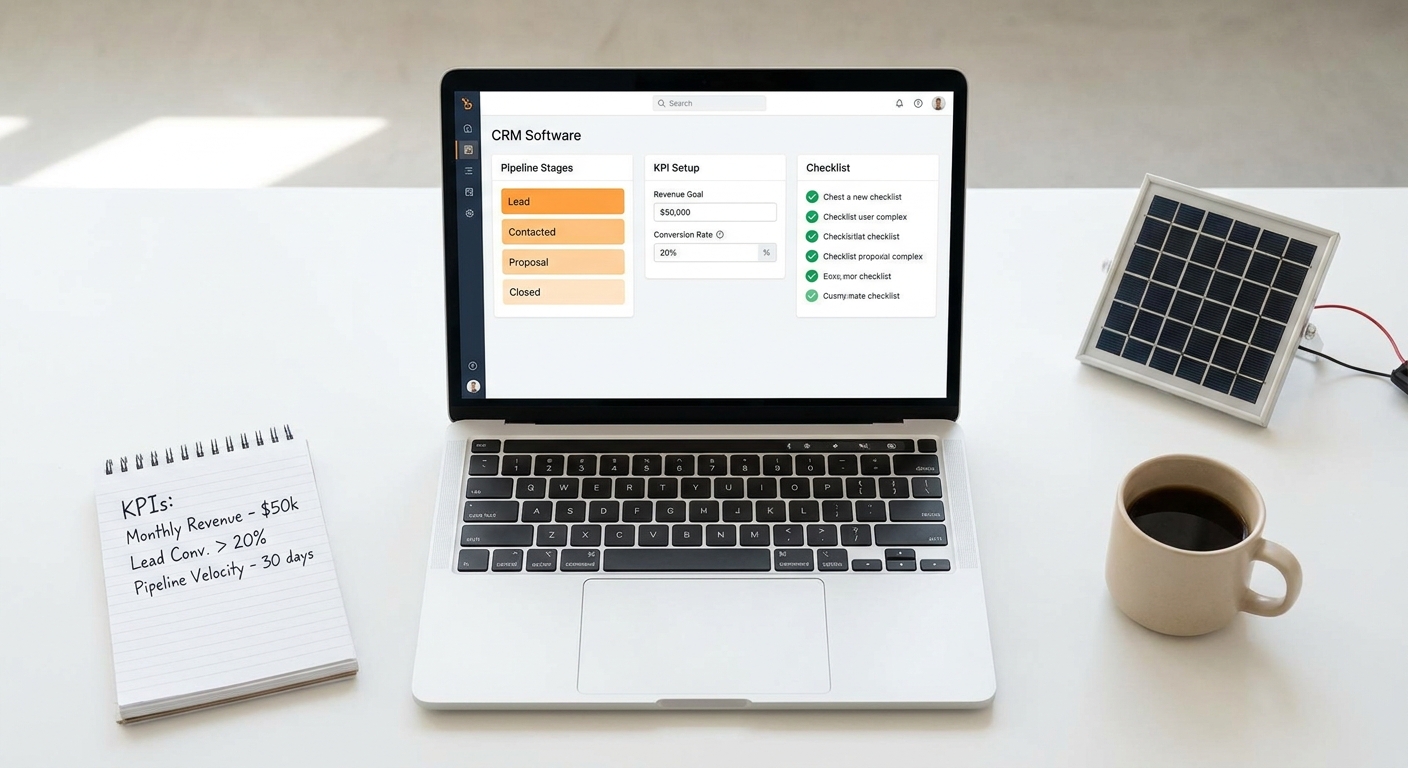
Step 1: Define Your Key Sales KPIs
Before you touch any software, write down the 5 to 7 metrics that matter most to your business. Common choices for solar teams include: lead-to-proposal conversion rate, proposal-to-close rate, average deal value, and revenue per rep. Having clarity on your KPIs before setup prevents you from drowning in irrelevant data.
Step 2: Map Your Solar Sales Pipeline Stages
Define the exact stages a lead moves through in your business. A typical solar pipeline might look like: New Lead → Qualified → Site Visit Scheduled → Proposal Sent → Negotiation → Closed Won / Closed Lost. Every stage should have a clear definition so your team uses them consistently.
Step 3: Configure Lead Source Tracking
Set up your CRM to automatically tag leads by source. If you’re using Facebook Ads integration or bulk lead import from Excel, make sure the source field is populated correctly. Accurate lead source data is the foundation of meaningful CRM reporting.
Step 4: Set Up Team Performance Dashboards
Create a dashboard for each sales rep showing their personal KPIs, and a separate manager dashboard showing the full team view. Keep dashboards simple, 5 to 7 metrics per view is enough. Too many numbers on one screen leads to analysis paralysis.
Step 5: Schedule Automated Report Delivery
Set up weekly or monthly automated reports to be delivered to your inbox. This ensures that even busy managers stay informed without having to log in and pull reports manually. Consistency in reviewing reports is what turns data into habits.
Step 6: Review and Iterate Monthly
CRM reporting is not a set-and-forget activity. Schedule a monthly review with your sales team to go through the key reports together. Celebrate wins, identify patterns, and adjust your sales process based on what the data shows. For a complete guide to getting your CRM up and running, see our CRM implementation guide for India.
Frequently Asked Questions About CRM Reporting for Solar
What is CRM reporting and why does it matter for solar businesses?
CRM reporting is the process of using your CRM software to generate structured reports and dashboards that show the performance of your sales team, pipeline, and revenue. For solar businesses, it matters because the sales cycle is complex, multiple site visits, proposals, and follow-ups are involved. Without reporting, it’s impossible to manage this complexity at scale.
Which CRM reporting metrics should I track first?
Start with three core metrics: lead-to-proposal conversion rate, proposal-to-close rate, and average deal value. These three numbers give you a clear picture of where your sales process is strong and where it needs work. Once you have a baseline, add more metrics over time.
How is solar CRM reporting different from generic CRM reporting?
Solar CRM reporting is tailored to the solar sales process. It includes metrics like proposal activity (sent, opened, accepted), site visit scheduling rates, and system size vs. deal value analysis. Generic CRMs can be configured to track these, but solar-specific platforms like QuickEstimate include them out of the box, saving significant setup time.
Can small solar businesses benefit from CRM reporting?
Absolutely. Even a 2-person solar sales team benefits from basic CRM reporting. Knowing which lead source is converting best, or which proposals are going unanswered, can make a significant difference in monthly revenue. The key is to start simple and add complexity as your team grows.
How much does a CRM with good reporting cost in India?
CRM pricing in India varies widely. Enterprise platforms like Salesforce can cost thousands of rupees per user per month. Solar-specific platforms like QuickEstimate offer a Free Plan at ₹0 and a Pro Plan at ₹6,999 per user per year, making professional-grade CRM reporting accessible to businesses of all sizes. For a full breakdown of what drives CRM costs, read our article on solar CRM software costs.
What integrations should a solar CRM reporting tool support?
Look for integrations with your lead sources (Facebook Ads, website forms), communication tools (WhatsApp, email), and data import options (Excel bulk upload). The more data flows automatically into your CRM, the more accurate and complete your CRM reporting will be. QuickEstimate supports Facebook Ads integration, Pabbly Connect, and custom APIs and webhooks for this reason.
Start Making Data-Driven Solar Sales Decisions Today
CRM reporting is not a luxury for large solar companies. It’s a practical tool that any solar EPC, installer, or B2B sales team can use to close more deals, coach their team more effectively, and grow revenue with confidence. The solar businesses winning in India’s competitive market in 2026 are the ones that know their numbers, lead sources, conversion rates, proposal activity, and team performance, and act on them every week.
You don’t need a complex, expensive enterprise platform to get started. QuickEstimate gives solar businesses a purpose-built CRM reporting dashboard that tracks everything from lead volume to proposal activity to team performance, all in real time. With a Free Plan available at ₹0, there’s no reason to keep flying blind. If you’re ready to unlock the full power of solar sales analytics, the Pro Plan at ₹6,999 per user per year gives you everything you need to scale. Have questions about which plan fits your team? Contact us and we’ll help you find the right fit.
Stop guessing. Start reporting. Your next best sales decision is already in your data.
This blog post was written using thestacc.com