
Introduction: Why Mobile CRM Matters for Solar Sales Teams
The solar industry in India and across the globe has undergone a dramatic transformation in recent years. As solar sales professionals spend more time in the field—meeting customers at their homes, conducting site surveys, and closing deals on-site—the need for mobile CRM solutions has become critical. Gone are the days when sales teams could afford to wait until they returned to the office to update lead information, send proposals, or follow up with prospects.
In 2026, mobile CRM isn’t just a convenience—it’s a competitive necessity. Solar sales teams using mobile CRM solutions report conversion rate improvements of 25-40% compared to those relying solely on desktop systems. The ability to capture lead information instantly, generate professional proposals within minutes, and send them via WhatsApp or email while still at the customer’s location dramatically shortens sales cycles and increases close rates.
For solar businesses in India, where sales professionals often travel to remote areas with varying connectivity, mobile CRM capabilities like offline access and quick proposal generation have become game-changers. Whether you’re a solar installation company, an EPC firm, or part of a distributed sales team, understanding how mobile CRM works and what features matter most can directly impact your bottom line.
This comprehensive FAQ guide answers the 25 most common questions about mobile CRM for solar sales teams. We’ll cover everything from basic functionality and offline capabilities to advanced features like proposal automation, team collaboration, security concerns, and ROI. Whether you’re evaluating mobile CRM solutions for the first time or looking to maximize your existing system, this guide provides the actionable insights you need to manage leads on-the-go and close more deals in 2026.
Getting Started with Mobile CRM
1. What is mobile CRM and how does it differ from desktop CRM?
Mobile CRM refers to customer relationship management software that’s accessible via smartphones and tablets, allowing sales teams to manage customer relationships, track leads, and execute sales activities from anywhere. Unlike desktop CRM systems that require you to be at your computer, mobile CRM puts your entire sales operation in your pocket.
The key differences go beyond just screen size. Mobile CRM applications are designed with touch interfaces, simplified navigation, and features optimized for field work—like quick data entry, voice notes, photo uploads, and location tracking. For solar sales teams, this means you can capture a lead’s information during a site visit, take photos of their roof, calculate system requirements, and send a professional proposal before you even leave their property.
Modern mobile CRM solutions like QuickEst sync seamlessly between mobile and desktop platforms, ensuring your entire team has access to the same real-time data whether they’re in the field or at the office. This synchronization eliminates the data silos that plague traditional sales operations.
2. Do I need a separate mobile CRM or can I use my existing CRM on mobile?
Most modern CRM platforms offer mobile apps or mobile-responsive web interfaces, so you typically don’t need a completely separate system. However, not all mobile CRM experiences are created equal. Some general-purpose CRMs simply shrink their desktop interface to fit a smaller screen, resulting in clunky navigation and limited functionality.
For solar businesses, the ideal solution is a solar-specific mobile CRM that’s purpose-built for your industry. Platforms like QuickEst offer dedicated iOS and Android apps designed specifically for solar sales workflows—including instant solar proposal generation, WhatsApp integration for quick customer communication, and templates tailored to solar installations.
When evaluating whether your existing CRM’s mobile capabilities are sufficient, ask yourself: Can I complete my entire sales process from my phone? Can I generate and send a professional solar proposal in under 60 seconds? If the answer is no, it’s time to consider a mobile-first solar CRM solution.
3. What are the essential mobile CRM features for solar sales teams?
Solar sales teams have unique requirements that differ from other industries. The essential mobile CRM features for solar professionals include:
- Quick proposal generation: The ability to create professional solar proposals with system specifications, pricing, and ROI calculations directly from your mobile device
- Offline access: Full functionality even when you’re in areas with poor connectivity—critical for rural installations
- Lead capture and management: Instant lead entry with contact details, site information, and energy consumption data
- WhatsApp and email integration: Send proposals and follow-ups through customers’ preferred communication channels
- Photo and document upload: Capture site photos, roof images, and electricity bills for accurate system design
- Automated follow-up reminders: Never miss a follow-up opportunity with customizable reminder notifications
- Real-time analytics: Track your sales pipeline, conversion rates, and performance metrics on-the-go
- Team collaboration tools: Assign leads, share notes, and coordinate with team members from anywhere
These features transform your smartphone into a complete sales office, enabling you to operate efficiently whether you’re at a customer site, traveling between appointments, or working from home. For a detailed breakdown of CRM features that matter most, check out our complete buyer’s checklist for solar CRM features.
4. How much does mobile CRM cost for solar businesses?
Mobile CRM pricing for solar businesses varies significantly based on features, user count, and whether the platform is industry-specific or general-purpose. In the Indian market, you’ll find options ranging from free basic plans to enterprise solutions costing several thousand rupees per user annually.
General-purpose CRM platforms like Salesforce and Zoho CRM typically charge ₹1,000-₹3,000 per user per month, but these require significant customization to work effectively for solar sales. Solar-specific solutions often provide better value because they include industry-tailored features out of the box.
QuickEst offers flexible pricing designed specifically for solar businesses, including a free plan at ₹0 for teams just getting started, and a comprehensive Pro Plan at ₹6,999 per user per year—which breaks down to less than ₹600 per month per user. This includes full mobile CRM access, unlimited proposal generation, automated follow-ups, and team collaboration tools.
When evaluating CRM pricing, consider the total cost of ownership, including setup fees, training time, customization costs, and integration expenses. Often, a solar-specific mobile CRM delivers faster ROI because it requires minimal configuration and your team can start using it productively within days. For a comprehensive breakdown of what you’re actually paying for, read our guide on solar CRM software costs.
5. Can mobile CRM work offline when I’m in remote areas?
Offline functionality is absolutely critical for solar sales teams in India, where many potential installation sites are in areas with limited or unreliable internet connectivity. The best mobile CRM solutions offer robust offline capabilities that allow you to continue working seamlessly even without an active internet connection.
With offline-enabled mobile CRM, you can access your lead database, view customer information, add notes, update lead status, and even create proposals while disconnected. The system stores all your changes locally on your device and automatically syncs with the cloud once you regain connectivity.
QuickEst’s mobile app is designed with offline functionality in mind, recognizing that solar sales professionals often work in rural areas or locations with poor network coverage. You can capture new leads, access existing customer data, and prepare proposals offline, then sync everything when you’re back in a connected area. This ensures you never lose productivity due to connectivity issues and can provide professional service regardless of location.
When evaluating mobile CRM solutions, specifically test the offline capabilities. Try accessing lead data, creating a test proposal, and updating records with your device in airplane mode to ensure the system truly functions without connectivity.
Mobile App Features and Capabilities
6. What features should a solar mobile CRM app include?
A comprehensive solar mobile CRM app should serve as your complete sales toolkit, not just a limited version of the desktop platform. Essential features include:
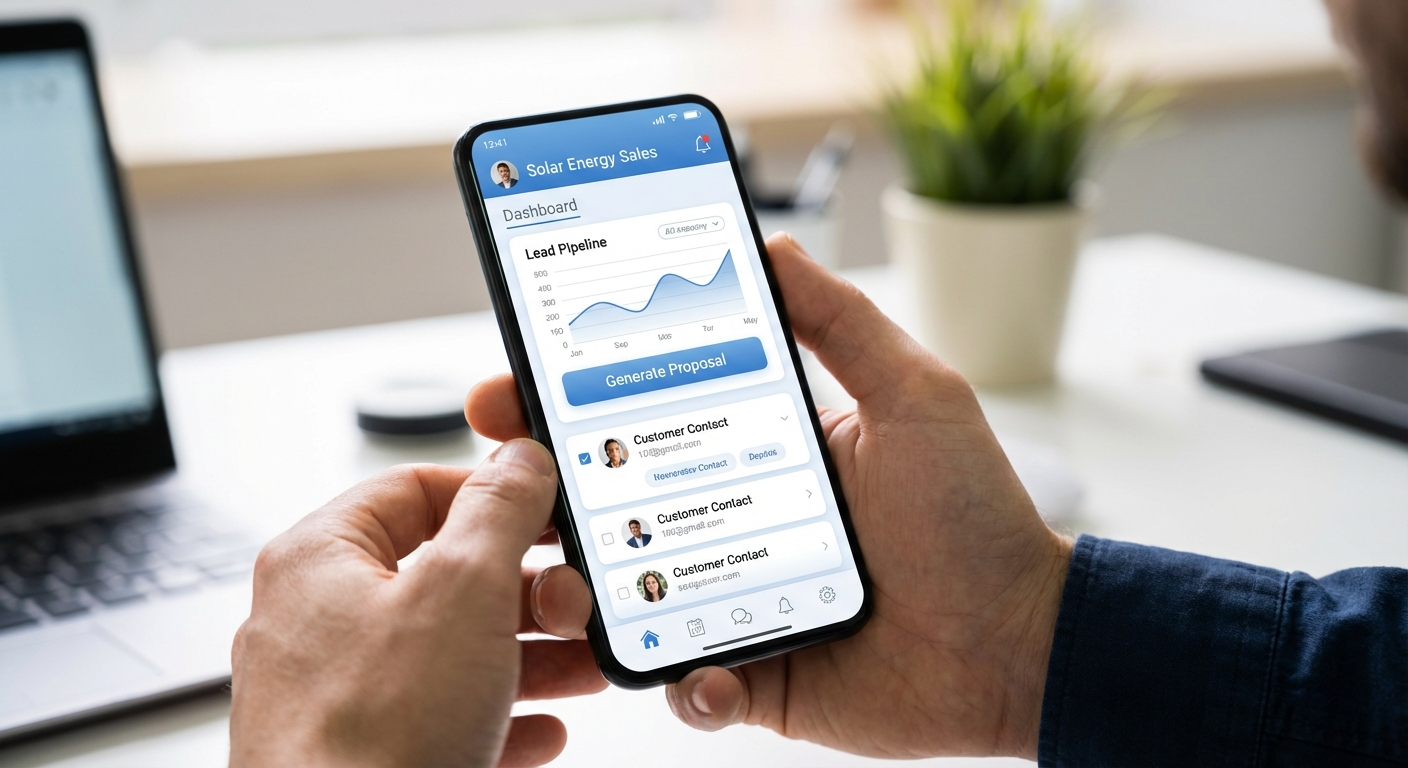
- Complete lead management: View, add, edit, and organize leads with full contact details, site information, and interaction history
- Instant proposal creation: Generate professional solar proposals with system specifications, pricing, and savings calculations
- Template library access: Choose from pre-designed, customizable proposal templates optimized for mobile viewing
- Multi-channel communication: Send proposals and follow-ups via WhatsApp, email, or SMS directly from the app
- Calendar and task management: Schedule site visits, set follow-up reminders, and manage your daily activities
- Photo and file management: Capture site photos, upload documents, and attach files to customer records
- Real-time notifications: Receive alerts when customers view proposals, when follow-ups are due, or when team members update shared leads
- Sales analytics dashboard: Monitor your pipeline, conversion rates, and performance metrics in real-time
- Team collaboration: Assign leads, share notes, and communicate with team members
- Data import/export: Bulk import leads from Excel and export reports for analysis
The mobile app should feel intuitive and fast, with touch-optimized interfaces that make data entry quick and effortless. Features like voice-to-text for notes, barcode scanning for equipment details, and GPS location tagging can further enhance productivity for field sales teams.
7. Can I create and send solar proposals from my mobile device?
Absolutely—and this capability is perhaps the most transformative feature of modern mobile CRM for solar sales teams. The ability to create and send professional solar proposals while still at the customer’s location dramatically improves conversion rates by capitalizing on the customer’s immediate interest.
Mobile proposal generation typically works through guided workflows that walk you through the essential information: customer details, site specifications, energy consumption, system size, equipment selection, pricing, and financing options. The mobile CRM pulls from your product catalog, pricing database, and proposal templates to assemble a professional document automatically.
QuickEst’s mobile app enables solar sales professionals to generate complete, branded solar proposals in under 60 seconds directly from their smartphones. The system includes customizable templates, automatic calculations for system sizing and ROI, and instant delivery via WhatsApp or email, all without requiring you to return to the office or switch to a desktop computer.
This mobile proposal capability transforms the sales process. Instead of telling a customer “I’ll send you a proposal tomorrow,” you can say “Let me send that to you right now” and deliver a professional quote before you leave their property. This immediacy significantly reduces the likelihood of customers shopping around or losing interest.
8. How fast can I generate proposals on mobile?
Speed is critical in solar sales. Every minute a customer waits for a proposal is an opportunity for them to contact your competitors or reconsider their decision. Modern mobile CRM platforms designed for solar sales can generate professional proposals in 30-90 seconds, depending on the complexity of the system and how much information you need to input.
The fastest mobile proposal generation systems use smart defaults, saved templates, and automated calculations to minimize data entry. For example, if you’ve already captured the customer’s basic information and energy consumption during lead qualification, the proposal generation process might only require you to select system size, equipment preferences, and pricing tier.
QuickEst is specifically designed for speed, enabling solar sales teams to create and send professional proposals within 60 seconds. The platform achieves this through pre-configured solar proposal templates, automated system sizing calculations, integrated pricing databases, and one-tap delivery via WhatsApp or email. This rapid turnaround time is a significant competitive advantage, especially when you’re competing against companies using slower, manual proposal processes.
When evaluating mobile CRM solutions, time the proposal generation process during your demo or trial period. Create a realistic scenario with typical customer data and see how long it actually takes from start to finish. The difference between a 60-second process and a 10-minute process can directly impact your close rates.
9. Does mobile CRM support WhatsApp and email integration?
In India, WhatsApp has become the dominant communication channel for business interactions, making WhatsApp integration an essential feature for any mobile CRM targeting the Indian solar market. Customers expect to receive proposals, updates, and follow-ups through WhatsApp because it’s convenient, familiar, and allows for quick responses.
The best mobile CRM platforms offer seamless WhatsApp integration that allows you to send proposals, follow-up messages, and updates directly through the app without switching to a separate messaging application. This integration should maintain a record of all WhatsApp communications within the customer’s CRM profile, ensuring complete interaction history.
Email integration is equally important for professional communications and customers who prefer formal documentation. Your mobile CRM should allow you to send branded emails with attached proposals, track email opens and clicks, and manage email templates for different scenarios (initial proposal, follow-up, contract, etc.).
QuickEst provides native integration with both WhatsApp and email, allowing solar sales teams to send proposals through their customer’s preferred channel with a single tap. The system tracks all communications, provides delivery and read receipts, and enables automated follow-up sequences through both channels. This multi-channel approach ensures you reach customers where they’re most responsive.
10. Can I access my full lead database on mobile?
Yes, comprehensive mobile CRM solutions provide complete access to your entire lead database from your smartphone or tablet. This includes not just basic contact information, but the full customer profile with interaction history, notes, attached documents, proposal history, and current pipeline stage.
Mobile lead database access should include robust search and filtering capabilities so you can quickly find specific leads or view segments like “hot leads,” “proposals sent this week,” or “follow-ups due today.” The interface should make it easy to scroll through your pipeline, update lead status with a tap, and access detailed information without excessive clicking.
Advanced mobile CRM platforms also offer intelligent lead prioritization, surfacing the most important leads based on factors like engagement level, deal size, time since last contact, and probability to close. This helps sales professionals focus their limited field time on the highest-value opportunities.
With QuickEst’s mobile app, you have instant access to your complete lead database with full search, filter, and sort capabilities. You can view leads by pipeline stage, assigned team member, date added, or custom criteria. The app also supports bulk lead import from Excel, so you can add leads captured at trade shows or through marketing campaigns directly from your mobile device.
Lead Management and Field Operations
11. How do I capture leads on-site using mobile CRM?
On-site lead capture is one of the most valuable mobile CRM capabilities for solar sales teams. Whether you’re at a trade show, conducting door-to-door sales, or meeting a referral, the ability to instantly capture lead information ensures nothing falls through the cracks.
Mobile lead capture typically involves a streamlined form optimized for quick data entry on a smartphone. Essential fields include name, phone number, email, address, current electricity bill amount, and interest level. Advanced mobile CRM apps offer additional features like:
- Business card scanning: Use your phone’s camera to automatically extract contact information from business cards
- Voice input: Dictate notes and information instead of typing
- GPS location tagging: Automatically record the lead’s location for site visit planning
- Photo attachment: Capture images of the customer’s roof, electrical panel, or current electricity bill
- Duplicate detection: Alert you if a similar lead already exists in your database
The key is speed and simplicity. You should be able to capture a basic lead profile in 30-60 seconds while standing at the customer’s location. QuickEst’s mobile app is designed for rapid lead capture with smart forms that adapt based on your inputs and save automatically, ensuring you never lose information even if you’re interrupted.
12. Can I update lead status and add notes from the field?
Absolutely. Real-time lead status updates and note-taking are fundamental mobile CRM features that keep your sales pipeline accurate and your team informed. After every customer interaction, whether it’s a phone call, site visit, or proposal presentation, you should be able to immediately update the lead’s status and add relevant notes.
Mobile CRM apps typically offer quick-action buttons for common status updates like “Proposal Sent,” “Follow-up Scheduled,” “Site Visit Completed,” or “Deal Won.” This allows you to update your pipeline with a single tap rather than navigating through multiple screens.
Note-taking functionality should support both typed and voice notes, with the ability to tag notes by category (e.g., “customer objection,” “technical requirement,” “pricing discussion”). These notes become invaluable for follow-up conversations and for team members who might take over the lead.
QuickEst’s mobile app provides instant lead status updates with customizable pipeline stages that match your sales process. You can add detailed notes, set follow-up reminders, and tag team members for collaboration, all from the field. The system timestamps all updates and maintains a complete activity history for each lead, ensuring accountability and continuity.
13. Does mobile CRM support voice notes and photo uploads?
Modern mobile CRM platforms recognize that typing detailed notes on a smartphone keyboard is time-consuming and often impractical when you’re in the field. Voice notes and photo uploads are essential features that make mobile lead management efficient and comprehensive.
Voice notes allow you to quickly record your observations, customer requirements, or action items immediately after a meeting while the details are fresh. You can capture nuanced information, like customer concerns, specific preferences, or site conditions, in seconds rather than spending minutes typing. Advanced systems offer voice-to-text transcription, making these notes searchable and easier to review later.
Photo uploads are particularly valuable for solar sales teams. You can capture images of the customer’s roof to assess shading and available space, photograph their electrical panel to identify upgrade requirements, snap pictures of their electricity bills to verify consumption, or document site access issues. These photos become part of the customer’s permanent record and can be referenced during system design and installation planning.
QuickEst’s mobile app supports both voice notes and unlimited photo uploads, with automatic cloud storage and synchronization across devices. Photos are automatically associated with the relevant customer record and can be accessed by your entire team, ensuring everyone has the visual information needed for accurate proposals and installations.
14. How does mobile CRM help with follow-up automation?
Follow-up automation is where mobile CRM truly shines in improving conversion rates. Studies show that 80% of sales require five or more follow-ups, yet most sales professionals give up after just one or two attempts. Mobile CRM with automated follow-up capabilities ensures you never miss an opportunity due to forgotten follow-ups.
Mobile follow-up automation works through customizable reminder systems and automated communication sequences. When you send a proposal from your mobile device, the system can automatically schedule follow-up reminders for 24 hours, 3 days, and 7 days later. You receive push notifications on your phone prompting you to reach out, and with one tap, you can send a pre-written follow-up message via WhatsApp or email.
Advanced automation includes trigger-based follow-ups, for example, if a customer opens your proposal email but doesn’t respond within 48 hours, the system automatically sends a gentle reminder asking if they have questions. This keeps your leads warm without requiring you to manually track every interaction.
QuickEst offers comprehensive follow-up automation with customizable email templates, WhatsApp message sequences, and intelligent reminder scheduling. The mobile app sends push notifications for upcoming follow-ups and allows you to execute them with a single tap, ensuring consistent communication even when you’re managing dozens of leads simultaneously.
15. Can I schedule site visits and set reminders on mobile?
Calendar management and reminder functionality are essential components of effective mobile CRM for solar sales teams. The ability to schedule site visits, set follow-up reminders, and manage your daily activities from your phone keeps you organized and ensures you maximize your field time.
Mobile CRM calendar features should integrate with your device’s native calendar (Google Calendar, Apple Calendar, etc.) so all your appointments appear in one place. When you schedule a site visit in your CRM, it should automatically create a calendar event with the customer’s address, contact information, and any relevant notes.
Reminder functionality goes beyond simple calendar alerts. Your mobile CRM should allow you to set task-specific reminders like “Follow up on proposal,” “Send contract,” or “Check on installation progress,” with customizable timing and priority levels. These reminders should appear as push notifications on your phone, ensuring you never miss important actions.
QuickEst’s mobile app includes integrated calendar and task management with automatic reminder notifications. You can schedule site visits directly from a lead’s profile, set multiple follow-up reminders with custom messages, and view your daily agenda with one-tap access to customer information. The system also provides route optimization suggestions when you have multiple site visits scheduled in the same area, helping you maximize efficiency.
Proposal Generation and Document Management
16. Can I create professional solar proposals on my phone?
Yes, and this capability represents one of the most significant advances in mobile CRM technology for solar sales. Modern mobile proposal generation produces documents that are indistinguishable from those created on desktop systems, complete with professional formatting, branded design, system specifications, financial analysis, and compelling visuals.

Mobile proposal creation works through intelligent templates that automatically populate with customer information, system specifications, and pricing data you’ve entered. The mobile interface guides you through the essential elements, customer details, energy consumption, system size, equipment selection, pricing, financing options, and ROI calculations, using touch-optimized forms and dropdown menus.
The resulting proposals include all the elements customers expect: executive summary, system design overview, equipment specifications, pricing breakdown, savings analysis, financing options, warranty information, and next steps. The proposals are professionally formatted, mobile-responsive (so customers can easily view them on their own phones), and fully branded with your company logo and colors.
QuickEst’s mobile app generates complete, professional solar proposals that include customizable templates, automatic system sizing calculations, ROI and savings projections, equipment specifications with images, financing options, and branded design. The proposals are optimized for both mobile and desktop viewing, ensuring a professional presentation regardless of how your customer accesses them.
17. How do I access proposal templates on mobile?
Template access is a critical feature of mobile CRM that enables consistent, professional proposal generation from anywhere. Your mobile app should provide instant access to your complete template library, with the ability to preview, select, and customize templates directly from your phone.
Well-designed mobile CRM platforms organize templates by category (residential, commercial, industrial), system type (rooftop, ground-mount, hybrid), or customer segment (budget-conscious, premium, eco-focused). This organization makes it easy to quickly find the right template for each situation.
Template customization on mobile should be straightforward, allowing you to modify text, adjust pricing, add or remove sections, and update branding elements without requiring desktop access. Changes you make to templates should sync across all devices, so customizations are available whether you’re working from your phone, tablet, or computer.
QuickEst provides a comprehensive library of professional solar proposal templates accessible through the mobile app. Templates are organized by system type and customer segment, with preview functionality so you can see exactly how the final proposal will look before sending. You can customize templates on mobile, save your own template variations, and set default templates for different scenarios to streamline the proposal process.
18. Can I customize proposals with customer-specific details on mobile?
Personalization is essential for effective sales proposals, and modern mobile CRM platforms make it easy to customize proposals with customer-specific details even when you’re working from a smartphone. Generic, one-size-fits-all proposals have significantly lower conversion rates than personalized documents that address the customer’s specific situation, needs, and concerns.
Mobile proposal customization should allow you to adjust system size based on the customer’s energy consumption, modify equipment selections to match their budget or preferences, include site-specific photos you’ve captured, add custom notes addressing their particular concerns, and adjust financing options to align with their financial situation.
The key is making this customization quick and intuitive on a mobile interface. Rather than requiring extensive typing or complex navigation, the best mobile CRM apps use smart forms, dropdown menus, sliders for numerical adjustments, and toggle switches for optional features. This allows you to create a highly personalized proposal in just a few minutes.
QuickEst’s mobile app enables comprehensive proposal customization with customer-specific system sizing, equipment selection from your product catalog, custom pricing and discount application, personalized notes and recommendations, site-specific photos and documentation, and flexible financing options. All customization happens through an intuitive mobile interface designed for speed and ease of use.
19. How do I share proposals via WhatsApp or email from mobile?
Proposal delivery is the critical final step in the mobile proposal generation process, and mobile CRM platforms should make sharing via WhatsApp or email effortless. The delivery method you choose can significantly impact whether customers actually view and respond to your proposals.
WhatsApp delivery is particularly effective in the Indian market because customers receive instant notifications, can view proposals directly within the WhatsApp app, and can easily respond with questions or requests for modifications. When you send a proposal via WhatsApp from your mobile CRM, the system should generate a mobile-optimized PDF or web link that displays perfectly on smartphones.
Email delivery provides a more formal communication channel and creates a permanent record in the customer’s inbox. Mobile CRM email functionality should allow you to customize the email subject line and message, attach the proposal as a PDF, include your email signature, and send from your business email address (not a generic CRM address).
QuickEst’s mobile app offers one-tap proposal delivery via both WhatsApp and email. The system generates mobile-optimized proposal documents, allows you to customize the accompanying message, and provides delivery confirmation. You can send to multiple recipients simultaneously and the system maintains a complete record of all proposal deliveries in the customer’s activity history.
20. Can I track when customers view my mobile-sent proposals?
Proposal tracking is an invaluable feature of modern mobile CRM that provides insights into customer engagement and helps you time your follow-ups perfectly. Knowing when a customer opens your proposal, how long they spend reviewing it, and which sections they focus on gives you a significant advantage in the sales process.
Mobile CRM proposal tracking typically works through embedded tracking pixels in emails or analytics on web-based proposal links. When a customer opens your proposal, you receive a push notification on your phone alerting you to their engagement. This real-time notification allows you to follow up immediately while the customer is actively considering your offer, dramatically increasing the likelihood of a positive response.
Advanced tracking provides additional insights like how many times the customer viewed the proposal, how long they spent on each page, whether they shared it with others, and which sections they revisited. This information helps you understand customer priorities and address specific concerns in your follow-up conversations.
QuickEst provides comprehensive proposal tracking with real-time push notifications when customers open proposals, detailed analytics on viewing time and engagement, tracking of multiple views and shares, and integration with your follow-up automation system. When a customer views your proposal, you can immediately send a follow-up message asking if they have questions, capitalizing on their active interest.
Security, Data Sync, and Technical Concerns
21. Is mobile CRM secure for sensitive customer data?
Security is a paramount concern when dealing with customer data on mobile devices, and reputable mobile CRM platforms implement multiple layers of protection to safeguard sensitive information. Solar sales teams handle personal customer data including contact information, financial details, energy consumption patterns, and home addresses, all of which require robust security measures.
Essential mobile CRM security features include end-to-end encryption for data transmission, encrypted local storage on your device, secure authentication (password, biometric, or two-factor), automatic session timeouts, and remote wipe capabilities if your device is lost or stolen. The system should also maintain detailed audit logs showing who accessed what data and when.
Data should be encrypted both in transit (when syncing between your device and the cloud) and at rest (when stored on your phone or the server). Industry-standard encryption protocols like TLS 1.2 or higher for transmission and AES-256 for storage provide military-grade protection against unauthorized access.
QuickEst implements comprehensive security measures including TLS 1.2 encryption for all data transmission, 256-bit AES encryption for stored data, secure authentication with optional two-factor authentication, automatic session timeouts, role-based access controls, and regular security audits. The platform is designed to meet international data protection standards, ensuring your customer information remains secure whether you’re accessing it from your phone, tablet, or computer.
22. How does data sync between mobile and desktop?
Seamless data synchronization is fundamental to effective mobile CRM operation. Your sales team needs confidence that information entered on a mobile device will immediately appear on desktop systems and vice versa, ensuring everyone works with the same up-to-date data regardless of which device they’re using.
Modern mobile CRM platforms use cloud-based architecture with real-time or near-real-time synchronization. When you update a lead status, add notes, or send a proposal from your phone, those changes sync to the cloud within seconds and become immediately visible to team members accessing the system from other devices.
The synchronization should be bidirectional and automatic, requiring no manual intervention. Changes made on desktop sync to mobile, changes made on mobile sync to desktop, and conflicts (when two people edit the same record simultaneously) are resolved intelligently, typically by preserving both changes or prompting for manual resolution.
Offline synchronization is equally important. When you work offline and make changes to your local data, the mobile CRM should queue those changes and automatically sync them to the cloud once connectivity is restored. This ensures no data is lost even when you’re working in areas with poor network coverage.
QuickEst uses cloud-based real-time synchronization that keeps all devices updated within seconds of any change. The system handles offline work gracefully, queuing changes made without connectivity and syncing automatically when you’re back online. Conflict resolution is handled intelligently, and you receive notifications if manual intervention is needed. This ensures your entire team always works with the most current information.
23. What happens if I lose my phone with CRM data?
Losing a phone containing customer data is a serious concern, but well-designed mobile CRM platforms include safeguards that minimize risk and enable quick recovery. The key is that your data should be stored primarily in the cloud, with your phone containing only a synchronized copy, not the sole repository of customer information.
When you lose a phone with mobile CRM access, you should immediately take these steps: log into your CRM account from another device and change your password, use the CRM’s remote wipe feature to erase all data from the lost phone, notify your CRM provider’s support team about the lost device, and review access logs to ensure no unauthorized access occurred.
Because your data is stored in the cloud, losing your phone doesn’t mean losing your customer information. Once you get a replacement device, simply install the mobile CRM app, log in with your credentials, and all your data will sync back to the new device. Your leads, proposals, notes, and activity history remain intact and accessible.
QuickEst’s cloud-based architecture ensures your data is never stored exclusively on your mobile device. If you lose your phone, your customer information remains secure in the cloud and can be accessed from any other device. The platform offers remote logout capabilities, and you can immediately secure your account by changing your password. Once you have a new device, simply reinstall the app and log in, all your data will be there.
24. Does mobile CRM drain battery or use too much data?
Battery consumption and data usage are practical concerns for sales professionals who rely on their phones throughout the day. Well-optimized mobile CRM apps are designed to minimize both battery drain and data consumption while still providing full functionality.
Battery optimization techniques include efficient background sync (syncing only when necessary rather than continuously), intelligent use of GPS (location tracking only when needed), optimized image handling (compressing photos before upload), and power-saving modes that reduce functionality when battery is low. A well-designed mobile CRM app should consume less than 5-10% of your daily battery usage under normal operation.
Data usage optimization is achieved through compressed data transmission, incremental syncing (sending only changes rather than entire records), image compression, and offline-first architecture (working locally and syncing periodically rather than requiring constant connectivity). Most mobile CRM apps use 50-200 MB of data per month under typical usage, far less than streaming video or social media apps.
QuickEst’s mobile app is optimized for minimal battery and data consumption. The app uses intelligent background sync, compresses images before upload, implements incremental data synchronization, and includes a low-data mode for users with limited mobile data plans. Under typical usage (20-30 lead interactions per day), the app consumes approximately 100-150 MB of data per month and less than 5% of daily battery life.
25. What are the system requirements for mobile CRM apps?
Understanding system requirements ensures your team’s devices are compatible with your chosen mobile CRM platform. Most modern mobile CRM apps are designed to work on a wide range of devices, but there are minimum requirements for optimal performance.
For iOS devices, most mobile CRM apps require iOS 12 or later, which means they work on iPhone 6s and newer models. For Android devices, typical requirements are Android 7.0 (Nougat) or later, which covers most devices manufactured in the last 5-6 years. The apps generally require 100-500 MB of storage space for the app itself, plus additional space for cached data and offline records.
Beyond operating system version, consider screen size for usability. While mobile CRM apps technically work on any smartphone, devices with screens smaller than 4.7 inches can make data entry and proposal review challenging. Tablets (iPads and Android tablets) provide an excellent middle ground, offering more screen real estate than phones while remaining portable for field work.
Internet connectivity requirements vary based on whether the app supports offline functionality. For online-only apps, you need consistent 3G or better connectivity. For offline-capable apps like QuickEst, you can work without connectivity and sync when available, making them suitable for areas with poor network coverage.
QuickEst’s mobile app supports iOS 12+ and Android 7.0+, covering the vast majority of devices currently in use. The app requires approximately 150 MB of storage space and works on both smartphones and tablets. With offline functionality, you can use QuickEst even in areas without connectivity, making it ideal for solar sales teams working in remote locations across India.
Team Collaboration and Performance Tracking
26. Can my team collaborate through mobile CRM?
Team collaboration is essential for solar businesses with multiple sales professionals, and modern mobile CRM platforms provide robust collaboration features accessible from mobile devices. Effective collaboration ensures leads don’t fall through the cracks, team members can support each other, and managers maintain visibility into sales activities.
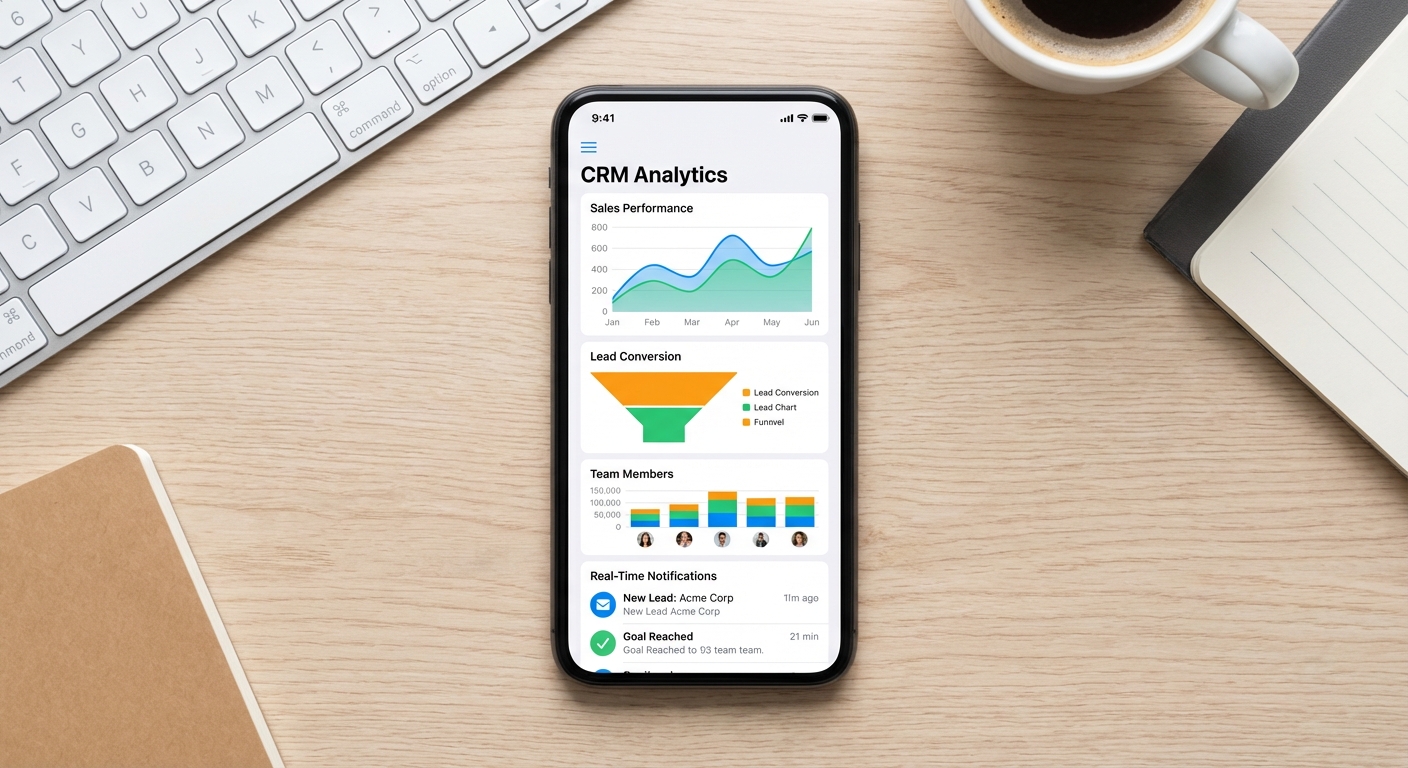
Mobile collaboration features include lead assignment and transfer (managers can assign leads to specific team members from their phones), shared notes and activity feeds (team members can see each other’s interactions with shared leads), task assignment (managers can assign follow-up tasks or site visits to team members), internal messaging (team communication without leaving the CRM), and notification systems (alerts when team members update shared leads or complete assigned tasks).
This collaboration capability is particularly valuable for solar businesses with inside sales teams that generate leads and field sales teams that conduct site visits and close deals. The inside team can capture and qualify leads on mobile, then instantly assign them to field representatives who receive immediate notifications on their phones.
QuickEst’s mobile app includes comprehensive team collaboration tools with lead assignment and transfer, shared activity feeds showing all team interactions, task assignment with due dates and priorities, internal notes visible only to team members, and real-time notifications for team activities. Managers can monitor team performance, reassign leads, and coordinate activities entirely from their mobile devices.
27. How do managers track team performance on mobile?
Performance tracking and sales analytics are critical management functions that modern mobile CRM platforms make accessible from anywhere. Sales managers don’t need to be at their desks to monitor team performance, identify issues, or recognize top performers, they can do it all from their smartphones.
Mobile performance tracking typically includes real-time dashboards showing key metrics like leads generated, proposals sent, deals closed, conversion rates, average deal size, and sales cycle length. Managers can view these metrics for individual team members, compare performance across the team, and track trends over time.
Advanced mobile analytics provide drill-down capabilities, allowing managers to tap on a metric to see underlying details. For example, tapping on “proposals sent” might show which specific proposals a team member sent, to which customers, and what the current status is. This granular visibility helps managers provide targeted coaching and support.
Notification systems alert managers to important events like deals won, large proposals sent, or leads that have been stagnant for too long. These alerts enable proactive management intervention before small issues become major problems.
QuickEst’s mobile app provides managers with comprehensive performance dashboards showing individual and team metrics, real-time sales pipeline visibility, conversion rate tracking, activity monitoring (calls, meetings, proposals sent), and customizable reports. Managers receive notifications for significant events and can drill down into details to understand performance drivers. This mobile visibility enables effective management even when you’re away from the office.
28. Can I assign tasks and leads to team members from mobile?
Task and lead assignment from mobile devices is an essential mobile CRM feature for sales managers and team leaders. The ability to distribute work, balance workloads, and respond to new opportunities in real-time, regardless of where you are, significantly improves team efficiency and responsiveness.
Mobile lead assignment should be as simple as selecting a lead from your pipeline and choosing a team member from a dropdown menu. The assigned team member should immediately receive a push notification on their phone alerting them to the new lead, along with all relevant customer information and any notes or instructions you’ve included.
Task assignment works similarly, allowing you to create specific action items (like “Schedule site visit,” “Send follow-up proposal,” or “Call to address objections”) and assign them to team members with due dates and priority levels. The mobile interface should show you which team members have capacity for additional work, helping you distribute tasks equitably.
Reassignment capabilities are equally important. If a team member is overwhelmed, on vacation, or leaving the company, you should be able to quickly reassign their leads and tasks to other team members from your mobile device, ensuring continuity of customer service.
QuickEst’s mobile app enables managers to assign leads and tasks to team members with a few taps, set due dates and priorities, include instructions and context, and track completion status. Team members receive instant push notifications for new assignments, and managers can view workload distribution across the team to ensure balanced assignment. The system maintains a complete audit trail of all assignments and reassignments.
29. Does mobile CRM provide real-time sales analytics?
Real-time sales analytics accessible via mobile CRM transform how sales teams operate by providing immediate visibility into performance, pipeline health, and business trends. Rather than waiting for weekly or monthly reports, sales professionals and managers can make data-driven decisions in the moment based on current information.
Mobile sales analytics should include pipeline visualization showing leads at each stage of your sales process, conversion rate tracking showing what percentage of leads progress through each stage, revenue forecasting based on current pipeline and historical conversion rates, activity metrics tracking calls, meetings, proposals, and follow-ups, and trend analysis showing how current performance compares to previous periods.
The mobile interface should present this data through intuitive visualizations like charts, graphs, and color-coded indicators that make it easy to spot trends and issues at a glance. Interactive elements allow you to tap on any metric to see underlying details and drill down into specific leads or time periods.
Real-time analytics enable agile sales management. If you notice conversion rates dropping, you can immediately investigate the cause and take corrective action. If you see a team member struggling, you can provide coaching or reassign leads before opportunities are lost. If you identify a particularly effective sales approach, you can share it with the team immediately.
QuickEst’s mobile app provides comprehensive real-time analytics including visual pipeline dashboards, conversion rate tracking by stage, revenue forecasting, activity tracking, team performance comparisons, and customizable date ranges. All analytics update in real-time as your team logs activities and moves leads through the pipeline, giving you an always-current view of your sales operation.
30. How does mobile access improve team productivity?
Mobile access to CRM fundamentally transforms team productivity by eliminating the constraints of office-based work and enabling sales professionals to operate efficiently from anywhere. The productivity improvements from mobile CRM are substantial and measurable across multiple dimensions.
Time savings are the most obvious benefit. Sales professionals no longer need to return to the office to update records, send proposals, or access customer information. Tasks that previously required 30-60 minutes of office time can now be completed in 2-3 minutes from the field. Over the course of a month, this can save each sales professional 10-20 hours, time that can be redirected to customer-facing activities.
Improved conversion rates result from faster response times and better follow-up consistency. When you can send a proposal within minutes of a customer meeting rather than hours or days later, conversion rates typically improve by 20-30%. Automated follow-up reminders ensure no opportunities slip through the cracks due to forgotten follow-ups.
Better data quality comes from capturing information immediately rather than trying to remember details later. When you can update lead records and add notes while still at the customer’s location, the information is more accurate and complete. This improved data quality leads to better customer service and more effective sales strategies.
Increased selling time is perhaps the most valuable productivity improvement. By eliminating administrative tasks and office time, mobile CRM allows sales professionals to spend more time actually selling, meeting customers, conducting site visits, and closing deals. Teams using mobile CRM typically report 15-25% increases in customer-facing time.
QuickEst’s mobile CRM enables these productivity improvements through instant proposal generation, automated follow-up systems, offline functionality for remote work, real-time data synchronization, and streamlined workflows optimized for mobile devices. Solar sales teams using QuickEst report significant improvements in conversion rates, sales cycle length, and overall productivity.
Implementation and ROI
31. How long does it take to implement mobile CRM for my solar team?
Implementation time for mobile CRM varies significantly based on the complexity of the platform, the size of your team, and whether you’re choosing a solar-specific solution or a general-purpose CRM that requires customization. Solar-specific platforms like QuickEst typically have much faster implementation timelines because they’re pre-configured for solar sales workflows.
For a solar-specific mobile CRM, implementation typically follows this timeline: Day 1-2 involves account setup, user creation, and basic configuration (company branding, proposal templates, product catalog). Day 3-5 covers team training on mobile app usage, proposal generation, and lead management. Day 6-7 includes data migration (importing existing leads from spreadsheets or previous CRM) and final testing. Most solar teams can be fully operational within one week.
General-purpose CRM platforms like Salesforce or Zoho require significantly longer implementation, typically 4-12 weeks, because they need extensive customization to work effectively for solar sales. This includes custom field creation, workflow automation setup, proposal template development, and integration configuration.
The key to fast implementation is choosing a platform designed specifically for your industry. QuickEst is purpose-built for solar businesses, which means it includes solar proposal templates, industry-specific workflows, and solar equipment catalogs out of the box. Most solar teams complete QuickEst implementation in 3-5 days and are generating mobile proposals within their first week. For detailed guidance on the implementation process, see our step-by-step CRM implementation guide.
32. What’s the ROI of mobile CRM for solar sales teams?
The return on investment for mobile CRM in solar sales is substantial and measurable across multiple dimensions. Solar businesses typically see positive ROI within 2-4 months of implementation, with ongoing benefits that compound over time.
Increased conversion rates provide the most significant ROI driver. Solar teams using mobile CRM report conversion rate improvements of 25-40% due to faster proposal delivery, consistent follow-ups, and better customer engagement. For a team closing 10 deals per month at an average value of ₹3,00,000, a 30% conversion improvement means 3 additional deals per month—₹9,00,000 in additional monthly revenue.
Shortened sales cycles contribute to ROI by allowing teams to close more deals in the same timeframe. Mobile CRM typically reduces sales cycle length by 20-35% through instant proposal generation, automated follow-ups, and streamlined workflows. Faster sales cycles mean faster revenue recognition and improved cash flow.
Time savings translate directly to cost savings and increased capacity. If mobile CRM saves each sales professional 15 hours per month in administrative work, that’s time that can be redirected to customer-facing activities. For a team of 5 sales professionals, that’s 75 additional selling hours per month, equivalent to hiring an additional part-time salesperson.
Reduced lead leakage ensures you maximize the value of your marketing investment. When leads are captured immediately in mobile CRM and automated follow-ups ensure consistent communication, fewer opportunities fall through the cracks. Teams typically report 15-25% reductions in lost leads after implementing mobile CRM.
For a solar business with 5 sales professionals, annual revenue of ₹2 crore, and a mobile CRM investment of approximately ₹35,000 per year (QuickEst Pro Plan for 5 users), the ROI calculation is compelling. A conservative 20% improvement in conversion rates would generate approximately ₹40 lakhs in additional annual revenue, more than 100x the CRM investment.
33. How does mobile CRM improve conversion rates?
Mobile CRM improves conversion rates through multiple mechanisms that address common reasons why solar deals are lost. Understanding these mechanisms helps you maximize the conversion benefits of your mobile CRM investment.
Speed of response is the primary conversion driver. Research shows that responding to a lead within 5 minutes makes you 9 times more likely to convert them compared to waiting 30 minutes. Mobile CRM enables instant lead capture and immediate proposal delivery, capitalizing on the customer’s peak interest. When you can send a professional proposal while still at the customer’s location, you dramatically reduce the likelihood they’ll contact competitors or lose interest.
Consistent follow-up addresses the fact that most sales require multiple touchpoints. Mobile CRM with automated follow-up reminders ensures you maintain consistent communication without overwhelming customers. Push notifications prompt you to follow up at optimal times, and pre-written templates make it easy to send professional follow-up messages with a single tap.
Professional presentation builds trust and credibility. Mobile-generated proposals from platforms like QuickEst are professionally formatted, branded, and comprehensive, indistinguishable from proposals created on desktop systems. This professional presentation signals that you’re a serious, established business, increasing customer confidence.
Personalization demonstrates that you understand the customer’s specific needs. Mobile CRM makes it easy to customize proposals with site-specific photos, tailored system recommendations, and personalized notes addressing the customer’s particular concerns. This personalization significantly improves conversion compared to generic, one-size-fits-all proposals.
Data-driven optimization allows you to continuously improve your sales approach. Mobile CRM analytics show you which proposal templates have the highest conversion rates, which follow-up timing works best, and which sales approaches are most effective. This data enables continuous refinement of your sales process.
QuickEst customers typically report conversion rate improvements of 25-40% within the first 3 months of implementation, driven primarily by faster proposal delivery, consistent automated follow-ups, and professional mobile-generated proposals.
Conclusion: Transform Your Solar Sales with Mobile CRM
The solar industry in 2026 demands speed, efficiency, and professionalism, qualities that mobile CRM delivers in abundance. As we’ve explored through these 25 frequently asked questions, mobile CRM isn’t just a convenience for solar sales teams; it’s a fundamental competitive advantage that directly impacts conversion rates, sales cycle length, and team productivity.
From instant lead capture and 60-second proposal generation to automated follow-ups and real-time analytics, mobile CRM transforms how solar sales professionals operate. The ability to manage your entire sales process from your smartphone, whether you’re at a customer’s rooftop in rural India or traveling between site visits, eliminates the constraints of office-based work and maximizes your selling time.
The ROI is clear and measurable: improved conversion rates of 25-40%, shortened sales cycles by 20-35%, time savings of 15-20 hours per sales professional per month, and reduced lead leakage of 15-25%. For solar businesses serious about growth, mobile CRM has evolved from a nice-to-have feature to an essential tool.
When evaluating mobile CRM solutions for your solar business, prioritize platforms designed specifically for the solar industry. Solar-specific solutions like QuickEst offer pre-configured workflows, industry-tailored proposal templates, and features like WhatsApp integration that general-purpose CRMs lack. This specialization translates to faster implementation, higher user adoption, and better results.
Security, offline functionality, and seamless synchronization between mobile and desktop should be non-negotiable requirements. Your sales team needs confidence that customer data is protected, that they can work effectively even in areas with poor connectivity, and that information entered on mobile devices immediately becomes available to the entire team.
The future of solar sales is mobile-first. Customers expect instant responses, professional proposals delivered within minutes, and consistent follow-up communication. Sales teams that embrace mobile CRM technology position themselves to meet these expectations and outperform competitors still relying on office-based systems.
Ready to transform your solar sales operation with mobile CRM? QuickEst offers everything your team needs to manage leads, generate proposals, and close deals from anywhere. Start with our free plan at ₹0 to experience mobile proposal generation firsthand, or unlock the full power of automated follow-ups, team collaboration, and advanced analytics with our Pro Plan at ₹6,999 per user per year. Your solar sales team deserves tools that work as hard as they do, tools that turn every customer interaction into an opportunity to close more deals, faster. Contact us today to see how QuickEst’s mobile CRM can boost your conversion rates and unlock your sales potential.
This blog post was written using thestacc.com