
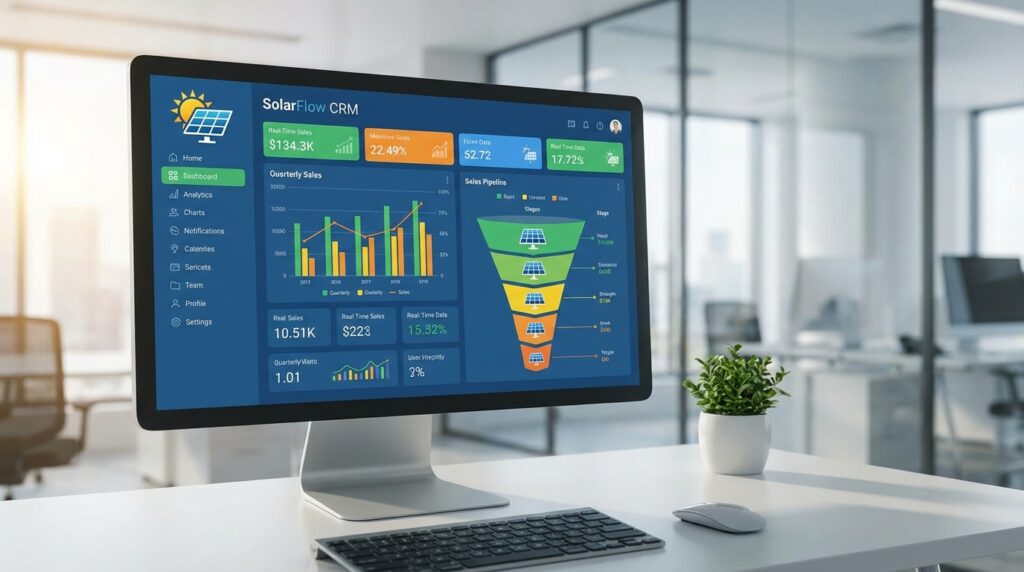
Choosing the right CRM software can make or break your solar business. With India’s solar market projected to reach unprecedented growth in 2026, solar installation companies and sales teams need specialized tools that go beyond generic customer relationship management. The difference between a CRM built for solar businesses and a general-purpose platform can mean the difference between closing deals in minutes versus losing prospects to faster competitors.
This comprehensive guide walks you through the essential CRM features every solar business should evaluate before making a purchasing decision. Whether you’re a solar EPC managing complex B2B relationships, a sales team looking to accelerate proposal generation, or a distributor tracking multiple opportunities, understanding these critical capabilities will help you avoid costly mistakes and maximize your return on investment.
By the end of this guide, you’ll have a complete checklist to compare CRM solutions, identify deal-breaker issues, and select software that truly accelerates your solar sales process.
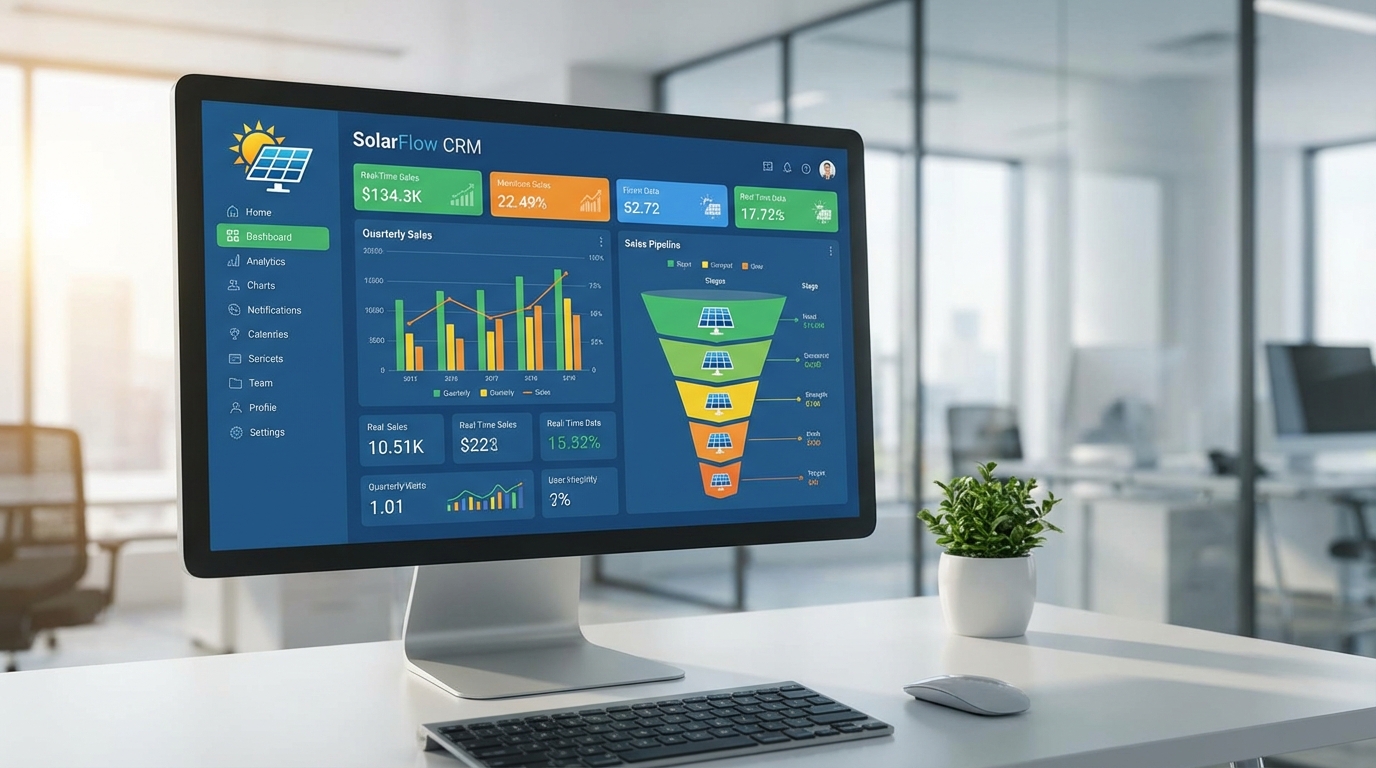
Why Solar CRM Features Matter More Than Ever in 2026
The solar industry has evolved dramatically over the past few years, and so have customer expectations. Today’s solar buyers in India and globally expect instant responses, professional proposals delivered via their preferred channels (WhatsApp, email), and seamless communication throughout the sales journey. Generic CRM platforms simply weren’t designed with these solar-specific requirements in mind.
Consider this: when a potential customer requests a solar quote, every minute counts. Research shows that responding within the first five minutes increases conversion rates by up to 400%. A CRM that takes hours to generate a proposal or requires multiple software tools to complete a simple quote is actively costing you business.
The cost of choosing the wrong CRM extends beyond lost sales opportunities. Implementation failures, poor user adoption, data migration nightmares, and ongoing customization expenses can drain resources that should be invested in growth. Solar businesses in India face unique challenges including diverse customer segments, varying regulatory requirements across states, and the need for mobile accessibility in field operations.
Specialized solar CRM features directly impact your bottom line by reducing proposal generation time from hours to seconds, automating follow-ups that would otherwise be forgotten, providing real-time visibility into sales performance, and enabling your team to work efficiently from anywhere. The right CRM becomes a competitive advantage; the wrong one becomes an expensive obstacle.
Understanding Solar-Specific CRM Requirements
Before diving into specific features, it’s important to understand why solar businesses have fundamentally different CRM needs compared to other industries. The solar sales cycle involves technical complexity, significant customer investment decisions, multiple stakeholder approvals, and often lengthy consideration periods.
General-purpose CRMs like Salesforce or Zoho CRM require extensive customization to handle solar-specific workflows. You’ll need custom fields for system size, panel specifications, inverter types, installation timelines, and financing options. You’ll need to build proposal templates from scratch, integrate third-party solar design tools, and create custom automation workflows for solar-specific follow-up sequences.
This customization process is expensive, time-consuming, and requires ongoing maintenance. Every software update risks breaking your custom configurations. Your team spends more time managing the CRM than actually selling solar systems.
Solar-specific CRMs, by contrast, come pre-configured with industry terminology, workflows, and features. They understand that proposal generation speed is critical, that sales teams need mobile access for on-site quotes, and that integration with solar design tools and financing platforms is essential. This specialization translates directly into faster implementation, higher user adoption, and better ROI.
Must-Have CRM Features for Solar Businesses
Not all CRM features are created equal. Some capabilities are absolute requirements for solar businesses, while others are nice-to-have additions. This section covers the non-negotiable features that should be on every solar company’s evaluation checklist. These are the deal-breaker capabilities that separate effective solar CRMs from expensive disappointments.
1. Lightning-Fast Proposal Generation
The single most important feature for any solar CRM is the ability to create and send professional proposals quickly. In today’s competitive market, speed wins deals. When a prospect requests a quote, they’re likely contacting multiple solar companies simultaneously. The first company to deliver a professional, detailed proposal has a significant advantage.
Look for CRM systems that can generate complete solar proposals in under two minutes. The best platforms, like QuickEst, can create and send professional estimates within 60 seconds via WhatsApp or email. This isn’t just about speed; it’s about capturing customer interest while they’re actively engaged and before competitors respond.
Essential proposal generation capabilities include:
- Pre-built solar proposal templates that include system specifications, financial projections, and installation timelines
- Brand customization options to add your company logo, colors, and messaging
- Multi-channel delivery supporting WhatsApp, email, and SMS for maximum customer convenience
- Professional formatting that presents your company as established and trustworthy
- Mobile proposal creation enabling sales teams to generate quotes during site visits
- Automatic calculations for system sizing, costs, savings projections, and ROI
The proposal generation feature should be intuitive enough that any team member can create professional quotes without extensive training. Complex, multi-step processes defeat the purpose of automation and slow down your sales cycle.
2. Comprehensive Lead Management System
Solar businesses generate leads from multiple sources: website inquiries, social media ads, referrals, trade shows, and inbound calls. Without a robust lead management system, opportunities slip through the cracks, follow-ups are missed, and conversion rates suffer.
Your CRM should provide centralized lead capture from all sources, automatic lead assignment based on territory or team member availability, lead scoring to prioritize high-value opportunities, and complete lead history tracking showing every interaction and touchpoint.
Critical lead management features include:
- Multi-source lead capture with integration to Facebook Ads, website forms, and manual entry
- Bulk lead import from Excel spreadsheets and other CRM systems for easy data migration
- Lead qualification workflows to quickly identify serious prospects versus tire-kickers
- Automated lead distribution ensuring every inquiry reaches the right team member immediately
- Lead nurturing sequences that automatically follow up with prospects at optimal intervals
- Duplicate detection to prevent multiple team members from contacting the same prospect
For solar businesses operating across India, lead management becomes even more critical due to geographic diversity and varying market conditions. Your CRM should handle leads from different states, languages, and customer segments without creating organizational chaos.
3. Sales Pipeline Visualization and Tracking
Understanding where every opportunity stands in your sales process is fundamental to forecasting revenue, identifying bottlenecks, and coaching your team effectively. Visual pipeline management transforms abstract data into actionable insights.
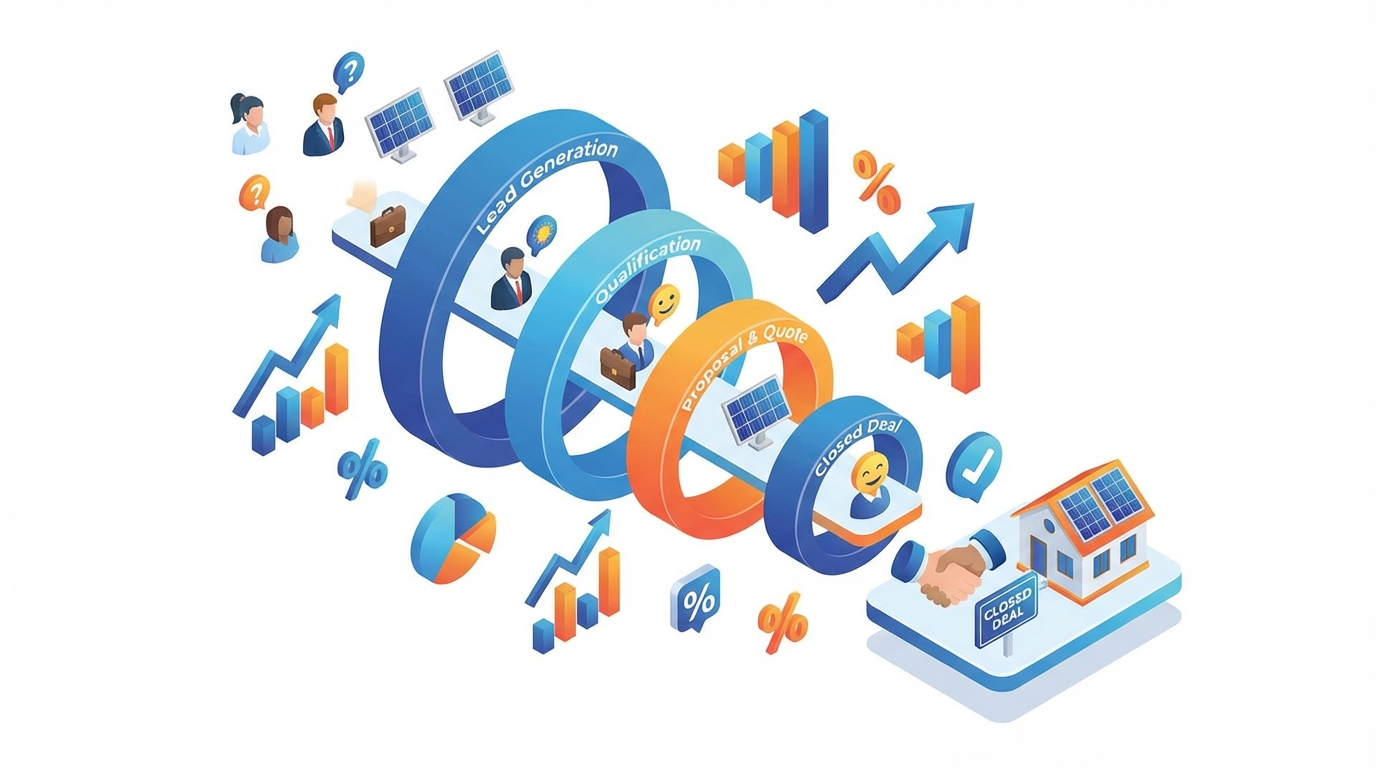
Your CRM should provide a clear, visual representation of your sales pipeline with customizable stages that match your actual solar sales process. Common stages include: Lead Captured, Site Survey Scheduled, Proposal Sent, Negotiation, Contract Signed, and Installation Scheduled.
Essential pipeline features include:
- Drag-and-drop interface for moving deals between stages as they progress
- Stage-specific automation triggering appropriate actions when deals advance
- Pipeline value calculation showing total potential revenue at each stage
- Conversion rate tracking between stages to identify where deals are getting stuck
- Deal aging alerts highlighting opportunities that have stalled and need attention
- Forecasting tools predicting monthly and quarterly revenue based on pipeline health
Real-time pipeline visibility is particularly valuable for solar businesses with multiple sales team members. Managers can instantly see team performance, identify coaching opportunities, and reallocate resources to maximize conversion rates.
4. Intelligent Automation Features
Manual follow-ups are the Achilles heel of solar sales. Research consistently shows that most deals require five to seven touchpoints before closing, yet most sales teams give up after one or two attempts. Automation features ensure no opportunity is forgotten and every prospect receives consistent, timely communication.
Look for CRM systems with sophisticated automation capabilities that go beyond simple email sequences. The best platforms automate repetitive tasks, freeing your team to focus on high-value activities like relationship building and closing deals.
Critical automation features include:
- Automated follow-up sequences with customizable timing and messaging for different prospect types
- Email template library with pre-written messages for common scenarios
- Task automation creating reminders for site visits, proposal reviews, and contract follow-ups
- Workflow triggers initiating actions based on prospect behavior (email opens, proposal views, etc.)
- Reminder notifications ensuring team members never miss important follow-up deadlines
- Status update automation keeping prospects informed about installation timelines and project progress
For solar sales teams in India managing hundreds of leads simultaneously, automation isn’t a luxury; it’s a necessity. The right automation features can increase conversion rates by 20-30% simply by ensuring consistent follow-up.
5. Mobile Accessibility
Solar sales happen in the field, not just in the office. Your sales team needs to access customer information, create proposals, and update deal status while conducting site surveys, attending trade shows, or meeting prospects at their homes or businesses.
Mobile accessibility is non-negotiable for modern solar CRM systems. Look for platforms offering native iOS and Android apps with full feature parity to the desktop version. Your team shouldn’t have to choose between functionality and mobility.
Essential mobile features include:
- Full CRM access including lead management, proposal generation, and pipeline updates
- Offline capabilities allowing work to continue even without internet connectivity
- Mobile-optimized interface designed for touchscreen navigation and smaller screens
- On-site proposal generation enabling instant quotes during customer meetings
- Photo capture and attachment for documenting site conditions and installation progress
- GPS integration for tracking site visit locations and optimizing sales routes
Mobile accessibility directly impacts sales velocity. Teams using mobile-enabled CRMs close deals faster because they can respond to customer questions immediately, generate proposals on-site, and maintain momentum throughout the sales process.
6. Real-Time Analytics and Reporting
You can’t improve what you don’t measure. Comprehensive analytics and reporting capabilities transform your CRM from a data storage system into a strategic business intelligence tool. Real-time dashboards provide instant visibility into sales performance, team productivity, and business health.
Your CRM should offer pre-built reports for common solar business metrics while also allowing custom report creation for unique business needs. Data should be presented visually through charts, graphs, and dashboards that make trends immediately apparent.
Critical analytics features include:
- Sales performance dashboards showing revenue, conversion rates, and deal velocity
- Team productivity metrics tracking activities, proposals sent, and deals closed per team member
- Lead source analysis identifying which marketing channels generate the highest-quality leads
- Conversion funnel reporting revealing where prospects drop out of your sales process
- Revenue forecasting projecting future income based on current pipeline health
- Custom report builder enabling analysis of specific business questions
For solar businesses tracking CRM ROI, robust analytics are essential. You need to demonstrate that your CRM investment is generating measurable returns through increased conversion rates, faster sales cycles, and improved team productivity.
7. Team Collaboration Tools
Solar sales often involve multiple team members: sales representatives, technical specialists, installation coordinators, and customer service staff. Effective collaboration ensures smooth handoffs, prevents miscommunication, and delivers a seamless customer experience.
Your CRM should facilitate team collaboration through shared visibility, task assignment, and internal communication features. Every team member should have access to the information they need while maintaining appropriate security and privacy controls.
Essential collaboration features include:
- Shared customer records providing complete visibility into customer history and interactions
- Task assignment and tracking with clear ownership and deadline management
- Internal notes and comments enabling team communication within customer records
- Role-based permissions controlling access to sensitive information
- Activity logging creating transparency around who did what and when
- Team performance visibility allowing managers to monitor workload distribution
Collaboration features become particularly important as solar businesses scale. What works with a three-person team breaks down completely with fifteen people unless you have systems supporting coordination and communication.
8. Integration Capabilities
Your CRM doesn’t exist in isolation. It needs to connect with your marketing platforms, communication tools, accounting software, and other business systems. Integration capabilities determine whether your CRM becomes the central hub of your business operations or an isolated data silo.
Look for CRM platforms offering both pre-built integrations with popular tools and flexible API access for custom connections. The easier it is to connect your CRM with existing systems, the faster you’ll see value from your investment.
Critical integration options include:
- Marketing platform connections like Facebook Ads for automatic lead capture
- Communication tool integration with WhatsApp, email, and SMS platforms
- Automation platforms like Pabbly Connect for creating custom workflows
- Accounting software connections for seamless invoicing and payment tracking
- Calendar integration for scheduling site visits and customer meetings
- Data import/export capabilities supporting Excel, CSV, and other common formats
For solar businesses in India, integration with local payment gateways, regional marketing platforms, and India-specific business tools can be particularly valuable. Evaluate whether CRM vendors understand and support the Indian business ecosystem.
9. Security and Data Protection
Your CRM contains sensitive customer information, financial data, and proprietary business intelligence. Security isn’t just a nice-to-have feature; it’s a fundamental requirement that protects your business and your customers’ privacy.
Look for CRM platforms implementing industry-standard security measures including data encryption, secure authentication, regular backups, and compliance with relevant data protection regulations. In India, this includes adherence to data localization requirements and privacy standards.
Essential security features include:
- Data encryption using TLS 1.2 for data in transit and 256-bit AES for data at rest
- Secure authentication with strong password requirements and optional two-factor authentication
- Regular automated backups ensuring data can be recovered in case of system failure
- Role-based access control limiting data access to authorized personnel only
- Audit logging tracking all system access and data modifications
- Compliance certifications demonstrating adherence to security standards
Don’t assume all CRM vendors take security seriously. Ask specific questions about encryption standards, data backup procedures, and security certifications. A data breach can destroy customer trust and expose your business to significant liability.
Nice-to-Have CRM Features That Add Value
Beyond the must-have features, several additional capabilities can enhance your CRM experience and provide competitive advantages. While not deal-breakers, these features are worth considering when comparing similar CRM solutions.
Advanced customization options allow you to tailor the CRM interface, fields, and workflows to match your specific business processes. This flexibility becomes more valuable as your business grows and your needs become more sophisticated.
AI-powered insights and recommendations use machine learning to identify patterns in your sales data, predict which leads are most likely to convert, and suggest optimal follow-up timing. While still emerging in solar CRM platforms, AI features can provide significant competitive advantages.
Multi-language support is particularly valuable for solar businesses operating across India’s diverse linguistic landscape. The ability to communicate with customers in their preferred language improves conversion rates and customer satisfaction.
White-label capabilities allow you to brand the CRM interface and customer-facing materials with your company identity. This creates a more professional, cohesive customer experience.
Advanced reporting and business intelligence features go beyond basic analytics to provide predictive forecasting, trend analysis, and sophisticated data visualization. These capabilities are most valuable for larger solar businesses with complex operations.
Red Flags: Deal-Breaker Issues to Avoid
Knowing what to look for is only half the battle. Equally important is recognizing warning signs that indicate a CRM solution will cause more problems than it solves. These red flags should make you seriously reconsider any CRM platform, regardless of how attractive other features might be.
Poor mobile experience or no mobile app is an immediate disqualifier for solar businesses. If a vendor claims their desktop interface works fine on mobile browsers, they don’t understand solar sales. Responsive web design is not equivalent to a purpose-built mobile app.
Lack of solar-specific features means you’ll spend months and thousands of dollars on customization. If the vendor’s response to “How do you handle solar proposals?” is “You can customize it to do that,” walk away. You need a platform built for solar, not one that can theoretically be adapted.
Complex implementation requiring extensive customization delays time-to-value and increases total cost of ownership. If the vendor estimates a six-month implementation timeline, you’re looking at a general-purpose platform that requires significant configuration.
Hidden costs and unclear pricing structures are unfortunately common in the CRM industry. Watch for vendors who advertise low base prices but charge extra for essential features like mobile access, integrations, or adequate storage. Calculate total cost of ownership, not just the advertised monthly fee.
Poor customer support and training will leave your team frustrated and unable to use the system effectively. During evaluation, pay attention to how responsive the vendor is to your questions. Slow, unhelpful responses during the sales process will only get worse after you’ve signed the contract.
Limited scalability means you’ll outgrow the platform as your business expands. Ask about user limits, data storage caps, and performance with large datasets. A CRM that works fine with 100 customers may become unusably slow with 10,000.
Weak security standards put your business and customers at risk. If a vendor can’t clearly articulate their encryption methods, backup procedures, and security certifications, they’re not taking data protection seriously enough.
No clear product roadmap suggests the platform isn’t actively being developed and improved. Ask vendors about upcoming features and recent updates. A platform that hasn’t released significant improvements in the past year is likely stagnating.
Evaluating CRM Pricing Models for Solar Businesses
CRM pricing varies dramatically across vendors, and understanding different pricing models is essential for accurate cost comparison. The cheapest option is rarely the best value, and the most expensive doesn’t guarantee the best features.
Per-user pricing is the most common model, charging a monthly or annual fee for each team member using the system. This model scales with your team size but can become expensive as you grow. Look for platforms offering reasonable per-user rates with annual payment discounts.
Flat-rate pricing charges a single fee regardless of user count. This model is advantageous for larger teams but may be unnecessarily expensive for small operations. Some platforms offer hybrid models with flat rates up to a certain user count.
Freemium models provide basic functionality at no cost with paid upgrades for advanced features. These can be excellent for testing a platform before committing, but carefully evaluate what’s included in the free tier. If essential features require paid upgrades, the “free” option isn’t really viable.
When evaluating CRM pricing for the Indian market, consider total cost of ownership including implementation fees, training costs, integration expenses, and ongoing customization. A platform with higher monthly fees but lower implementation costs may be more economical over a three-year period.
Calculate your expected CRM ROI by estimating how much faster you’ll close deals, how many more leads you’ll convert, and how much time you’ll save on administrative tasks. If a CRM helps you close just two additional deals per month, it likely pays for itself many times over.
For solar businesses just starting their CRM journey, platforms offering flexible pricing with free entry tiers provide a low-risk way to experience the benefits before making significant financial commitments. QuickEst, for example, offers options ranging from a free plan to professional tiers, allowing businesses to start small and scale as they grow.
CRM Implementation: What to Expect
Even the best CRM platform will fail if implementation is poorly executed. Understanding what to expect during the implementation process helps you plan appropriately and avoid common pitfalls.
Implementation timeline expectations vary based on platform complexity and your business size. Solar-specific CRMs like QuickEst typically require days or weeks for full implementation, while general-purpose platforms requiring extensive customization may take months. Be skeptical of vendors promising instant implementation; proper setup requires thoughtful configuration.
Data migration considerations are critical if you’re switching from another CRM or consolidating data from spreadsheets. Plan for data cleaning before migration, as importing messy data creates long-term problems. Most CRM platforms support bulk import from Excel, but you’ll need to map your existing fields to the new system’s structure.
Team training requirements determine how quickly your team achieves productivity with the new system. Look for vendors offering comprehensive training resources including video tutorials, documentation, and live training sessions. The best platforms are intuitive enough that basic functions require minimal training.
Change management strategies address the human side of CRM adoption. Some team members will resist new systems, preferring familiar spreadsheets and manual processes. Successful implementation requires leadership buy-in, clear communication about benefits, and patience as team members adapt.
Measuring success post-implementation ensures your CRM investment delivers expected returns. Define success metrics before implementation: proposal generation time, lead response speed, conversion rates, and sales cycle length. Track these metrics monthly to quantify CRM impact.
Solar CRM Comparison: How to Evaluate Your Options
With dozens of CRM platforms claiming to serve solar businesses, systematic evaluation is essential. A structured comparison process helps you move beyond marketing claims to identify the platform that truly meets your needs.
Creating your evaluation criteria starts with listing your must-have features, nice-to-have capabilities, and deal-breaker issues. Weight each criterion based on importance to your specific business. Proposal generation speed might be your top priority, while advanced analytics might be less critical initially.
Scoring different CRM solutions using a standardized rubric enables objective comparison. Rate each platform on a scale of 1-10 for each criterion, multiply by the importance weight, and calculate total scores. This quantitative approach reduces the influence of sales presentations and marketing materials.
Questions to ask vendors should go beyond feature lists to probe real-world performance:
- How long does it take to generate and send a solar proposal?
- What percentage of your customers are solar businesses?
- Can you provide references from solar companies similar to ours?
- What’s included in your implementation process?
- How do you handle data migration from our existing system?
- What’s your average customer support response time?
- What new features are planned for the next 12 months?
Trial period best practices maximize the value of free trials or demo periods. Don’t just click through the interface; actually use the system for real work. Import sample customer data, create proposals, set up automation workflows, and test mobile functionality. Involve multiple team members to get diverse perspectives.
Making the final decision should balance quantitative scores with qualitative factors like vendor responsiveness, cultural fit, and long-term viability. Sometimes the platform with the highest score isn’t the best choice if the vendor relationship feels problematic or the company’s future seems uncertain.
Your Solar CRM Selection Checklist
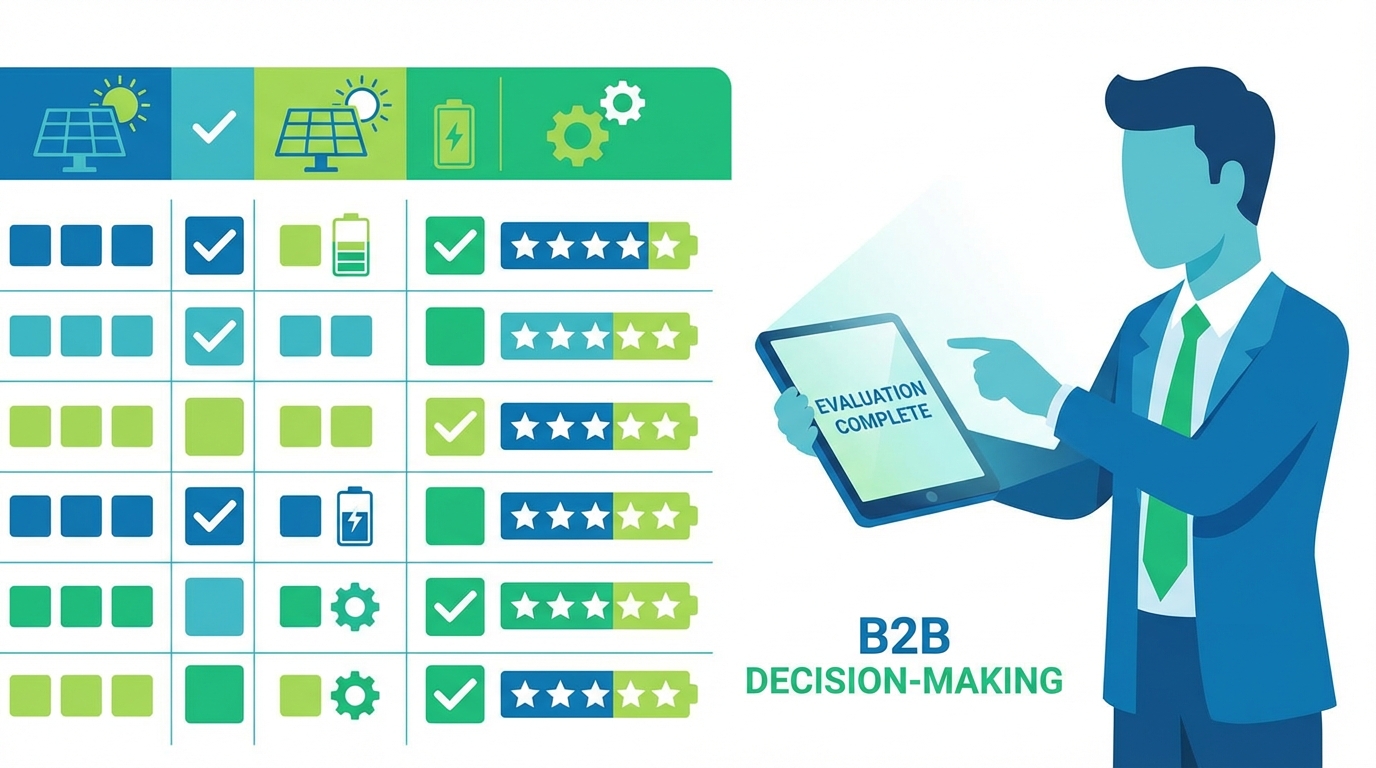
To help you systematically evaluate CRM options, use this comprehensive checklist covering all critical decision factors. Print this checklist or save it digitally, then score each CRM platform you’re considering.
Must-Have Features Checklist
- ☐ Proposal generation in under 2 minutes
- ☐ Multi-channel proposal delivery (WhatsApp, Email, SMS)
- ☐ Customizable proposal templates with branding
- ☐ Comprehensive lead management system
- ☐ Bulk lead import from Excel
- ☐ Visual sales pipeline with drag-and-drop interface
- ☐ Automated follow-up sequences
- ☐ Email template library
- ☐ Native iOS and Android mobile apps
- ☐ Full mobile feature parity with desktop
- ☐ Real-time sales analytics dashboard
- ☐ Team collaboration and task assignment
- ☐ Integration with marketing platforms
- ☐ Data encryption (TLS 1.2 and 256-bit AES minimum)
- ☐ Regular automated backups
Nice-to-Have Features Checklist
- ☐ Advanced customization options
- ☐ AI-powered lead scoring
- ☐ Multi-language support
- ☐ White-label capabilities
- ☐ Advanced business intelligence features
- ☐ Custom report builder
- ☐ API access for custom integrations
- ☐ Offline mobile functionality
Vendor Evaluation Checklist
- ☐ Transparent pricing with no hidden fees
- ☐ Free trial or demo period available
- ☐ Solar industry experience and references
- ☐ Responsive customer support during evaluation
- ☐ Clear implementation timeline (under 30 days)
- ☐ Comprehensive training resources
- ☐ Active product development and regular updates
- ☐ Positive customer reviews and testimonials
- ☐ Clear data migration support
- ☐ Scalability for business growth
Implementation Readiness Checklist
- ☐ Leadership buy-in secured
- ☐ Budget approved for CRM investment
- ☐ Implementation team identified
- ☐ Existing data cleaned and organized
- ☐ Success metrics defined
- ☐ Training schedule planned
- ☐ Change management strategy developed
- ☐ Timeline for full team rollout established
Use this checklist to score each CRM platform you evaluate. Platforms meeting all must-have criteria and most nice-to-have features while scoring well on vendor evaluation deserve serious consideration.
Frequently Asked Questions About Solar CRM Features
What’s the most important CRM feature for solar businesses?
While all the features discussed in this guide are important, proposal generation speed is arguably the most critical capability for solar businesses. The ability to create and send professional proposals within minutes directly impacts conversion rates and competitive positioning. Research consistently shows that the first company to respond to a solar inquiry has a significantly higher chance of winning the business. A CRM that can generate proposals in 60 seconds versus one requiring hours of manual work can be the difference between a thriving solar business and one struggling to compete.
Do I need a solar-specific CRM or can I use a general CRM?
While general CRMs like Salesforce or Zoho CRM can technically be customized for solar businesses, solar-specific platforms offer significant advantages. General CRMs require extensive customization to handle solar proposals, system sizing calculations, and industry-specific workflows. This customization is expensive, time-consuming, and requires ongoing maintenance. Solar-specific CRMs come pre-configured with the features you need, resulting in faster implementation, lower total cost of ownership, and better user adoption. Unless you have a large IT team and budget for extensive customization, a solar-specific CRM is the better choice.
How much should I budget for solar CRM software?
Solar CRM pricing varies widely based on features, user count, and vendor. Entry-level solutions may start at no cost for basic features, while enterprise platforms can cost thousands of rupees per user annually. For small to medium solar businesses in India, budget between ₹5,000 to ₹10,000 per user per year for a comprehensive solar-specific CRM with all essential features. Remember to calculate total cost of ownership including implementation, training, and integration expenses, not just the monthly subscription fee. The best approach is to start with a free trial or entry-level plan to validate the platform before committing to higher-tier pricing.
What integrations are essential for solar CRMs?
The most essential integrations for solar CRMs include marketing platforms (particularly Facebook Ads for lead capture), communication tools (WhatsApp, email, and SMS for customer outreach), and automation platforms like Pabbly Connect for creating custom workflows. Additionally, integration with accounting software streamlines invoicing and payment tracking, while calendar integration simplifies scheduling site visits and customer meetings. The specific integrations you need depend on your existing technology stack, but prioritize platforms that offer flexible integration options rather than forcing you to switch to their preferred tools.
How long does CRM implementation typically take?
Implementation timelines vary dramatically based on platform complexity and your business size. Solar-specific CRMs designed for ease of use can be implemented in as little as a few days to two weeks, including data migration and basic team training. General-purpose CRMs requiring extensive customization may take three to six months for full implementation. The key factors affecting timeline include data migration complexity, number of users requiring training, extent of customization needed, and integration with existing systems. Choose platforms with streamlined implementation processes to minimize time-to-value and start seeing ROI quickly.
Take the Next Step Toward Smarter Solar Sales
Selecting the right CRM is one of the most important decisions you’ll make for your solar business. The features outlined in this guide represent the essential capabilities that separate effective solar CRMs from expensive disappointments. By systematically evaluating platforms against these criteria, you’ll avoid costly mistakes and choose software that truly accelerates your sales process.
Remember that the best CRM for your business balances must-have features with ease of use, reasonable pricing, and strong vendor support. Don’t be swayed by platforms offering hundreds of features you’ll never use. Focus on the core capabilities that directly impact your ability to capture leads, generate proposals quickly, and close deals efficiently.
The solar market in India continues to grow rapidly, and competition intensifies every year. Solar businesses using modern, specialized CRM tools have a significant advantage over those relying on spreadsheets and manual processes. The question isn’t whether you need a CRM, but which platform will best support your growth objectives.
If you’re ready to experience how a purpose-built solar CRM can transform your sales process, QuickEst offers the specialized features discussed throughout this guide. From 60-second proposal generation to comprehensive lead management and mobile accessibility, QuickEst is designed specifically for solar businesses looking to close deals faster and grow more efficiently.
Start with the FREE PLAN to explore the platform’s capabilities without any financial commitment, or upgrade to the PRO PLAN at ₹6,999 per user per year for full access to advanced features including unlimited proposals, automated follow-ups, and comprehensive analytics. For personalized guidance on selecting the right plan for your solar business, contact us to discuss your specific requirements and goals.
Your solar business deserves tools that work as hard as you do. Use this guide’s checklist to evaluate your options, ask the right questions, and make a confident decision that will drive your business forward in 2026 and beyond.
This blog post was written using thestacc.com