
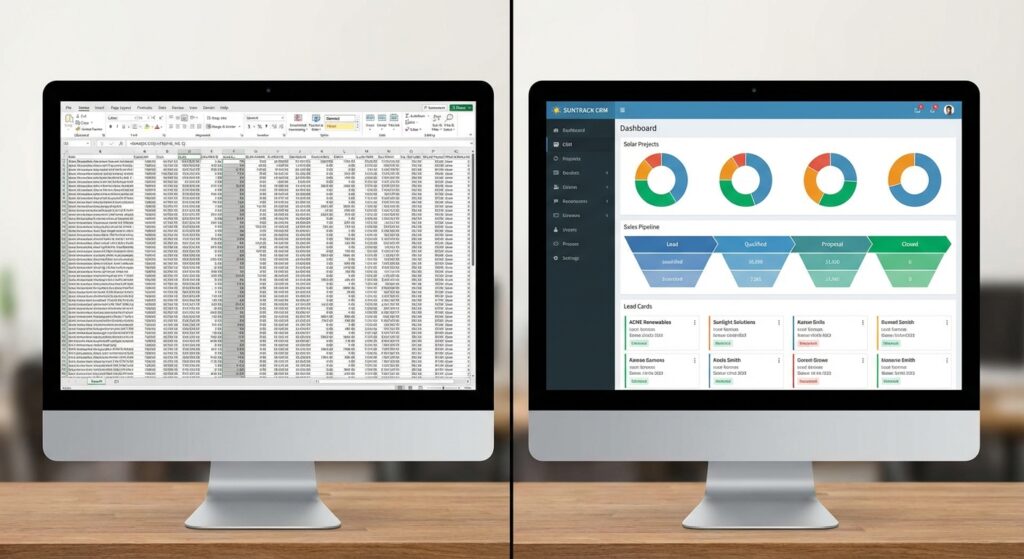
If you’re running a solar business in India, chances are you started tracking leads, proposals, and customer information in Excel. It’s familiar, it’s free, and it gets the job done—at least initially. But as your team grows and lead volume increases, that trusty spreadsheet starts showing cracks. Missed follow-ups, duplicate entries, version control nightmares, and hours spent manually updating data become daily frustrations.
The CRM vs spreadsheet debate isn’t about whether Excel is a bad tool—it’s about whether it’s the right tool for managing modern solar sales processes. In 2026, solar EPCs and installers face increasing competition, demanding customers who expect instant responses, and sales teams that need real-time collaboration. This comprehensive comparison will help you understand exactly when spreadsheets work, when they fail, and whether investing in a dedicated solar CRM makes financial sense for your business.
We’ll analyze time efficiency, data accuracy, team collaboration, automation capabilities, scalability, and total cost of ownership. By the end, you’ll have a clear framework for deciding which solution fits your solar business today—and which will support your growth tomorrow.
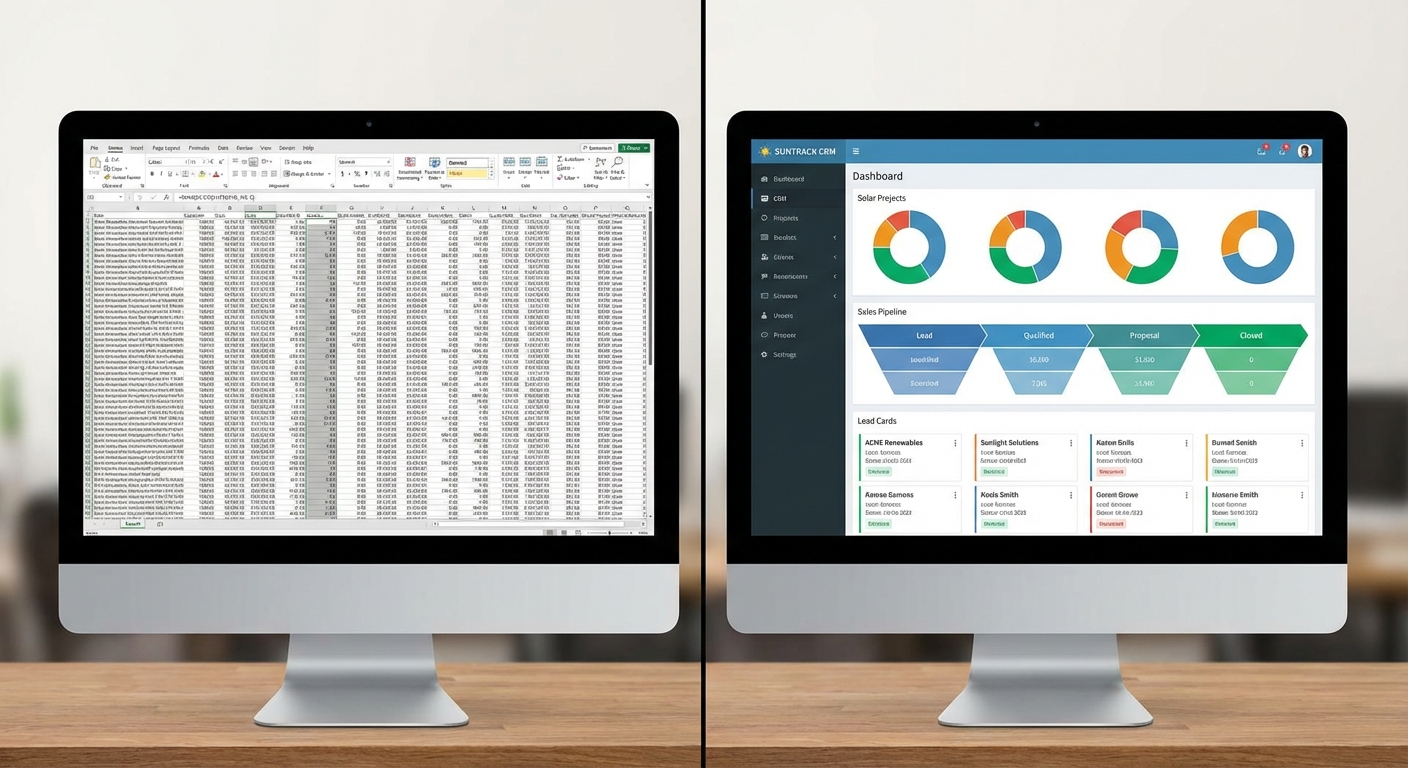
The Spreadsheet Dilemma: Why Solar Businesses Are Reconsidering Excel
Every solar company’s journey starts similarly. You land your first few customers, track them in a simple Excel file, and everything feels manageable. One sheet for leads, another for proposals, maybe a third for follow-ups. Your team of two or three people shares the file via email or Google Drive, and life is good.
Then something changes. You hire your fourth sales rep. Lead volume jumps from 20 to 80 per month. Someone accidentally deletes a formula, and suddenly your conversion calculations are wrong. Two team members edit the same spreadsheet simultaneously, creating conflicting versions. A hot lead falls through the cracks because nobody remembered to follow up.
Common signs your spreadsheet is holding you back:
- Missed follow-ups: No automated reminders mean leads go cold while your team juggles dozens of prospects manually
- Data chaos: Multiple versions of the same spreadsheet floating around via email, with no single source of truth
- Proposal delays: Spending 30-60 minutes creating each solar proposal in Excel or Word, then manually emailing or WhatsApping to customers
- Zero visibility: Sales managers can’t see real-time pipeline status without asking each rep for updates
- Team coordination breakdown: No clear way to assign leads, track who’s working on what, or prevent duplicate outreach
- Reporting nightmares: Hours spent manually compiling sales reports and performance metrics
Spreadsheets work beautifully for simple data storage and calculations. They fail spectacularly as collaborative sales management systems. The question isn’t whether Excel is useful—it’s whether it can handle the complexity of modern solar sales operations in India’s competitive market.
CRM vs Spreadsheet: Head-to-Head Comparison
To make an informed decision, we need to compare these tools across the dimensions that actually matter for solar businesses. This isn’t a theoretical exercise, we’re looking at real-world scenarios solar EPCs, installers, and B2B service companies face daily.
Our comparison focuses on six critical areas:
- Time efficiency: How long does it take to complete common sales tasks?
- Data accuracy: How reliable is your customer information?
- Team collaboration: How well can multiple people work together?
- Automation capabilities: What manual work can be eliminated?
- Scalability: How does each solution handle growth?
- Total cost: What’s the real financial impact over time?
Let’s dive into each area with specific examples relevant to solar sales teams.
Time Efficiency: How Long Does It Really Take?
Time is money, especially in sales. Every hour your team spends on administrative tasks is an hour they’re not closing deals. The CRM vs spreadsheet time comparison reveals dramatic differences in daily workflows.
Creating and sending proposals:
With spreadsheets, creating a professional solar proposal typically involves opening your Excel template, manually entering customer details, calculating system size and pricing, copying data into a Word document or PDF, formatting everything to look professional, and then emailing or WhatsApping the file. This process takes 30-60 minutes per proposal.
With a dedicated solar CRM like QuickEst, you can generate and send professional proposals in 60 seconds. Customer information auto-fills from your lead database, pricing calculations happen automatically, professional templates apply your branding instantly, and proposals go out via WhatsApp or email with a single click. For a solar company sending 50 proposals monthly, that’s a difference between 25-50 hours versus less than 1 hour, a time savings of 24-49 hours per month.
Updating lead information:
Spreadsheets require manual data entry for every interaction. You open the file, find the right row, type in notes, update the status column, and save. If multiple team members need access, you’re constantly syncing versions or dealing with Google Sheets conflicts.
CRM systems update in real-time across all devices. Your sales rep updates a lead status on their mobile app during a site visit, and the manager sees it instantly on their dashboard. No file opening, no searching, no version conflicts.
Searching for customer information:
Finding a specific customer in a 500-row spreadsheet means scrolling, using Ctrl+F, or filtering columns, often taking 2-3 minutes per search. Multiply that by 20 searches per day, and you’re losing an hour daily just finding information.
CRM search functions find any customer, lead, or proposal in seconds with intelligent search that looks across names, phone numbers, locations, and custom fields simultaneously.
Generating reports:
Monthly sales reports from spreadsheets require manually creating pivot tables, charts, and summaries, typically 2-4 hours of work. CRM dashboards provide real-time analytics instantly, with no manual report generation needed. You can check your conversion rates, pipeline value, and team performance in seconds, not hours.
Data Accuracy and Integrity
Inaccurate data leads to poor decisions, lost opportunities, and frustrated customers. The CRM vs spreadsheet comparison shows significant differences in data reliability.
Common spreadsheet errors:
- Formula breaks: Someone accidentally deletes or overwrites a formula, breaking calculations across the entire sheet
- Data overwriting: New information accidentally replaces old data with no recovery option
- Inconsistent formatting: Phone numbers entered as “9876543210”, “+91-9876543210”, or “98765 43210” making search and analysis difficult
- Duplicate entries: Same customer entered multiple times by different team members
- No validation: Nothing prevents entering invalid data like text in number fields or impossible dates
CRM data protection:
Modern CRM systems include built-in data validation that prevents invalid entries, automatic duplicate detection that alerts you when adding existing customers, complete edit history showing who changed what and when, standardized formatting for phone numbers, dates, and addresses, and automatic backups ensuring no data loss.
For solar businesses managing hundreds of leads and customers, these protections prevent costly mistakes. Imagine calling a customer with the wrong pricing because someone accidentally changed a formula, or losing a hot lead because duplicate entries made you think you’d already followed up.
Team Collaboration and Coordination
Solar sales is a team sport. Your success depends on seamless coordination between sales reps, managers, proposal teams, and installation coordinators. This is where the CRM vs spreadsheet gap becomes most obvious.

Spreadsheet collaboration challenges:
Email attachments create version chaos. You send “Leads_March.xlsx” to your team. Three people make changes. Now you have “Leads_March_v2.xlsx”, “Leads_March_Final.xlsx”, and “Leads_March_Updated.xlsx” floating around. Which one has the latest information? Nobody knows.
Google Sheets helps with real-time editing, but conflicts still occur. Two people editing the same cell creates confusion. There’s no task assignment system, so leads fall through the cracks. Managers can’t see who’s working on which leads without asking. Team members accidentally overwrite each other’s notes.
CRM collaboration advantages:
A cloud-based CRM provides a single source of truth accessible to everyone simultaneously. When a sales rep updates a lead, everyone sees it instantly. Managers can assign leads to specific team members with clear ownership and accountability. Task management features let you assign follow-ups, site visits, and proposal creation to specific people with due dates.
Real-time visibility means managers can monitor pipeline health, identify bottlenecks, and redistribute work without constant status meetings. Team members can add notes, attach documents, and log calls, all visible to relevant colleagues. For solar companies with field sales teams, mobile app access means reps can update information during site visits, keeping everyone synchronized.
QuickEst’s team collaboration tools let you assign tasks, monitor progress across your entire sales team, share customer insights and notes, and track individual and team performance in real-time. This level of coordination is simply impossible with spreadsheets.
Automation Capabilities: Manual vs Automated Workflows
Automation is the biggest differentiator in the CRM vs spreadsheet debate. Spreadsheets are fundamentally manual tools. CRM systems automate repetitive tasks, freeing your team to focus on selling.
Follow-up automation:
With spreadsheets, follow-ups depend entirely on human memory or manual calendar entries. Your rep needs to remember to call Mr. Sharma on Thursday, email Mrs. Patel on Friday, and send a WhatsApp to the commercial client next Monday. Inevitably, some follow-ups get missed, and hot leads go cold.
CRM systems automate follow-up reminders based on customizable rules. Set a lead to “Proposal Sent” status, and the system automatically schedules a follow-up for three days later. Miss a follow-up, and you get escalating reminders. Some CRMs even send automated follow-up emails or WhatsApp messages based on customer actions. This follow-up automation can increase conversion rates by 20-30% simply by ensuring no lead falls through the cracks.
Proposal generation automation:
We’ve mentioned this before, but it bears repeating: automated proposal generation is a game-changer for solar businesses. Instead of manually creating each proposal, CRM systems pull customer data, apply pricing rules, generate professional documents, and deliver them instantly. This automation alone can save 20-40 hours per month for active solar sales teams.
Lead capture and distribution:
Spreadsheets require manual lead entry. Someone fills out your website form, and you manually copy their information into Excel. A Facebook ad generates inquiries, and you type them in one by one.
CRM systems integrate with lead sources to automatically capture and distribute leads. Facebook Ads integration pulls leads directly into your CRM. Website forms create lead records automatically. Bulk import features let you upload hundreds of leads from Excel in seconds. Automatic lead distribution rules assign new leads to sales reps based on territory, workload, or rotation, no manual assignment needed.
Reporting automation:
Spreadsheet reports require manual creation every time. CRM dashboards update automatically, providing real-time insights into conversion rates, pipeline value, average deal size, sales cycle length, and individual rep performance. No manual work required.
The ROI of automation is substantial. A five-person solar sales team spending 10 hours weekly on manual tasks that could be automated is wasting 2,000 hours annually, equivalent to one full-time employee’s worth of productivity.
Scalability: Growing from 5 to 50 Sales Reps
Perhaps the most critical factor in the CRM vs spreadsheet decision is scalability. What works for a three-person team often collapses under the weight of growth.
How spreadsheets break at scale:
A spreadsheet with 100 leads and three users is manageable. A spreadsheet with 5,000 leads and 20 users becomes unusable. File size balloons, making it slow to open and edit. Finding information becomes increasingly difficult. Coordination complexity grows exponentially, 20 people can’t effectively share a single Excel file. Data integrity issues multiply as more hands touch the file.
Many solar companies hit a wall around 5-10 sales reps or 200+ leads per month. Beyond this point, spreadsheets create more problems than they solve.
CRM scalability advantages:
Cloud-based CRM systems are built for scale. Adding users is as simple as creating new accounts. Performance doesn’t degrade with more data, systems handle millions of records efficiently. Advanced features like territories, teams, and hierarchies support complex organizational structures. Customization options let you adapt the system as your business evolves.
For solar businesses with growth ambitions, choosing a scalable CRM from the start prevents painful migrations later. You can start with a small team and grow to dozens of reps without changing systems or losing data.
Cost Analysis: Total Cost of Ownership
The CRM vs spreadsheet cost comparison seems straightforward at first glance. Excel is free (or included with Microsoft 365), while CRM systems charge subscription fees. But this surface-level analysis misses the hidden costs of spreadsheets and the ROI of CRM automation.
Spreadsheet hidden costs:
While Excel itself may be free, the time cost is substantial. If your team spends 15 hours weekly on manual tasks that CRM would automate (proposal creation, data entry, report generation, lead searching), that’s 780 hours annually. At ₹500 per hour (a conservative estimate for sales professional time), that’s ₹3,90,000 in lost productivity.
The error cost is harder to quantify but equally real. How many deals do you lose because of missed follow-ups? If poor lead management costs you just two deals monthly worth ₹50,000 each, that’s ₹12,00,000 in annual lost revenue.
The opportunity cost matters too. Time spent on administrative work is time not spent selling. If automation frees up 10 hours weekly for your sales team to focus on customer conversations, how many additional deals could they close?
CRM pricing and ROI:
Solar CRM pricing in India varies widely. Enterprise solutions like Salesforce can cost ₹15,000-50,000+ per user annually. Mid-market options like Zoho CRM range from ₹8,000-20,000 per user yearly. Specialized solar CRM solutions often offer more affordable pricing tailored to the industry.
QuickEst offers transparent pricing designed for solar businesses: a free plan at ₹0 for companies wanting to test the platform, and a Pro plan at ₹6,999 per user annually, less than ₹600 per month per user. For detailed pricing and features, check out our complete guide to solar CRM costs.
Let’s calculate a simple ROI scenario for a five-person solar sales team:
Annual CRM cost: ₹34,995 (5 users × ₹6,999)
Annual time savings: 780 hours × ₹500/hour = ₹3,90,000
Reduced lost deals: 24 deals × ₹50,000 = ₹12,00,000 (conservative estimate)
Total annual benefit: ₹15,90,000
Net ROI: ₹15,55,005 (or 4,446% return on investment)
Even if we cut these estimates in half to be extremely conservative, the ROI is still over 2,000%. The CRM pays for itself in the first month through time savings and improved conversion rates alone.
Proposal Generation: The Game-Changer for Solar Sales
For solar businesses specifically, proposal generation speed can make or break your competitive advantage. In 2026, customers expect instant responses. The company that sends a professional proposal first often wins the deal.

The spreadsheet proposal process:
Creating solar proposals in Excel typically follows this painful workflow: open your proposal template spreadsheet, manually enter customer name, address, and contact details, input system specifications (panel count, inverter type, capacity), calculate pricing based on current rates, adjust for any discounts or promotions, copy data into a Word document or PDF template, format everything to look professional, add your company branding and logo, save as PDF, and finally email or WhatsApp to the customer.
This process takes 30-60 minutes per proposal. For a solar company sending 50 proposals monthly, that’s 25-50 hours of pure proposal creation time, more than one full-time employee’s worth of work.
The CRM proposal advantage:
Modern solar CRM systems transform proposal generation from a time-consuming chore into a competitive weapon. With QuickEst, you can create and send professional solar proposals in 60 seconds:
- Customer information auto-fills from your lead database
- System specifications and pricing calculate automatically based on your rules
- Professional templates apply your branding instantly
- Proposals generate as polished PDFs with one click
- Send directly via WhatsApp or email from the platform
- Track when customers open and view proposals
This speed advantage has real business impact. When a hot lead requests a quote, responding in 60 seconds instead of tomorrow afternoon dramatically increases your close rate. You’re demonstrating professionalism, efficiency, and respect for the customer’s time, all before they’ve even read your proposal.
The proposal automation also ensures consistency. Every proposal looks professional, includes all necessary information, and follows your pricing rules. No more embarrassing errors from manual data entry or outdated pricing.
Integration and Ecosystem
Modern sales processes involve multiple tools and data sources. The CRM vs spreadsheet comparison extends to how well each solution connects with your broader technology ecosystem.
Spreadsheet integration limitations:
Excel integration typically means manual import/export. You download leads from Facebook Ads as a CSV, open it in Excel, copy and paste into your master spreadsheet. You export data to send to your accounting system. Every integration point requires manual work and creates opportunities for errors.
There’s no mobile app for complex Excel workflows. Your sales reps can’t effectively manage leads from their phones during site visits. They take notes on paper and enter data later, creating delays and potential information loss.
CRM integration capabilities:
Modern CRM systems are built for integration. QuickEst offers connections with Facebook Ads for automatic lead capture, phonebook integration for easy contact management, Pabbly Connect for workflow automation, and APIs and webhooks for custom integrations with your other business systems.
Bulk lead import features let you upload hundreds of leads from Excel in seconds, making the transition from spreadsheets painless. For more details on connecting your sales tools, see our complete guide to solar CRM integration.
Mobile apps for iOS and Android mean your sales team can access customer information, update lead status, create proposals, and log activities from anywhere. This mobile access is essential for solar businesses where sales reps spend significant time in the field conducting site surveys and meeting customers.
Building a connected sales tech stack around your CRM creates powerful automation. Leads flow automatically from marketing to sales. Customer data syncs with accounting systems. Reporting pulls from multiple sources for comprehensive business intelligence.
When Spreadsheets Still Make Sense
Despite all the advantages of CRM systems, spreadsheets still have legitimate use cases. The CRM vs spreadsheet decision isn’t always clear-cut, and honesty about when Excel works is important.
Spreadsheets work well for:
Very small operations: If you’re a solo solar consultant or a two-person team handling 10-15 leads monthly, a simple spreadsheet may suffice. The coordination and automation benefits of CRM matter less when you’re the only person managing everything.
Simple tracking needs: If you only need basic contact storage without follow-up automation, proposal generation, or team collaboration, spreadsheets can work. However, most solar businesses quickly outgrow this simplicity.
Temporary solutions: If you’re evaluating CRM options and need something immediately, a spreadsheet can serve as a bridge. Just don’t let “temporary” become permanent.
Supplementary analysis: Even with a CRM, spreadsheets remain valuable for ad-hoc analysis, financial modeling, and custom calculations. The key is using each tool for what it does best, CRM for sales process management, Excel for specialized analysis.
Extreme budget constraints: If your solar startup literally cannot afford ₹500-600 monthly for CRM software, spreadsheets are better than nothing. However, given the ROI we’ve demonstrated, this should be a very short-term situation. Many CRM providers, including QuickEst, offer free plans to help businesses get started without financial barriers.
The honest truth is that most solar businesses with 3+ team members or 30+ leads monthly will benefit significantly from CRM. The question isn’t whether to upgrade eventually, but whether to do it now or after experiencing more spreadsheet pain.
When to Make the Switch to CRM
Recognizing the right time to transition from spreadsheets to CRM can save your solar business from months of frustration and lost opportunities. Here are clear signals it’s time to upgrade:
Team size threshold: Once you have three or more people touching your sales process, coordination challenges make CRM essential. The collaboration benefits alone justify the investment.
Lead volume indicators: If you’re managing 50+ leads monthly, spreadsheet limitations become painful. Search time, data entry burden, and follow-up complexity all increase exponentially with lead volume.
Missed opportunities: If you’re regularly missing follow-ups, losing track of hot leads, or hearing “I went with someone else because they responded faster,” your current system is costing you money. Each lost deal likely costs more than months of CRM subscription fees.
Proposal bottlenecks: If proposal creation is slowing down your sales cycle, automated proposal generation will transform your close rates. The ability to send professional quotes in 60 seconds instead of hours is a massive competitive advantage.
Reporting struggles: If you can’t quickly answer questions like “What’s our conversion rate?” or “How many leads are in each stage?” or “Which sales rep is performing best?”, you lack the visibility needed to manage and improve your sales process.
Growth plans: If you plan to grow your sales team or expand to new territories in the next 12 months, implement CRM now. Migrating data and training teams is easier with 100 leads than with 1,000.
Scaling challenges: If your spreadsheet is becoming slow, unwieldy, or error-prone, you’ve outgrown it. Don’t wait until it completely breaks.
The best time to implement CRM is before you desperately need it. The second-best time is now.
Making the Transition: From Spreadsheet to CRM
Deciding to switch from spreadsheets to CRM is one thing. Actually making the transition smoothly is another. Here’s how to migrate successfully:
Data migration strategy:
Start by cleaning your spreadsheet data before migration. Remove duplicates, standardize formatting, and fill in missing information. Most CRM systems, including QuickEst, offer bulk import features that accept Excel files. Map your spreadsheet columns to CRM fields (name, phone, email, status, etc.), and import in batches to verify everything transfers correctly.
Don’t try to migrate everything at once. Start with active leads and recent customers. Historical data can be imported later or kept in Excel for reference.
Team training and adoption:
The biggest implementation challenge isn’t technical, it’s getting your team to actually use the new system. Involve your sales team in the CRM selection process so they feel ownership. Provide hands-on training focused on daily workflows, not just features. Start with core functions (adding leads, updating status, creating proposals) before introducing advanced features.
Make CRM usage non-negotiable. If some team members use CRM while others stick with spreadsheets, you’ll have data chaos. Set clear expectations that all customer interactions must be logged in the CRM.
Choosing the right CRM:
Not all CRM systems are created equal, especially for solar businesses. Look for solar-specific features like proposal generation with solar system calculations, integration with solar design tools, and industry-specific templates. Prioritize ease of use, complex enterprise CRM systems often fail because teams find them too difficult.
Consider mobile access for field sales teams, affordable pricing for small to mid-size businesses, and Indian market focus with local support and payment options. QuickEst is specifically designed for solar EPCs and B2B service companies in India, with features tailored to your industry’s unique needs.
Implementation timeline:
A realistic CRM implementation for a small to mid-size solar business takes 2-4 weeks: Week 1 for data cleanup and migration, Week 2 for team training and initial usage, Week 3 for workflow refinement and customization, and Week 4 for full adoption and optimization.
Don’t expect perfection immediately. Plan for a learning curve and be patient as your team adapts. For detailed implementation guidance, check our step-by-step CRM implementation guide.
Measuring success:
Track metrics before and after CRM implementation to quantify the impact: time spent on proposal creation, follow-up completion rate, lead-to-customer conversion rate, sales cycle length, and team productivity (deals per rep per month). These metrics will validate your investment and identify areas for further optimization.
Real-World Results: Solar Companies Who Made the Switch
The CRM vs spreadsheet comparison becomes most compelling when you see real results from solar businesses that made the transition.
Common outcomes after CRM adoption:
Solar companies implementing dedicated CRM systems typically report 40-60% reduction in proposal creation time, 25-35% improvement in follow-up completion rates, 15-25% increase in lead-to-customer conversion rates, 30-50% reduction in time spent on administrative tasks, and significantly better team coordination and visibility.
Over 1,000 businesses currently use QuickEst, including established solar companies like Sunnovative, Heaven Solar, JJ Solar, and Tata Power. These companies chose specialized CRM over spreadsheets because they recognized that sales efficiency directly impacts revenue.
Time savings impact:
The most immediate benefit is time savings. Solar sales teams report getting back 10-20 hours weekly that were previously spent on manual proposal creation, data entry, and searching for information. This time gets redirected to customer conversations, site visits, and relationship building, activities that actually generate revenue.
Revenue impact:
Improved conversion rates have the biggest financial impact. A solar company closing 20 deals monthly at ₹3,00,000 average deal size generates ₹60,00,000 in monthly revenue. A 20% conversion improvement means 4 additional deals monthly, or ₹12,00,000 in additional monthly revenue—₹1,44,00,000 annually. This revenue increase dwarfs the cost of CRM implementation.
Team accountability:
Sales managers consistently cite improved accountability as a major benefit. With CRM, they can see exactly what each team member is working on, which leads are progressing, and where bottlenecks exist. This visibility enables better coaching, resource allocation, and performance management.
The pattern is clear: solar businesses that transition from spreadsheets to CRM see measurable improvements in efficiency, conversion rates, and revenue. The investment pays for itself quickly, often within the first month.
Making Your Decision: CRM vs Spreadsheet for Your Solar Business
We’ve covered the comprehensive CRM vs spreadsheet comparison across time efficiency, data accuracy, team collaboration, automation, scalability, and cost. Now it’s time to make your decision.
If you’re a solo solar consultant with fewer than 20 leads monthly and no growth plans, spreadsheets may suffice for now. But if you have a team of 3+ people, manage 50+ leads monthly, struggle with follow-ups or proposal creation, plan to grow your business, or want to improve conversion rates and revenue, CRM is the clear choice.
The financial case is compelling. Even conservative ROI calculations show returns of 2,000%+ in the first year. The time savings alone, 25-50 hours monthly for most solar sales teams, justify the investment. Add improved conversion rates, better team coordination, and scalability for growth, and the decision becomes obvious.
The real question isn’t whether to switch from spreadsheets to CRM, but when. Every month you delay is a month of lost productivity, missed opportunities, and competitive disadvantage. Solar businesses in India face increasing competition in 2026. The companies that win will be those that respond fastest, follow up most consistently, and present the most professional proposals.
Ready to move beyond spreadsheets? QuickEst offers a free plan at ₹0 so you can experience the difference without financial risk. Test proposal generation, lead management, and automation features with your own data. See firsthand how 60-second proposal creation and automated follow-ups transform your sales process.
For growing solar businesses ready to scale, the Pro plan at ₹6,999 per user annually provides full access to team collaboration, advanced automation, and unlimited proposals, less than ₹600 monthly per user for a tool that can increase revenue by lakhs.
The CRM vs spreadsheet debate ends when you experience the difference yourself. Your sales team will wonder how they ever managed with Excel. Your customers will appreciate faster responses and more professional proposals. Your bottom line will reflect the improved efficiency and conversion rates.
Don’t let spreadsheet limitations hold your solar business back. Take the first step toward sales transformation today. Contact us to learn how QuickEst can help your solar business close more deals, faster, with less manual work. Your future self, and your sales team, will thank you.
This blog post was written using thestacc.com