
When your solar business handles sensitive customer data—from financial information and property details to energy consumption patterns and payment records—choosing a CRM with robust security isn’t just a technical checkbox. It’s a fundamental business decision that protects your reputation, ensures regulatory compliance, and safeguards the trust your customers place in you. In India’s rapidly growing solar market, where data breaches can cost businesses an average of ₹17.9 crore according to recent industry reports, understanding CRM security red flags has never been more critical.
Solar installation companies across India are increasingly targeted by cybercriminals who recognize the value of customer databases, project specifications, and financial records. A single security breach can expose thousands of customer records, result in regulatory penalties, damage your brand reputation, and lead to lost business opportunities. Yet many solar businesses unknowingly choose CRM systems with serious security vulnerabilities simply because they don’t know what warning signs to look for.
This comprehensive guide walks you through 10 critical red flags that signal potential CRM security problems. Whether you’re evaluating your first CRM system or considering a switch from your current solution, these warning signs will help you make an informed decision that protects your business and your customers.
Why CRM Security Matters for Solar Businesses in India
Before diving into specific red flags, it’s essential to understand why CRM security deserves your serious attention. Solar businesses in India face unique security challenges that make robust CRM protection non-negotiable.
First, consider the sensitive data your CRM handles daily. Customer contact information, property ownership details, electricity bills, financial documents for loan applications, bank account information for payment processing, and detailed energy consumption patterns all flow through your system. This data represents a goldmine for cybercriminals and requires enterprise-grade protection.
Second, regulatory compliance is becoming increasingly stringent. India’s Digital Personal Data Protection Act and industry-specific regulations require businesses to implement appropriate security measures to protect customer information. Non-compliance can result in substantial fines and legal consequences that threaten your business operations.
Third, your reputation depends on security. Solar customers trust you with access to their homes, financial information, and long-term energy investments. A data breach doesn’t just expose information—it destroys the trust that took years to build. In the competitive solar market, negative publicity from a security incident can be devastating.
Finally, the financial impact of breaches extends beyond immediate costs. Beyond regulatory fines, businesses face expenses for forensic investigations, customer notification, credit monitoring services, legal fees, and lost business from damaged reputation. For small to medium-sized solar companies, a significant breach can be an existential threat.
Understanding these stakes makes it clear why identifying CRM security red flags during your evaluation process is crucial. Let’s examine the specific warning signs that should make you think twice about a CRM vendor.
1. Missing or Weak Data Encryption Standards
Data encryption is the foundation of CRM security, yet it’s often glossed over in vendor presentations. If a CRM provider can’t clearly articulate their encryption standards, that’s your first major red flag.
Strong encryption should protect your data in two critical states: in transit (when data moves between your devices and the CRM servers) and at rest (when data is stored on servers). For data in transit, look for Transport Layer Security (TLS) version 1.2 or higher. Older protocols like SSL or TLS 1.0 have known vulnerabilities that sophisticated attackers can exploit.
For data at rest, industry-standard 256-bit Advanced Encryption Standard (AES) encryption should be non-negotiable. This military-grade encryption ensures that even if someone gains unauthorized access to the physical servers, your data remains unreadable without the proper decryption keys.
Red flags to watch for:
- Vendor documentation makes no mention of encryption standards
- Sales representatives can’t answer specific questions about encryption protocols
- The system uses outdated encryption methods (SSL, TLS 1.0, or weak cipher suites)
- Encryption is offered as an “optional upgrade” rather than a standard feature
- No clear explanation of key management and who controls encryption keys
During your evaluation, ask vendors directly: “What encryption standards do you use for data in transit and at rest?” A reputable provider will have clear, confident answers. For example, QuickEst implements TLS 1.2 for all data transmission and 256-bit AES encryption for stored data, ensuring comprehensive protection at every stage.
Don’t accept vague responses like “We use industry-standard security” or “Your data is encrypted.” Demand specifics, and if the vendor can’t provide them, move on to alternatives that take CRM security seriously.
2. Lack of Compliance Certifications and Standards
Security certifications aren’t just badges to display on a website—they represent independent verification that a CRM provider follows rigorous security practices. The absence of recognized certifications is a significant red flag that suggests the vendor hasn’t invested in proper security infrastructure or undergone third-party audits.
Key certifications to look for include ISO 27001 (international standard for information security management), SOC 2 Type II (verification of security controls over time), and GDPR compliance (even if you’re India-based, this shows commitment to data protection best practices). While not all certifications may be relevant to every business, their presence demonstrates a vendor’s commitment to maintaining high security standards.
For solar businesses operating in India, understanding local data protection regulations is equally important. The Digital Personal Data Protection Act establishes requirements for how businesses collect, store, and process customer information. Your CRM vendor should be familiar with these regulations and able to explain how their system helps you maintain compliance.
Red flags indicating compliance problems:
- No security certifications mentioned anywhere in vendor materials
- Vague claims about “compliance” without specifying which standards
- Inability to provide certification documentation when requested
- No understanding of India-specific data protection requirements
- Refusal to sign data processing agreements or business associate agreements
During vendor demonstrations, ask to see copies of current certification documents. Legitimate certifications include audit dates and expiration dates, verify these are current. Also ask how the vendor stays updated on changing regulations and how they communicate compliance updates to customers.
A CRM provider serious about security will welcome these questions and provide transparent answers. Those who deflect or minimize compliance concerns are waving a red flag you shouldn’t ignore.
3. Inadequate Access Control and User Permissions
Not everyone on your solar sales team needs access to all customer data. Your field sales representatives need different permissions than your finance team, and your management needs different visibility than entry-level staff. A CRM with weak access controls creates unnecessary security risks by giving too many people access to sensitive information.
Role-based access control (RBAC) is essential for proper CRM security. This approach lets you define roles (like Sales Rep, Manager, Finance, Admin) and assign specific permissions to each role. When you add a new team member, you simply assign them to the appropriate role, and they automatically receive the correct access level, nothing more, nothing less.
Equally important is multi-factor authentication (MFA), which requires users to verify their identity through multiple methods before accessing the system. Even if a password is compromised, MFA prevents unauthorized access by requiring a second verification factor like a mobile app code, SMS message, or biometric authentication.
Warning signs of inadequate access controls:
- All users have the same access level with no granular permission options
- No multi-factor authentication available, or it’s only offered in premium tiers
- Weak password requirements (no minimum length, complexity, or expiration policies)
- No ability to restrict access by IP address, device, or geographic location
- Lack of session timeout features that automatically log out inactive users
- No audit trail showing who accessed what data and when
When evaluating CRM systems, test the permission settings during your trial period. Create multiple user accounts with different roles and verify that each role can only access appropriate data. Ask about password policies and whether the system enforces regular password changes.
For solar businesses with field teams using mobile devices, access control becomes even more critical. Your CRM should allow you to manage device access, remotely revoke permissions if a device is lost, and maintain security without sacrificing the convenience your sales team needs. This balance between security and usability is a hallmark of well-designed CRM security architecture.
4. No Regular Security Audits or Penetration Testing
Security isn’t a one-time achievement, it’s an ongoing process. Cyber threats evolve constantly, and new vulnerabilities emerge regularly. A CRM vendor that doesn’t conduct regular security audits and penetration testing is essentially flying blind, unaware of potential weaknesses in their system until it’s too late.
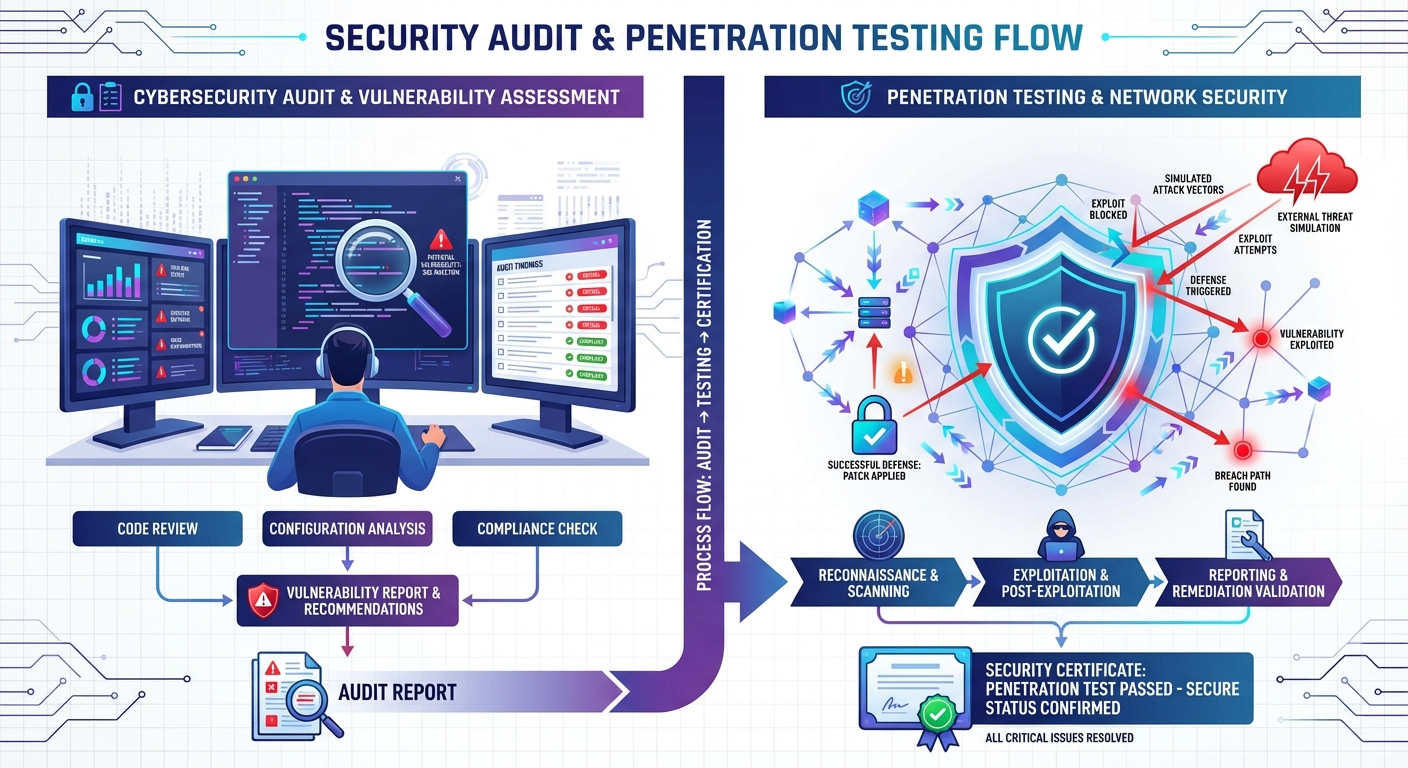
Security audits involve comprehensive reviews of security policies, procedures, and controls by independent third parties. These audits verify that the vendor follows their stated security practices and identify areas for improvement. Penetration testing goes further by simulating real-world attacks to discover vulnerabilities before malicious actors can exploit them.
Reputable CRM providers conduct these assessments at least annually, and often more frequently for critical systems. They should be willing to share summary results (with sensitive details redacted) that demonstrate their commitment to proactive security management.
Red flags regarding security testing:
- No history of third-party security audits or penetration tests
- Refusal to share any information about security assessment results
- Claims that security testing isn’t necessary because “we’ve never had a breach”
- No documented vulnerability management process
- Inability to explain how they respond to discovered vulnerabilities
- No bug bounty program or responsible disclosure policy for security researchers
During your evaluation, ask vendors about their security testing schedule and methodology. Who conducts the tests, internal teams or independent security firms? How quickly do they patch discovered vulnerabilities? What’s their track record for addressing security issues?
Also inquire about their incident response plan. Even the most secure systems can face security incidents, so what matters is how quickly and effectively the vendor responds. They should have documented procedures for detecting, containing, and recovering from security events, as well as clear communication protocols for notifying affected customers.
A vendor that’s transparent about their security testing and incident response processes demonstrates maturity and responsibility. Those who are evasive or dismissive about these topics are showing you they don’t take CRM security seriously enough.
5. Unclear Data Backup and Recovery Procedures
Data loss can be just as devastating as a data breach. Whether caused by hardware failure, software bugs, ransomware attacks, or human error, losing your customer database, sales pipeline, and proposal history can bring your solar business to a standstill. That’s why robust backup and recovery procedures are essential components of comprehensive CRM security.
Your CRM vendor should implement automated, frequent backups of all your data. Daily backups are the minimum acceptable standard, though many providers now offer continuous or near-real-time backup for critical data. These backups should be stored in geographically distributed locations to protect against regional disasters or data center failures.
Equally important is the recovery time objective (RTO), how quickly the vendor can restore your data and get your system operational after an incident. For solar businesses that depend on CRM access for daily operations, an RTO measured in hours rather than days is crucial. Ask vendors about their guaranteed recovery times and whether they’ve actually tested their recovery procedures.
Red flags in backup and recovery:
- Manual backup processes that depend on someone remembering to run them
- Infrequent backup schedules (weekly or less often)
- Backups stored in the same location as primary data
- No documented or tested recovery procedures
- Inability to provide specific RTO and recovery point objective (RPO) commitments
- No customer access to backup data or self-service recovery options
During vendor discussions, ask specific questions about their backup infrastructure. How often are backups performed? Where are they stored? How long are backups retained? Can you request a copy of your backup data? Have they successfully recovered from a major incident, and how long did it take?
Also consider your own needs for data export and portability. A secure CRM should allow you to export your complete data set at any time, ensuring you’re never locked in or dependent on a single vendor. This capability is both a security feature and a business continuity safeguard that gives you control over your most valuable asset, your customer data.
6. Poor API Security and Integration Vulnerabilities
Modern CRM systems don’t operate in isolation, they integrate with other tools your solar business uses, from marketing platforms like Facebook Ads to automation services like Pabbly Connect. While integrations add valuable functionality, they also create potential security vulnerabilities if not properly implemented. Poor API security is a critical red flag that can expose your entire system to attacks.
Application Programming Interfaces (APIs) are the bridges that connect your CRM to other software. Secure APIs use proper authentication (verifying who’s making the request), authorization (ensuring they have permission for that action), and encryption (protecting data during transfer). Weak API security can allow unauthorized access, data theft, or manipulation of your CRM data through connected systems.
When evaluating CRM security for integrations, look for vendors that implement API keys or OAuth tokens for authentication, rate limiting to prevent abuse, and comprehensive logging of all API activity. They should also provide clear documentation about which third-party integrations they support and how data flows between systems.
Integration security red flags:
- Unsecured API endpoints that don’t require authentication
- Unlimited API access without rate limiting or monitoring
- No visibility into which third-party apps have access to your data
- Inability to revoke API access for specific integrations
- Lack of documentation about integration security practices
- No review process for third-party integrations in their marketplace
For solar businesses in India using integrations for lead capture, proposal automation, or sales tracking, API security directly impacts your operational security. Ask vendors how they vet third-party integrations, what data each integration can access, and how you can monitor and control integration permissions.
Also inquire about webhook security if your CRM uses webhooks to push data to other systems. Webhooks should use HTTPS, include signature verification to confirm authenticity, and allow you to specify which events trigger notifications. These details might seem technical, but they’re crucial for maintaining CRM security across your entire technology stack.
7. Absence of Activity Logging and Audit Trails
Comprehensive activity logging is your security safety net. When something goes wrong, whether it’s unauthorized access, accidental data deletion, or suspicious activity, detailed audit trails let you understand what happened, who was involved, and how to prevent it from happening again. A CRM without robust logging capabilities leaves you blind to security incidents and compliance violations.
Audit trails should capture every significant action in your CRM: user logins and logouts, data access and modifications, permission changes, export activities, failed login attempts, and system configuration changes. These logs should include timestamps, user identities, IP addresses, and details about what was accessed or changed.
For solar businesses handling sensitive customer information, audit trails aren’t just a security feature, they’re often a compliance requirement. Regulations typically mandate that businesses maintain records of who accessed personal data and for what purpose. Without proper logging, you can’t demonstrate compliance or investigate potential breaches.
Warning signs of inadequate logging:
- No audit trail functionality or only basic login tracking
- Limited log retention (less than 90 days)
- No ability to search or filter logs for specific users, actions, or timeframes
- Logs that don’t capture data modifications, only creation and deletion
- No alerts for suspicious activities like multiple failed logins or unusual data exports
- Inability to export logs for external analysis or compliance reporting
During your CRM evaluation, ask to see the audit trail interface. Can you easily track who viewed a specific customer record? Can you identify all changes made to a proposal? Can you generate reports showing data access patterns? These capabilities are essential for both security monitoring and compliance documentation.
Also consider the forensic value of comprehensive logs. If you suspect a security incident, detailed audit trails help you determine the scope of the breach, identify affected data, and take appropriate remediation steps. Without this visibility, you’re left guessing about the extent of the problem and unable to provide accurate notifications to affected customers, a situation that can compound legal and reputational damage.
8. Insecure Mobile App Implementation
Solar sales teams increasingly rely on mobile CRM access to create proposals on-site, update lead information in the field, and manage follow-ups while traveling. Mobile functionality is essential for modern solar businesses, but mobile apps introduce unique security challenges that many CRM vendors fail to address properly.
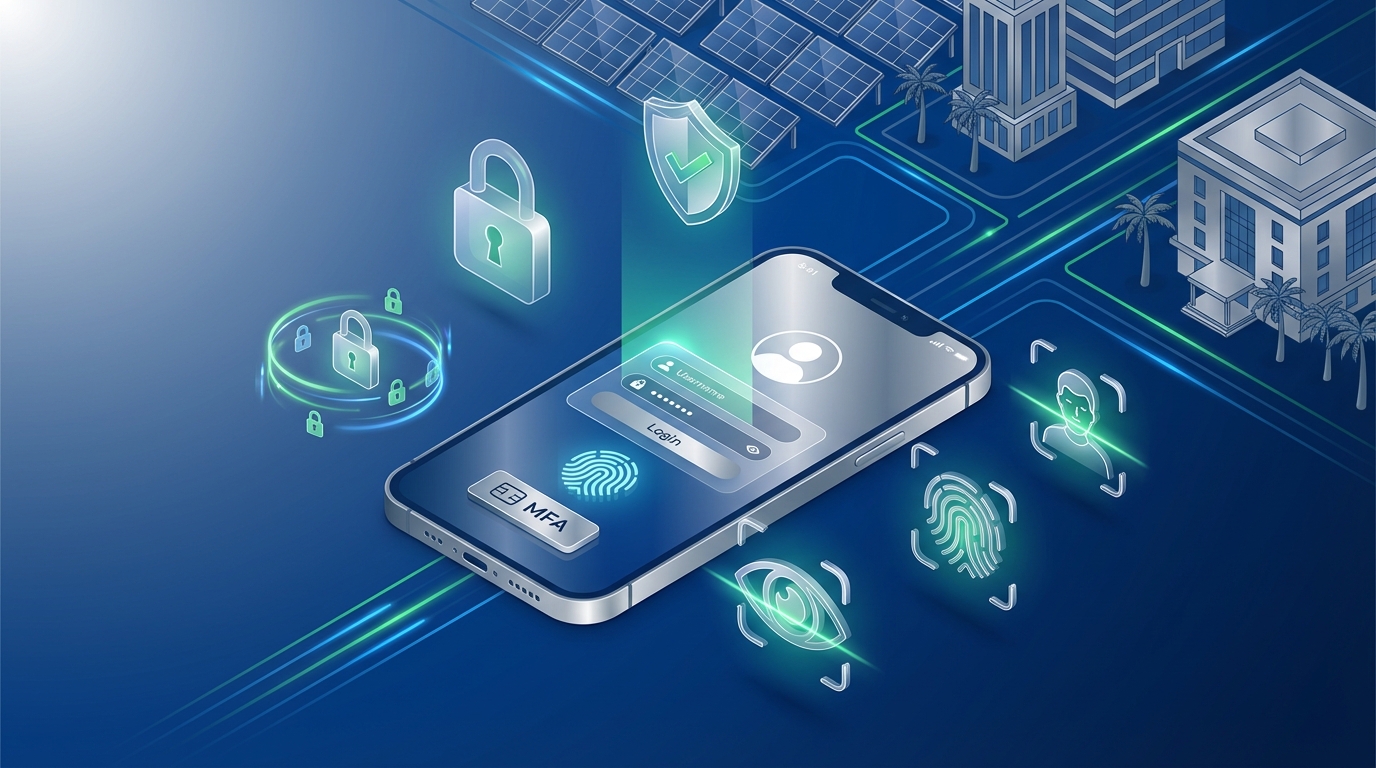
Mobile devices are more easily lost or stolen than desktop computers, often connect through unsecured public Wi-Fi networks, and may be used by family members or shared among team members. These factors make mobile CRM security a critical consideration that deserves careful evaluation.
Secure mobile CRM implementations should include device-level encryption, secure local data storage, certificate pinning to prevent man-in-the-middle attacks, and the ability to remotely wipe CRM data from lost or stolen devices. The app should also enforce the same authentication requirements as the web version, including multi-factor authentication support.
Mobile security red flags:
- Mobile app stores sensitive data unencrypted on the device
- No option to require PIN or biometric authentication for app access
- App remains logged in indefinitely without session timeouts
- No remote wipe capability for lost or stolen devices
- Mobile app doesn’t enforce the same password policies as web access
- Inability to restrict mobile access by device type or operating system version
- No visibility into which devices are accessing your CRM data
For solar businesses with field teams across India, mobile security directly impacts your operational risk. Test the mobile app during your evaluation period. Does it require authentication each time it’s opened, or does it stay logged in? Can you see which devices your team members are using? Can you revoke access for a specific device if needed?
Also consider the app’s behavior on unsecured networks. Does it warn users when connecting through public Wi-Fi? Does it use VPN or other secure tunneling technologies to protect data transmission? These features demonstrate that the vendor understands mobile security challenges and has implemented appropriate protections.
QuickEst, for example, offers mobile apps for both iOS and Android with security features designed for field sales teams. The apps implement secure authentication, encrypted local storage, and remote management capabilities that let you maintain CRM security without sacrificing the mobility your solar sales team needs.
9. Vague or Missing Data Ownership and Privacy Policies
Who owns your customer data, you or your CRM vendor? This seemingly simple question has profound implications for CRM security, privacy, and your ability to control your business’s most valuable asset. Vague or unfavorable data ownership terms are serious red flags that can leave you vulnerable to vendor lock-in, unexpected data usage, or loss of control over customer information.
Clear data ownership policies should explicitly state that you retain full ownership of all data you input into the CRM system. The vendor is merely a processor or custodian of that data, not an owner with rights to use, share, or monetize your customer information. This distinction is crucial for both legal protection and maintaining customer trust.
Equally important is understanding the vendor’s data privacy policy. How do they use your data? Do they analyze it for product improvement? Do they share aggregated data with third parties? Do they use your customer information for their own marketing purposes? Reputable vendors will have clear, transparent policies that respect your data ownership and your customers’ privacy.
Red flags in data ownership and privacy:
- Terms of service that claim vendor ownership or rights to your data
- Vague privacy policies that don’t clearly explain data usage
- No clear data portability provisions allowing you to export and migrate your data
- Inability to request data deletion after terminating your account
- Vendor reserves rights to access your data without notification
- No clear policies about data residency (where your data is physically stored)
- Terms that allow the vendor to change data policies without your consent
During your evaluation, carefully review the vendor’s terms of service, privacy policy, and data processing agreement. Don’t skip this step or assume standard terms are acceptable. Look specifically for clauses about data ownership, usage rights, portability, and deletion.
For solar businesses operating in India, data residency can be particularly important. Some regulations require that certain types of data be stored within India’s borders. Ask vendors where your data will be physically stored and whether you can choose data center locations. This isn’t just a compliance issue, it also affects data access speed and disaster recovery capabilities.
Also inquire about what happens to your data if you terminate your CRM subscription. Can you export a complete copy in a usable format? How long does the vendor retain your data after termination? Will they certify that your data has been completely deleted from their systems? These questions reveal whether the vendor truly respects your data ownership or considers your information their asset.
10. No Security Training or Support Resources
Even the most secure CRM system can be compromised by user error. Weak passwords, phishing attacks, accidental data sharing, and misconfigured permissions are common security vulnerabilities that stem from inadequate user training. A CRM vendor that doesn’t provide comprehensive security education and support resources is leaving a critical gap in your CRM security posture.
Quality security training should be part of your CRM onboarding process and available as ongoing resources. This includes documentation about security best practices, video tutorials on configuring permissions and access controls, guidelines for creating strong passwords, and education about common security threats like phishing and social engineering.
Equally important is responsive security support. When you have questions about security configurations, suspect a security incident, or need help implementing security features, you should have clear channels to reach knowledgeable support staff who can provide timely assistance.
Red flags in security training and support:
- No security-focused documentation or training materials
- Generic support that can’t answer specific security questions
- Slow response times for security-related inquiries
- No proactive communication about security updates or emerging threats
- Lack of resources for training your team on security best practices
- No clear escalation path for reporting suspected security incidents
During your evaluation, test the vendor’s support responsiveness with security-specific questions. How quickly do they respond? Do they provide detailed, knowledgeable answers, or generic responses? Do they offer resources to help you train your solar sales team on secure CRM usage?
Also look for vendors that proactively communicate about security. Do they send notifications about security updates? Do they publish security advisories about emerging threats? Do they provide regular security newsletters or blog posts? This proactive approach demonstrates a security-conscious culture that extends beyond just technical implementations.
For solar businesses implementing CRM systems across teams in India, comprehensive training resources are especially valuable. Your field sales representatives, office staff, and management all need appropriate security education tailored to their roles. A vendor that provides role-specific training materials makes it easier to maintain strong CRM security across your entire organization.
Essential CRM Security Checklist for Solar Businesses
Now that you understand the critical red flags to avoid, use this comprehensive checklist when evaluating CRM options for your solar business. This checklist consolidates the key security features and questions that will help you make an informed decision.
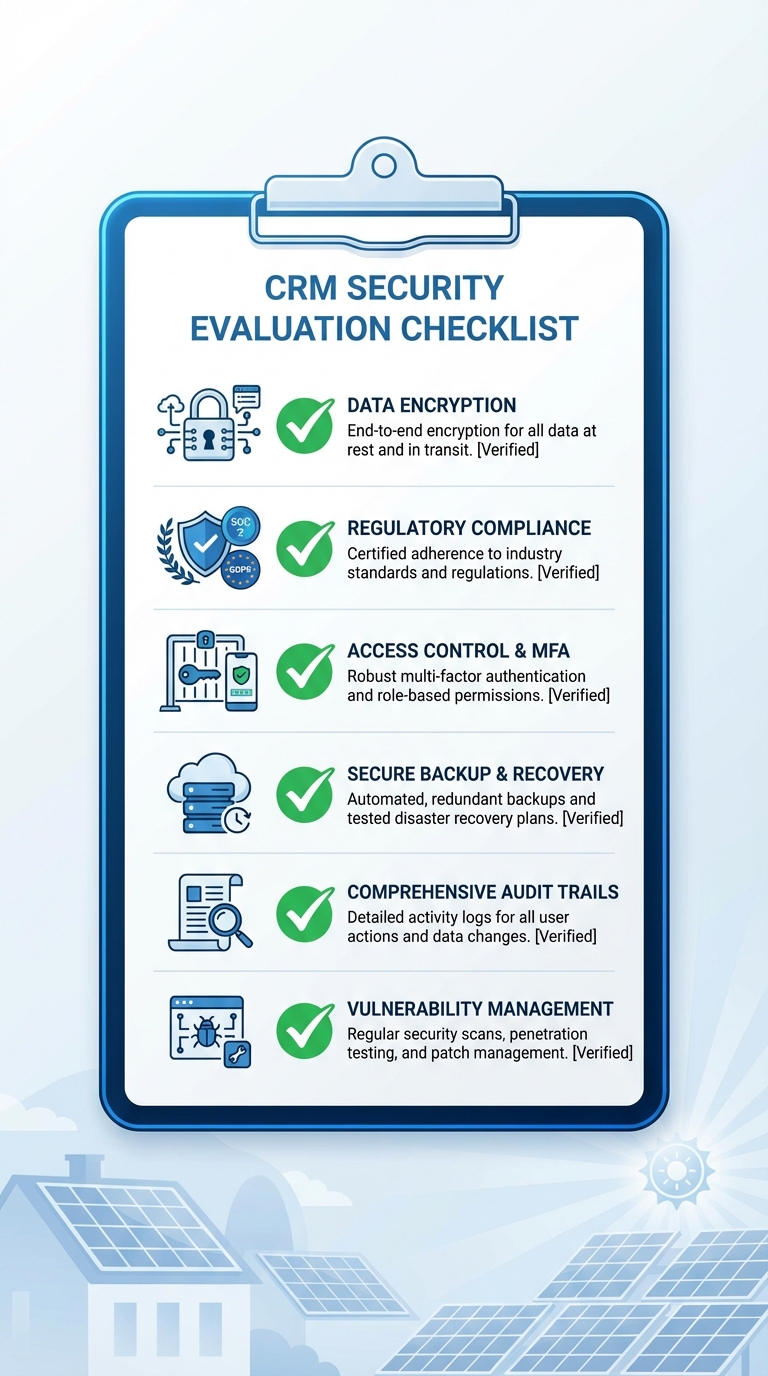
Encryption and Data Protection
- Verify TLS 1.2 or higher for data in transit
- Confirm 256-bit AES encryption for data at rest
- Ask about key management and who controls encryption keys
- Ensure encryption is standard, not an optional upgrade
Compliance and Certifications
- Request copies of current ISO 27001, SOC 2, or equivalent certifications
- Verify vendor understands India-specific data protection regulations
- Review data processing agreements and compliance documentation
- Ask about audit frequency and willingness to share results
Access Control and Authentication
- Test role-based access control with multiple user roles
- Verify multi-factor authentication is available and easy to implement
- Review password policies and enforcement mechanisms
- Check for session timeout and automatic logout features
- Confirm ability to restrict access by IP, device, or location
Security Testing and Incident Response
- Ask about frequency and scope of security audits
- Request information about penetration testing schedule
- Review documented incident response procedures
- Verify vulnerability management and patching processes
- Check for bug bounty or responsible disclosure programs
Backup and Recovery
- Confirm automated backup frequency (daily minimum)
- Ask about geographic distribution of backup storage
- Get specific RTO and RPO commitments in writing
- Verify backup testing and recovery procedures
- Ensure you can export complete data backups on demand
API and Integration Security
- Review API authentication and authorization methods
- Check for rate limiting and API activity monitoring
- Verify ability to control and revoke integration permissions
- Ask about third-party integration vetting processes
- Confirm webhook security implementations
Audit Trails and Logging
- Test audit trail interface and search capabilities
- Verify log retention period (90+ days recommended)
- Confirm logging of all critical actions (access, modifications, exports)
- Check for suspicious activity alerts and notifications
- Ensure ability to export logs for compliance reporting
Mobile Security
- Test mobile app authentication and session management
- Verify encrypted local data storage on devices
- Confirm remote wipe capabilities for lost devices
- Check device management and visibility features
- Review mobile-specific security policies and controls
Data Ownership and Privacy
- Carefully review terms of service for data ownership clauses
- Verify clear data portability and export capabilities
- Confirm data deletion procedures after account termination
- Ask about data residency and storage locations
- Review privacy policy for data usage and sharing practices
Training and Support
- Review available security training materials and documentation
- Test support responsiveness with security-specific questions
- Verify clear escalation paths for security incidents
- Check for proactive security communications and updates
- Confirm availability of role-specific training resources
Use this checklist during vendor demonstrations, trial periods, and contract negotiations. Don’t hesitate to ask detailed questions, reputable vendors will welcome your thoroughness and provide transparent answers. Those who are evasive or dismissive about security concerns are showing you they’re not the right partner for your solar business.
How QuickEst Addresses CRM Security Concerns
At QuickEst, we understand that CRM security isn’t just a feature, it’s the foundation of trust between our platform and the solar businesses we serve across India. Our security approach addresses each of the red flags discussed in this guide with concrete implementations designed to protect your business and your customers.
Robust encryption standards: We implement TLS 1.2 for all data transmission between your devices and our servers, ensuring that customer information, proposals, and business data remain protected during transfer. All data stored on our servers uses 256-bit AES encryption, providing military-grade protection for your information at rest.
Secure integrations: Our integration capabilities with platforms like Facebook Ads and Pabbly Connect use secure API authentication and authorization. We provide clear visibility into which integrations have access to your data and allow you to manage permissions granularly, ensuring that connected services only access the information they need.
Access controls for team collaboration: QuickEst offers role-based access control that lets you define appropriate permissions for different team members. Your field sales representatives can access the proposal generation and lead management features they need, while sensitive financial data and analytics remain restricted to management. This approach maintains security without hindering collaboration.
Mobile security for field teams: Our iOS and Android mobile apps implement secure authentication and encrypted data storage, allowing your solar sales teams to work efficiently in the field without compromising security. The mobile platform maintains the same security standards as our web application, ensuring consistent protection across all access points.
Ongoing security commitment: Security isn’t a one-time implementation, it’s an ongoing commitment. We continuously monitor for emerging threats, implement security updates promptly, and maintain our infrastructure to current security standards. Our goal is to provide solar businesses with a CRM platform they can trust with their most valuable asset: customer relationships.
When evaluating CRM options for your solar business, security should be a primary consideration, not an afterthought. The red flags outlined in this guide help you identify vendors who take security seriously versus those who treat it as a checkbox. By choosing a CRM with robust security features, you protect your business, comply with regulations, and maintain the trust your customers place in you.
Ready to experience a CRM platform that prioritizes security without sacrificing the speed and efficiency your solar business needs? QuickEst offers comprehensive CRM security features alongside powerful proposal generation, lead management, and sales automation capabilities designed specifically for the solar industry. Start protecting your business today with our FREE PLAN – ₹0 to explore our security features firsthand, or upgrade to our PRO PLAN – ₹6999 Per User / Year for advanced capabilities that scale with your growing solar business. For personalized guidance on implementing secure CRM practices for your team, Contact Us to discuss your specific security requirements and how QuickEst can help you achieve both robust protection and operational efficiency.
Don’t let security vulnerabilities put your solar business at risk. Take the first step toward comprehensive CRM security by evaluating your current or prospective CRM against the red flags in this guide. Your customers trust you with their sensitive information, choose a CRM platform that helps you honor that trust with enterprise-grade security designed for the unique needs of solar businesses in India.
This blog post was written using thestacc.com