

Switching your CRM system is one of the most significant decisions your solar business will make. Whether you’re outgrowing a generic platform or frustrated with a system that doesn’t understand the solar industry’s unique needs, CRM migration requires careful planning and strategic execution. For solar installation companies across India, the stakes are particularly high—your CRM holds valuable customer data, tracks ongoing projects, and powers your entire sales pipeline.
A poorly executed CRM migration can result in lost data, disrupted sales processes, confused team members, and missed revenue opportunities. Conversely, a well-planned migration to a solar-specific CRM can transform your business operations, accelerate proposal generation, and dramatically improve conversion rates. This comprehensive guide walks you through 12 critical factors every solar business must consider before making the switch.
Why Solar Companies Consider CRM Migration
The decision to migrate from one CRM to another rarely happens overnight. Most solar businesses reach a tipping point where their current system’s limitations become too costly to ignore. Understanding why companies migrate helps you recognize whether you’re facing similar challenges.

Generic CRMs weren’t built for solar. Platforms like Salesforce and Zoho CRM serve multiple industries, which means they lack solar-specific features like instant proposal generation, solar project tracking, and industry-tailored workflows. Solar companies using these systems often spend countless hours on manual workarounds, custom development, or simply accepting inefficiencies.
Common pain points that trigger CRM migration include:
- Slow proposal creation: Sales teams waste 30-60 minutes creating each solar proposal manually, losing deals to faster competitors
- Poor mobile accessibility: Field sales teams can’t access critical information or create quotes on-site during customer visits
- Missed follow-ups: Without automated reminders tailored to solar sales cycles, potential customers fall through the cracks
- Limited integration options: Existing CRM doesn’t connect with solar design tools, WhatsApp, or other essential platforms
- Inadequate reporting: Generic dashboards don’t track solar-specific metrics like proposal-to-installation conversion rates or average system size
- Excessive costs: Per-user pricing models become prohibitively expensive as your solar business scales
For solar businesses in India, these challenges are compounded by the need for local language support, regional pricing structures, and integration with popular Indian communication platforms like WhatsApp. The cost of staying with an inadequate system extends beyond subscription fees—it includes lost deals, reduced team productivity, and competitive disadvantage in a rapidly growing market.
Industry data shows that solar companies using specialized CRMs close deals 40% faster than those using generic platforms. When your competitors can send professional proposals via WhatsApp within 60 seconds while your team struggles with spreadsheets and email attachments, the urgency for CRM migration becomes clear.
1. Data Migration Planning: Your Most Critical Step
Data migration is the foundation of successful CRM migration. Your existing CRM contains years of valuable information—customer contacts, project histories, communication logs, proposal documents, and sales pipeline data. Losing or corrupting this data during migration can cripple your business operations for months.
Start with a comprehensive data audit. Before migrating anything, assess what data you actually have and what condition it’s in. Export sample datasets from your current CRM and analyze them for completeness, accuracy, and consistency. You’ll likely discover duplicate records, incomplete contact information, outdated project statuses, and inconsistent data formatting.
Key data audit questions include:
- How many customer records do you have, and how many are active versus obsolete?
- What percentage of records have complete contact information (phone, email, address)?
- How many duplicate entries exist across your database?
- Are custom fields consistently populated, or do they contain inconsistent data?
- What file attachments (proposals, contracts, site photos) need to migrate?
Map your data fields carefully. Different CRM systems structure data differently. Your current system’s “Company Name” field might need to map to “Account Name” in the new system. Custom fields you’ve created may not have direct equivalents. Create a detailed mapping document that shows exactly where each piece of data will go in your new solar CRM.
Clean your data before migration, not after. This is your opportunity to eliminate duplicates, standardize formatting, complete missing information, and archive obsolete records. Migrating clean data is faster, cheaper, and results in a more usable system from day one. Most CRM migration experts recommend dedicating 30-40% of your total migration timeline to data preparation.
Create multiple backups. Before initiating CRM migration, export complete backups of your existing data in multiple formats (CSV, Excel, database dumps). Store these backups in at least three separate locations—local storage, cloud storage, and offline media. If something goes wrong during migration, you need the ability to restore your original data quickly.
Test data integrity post-migration by comparing record counts, spot-checking individual records, verifying relationships between contacts and deals, and confirming that file attachments transferred correctly. Plan for at least two weeks of parallel operation where you maintain both old and new systems to catch any data discrepancies.
2. Downtime Minimization Strategies
Every hour your sales team can’t access customer data or create proposals represents lost revenue. Strategic planning around CRM migration timing and methodology can dramatically reduce business disruption.
Choose your migration window strategically. For solar businesses in India, consider seasonal patterns in your sales cycle. Avoid migrating during peak solar installation seasons (typically October through March in most regions) when your team is busiest closing deals. Instead, schedule CRM migration during slower periods when reduced system access has minimal impact on revenue.
The phased migration approach involves moving different data types or team segments gradually over several weeks. You might migrate customer contact data first, then historical deals, then active opportunities, and finally documents and attachments. This approach minimizes risk and allows you to address issues before they affect your entire operation.
Alternatively, the “big bang” approach migrates everything simultaneously during a planned downtime window—typically over a weekend. This method is faster and avoids the complexity of maintaining two systems, but it requires flawless execution and comprehensive testing beforehand.
Maintain business continuity during transition. Even with careful planning, expect some disruption. Prepare contingency plans such as:
- Temporary spreadsheet-based workflows for critical sales activities
- Extended customer response time expectations communicated proactively
- Dedicated support team available 24/7 during migration weekend
- Rollback procedures if critical issues emerge
Communication is essential. Notify customers, partners, and stakeholders about potential service impacts well in advance. Set clear expectations about response times during the migration period. Most importantly, keep your sales team informed with daily updates about migration progress and any temporary workflow changes.
3. Team Transition and Training Requirements
Technology changes are easy compared to people changes. Your CRM migration will only succeed if your team adopts the new system enthusiastically and uses it effectively. This requires thoughtful change management and comprehensive training.
Assess your team’s technical readiness. Survey your sales team to understand their comfort level with technology, their specific concerns about switching systems, and their wish list for new CRM features. This information helps you tailor training programs and identify team members who may need extra support.
Create a comprehensive training schedule that accommodates different learning styles. Combine multiple training formats:
- Live training sessions: Interactive workshops where team members practice key workflows like creating solar proposals, managing leads, and tracking follow-ups
- Video tutorials: Short, focused recordings demonstrating specific features that team members can reference anytime
- Written documentation: Step-by-step guides with screenshots for common tasks
- Hands-on practice: Sandbox environment where team members can experiment without affecting real data
Identify power users and champions. Select 2-3 tech-savvy team members to become CRM experts before the full rollout. These champions receive advanced training, help test the new system, and provide peer support during the transition. Team members often feel more comfortable asking questions to colleagues than to managers or external trainers.
Plan for ongoing support beyond initial training. The first 30 days after CRM migration are critical, this is when team members encounter real-world scenarios not covered in training and when old habits threaten to resurface. Schedule daily check-ins during week one, then weekly sessions for the first month to address questions and reinforce best practices.
Managing resistance to change requires empathy and clear communication about benefits. Some team members will resist CRM migration simply because they’re comfortable with the old system. Address concerns directly by demonstrating how the new solar CRM solves their specific pain points, faster proposal creation, better mobile access, automated follow-ups. When team members see personal benefits, adoption accelerates dramatically.
For solar businesses implementing platforms like QuickEst, emphasize time-saving features that directly impact daily work, creating professional proposals in 60 seconds instead of 30 minutes, accessing customer information on mobile devices during site visits, and receiving automated reminders for follow-ups. These tangible improvements help overcome resistance and build enthusiasm for the new system.
4. Total Cost of CRM Migration
Understanding the complete financial picture of CRM migration prevents budget surprises and helps you calculate accurate ROI projections. The true cost extends far beyond software subscription fees.
Software licensing and subscription costs vary dramatically between CRM platforms. Generic enterprise CRMs often charge ₹2,000-₹5,000 per user per month, which becomes prohibitively expensive as your solar business grows. Solar-specific platforms typically offer more predictable pricing structures designed for the industry’s economics.
When evaluating CRM pricing, consider:
- Per-user vs. flat-rate pricing: Will costs scale linearly as you add sales team members?
- Feature tier restrictions: Are essential capabilities like proposal generation or mobile access locked behind premium tiers?
- Contract length requirements: Do you need to commit to annual contracts, or can you start monthly?
- Hidden fees: Are there charges for data storage, API calls, additional integrations, or customer support?
Data migration and implementation fees can range from ₹50,000 to ₹5,00,000 depending on data complexity, customization requirements, and whether you handle migration internally or hire consultants. Solar-specific CRMs often provide migration assistance as part of onboarding, significantly reducing these costs.
Training and productivity loss during transition represents a significant hidden cost. Expect your sales team’s productivity to drop 20-30% during the first two weeks after CRM migration as they learn new workflows and encounter unfamiliar interfaces. For a 10-person sales team, this could represent ₹2-3 lakhs in lost revenue opportunity.
Integration and customization expenses depend on your existing technology ecosystem. If your solar business uses specialized design software, accounting systems, or marketing automation tools, you’ll need to budget for integration development. Platforms with robust APIs and pre-built integrations reduce these costs substantially.
Watch for hidden costs that emerge after migration:
- Ongoing customization and maintenance fees
- Additional user licenses as your team grows
- Premium support packages for faster response times
- Data export fees if you later decide to migrate again
- Third-party integration subscription costs
Calculate total cost of ownership over 3-5 years, not just the first year. A platform with higher upfront costs but lower ongoing expenses may prove more economical long-term. Similarly, a solar-specific CRM that eliminates the need for extensive customization often delivers better ROI than a cheaper generic platform requiring constant modifications.
For detailed guidance on understanding CRM costs for solar businesses, explore our comprehensive analysis of solar CRM software costs and what you’re really paying for.
5. Integration Compatibility Assessment
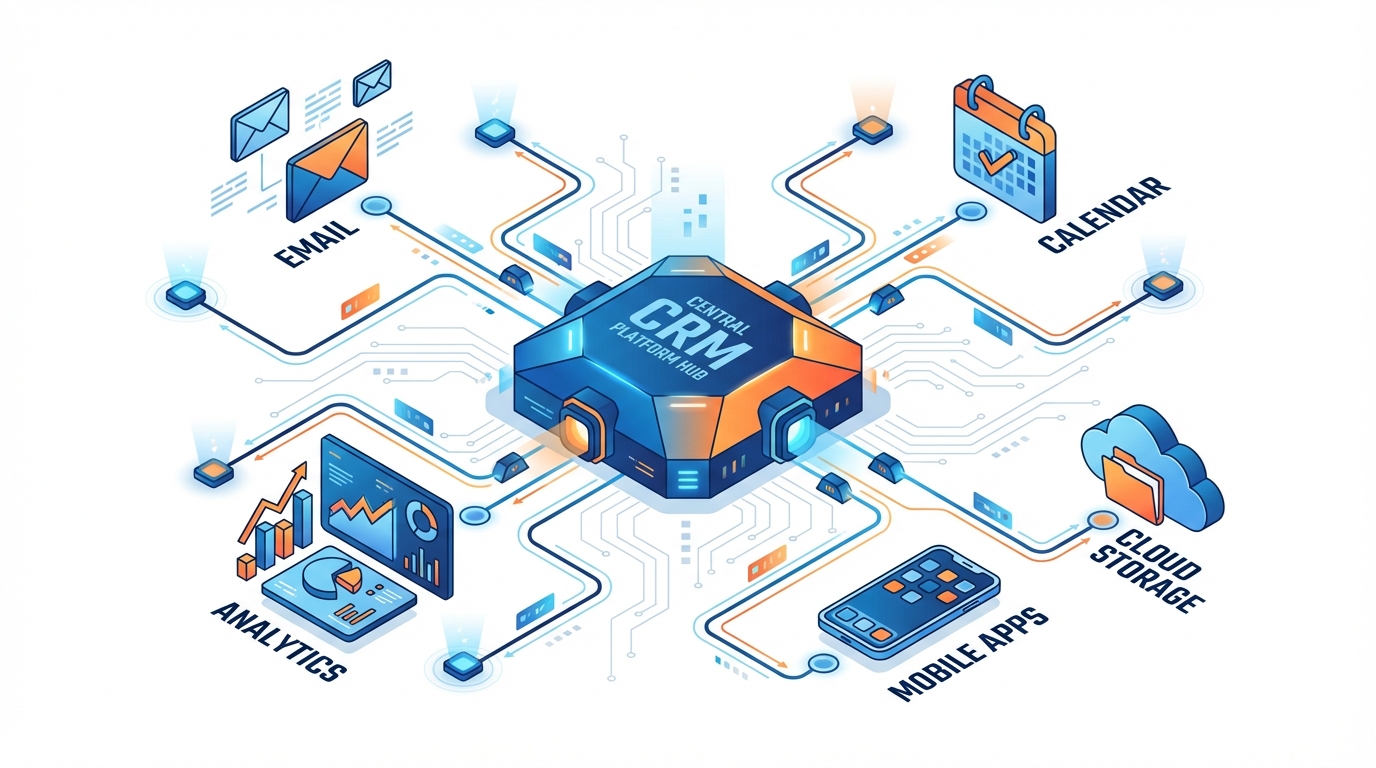
Your CRM doesn’t operate in isolation, it’s part of a broader technology ecosystem that powers your solar business. Successful CRM migration requires ensuring your new platform integrates seamlessly with existing tools and workflows.
Evaluate your existing tool ecosystem. Document every software platform your solar business currently uses:
- Communication tools: Email platforms (Gmail, Outlook), WhatsApp Business, SMS services
- Solar design software: PVsyst, HelioScope, or other technical design tools
- Accounting systems: Tally, QuickBooks, Zoho Books, or other financial software
- Marketing platforms: Facebook Ads, Google Ads, email marketing services
- Document management: Google Drive, Dropbox, or other cloud storage
- Project management: Trello, Asana, or other collaboration tools
For each tool, determine whether integration is essential, beneficial, or optional. Essential integrations are those without which your business operations would be severely disrupted. For most solar companies, email and WhatsApp integrations fall into this category since they’re primary customer communication channels.
API availability and integration options determine how easily your new CRM connects with other systems. Modern CRMs should offer:
- RESTful APIs with comprehensive documentation
- Webhook support for real-time data synchronization
- Pre-built integrations with popular business tools
- Integration marketplace or partner ecosystem
Third-party integration platforms like Pabbly Connect, Zapier, or Make (formerly Integromat) can bridge gaps when direct integrations don’t exist. These platforms allow you to create automated workflows between your CRM and other tools without custom development. However, they add another subscription cost and potential point of failure to your technology stack.
Custom integration requirements arise when you use specialized or proprietary systems unique to your solar business. Budget additional time and resources for custom API development if your new CRM needs to connect with legacy systems or industry-specific tools.
Future scalability considerations matter as much as current needs. As your solar business grows, you’ll likely add new tools for marketing automation, customer service, inventory management, or field service management. Choose a CRM platform with a robust integration ecosystem that can accommodate future expansion without requiring another migration.
For solar businesses in India, WhatsApp integration deserves special attention. WhatsApp is the dominant communication platform for business-to-customer interactions, and the ability to send proposals, updates, and follow-ups via WhatsApp directly from your CRM can dramatically improve response rates and customer engagement.
Learn more about connecting your solar sales tools effectively in our detailed guide on solar CRM integration in India.
6. Solar-Specific Feature Requirements
The primary reason solar companies undertake CRM migration is to access industry-specific features that generic platforms don’t provide. Clearly defining your solar-specific requirements ensures you select a platform that truly serves your business needs.
Proposal generation capabilities top the list for most solar businesses. Creating professional, accurate solar proposals quickly is essential for closing deals in a competitive market. Your new CRM should enable:
- Rapid proposal creation with pre-built solar templates
- Automatic calculation of system sizing, costs, and savings projections
- Professional branding with your company logo and colors
- Multiple delivery options (email, WhatsApp, PDF download)
- Proposal tracking to see when customers view and engage with quotes
Lead management tailored to solar sales cycles recognizes that solar purchases involve longer consideration periods, multiple decision-makers, and significant financial commitments. Your CRM should support:
- Lead scoring based on solar-specific criteria (roof ownership, electricity bills, financing readiness)
- Customizable pipeline stages reflecting solar sales progression (initial inquiry, site survey, proposal, financing approval, installation scheduling)
- Automated lead nurturing sequences appropriate for solar consideration timelines
- Lead source tracking to measure ROI from different marketing channels
Mobile accessibility for field teams is non-negotiable for solar businesses. Your sales representatives need to access customer information, create proposals, and update deal status while conducting site visits. Essential mobile capabilities include:
- Native iOS and Android apps with full functionality
- Offline access to critical customer data
- Mobile proposal creation and sharing
- Photo capture and attachment to customer records
- GPS-based check-ins for site visits
Automated follow-up systems prevent leads from falling through the cracks during long solar sales cycles. Your CRM should automatically remind sales representatives to follow up at appropriate intervals, send templated email sequences, and escalate unresponsive leads to managers.
Performance tracking and analytics specific to solar businesses help you optimize sales processes and forecast revenue accurately. Look for dashboards that track:
- Proposal-to-installation conversion rates
- Average deal size and system capacity
- Sales cycle length from initial contact to installation
- Individual and team performance metrics
- Lead source effectiveness and marketing ROI
- Pipeline value and revenue forecasting
For a comprehensive evaluation framework, review our complete buyer’s checklist of essential solar CRM features to ensure you don’t overlook critical capabilities during your selection process.
7. Data Security and Compliance Considerations
Your CRM contains sensitive customer information, financial data, and proprietary business intelligence. Ensuring robust security during and after CRM migration protects your business from data breaches, regulatory penalties, and reputational damage.
Data encryption standards should meet or exceed industry best practices. Look for CRM platforms that implement:
- TLS 1.2 or higher for data transmission between users and servers
- 256-bit AES encryption for data storage at rest
- End-to-end encryption for sensitive communications
- Encrypted backups stored in geographically distributed data centers
Compliance with Indian data protection regulations is increasingly important as privacy laws evolve. While India’s comprehensive data protection framework is still developing, solar businesses should anticipate requirements similar to GDPR, including:
- Customer consent for data collection and processing
- Right to data access and deletion requests
- Data localization requirements for Indian customer information
- Breach notification procedures
User access controls and permissions ensure that team members only access data appropriate to their roles. Your CRM should support:
- Role-based access control with customizable permission levels
- Multi-factor authentication for user logins
- Audit logs tracking who accessed or modified data
- IP whitelisting for additional security
- Session timeout and automatic logout features
Backup and disaster recovery protocols protect against data loss from technical failures, human error, or malicious attacks. Verify that your CRM provider maintains:
- Automated daily backups with multiple retention points
- Geographically distributed backup storage
- Documented recovery time objectives (RTO) and recovery point objectives (RPO)
- Regular disaster recovery testing
- Clear procedures for data restoration
Vendor security certifications provide independent validation of security practices. Look for CRM providers with certifications such as ISO 27001 (information security management), SOC 2 Type II (security and availability controls), or equivalent standards recognized in India.
During CRM migration itself, implement additional security measures:
- Encrypt all data exports from your old system
- Use secure file transfer protocols (SFTP, not FTP)
- Limit migration access to essential personnel only
- Conduct security audits before and after migration
- Securely delete data from old systems after successful migration
8. Vendor Support and Reliability
Your CRM vendor becomes a critical business partner. Their stability, responsiveness, and commitment to customer success directly impact your ability to serve customers and grow your solar business.
Evaluate vendor track record and stability. Research how long the company has been in business, their customer retention rates, and their financial stability. For solar-specific CRMs, investigate:
- How many solar businesses currently use the platform?
- What is the average customer tenure?
- Are there case studies or testimonials from similar-sized solar companies?
- Has the vendor received funding or demonstrated sustainable growth?
Support availability and response times become critical when issues arise. During CRM migration evaluation, test the vendor’s support by:
- Submitting pre-sales questions and measuring response time
- Requesting technical documentation and assessing its quality
- Asking about support hours (24/7, business hours, time zones)
- Inquiring about support channels (phone, email, chat, ticketing system)
- Understanding escalation procedures for critical issues
Migration assistance offered by vendor significantly impacts your transition success. The best CRM providers offer:
- Dedicated migration specialists assigned to your project
- Data mapping and migration tools
- Assistance with data cleaning and preparation
- Testing and validation support
- Post-migration optimization recommendations
Community and resource availability provide ongoing value beyond direct vendor support. Active user communities, comprehensive knowledge bases, video tutorials, and regular webinars help your team maximize CRM value and troubleshoot issues independently.
Long-term product roadmap indicates whether the vendor continues investing in platform improvements. During vendor evaluation, ask about:
- Planned feature releases for the next 12-24 months
- How customer feedback influences product development
- Frequency of platform updates and improvements
- Commitment to emerging technologies (AI, mobile enhancements, integration expansions)
For solar businesses in India, consider whether the vendor understands local market dynamics, supports regional languages, and maintains data centers or partnerships within India for optimal performance and data sovereignty.
9. Customization and Scalability Needs
Your solar business is unique, and your CRM should adapt to your specific workflows rather than forcing you to adapt to rigid software constraints. Balancing customization flexibility with scalability ensures your CRM grows with your business.
Current customization requirements should be documented before beginning CRM migration. Map out:
- Custom fields needed to track solar-specific information (system size, panel types, inverter models, roof characteristics)
- Unique workflow stages in your sales process
- Custom reports and dashboards your team relies on
- Automated workflows and business rules
- Custom proposal templates and branding requirements
Future growth projections help you avoid outgrowing your new CRM within a year or two. Consider:
- How many users will you need in 1 year? 3 years? 5 years?
- Will you expand to new geographic markets requiring multi-location support?
- Are you planning to add new product lines (residential, commercial, industrial solar)?
- Will you need additional modules like project management or customer service?
User limit flexibility matters more than you might expect. Some CRM platforms charge per user with unlimited scaling, while others have tier-based pricing with user caps. As your solar business grows and you add sales representatives, installers, and support staff who need CRM access, ensure your pricing model accommodates growth without requiring another migration.
Feature expansion capabilities determine whether you can add functionality as needs evolve. Your CRM should support:
- Adding custom fields and objects without developer assistance
- Creating custom workflows and automation rules
- Building custom reports and dashboards
- Integrating new tools as your technology stack expands
- Accessing advanced features through tier upgrades rather than platform changes
Industry-specific workflow adaptability is particularly important for solar businesses. Your CRM should accommodate variations in how different solar companies operate, some focus on residential installations, others on commercial projects; some handle financing in-house, others partner with third-party lenders. The platform should flex to match your business model, not force you into a one-size-fits-all approach.
10. User Adoption and Change Management
The most sophisticated CRM delivers zero value if your team doesn’t use it consistently and correctly. Successful CRM migration requires as much focus on people and processes as on technology.
Creating a change management strategy begins weeks before actual migration. This strategy should include:
- Clear communication about why you’re migrating and what benefits the new system provides
- Involvement of team members in vendor selection and testing
- Identification of potential resistance points and proactive mitigation plans
- Celebration of milestones throughout the migration process
Communicating benefits to team members requires translating technical features into personal advantages. Instead of saying “the new CRM has better API integrations,” explain “you’ll spend 30 minutes less per day on data entry because customer information syncs automatically.” Focus on how the new system makes their jobs easier, helps them close more deals, and reduces frustrating manual work.
Measuring adoption rates and engagement helps you identify problems early. Track metrics such as:
- Daily active users as a percentage of total team
- Number of proposals created per sales representative
- Frequency of data updates and customer interactions logged
- Mobile app usage rates
- Feature utilization (are advanced capabilities being used or ignored?)
Addressing feedback and concerns promptly prevents small frustrations from becoming major resistance. Establish multiple feedback channels:
- Daily stand-up meetings during the first week post-migration
- Anonymous feedback forms for sensitive concerns
- One-on-one check-ins with team members struggling with adoption
- Regular team meetings to share tips and best practices
Celebrating quick wins builds momentum and enthusiasm. When a sales representative closes their first deal using the new CRM, when proposal creation time drops dramatically, or when automated follow-ups recover a previously lost lead, share these successes with the entire team. Positive reinforcement accelerates adoption far more effectively than mandates and criticism.
For solar businesses implementing automated follow-up systems as part of CRM migration, our guide on follow-up automation in India provides strategies for maximizing this powerful capability.
11. Testing and Validation Protocols
Thorough testing before full CRM migration prevents catastrophic failures that could disrupt your entire solar business. A structured testing approach identifies issues when they’re easy to fix rather than after they’ve impacted customers and revenue.
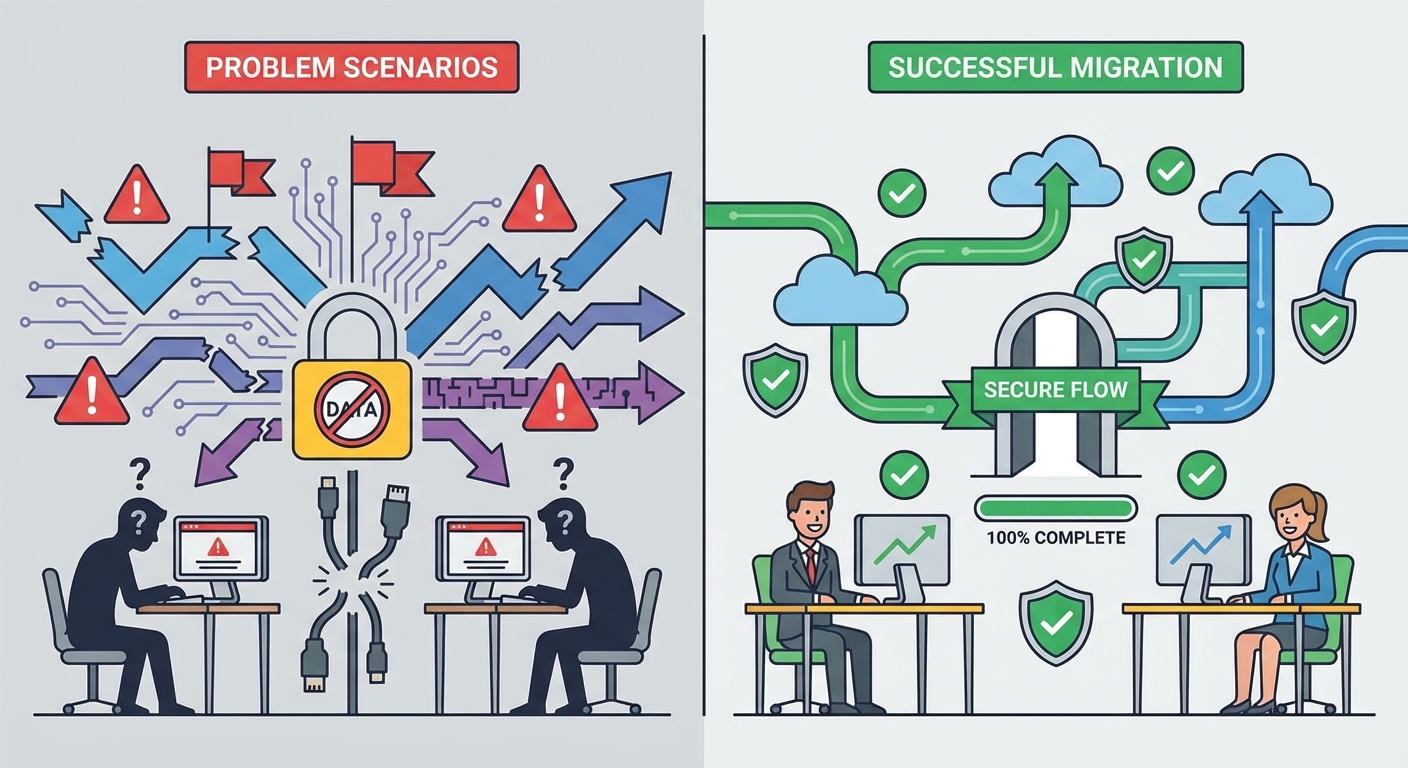
Setting up a sandbox environment provides a safe space for testing without risking production data. Your CRM vendor should provide a separate testing instance where you can:
- Import sample data and verify migration accuracy
- Test custom workflows and automation rules
- Experiment with integrations and API connections
- Train team members without affecting real customer records
- Simulate various scenarios and edge cases
Running parallel systems during testing means maintaining your old CRM while simultaneously using the new one for a limited period. This approach allows you to:
- Compare data accuracy between systems
- Identify missing functionality or workflow gaps
- Build team confidence with the new system while maintaining a safety net
- Catch integration issues before they impact operations
User acceptance testing procedures involve having actual team members perform real-world tasks in the new CRM. Create testing scenarios such as:
- Creating a solar proposal from initial customer inquiry to final quote
- Managing a lead through your entire sales pipeline
- Scheduling and logging a site visit
- Generating weekly sales reports
- Accessing customer information on mobile devices
- Sending automated follow-up sequences
Performance benchmarking establishes baseline metrics for system speed and reliability. Test:
- Page load times for common screens
- Search query response times
- Report generation speed
- Mobile app performance on various devices and network conditions
- System behavior under peak load (multiple users accessing simultaneously)
Rollback planning is your insurance policy against migration failure. Before initiating full migration, document:
- Exact steps required to restore your old CRM to full operation
- Data backup locations and restoration procedures
- Communication templates for notifying team and customers of rollback
- Decision criteria for when rollback is necessary versus pushing through issues
- Timeline for how long you’ll maintain the ability to rollback
Most successful CRM migrations maintain rollback capability for 30-60 days after go-live, ensuring that any delayed issues can still be addressed by reverting to the previous system if necessary.
12. Red Flags to Avoid During CRM Migration
Recognizing warning signs during vendor evaluation and CRM migration planning can save you from costly mistakes. These red flags indicate potential problems that could derail your migration or leave you with an inadequate system.
Vendors with poor migration support leave you struggling to transfer data and configure the new system. Warning signs include:
- Vague or non-existent migration documentation
- No dedicated migration assistance or onboarding team
- Expectation that you’ll handle all technical aspects independently
- Lack of data import tools or templates
- Poor responsiveness during pre-sales evaluation (it won’t improve post-purchase)
Lack of data export capabilities creates vendor lock-in that makes future migrations extremely difficult. Before committing to any CRM, verify that you can:
- Export all your data in standard formats (CSV, Excel, JSON)
- Access data exports without vendor assistance
- Export attachments and documents, not just structured data
- Retrieve data even after canceling your subscription
Unclear pricing structures lead to budget surprises and hidden costs. Red flags include:
- Reluctance to provide written pricing documentation
- Complex tier structures with unclear feature limitations
- Vague language about additional fees and charges
- Pressure to commit to long-term contracts without trial periods
- Significant price increases after initial promotional periods
Limited integration options restrict your ability to connect the CRM with other essential business tools. Be wary of platforms that:
- Lack APIs or provide poorly documented APIs
- Charge extra fees for API access or integration capabilities
- Have no pre-built integrations with popular business tools
- Don’t support webhook or real-time data synchronization
- Require expensive custom development for basic integrations
Inadequate security measures put your customer data and business at risk. Warning signs include:
- Inability to provide clear information about encryption standards
- No security certifications or third-party audits
- Vague data backup and disaster recovery procedures
- Lack of multi-factor authentication options
- Poor track record with security incidents or data breaches
No trial or demo period prevents you from validating that the CRM actually meets your needs before committing. Reputable vendors offer:
- Free trials (typically 14-30 days) with full feature access
- Interactive demos with your actual data
- Sandbox environments for testing
- Money-back guarantees or flexible cancellation policies
Additional red flags specific to solar CRM migration include:
- Generic CRM claiming to serve solar but lacking industry-specific features
- No mobile app or poorly functioning mobile experience
- Inability to demonstrate proposal generation capabilities
- No existing solar company customers to reference
- Vendor unfamiliar with solar industry terminology and workflows
Creating Your CRM Migration Timeline
A realistic, well-structured timeline keeps your CRM migration on track and ensures you don’t rush critical steps. Most successful solar CRM migrations follow a three-phase approach spanning 6-12 weeks depending on data complexity and team size.
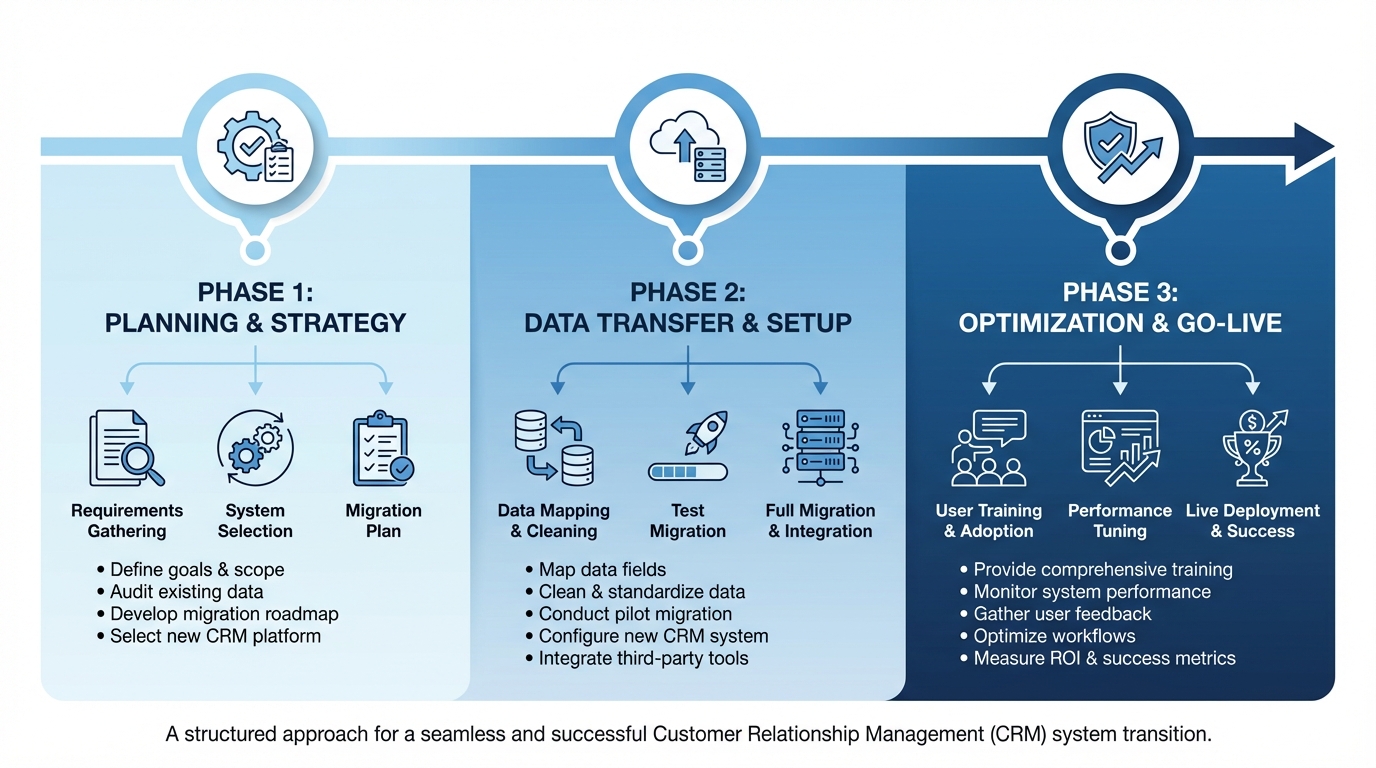
Pre-migration phase (3-4 weeks): This planning and preparation period lays the foundation for successful migration.
- Week 1: Vendor selection, contract negotiation, and project kickoff
- Week 2: Data audit, cleaning, and mapping documentation
- Week 3: Sandbox environment setup, initial testing, and customization configuration
- Week 4: Team training preparation, communication plan development, and final data preparation
Migration execution phase (1-2 weeks): This is when actual data transfer and system cutover occur.
- Days 1-3: Initial data migration to sandbox environment, validation testing
- Days 4-5: User acceptance testing with core team members
- Days 6-7: Issue resolution and final data migration preparation
- Weekend: Full data migration during low-activity period
- Days 8-10: System validation, parallel operation with old CRM, team training sessions
Post-migration optimization phase (3-4 weeks): This period focuses on adoption, refinement, and maximizing value from your new CRM.
- Week 1: Daily check-ins, intensive support, quick issue resolution
- Week 2: Workflow optimization based on real-world usage, additional training for struggling users
- Week 3: Advanced feature training, integration fine-tuning, performance monitoring
- Week 4: Final validation, old system decommissioning, success metrics review
Realistic timeframes for solar businesses vary based on several factors:
- Small teams (1-5 users): 6-8 weeks total migration timeline
- Medium teams (6-20 users): 8-10 weeks total migration timeline
- Large teams (20+ users): 10-12 weeks total migration timeline
Milestone tracking and accountability keep the project moving forward. Establish clear ownership for each phase:
- Project sponsor (typically owner or sales director) for overall accountability
- Technical lead for data migration and integration tasks
- Training coordinator for team preparation and adoption
- Vendor liaison for communication with CRM provider
Schedule weekly project status meetings during pre-migration and post-migration phases, and daily stand-ups during the execution phase. Track progress against milestones and adjust timelines proactively when delays occur rather than letting the entire project slip.
For detailed implementation guidance specific to the Indian market, review our comprehensive CRM implementation guide for India.
Making the Switch to a Solar-Specific CRM
After evaluating all these critical factors, the decision to proceed with CRM migration should be clear. For solar businesses struggling with generic platforms or outdated systems, migrating to a solar-specific CRM delivers transformative benefits that justify the investment and effort.
Benefits of industry-specific solutions extend far beyond basic CRM functionality. Solar-specific platforms like QuickEst understand your unique challenges:
- Sales cycles that span weeks or months as customers research and secure financing
- Technical complexity requiring accurate system sizing and savings calculations
- Mobile-first workflows for field sales teams conducting site visits
- Proposal generation speed that directly impacts competitive advantage
- Integration with communication platforms popular in your market (WhatsApp in India)
Generic CRMs require extensive customization to support these workflows, often costing more in development time and ongoing maintenance than purpose-built solar solutions.
How QuickEst addresses common migration concerns:
Data migration complexity is simplified through dedicated onboarding support and data import tools designed for common CRM formats. The platform’s intuitive structure makes data mapping straightforward, and the team provides hands-on assistance throughout the process.
Downtime concerns are minimized with flexible migration scheduling and phased rollout options. The cloud-based platform ensures high availability, and the mobile apps allow your team to stay productive even during transition periods.
Training requirements are reduced through an intuitive interface designed specifically for solar sales workflows. Most team members become proficient within days rather than weeks. The 60-second proposal generation feature is so straightforward that it requires minimal training, sales representatives immediately see the value and adopt it enthusiastically.
Cost predictability comes from transparent pricing with no hidden fees. Whether you’re exploring the platform through the free plan or scaling with the professional tier, you know exactly what you’re paying and what features you’re receiving.
Integration compatibility is built-in with connections to essential tools like WhatsApp, email platforms, Facebook Ads, and Pabbly Connect. The platform continues expanding integration options based on customer feedback.
Getting started with a migration-friendly platform begins with understanding your current pain points and future goals. QuickEst offers flexible entry points for solar businesses at different stages:
Start with the free plan at ₹0 to explore the platform without commitment. Import a subset of your data, test proposal generation, and experience the mobile app. This risk-free approach lets you validate that the platform meets your needs before full migration.
When you’re ready to migrate fully, the Pro Plan at ₹6,999 per user per year provides comprehensive CRM capabilities, unlimited proposals, automated follow-ups, and full integration access. The annual pricing structure offers predictable costs as you scale your solar business.
Take the first step toward transforming your solar sales process. CRM migration might seem daunting, but staying with an inadequate system costs you more in lost deals, frustrated team members, and competitive disadvantage. Solar businesses across India are accelerating their sales cycles, closing more deals, and scaling efficiently with purpose-built CRM solutions.
The 12 critical factors outlined in this guide provide your roadmap for successful CRM migration. From data planning to team training, from integration assessment to vendor evaluation, you now have the framework to make informed decisions and execute a smooth transition.
Don’t let another month pass with a CRM that holds your solar business back. Evaluate your current system against these criteria, explore solar-specific alternatives, and take action toward a CRM that empowers your team to close deals faster and serve customers better. Contact us to discuss how QuickEst can support your CRM migration journey and transform your solar sales process.
This blog post was written using thestacc.com