
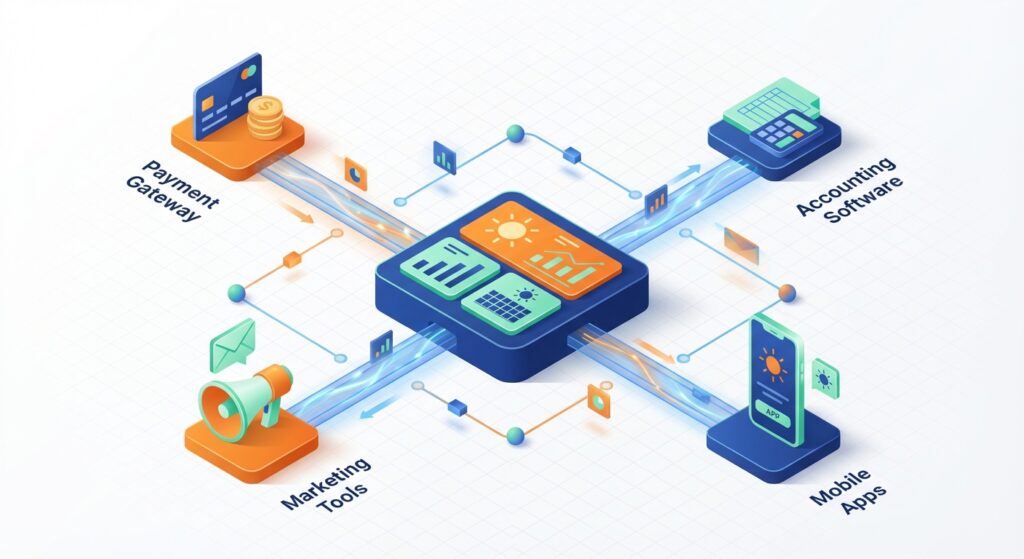
In 2026, solar businesses across India are discovering that the secret to scaling operations isn’t just about generating more leads or closing more deals—it’s about making your technology work smarter, not harder. If your team is still copying customer data between your CRM, accounting software, and payment systems, you’re losing hours every week to manual work that could be automated. API integration is the solution that connects your solar CRM with every other tool in your tech stack, creating a seamless flow of information that eliminates errors and frees your team to focus on what matters: selling solar solutions.
This comprehensive guide walks you through everything you need to know about implementing API integration for your solar CRM in 2026. Whether you’re connecting payment gateways, marketing platforms, or accounting software, you’ll learn the step-by-step process, troubleshooting techniques, and best practices that successful solar companies are using to automate their operations.
What Is API Integration and Why It Matters for Solar Businesses
An API (Application Programming Interface) is essentially a messenger that allows two software applications to communicate with each other. Think of it as a waiter in a restaurant: you tell the waiter what you want, the waiter takes your order to the kitchen, and then brings your food back to you. Similarly, an API takes requests from one application, communicates with another application, and returns the response.
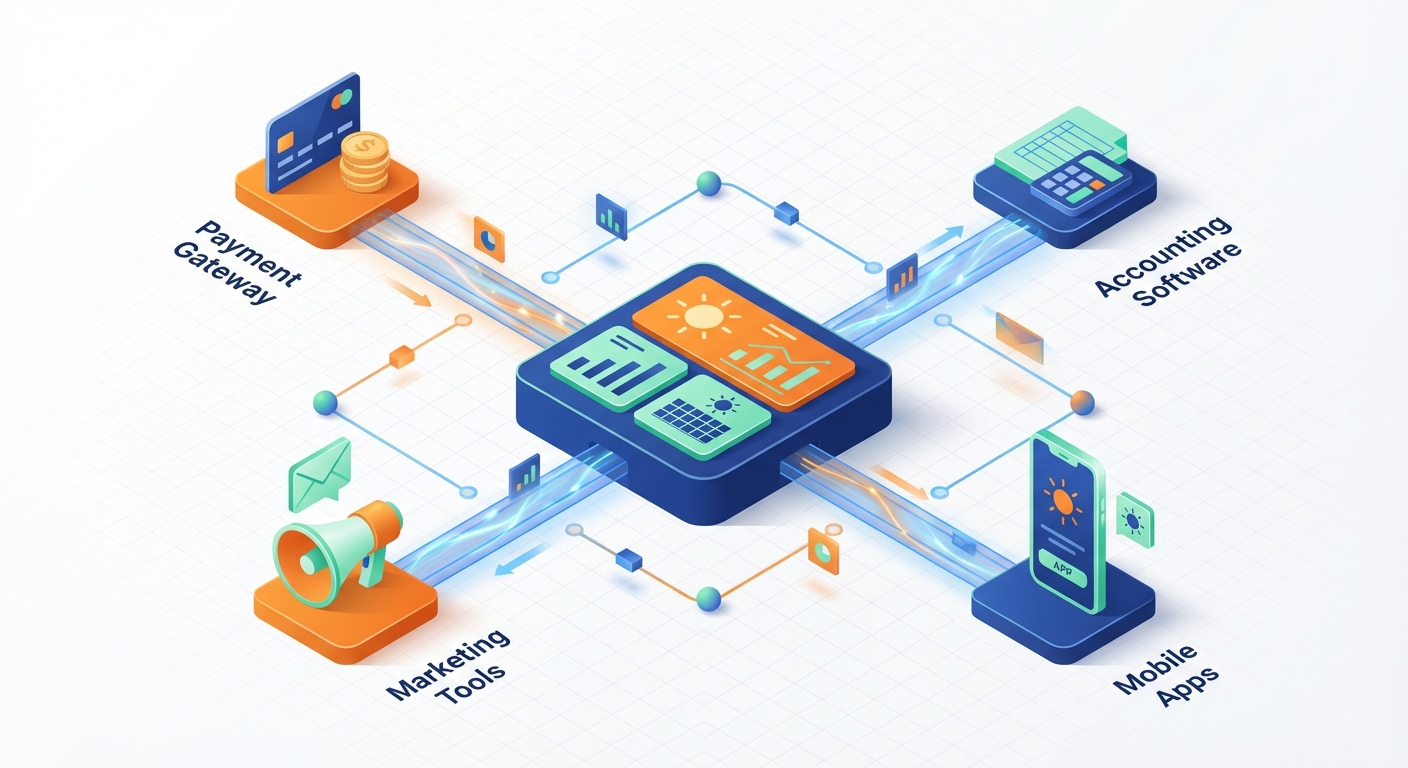
For solar businesses, API integration means your CRM can automatically share data with your payment gateway, accounting software, marketing tools, and other platforms without anyone manually entering information. When a customer accepts a solar proposal in your CRM, API integration can automatically create an invoice in your accounting system, send a payment link via WhatsApp, and update your sales dashboard—all within seconds.
APIs vs. Webhooks: Understanding the Difference
While APIs require one system to actively request information from another (like checking your mailbox), webhooks work differently. Webhooks push information automatically when something happens (like having mail delivered directly to your door). For solar CRM workflows, webhooks are particularly useful for real-time notifications—such as instantly alerting your sales team when a lead fills out a form on your website or when a payment is received.
The business impact of proper API integration for solar companies is substantial. According to industry data, businesses that automate their data flows between systems reduce manual data entry time by up to 70% and decrease data errors by 85%. For a solar EPC managing 50+ proposals monthly, this translates to saving 20-30 hours of administrative work every month.
More importantly, API integration supports scaling. As your solar business grows from 10 installations per month to 50 or 100, your team size doesn’t need to grow proportionally if your systems are properly integrated. The automation handles the increased volume while your team focuses on customer relationships and closing deals.
1. Assess Your Integration Needs and Map Your Tech Stack
Before diving into technical implementation, successful solar businesses start by mapping their current technology landscape. This assessment phase prevents wasted effort on integrations that don’t deliver real value.
Start by listing every software tool your solar business currently uses:
- Solar CRM system (for lead management and proposal generation)
- Accounting software (Tally, Zoho Books, QuickBooks, or similar)
- Payment gateways (Razorpay, PayU, Instamojo, Paytm)
- Marketing platforms (Facebook Ads, Google Ads, email marketing tools)
- Communication tools (WhatsApp Business, SMS platforms, email)
- Project management software (if separate from CRM)
- Inventory management systems (for solar panels and equipment)
Next, map the data flows between these systems. For each customer interaction, trace where information currently moves. For example, when a residential customer requests a solar quote, the data journey might look like this: website form → CRM → proposal generation → customer acceptance → payment gateway → accounting software → project management → installation scheduling.
Identify where manual data entry currently happens in this flow. These manual touchpoints are your integration opportunities. Prioritize them based on two factors: frequency (how often this happens) and impact (how much time it takes or how many errors it causes).
For most solar businesses in India, the highest-priority integrations are typically:
- Lead capture integrations (Facebook Ads, website forms → CRM)
- Payment gateway integration (CRM proposals → payment collection → accounting)
- Accounting software integration (CRM → invoice generation → financial records)
- Communication platform integration (CRM → WhatsApp/Email for automated follow-ups)
Document your current pain points. Where do proposals get stuck? Where do payment confirmations get missed? Where does customer information get entered incorrectly? These pain points will guide your integration roadmap and help you measure success after implementation.
2. Understand API Integration Fundamentals
While you don’t need to become a software developer to implement API integration, understanding some fundamental concepts will help you make better decisions and communicate effectively with technical teams or integration platforms.
REST APIs (Representational State Transfer) are the most common type you’ll encounter when integrating solar CRM systems. REST APIs use standard HTTP methods (GET to retrieve data, POST to send data, PUT to update data, DELETE to remove data) and are relatively simple to work with. Most modern CRM platforms, including QuickEst, payment gateways, and marketing tools use REST APIs.
SOAP APIs (Simple Object Access Protocol) are older and more complex, typically found in legacy enterprise systems. Unless you’re integrating with older accounting software or government systems, you’ll rarely need to work with SOAP APIs in the solar business context.
API Authentication: Keeping Your Data Secure
API authentication ensures that only authorized applications can access your solar CRM data. The three most common authentication methods are:
- API Keys: Simple passwords that identify your application. You include the API key with each request. Easy to implement but less secure for sensitive data.
- OAuth 2.0: More secure method where users grant permission for one app to access another. Common for integrations with Facebook Ads, Google services, and other major platforms.
- Token-based authentication: Your application exchanges credentials for a temporary access token that expires after a set time, requiring periodic renewal.
Understanding API endpoints is crucial. An endpoint is a specific URL where an API can access resources. For example, your solar CRM might have different endpoints for leads, proposals, customers, and payments. Each endpoint accepts specific types of requests and returns specific data formats (usually JSON or XML).
Rate limits are restrictions on how many API calls you can make within a certain timeframe. A payment gateway might limit you to 100 API calls per minute. For solar businesses processing proposals and payments throughout the day, this is rarely an issue, but it’s important to understand if you’re building bulk data sync processes.
Common API Integration Methods
Solar businesses have three main approaches to implementing API integration:
Direct API integration involves custom development where a programmer writes code to connect your systems. This offers maximum flexibility and control but requires technical expertise and ongoing maintenance. Best for unique workflows or complex integrations that aren’t available through other methods.
Integration platforms like Pabbly Connect, Zapier, or Make provide no-code or low-code solutions. You select your apps, choose triggers (when something happens) and actions (what should happen), and the platform handles the technical details. QuickEst integrates with Pabbly Connect, making it easy for solar businesses to connect with hundreds of other tools without writing code. This approach is ideal for most solar companies because it’s fast, affordable, and doesn’t require a development team.
Native integrations are pre-built connections that your CRM vendor has already created. QuickEst offers native integrations with Facebook Ads for lead capture and Phonebook for contact management. These are the easiest to set up—often just requiring you to authenticate and configure settings, and they’re optimized for reliability and performance.
For comprehensive guidance on connecting your solar CRM with various tools, check out our detailed resource on solar CRM integration in India.
3. Set Up Payment Gateway API Integration
Payment gateway integration is one of the most valuable API integrations for solar businesses. It transforms the payment collection process from a manual, error-prone task into an automated workflow that improves cash flow and customer experience.
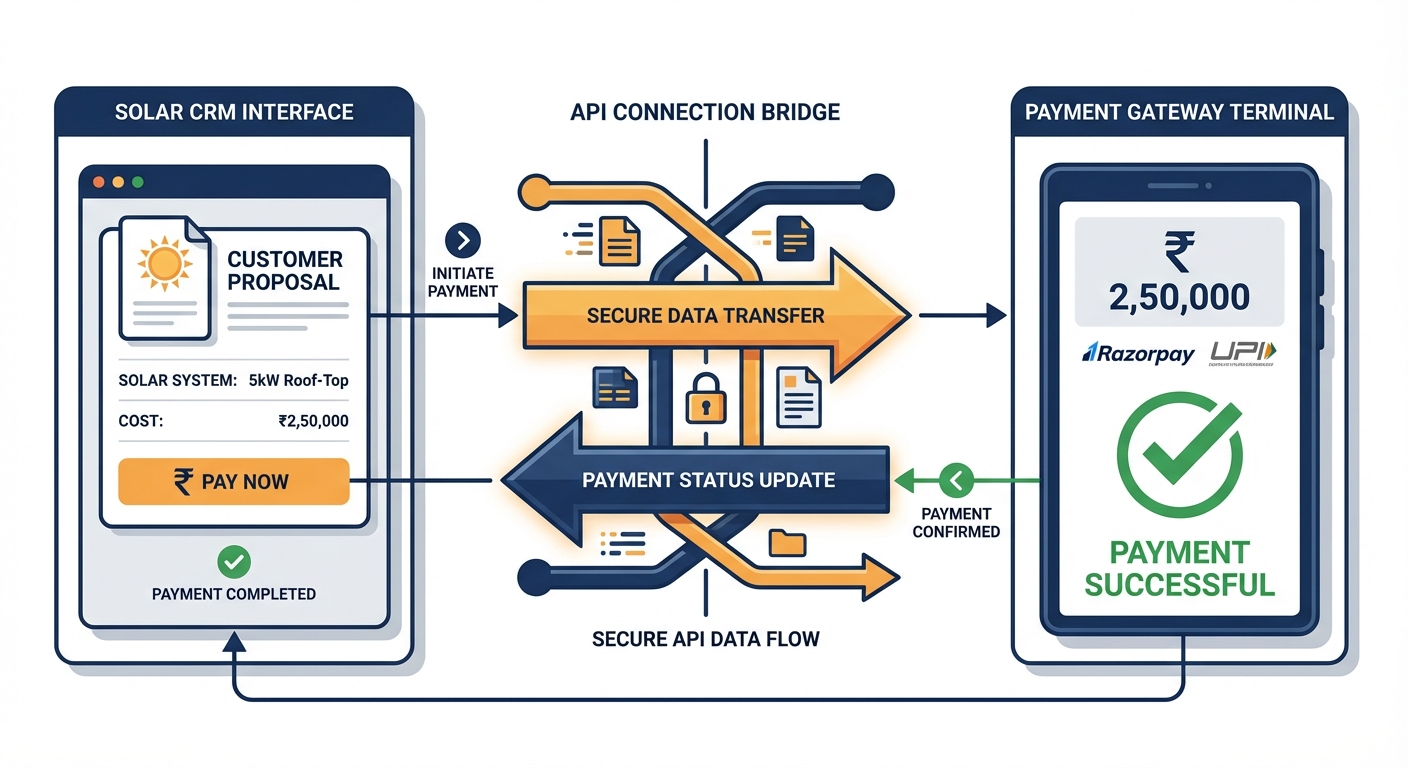
In India, solar businesses commonly use payment gateways like Razorpay, PayU, Instamojo, and Paytm. Each offers API integration capabilities that connect with your solar CRM to automate payment collection and tracking.
Step-by-Step: Connecting Your Payment Gateway to Solar CRM
Step 1: Choose your payment gateway based on transaction fees, supported payment methods (UPI, cards, net banking, wallets), settlement times, and API documentation quality. For solar businesses dealing with high-value transactions (₹2-10 lakhs for residential installations), look for gateways that handle large amounts smoothly and offer good customer support.
Step 2: Create a payment gateway account and complete the KYC verification process. This typically takes 2-3 business days. You’ll receive API credentials (API key and secret key) that your CRM will use to communicate with the payment gateway.
Step 3: Configure the integration in your solar CRM. In QuickEst, navigate to the integrations section and select your payment gateway. Enter your API credentials securely. Most modern CRMs encrypt these credentials to protect your account.
Step 4: Set up payment workflows. Define what happens when a customer accepts a solar proposal. Typically, you’ll want to:
- Automatically generate a payment link for the advance amount (usually 20-40% of total project cost)
- Send the payment link via WhatsApp or email directly from the CRM
- Update the proposal status to “Payment Pending” in your CRM
- Set up automated reminders if payment isn’t received within 24-48 hours
Step 5: Configure payment confirmation automation. When a customer completes payment, the payment gateway should send a webhook to your CRM with payment details. Your CRM then automatically:
- Updates the proposal status to “Payment Received”
- Records the payment amount, date, and transaction ID
- Triggers the next workflow step (site survey scheduling, project kickoff)
- Sends a payment confirmation receipt to the customer
- Notifies the assigned sales representative
Step 6: Test the integration thoroughly. Process test transactions using the payment gateway’s sandbox environment before going live. Verify that payment confirmations update your CRM correctly, receipts are sent properly, and all data is recorded accurately.
Security Best Practices for Payment Data
Never store complete credit card numbers or CVV codes in your CRM, let the payment gateway handle sensitive payment information. Use HTTPS for all API communications. Rotate your API keys every 90 days. Limit API access to only the team members who need it. Monitor transaction logs regularly for unusual activity.
For solar businesses processing lakhs of rupees in payments monthly, proper payment gateway API integration reduces payment collection time from 5-7 days to 24-48 hours, significantly improving cash flow.
4. Connect Marketing Tools via API Integration
Marketing tool integration ensures that every lead from your advertising campaigns flows automatically into your solar CRM, eliminating the gap where leads get lost or delayed.
Facebook Ads integration is particularly valuable for solar businesses running lead generation campaigns. When someone fills out a Facebook lead form expressing interest in solar installation, API integration captures that lead data and creates a new lead record in your CRM within seconds. QuickEst offers native Facebook Ads integration that automatically imports leads, assigns them to sales representatives based on territory or rotation rules, and triggers immediate follow-up workflows.
To set up Facebook Ads API integration:
- Connect your Facebook Business account to your solar CRM
- Authorize the CRM to access your lead forms
- Map Facebook form fields to CRM fields (name, phone, email, location, system size interest)
- Configure lead assignment rules (round-robin, territory-based, or manual)
- Set up automated first-response actions (WhatsApp message, email, task creation)
Email marketing platform integration allows you to sync customer segments from your CRM to tools like Mailchimp, SendGrid, or Zoho Campaigns. This enables targeted email campaigns based on CRM data, for example, sending educational content about solar benefits to leads in the “Awareness” stage, or sending maintenance tips to customers who installed systems 6 months ago.
WhatsApp Business API integration is increasingly important for Indian solar businesses, as WhatsApp is the preferred communication channel for most customers. API integration allows your CRM to automatically send proposal links, payment reminders, installation updates, and follow-up messages via WhatsApp without manual effort from your team.
When integrating marketing tools, focus on creating closed-loop reporting. Your CRM should track which marketing source each lead came from, how much you spent to acquire that lead, and ultimately whether they converted to a customer. This data helps you optimize your marketing budget by investing more in channels that generate quality solar leads.
Learn more about automating your follow-up process in our guide on follow-up automation in India.
5. Integrate Accounting Software with Your Solar CRM
Accounting software integration eliminates the double-entry problem where your team enters customer and transaction data into both your CRM and your accounting system. This integration is essential for solar businesses managing complex projects with advance payments, milestone billing, and final settlements.
Popular accounting software in India includes Tally, Zoho Books, QuickBooks, and Busy. Each offers API capabilities, though the ease of integration varies. Tally, while widely used, has more limited API functionality compared to cloud-based solutions like Zoho Books or QuickBooks.
Key Workflows for CRM-Accounting Integration
Automated invoice generation: When a customer accepts a solar proposal in your CRM, the integration automatically creates a corresponding invoice in your accounting software with all customer details, line items (solar panels, inverters, installation charges), tax calculations (GST), and payment terms. This eliminates manual invoice creation and ensures consistency between sales and finance records.
Customer data synchronization: New customers created in your CRM automatically appear in your accounting software with complete contact information, billing addresses, and GST details. Updates to customer information in either system sync bidirectionally, ensuring your team always has current data.
Payment tracking and reconciliation: When payments are received through your integrated payment gateway, the transaction data flows to both your CRM (updating the proposal status) and your accounting software (recording the payment against the invoice). This three-way integration, CRM, payment gateway, and accounting, creates a complete financial picture without manual reconciliation.
Expense tracking for projects: For solar EPCs managing installation costs, integrating project expenses from your accounting system back to your CRM provides real-time profitability visibility. You can see whether each solar project is meeting margin targets while the project is still in progress.
The technical implementation typically uses integration platforms like Pabbly Connect to bridge your CRM and accounting software. You’ll configure triggers (new proposal accepted, payment received) and actions (create invoice, record payment, update customer) without writing code.
For solar businesses processing 30+ installations monthly, accounting integration saves 15-20 hours of administrative work and virtually eliminates invoice errors and payment tracking mistakes.
6. Implement Webhooks for Real-Time Data Sync
While APIs are powerful for requesting and sending data on demand, webhooks take automation to the next level by enabling real-time, event-driven communication between your solar CRM and other systems.
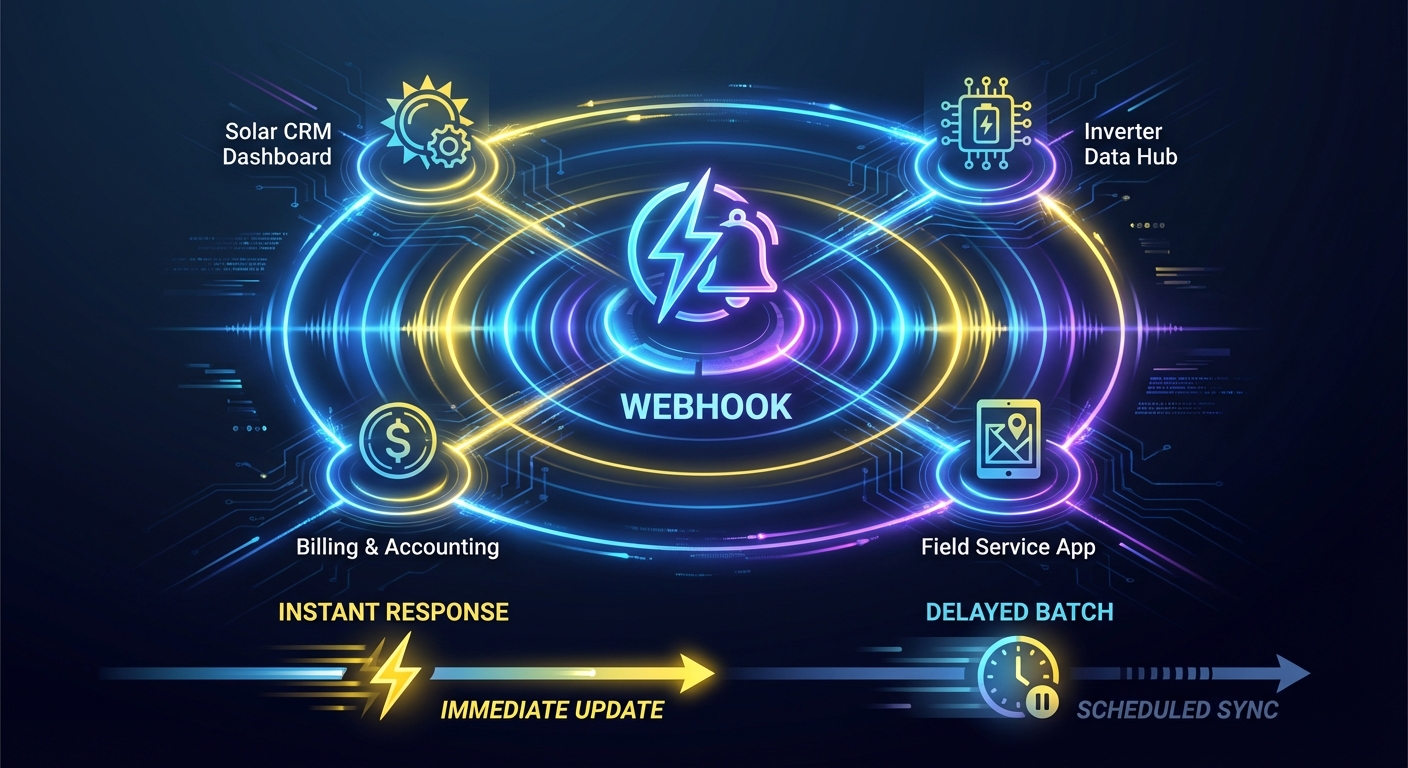
A webhook is an automated message sent from one application to another when a specific event occurs. Instead of your CRM constantly checking “Has anything new happened?” (which wastes resources and creates delays), webhooks instantly notify your CRM the moment something important happens.
For solar businesses, valuable webhook implementations include:
- Lead notification webhooks: When a potential customer submits a contact form on your website, a webhook immediately sends that lead data to your CRM, which triggers an instant WhatsApp message to the customer and creates a task for your sales team.
- Proposal status webhooks: When a customer opens, views, or accepts a solar proposal, webhooks notify your CRM in real-time, allowing your sales team to follow up at the perfect moment.
- Payment confirmation webhooks: Payment gateways send webhooks the instant a payment is completed, allowing your CRM to immediately update records and trigger the next workflow step.
- Project milestone webhooks: When installation teams mark project milestones complete in project management tools, webhooks update your CRM so sales teams can inform customers about progress.
Setting Up Webhook Endpoints in Your Solar CRM
To receive webhooks, your CRM needs a webhook endpoint, a specific URL that other applications send data to. Modern CRM platforms like QuickEst provide webhook endpoints for various events. Here’s how to implement them:
Step 1: Identify the webhook endpoint URL in your CRM’s integration settings. It typically looks like: https://api.yourcrm.com/webhooks/leads
Step 2: Configure the sending application (payment gateway, form builder, marketing platform) to send webhooks to this URL when specific events occur.
Step 3: Set up webhook authentication. Most webhooks include a secret key or signature that your CRM verifies to ensure the webhook is legitimate and not from a malicious source.
Step 4: Define what happens when the webhook is received. Map the incoming data fields to your CRM fields and configure the automated actions that should trigger.
Step 5: Test webhook delivery using the sending application’s test mode. Verify that data arrives correctly and triggers the expected actions in your CRM.
Webhook Security and Validation
Always validate webhook signatures to confirm they’re from the legitimate source. Implement retry logic for failed webhooks, if your CRM is temporarily unavailable, the sending application should retry delivery. Log all webhook activity for troubleshooting and auditing. Set up monitoring alerts if webhooks stop arriving, which might indicate a broken integration.
The difference between API polling (checking for updates every few minutes) and webhooks (instant notifications) is significant for solar businesses. Webhooks enable response times measured in seconds rather than minutes, which can be the difference between capturing a hot lead and losing them to a competitor.
7. Test and Troubleshoot Your API Integrations
Even perfectly configured API integrations can encounter issues. Successful solar businesses implement thorough testing and monitoring to catch problems before they impact operations.
Creating a Testing Environment
Before activating any API integration in your production CRM, test it in a sandbox or staging environment. Most payment gateways, CRMs, and integration platforms offer test modes where you can process fake transactions and data without affecting real customer records.
Create test scenarios that mirror real-world workflows:
- Test a complete lead-to-payment journey with sample data
- Verify that all data fields map correctly between systems
- Confirm that automated actions trigger as expected
- Test error scenarios (what happens if a payment fails, if a customer record already exists, if required data is missing)
- Verify that notifications and alerts work properly
Common API Integration Errors and Solutions
Authentication failures (401 errors): Usually caused by expired API keys, incorrect credentials, or token expiration. Solution: Verify your API credentials are current, check if tokens need refreshing, and ensure you’re using the correct authentication method.
Rate limit exceeded (429 errors): You’re making too many API calls too quickly. Solution: Implement request throttling, batch multiple updates together, or contact the API provider about increasing your rate limits.
Data mapping errors: Fields don’t match between systems, causing data to appear in wrong places or not at all. Solution: Carefully review field mappings, ensure data types match (text, numbers, dates), and use data transformation functions when needed.
Timeout errors: The API request takes too long and fails. Solution: Optimize the amount of data being transferred, increase timeout settings if possible, or break large requests into smaller batches.
Webhook delivery failures: Webhooks aren’t arriving at your CRM. Solution: Check that your webhook endpoint URL is correct and accessible, verify firewall settings aren’t blocking incoming webhooks, and review webhook logs in the sending application.
Monitoring API Performance and Uptime
Set up monitoring dashboards that track:
- API call success rates (aim for 99%+ success)
- Average response times (should be under 2-3 seconds for most operations)
- Error rates and types
- Integration uptime (are your integrations working 24/7?)
- Data sync delays (how long between an event and CRM update?)
Configure alerts that notify your team when integrations fail or performance degrades. For critical integrations like payment processing, you want to know within minutes if something breaks, not discover it days later when customers complain about missing payment confirmations.
Keep detailed logs of all API activity for at least 30 days. When troubleshooting issues, these logs are invaluable for identifying exactly what data was sent, what response was received, and where the process failed.
For solar businesses implementing their first CRM system, our CRM implementation guide provides additional context on setting up your system for success.
Best Practices for API Integration Success
After implementing dozens of integrations for solar businesses, certain best practices consistently separate successful implementations from problematic ones.
Document everything thoroughly. Create a simple document that lists every integration, what systems are connected, what data flows between them, who configured it, and when it was last tested. When team members change or issues arise months later, this documentation is invaluable. Include screenshots of configuration settings and notes about any custom logic or special cases.
Implement proper error handling and fallback mechanisms. Don’t assume integrations will work perfectly 100% of the time. Build in fallback processes, for example, if the automated invoice creation fails, create a task for your accounting team to generate the invoice manually. This ensures customer-facing processes continue even when backend integrations have issues.
Schedule regular integration health checks. Monthly, review your integration logs, check error rates, verify that data is syncing correctly, and test critical workflows end-to-end. Technology changes, APIs get updated, authentication methods change, and what worked perfectly six months ago might need adjustment today.
Keep API credentials secure and rotate them periodically. Store API keys and secrets in secure password managers, not in spreadsheets or email. Limit access to only team members who need it. Rotate credentials every 90 days as a security best practice. If a team member with API access leaves your company, immediately rotate all credentials they had access to.
Plan for scalability as your solar business grows. An integration that works fine when processing 20 proposals monthly might struggle at 200 proposals monthly. Consider rate limits, data volume, and processing capacity when designing integrations. Choose integration platforms and CRM systems that can scale with your business growth.
Train your team on integrated workflows. The best API integration is worthless if your team doesn’t understand how to use it or continues working around it with manual processes. When you implement new integrations, train your sales, operations, and finance teams on how the automated workflows work, what they should expect, and how to handle exceptions.
Start simple and iterate. Don’t try to integrate everything at once. Start with your highest-priority integration (often payment gateway or lead capture), get it working smoothly, then move to the next. This approach reduces complexity, makes troubleshooting easier, and delivers value faster.
Maintain relationships with integration platform support. When you encounter complex integration challenges, the support teams at your CRM, integration platform, or the applications you’re connecting can be invaluable resources. Don’t hesitate to reach out for help, they’ve likely solved similar problems for other customers.
How QuickEst Simplifies API Integration for Solar Businesses
While API integration can seem technically complex, modern solar CRM platforms like QuickEst are designed to make integration accessible even for non-technical solar business owners.
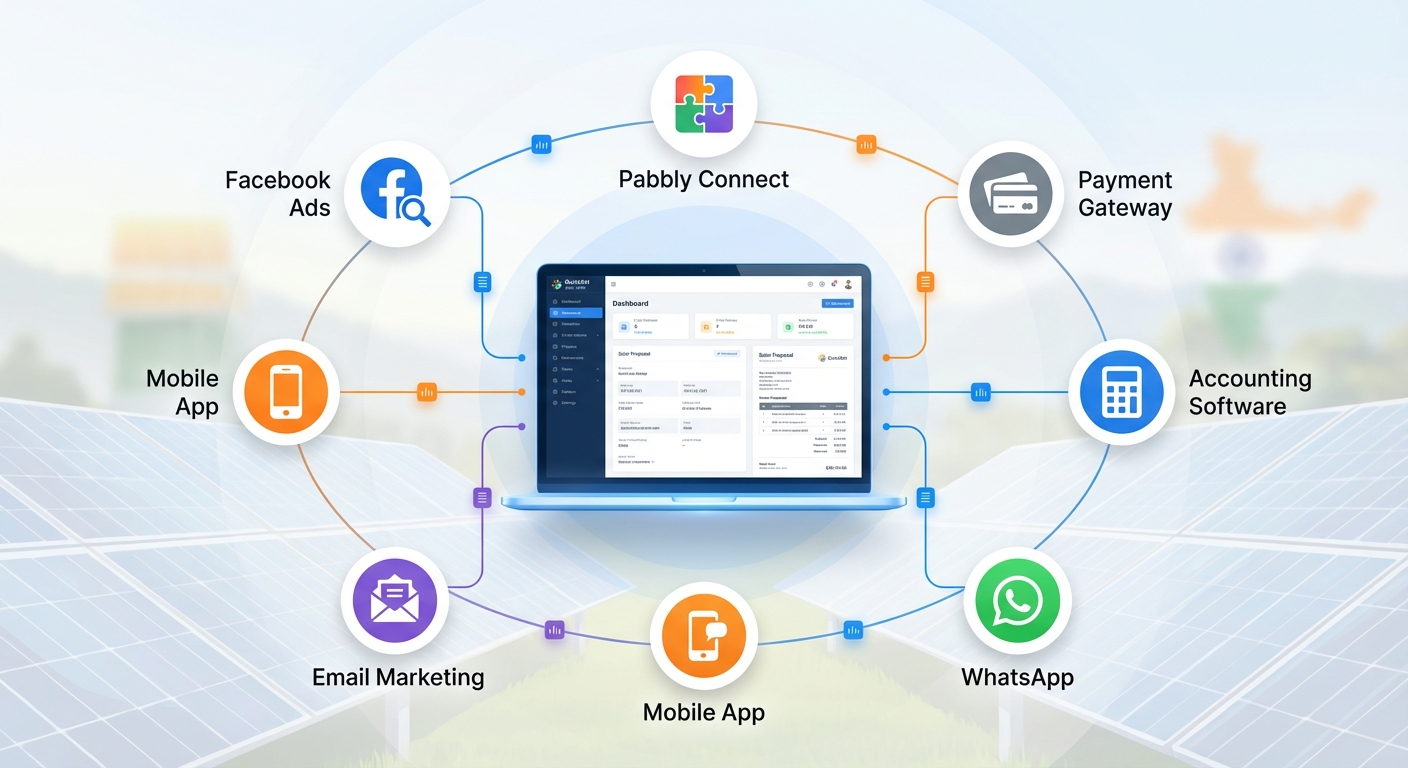
Built-in native integrations eliminate the need for custom development or complex configuration. QuickEst offers ready-to-use integrations with Facebook Ads for automatic lead capture, Pabbly Connect for connecting with hundreds of other applications, and Phonebook for contact management. These native integrations are pre-tested, optimized for performance, and can be activated in minutes rather than weeks.
API and webhook capabilities provide flexibility for solar businesses with unique requirements. QuickEst’s API allows custom integrations with industry-specific tools like solar design software, inventory management systems, or custom-built applications. The webhook system enables real-time notifications for proposal updates, lead activities, and payment confirmations.
No-code integration options through Pabbly Connect mean your team can create powerful automations without hiring developers. Want to automatically create Google Calendar events when site surveys are scheduled? Send Slack notifications when high-value proposals are accepted? Update Google Sheets with daily sales metrics? These integrations can be built using visual workflow builders in minutes.
Solar-specific workflow optimization means QuickEst’s integrations are designed around how solar businesses actually work. The platform understands the solar sales cycle, from lead capture through proposal generation, payment collection, and project handoff. Integrations are built to support this workflow, not generic business processes.
Real-world examples from solar companies using QuickEst integrations demonstrate the impact:
- A solar EPC in Maharashtra integrated QuickEst with Razorpay and Zoho Books, reducing their proposal-to-payment time from 7 days to 48 hours and eliminating invoice errors entirely.
- A residential solar installer in Karnataka connected Facebook Ads to QuickEst, ensuring every lead received a WhatsApp response within 2 minutes, increasing their lead-to-appointment conversion rate by 40%.
- A commercial solar company in Gujarat integrated QuickEst with their project management system via Pabbly Connect, giving their installation teams real-time access to customer details and proposal specifications without switching between systems.
The platform’s integration capabilities scale with your business. Whether you’re a small solar installer just starting with basic payment gateway integration or a large EPC with complex multi-system workflows, QuickEst provides the integration flexibility you need.
When evaluating CRM systems for your solar business, integration capabilities should be a primary consideration. Learn more about what to look for in our guide on CRM scalability and critical selection questions.
Frequently Asked Questions About API Integration
Do I need a developer to set up API integrations?
Not necessarily. Many API integrations can be set up using no-code integration platforms like Pabbly Connect, Zapier, or Make. Native integrations built into your CRM (like QuickEst’s Facebook Ads integration) require no technical knowledge at all, just authentication and configuration. You only need a developer for highly custom integrations or when connecting legacy systems without modern API support. For most solar businesses, 80-90% of needed integrations can be accomplished without custom development.
How much does API integration cost?
Costs vary widely based on your approach. Native integrations included with your CRM are typically free. Integration platforms like Pabbly Connect start around ₹1,500-3,000 per month for plans that handle most small to medium solar business needs. Custom development for complex integrations might cost ₹50,000-2,00,000 depending on complexity. However, the ROI is substantial, most solar businesses save 20-30 hours monthly in manual data entry, which quickly justifies the investment. For specific pricing details on QuickEst plans that include integration capabilities, explore our pricing options.
What happens if an integration breaks?
Integration issues can occur when APIs are updated, authentication expires, or systems change. Good integration practices include monitoring and alerts that notify you immediately when something breaks. Most issues can be resolved quickly by refreshing authentication, updating API credentials, or adjusting field mappings. This is why documentation and logging are critical, they help you troubleshoot quickly. For critical integrations, implement fallback processes so your business operations continue even if the automation temporarily fails.
Can I integrate custom tools specific to solar businesses?
Yes, most modern CRM platforms including QuickEst offer API access that allows integration with industry-specific tools. Solar design software, panel inventory systems, installation scheduling tools, and monitoring platforms can typically be integrated either through direct API connections or via integration platforms. If a tool offers an API or webhook capability, it can likely be connected to your CRM. For unique requirements, custom development can create integrations with virtually any system.
How long does it take to implement API integrations?
Timeline varies by complexity. Simple native integrations (like Facebook Ads to CRM) can be activated in 15-30 minutes. Integration platform connections typically take 2-4 hours to configure and test properly. Complex custom integrations might require 2-4 weeks of development and testing. For a typical solar business implementing a complete integration stack (payment gateway, accounting software, marketing tools), expect 1-2 weeks from planning to full implementation, with most integrations going live progressively rather than all at once.
Take Control of Your Solar Business Operations with API Integration
API integration transforms your solar CRM from a standalone tool into the central nervous system of your entire business operation. By connecting your CRM with payment gateways, accounting software, marketing platforms, and communication tools, you eliminate the manual data entry that wastes hours every week and creates costly errors.
The solar businesses thriving in 2026 are those that have embraced automation and integration. They respond to leads in minutes instead of hours. They collect payments in days instead of weeks. They scale their operations without proportionally scaling their administrative overhead. API integration is the foundation that makes this possible.
Whether you’re processing 10 solar proposals monthly or 100, the principles remain the same: assess your integration needs, prioritize based on impact, implement systematically, test thoroughly, and monitor continuously. Start with your highest-value integration, often payment gateway or lead capture, get it working smoothly, then expand to additional integrations as your confidence and capabilities grow.
QuickEst is designed to make API integration accessible for solar businesses of all sizes. With native integrations for common tools, webhook capabilities for real-time automation, and API access for custom requirements, the platform provides the flexibility you need without requiring a technical team. Over 1000 solar businesses and B2B companies are already using QuickEst to streamline their operations and scale efficiently.
Ready to eliminate manual data entry and automate your solar business workflows? Start with QuickEst’s free plan at ₹0 to explore integration capabilities with no commitment, or jump directly to the Pro Plan at ₹6,999 per user per year for full access to API integration features, webhook automation, and premium support. Your team will thank you for the hours saved, and your customers will notice the faster, more professional service.
The future of solar business operations is integrated, automated, and efficient. The question isn’t whether to implement API integration, it’s how quickly you can get started. Take the first step today and unlock the operational efficiency that will power your solar business growth in 2026 and beyond.
This blog post was written using thestacc.com