

You’ve invested in a powerful CRM system for your solar business. Your team is excited about the promise of faster proposals, better lead management, and automated follow-ups. But here’s the reality: nearly 70% of CRM implementations fail to achieve their goals, and poor onboarding is the primary culprit.
The difference between a CRM that transforms your solar sales process and one that collects digital dust comes down to one critical factor: effective CRM onboarding. When done right, your sales team will embrace the new system, adoption rates will soar, and you’ll see measurable improvements in proposal turnaround time and deal closure rates within weeks.
This comprehensive guide walks you through seven proven steps for successful CRM onboarding, specifically designed for solar businesses and B2B service companies. Whether you’re implementing QuickEst or any other CRM platform, these strategies will help you minimize disruption, maximize user adoption, and ensure your investment delivers real results.

Why CRM Onboarding Makes or Breaks Your Implementation
Before diving into the step-by-step process, it’s important to understand why CRM onboarding deserves your full attention and resources.
Research consistently shows that user adoption is the single biggest predictor of CRM success. A Merkle Group study found that companies with structured onboarding programs achieve 50% higher user adoption rates compared to those that simply grant access and expect teams to figure it out themselves.
For solar businesses specifically, the stakes are even higher. Your sales team juggles complex technical specifications, site assessments, financing options, and multi-stakeholder decision processes. Adding a new CRM system without proper onboarding creates friction at exactly the wrong time—when they should be focused on closing deals.
Common challenges solar companies face during CRM transitions include:
- Resistance from experienced sales reps who are comfortable with their existing spreadsheets and email-based workflows
- Data migration headaches when moving thousands of leads and customer records from multiple sources
- Confusion about new processes for proposal generation, follow-up scheduling, and pipeline management
- Inconsistent usage where some team members embrace the system while others revert to old habits
- Lost productivity during the learning curve, potentially impacting monthly sales targets
Successful CRM onboarding for solar businesses looks different than generic corporate training. It means your field sales team can generate a professional solar proposal from their mobile device in under 60 seconds. It means automated follow-up reminders ensure no residential or commercial lead falls through the cracks. It means sales managers have real-time visibility into pipeline health without chasing down status updates.
When you invest time in proper CRM onboarding, you’re not just teaching software features—you’re transforming how your entire sales organization operates.
Before You Begin: Pre-Onboarding Preparation
The most successful CRM onboarding initiatives start before anyone logs into the new system. This preparation phase sets the foundation for everything that follows.
Assess your current sales process and data. Document how your team currently manages leads, creates proposals, and tracks follow-ups. Identify what’s working well and what pain points the new CRM should solve. Audit your existing customer data across spreadsheets, email inboxes, and any legacy systems. Understanding the current state helps you design an onboarding process that addresses real workflow needs.
Set clear goals and success metrics. What does successful CRM onboarding look like for your solar business? Define specific, measurable objectives such as “100% of sales team logging in daily within three weeks” or “average proposal generation time reduced from 2 hours to 5 minutes within one month.” These metrics will guide your onboarding strategy and help you measure progress.
Identify your onboarding team and champions. Designate a project lead who will coordinate the entire onboarding process. More importantly, identify 2-3 CRM champions from your sales team—respected team members who are tech-savvy and influential among their peers. These champions will become your early adopters and help evangelize the system to others.
Create a realistic timeline. Rushing CRM onboarding is a recipe for failure. Plan for a 4-6 week rollout that includes setup, data migration, training, pilot testing, and full deployment. Build in buffer time for unexpected challenges. For solar businesses with seasonal sales cycles, consider timing your rollout during a slower period when your team has more bandwidth to learn.
This preparation work might seem time-consuming, but it dramatically increases your chances of successful adoption. Companies that skip this phase often find themselves backtracking later to address fundamental issues that should have been resolved upfront.
1. Set Up Your CRM Foundation and Configuration
With preparation complete, it’s time to configure your CRM system to match your solar business workflows. This foundational setup is critical for effective CRM onboarding because it ensures the system works the way your team actually sells.
Complete initial account setup and company profile creation. Start by entering your company information, branding elements, and contact details. In QuickEst, this includes uploading your logo, setting your company colors, and configuring your business address and contact information. This branding will automatically appear on all proposals your team generates, ensuring professional consistency.
Configure user roles and permissions. Not everyone on your sales team needs the same level of access. Set up distinct roles for sales representatives, team leaders, and administrators. Sales reps might need full access to create proposals and manage their own leads, while managers require dashboard access to monitor team performance. Administrators need configuration rights to adjust settings and manage integrations.
Customize proposal templates for solar projects. This is where CRM onboarding becomes specific to your solar business. Create proposal templates for different customer segments—residential rooftop systems, commercial installations, ground-mounted arrays, or hybrid solutions. Include your standard pricing structures, financing options, warranty information, and technical specifications. The more comprehensive your templates, the faster your team can generate accurate proposals.
Set up pipeline stages that match your solar sales cycle. Your CRM pipeline should reflect how deals actually progress in the solar industry. Common stages might include: Initial Inquiry → Site Assessment Scheduled → Proposal Sent → Financing Review → Contract Negotiation → Installation Scheduled → Project Complete. Customize these stages to match your specific sales process, and configure automation rules for each stage transition.
Integrate essential tools. Modern CRM onboarding includes connecting your CRM to the tools your team already uses daily. Integrate your phonebook so contact information syncs automatically. Connect WhatsApp for instant proposal delivery, critical in the Indian market where WhatsApp is the preferred business communication channel. Set up email integration so all customer communications are logged automatically. Configure connections to Facebook Ads if you run lead generation campaigns, and explore API integrations with your accounting or project management systems.
This configuration work requires careful attention to detail, but it pays dividends during training. When your team sees a CRM that’s already configured for solar sales with familiar terminology and workflows, adoption becomes much easier. For guidance on broader implementation considerations, check out our CRM Implementation India: Step-by-Step Setup Guide.
2. Migrate Your Existing Data Cleanly
Data migration is often the most anxiety-inducing part of CRM onboarding, but with a systematic approach, you can transfer your valuable customer information without losing critical details or creating duplicate records.
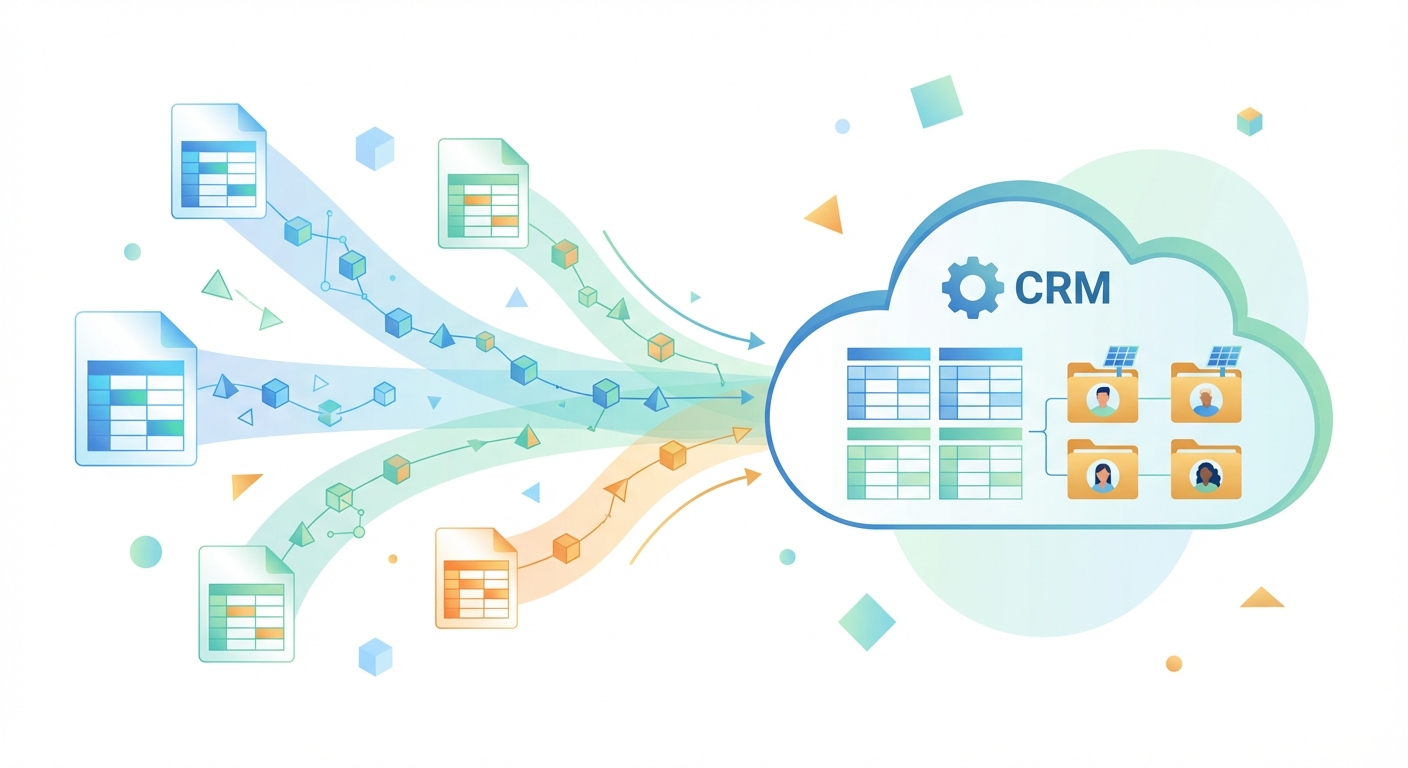
Audit and clean your current customer and lead data. Before importing anything, spend time cleaning your existing data. Remove duplicate entries, standardize formatting (phone numbers, addresses, company names), and fill in missing information where possible. Delete outdated leads that are no longer relevant. This cleanup work is tedious but essential, importing messy data into a clean CRM just transfers your problems to a new system.
Use bulk import features for Excel data migration. Most CRMs, including QuickEst, offer bulk import capabilities that accept Excel or CSV files. Consolidate your lead and customer data into a single spreadsheet with clearly labeled columns. Include all relevant information: contact names, phone numbers, email addresses, company names, project details, lead source, and any notes about previous interactions.
Map fields correctly to avoid data loss. During the import process, you’ll need to map your spreadsheet columns to the corresponding CRM fields. Pay close attention to this mapping step. Ensure that “Customer Name” in your spreadsheet maps to the correct name field in the CRM, not to a notes field or company name. Double-check that phone numbers, email addresses, and other critical contact information map to the right places. Incorrect field mapping is a common CRM onboarding mistake that creates hours of cleanup work later.
Verify data integrity after migration. Once you’ve imported your data, don’t assume everything transferred correctly. Spot-check a sample of records to confirm that information appears in the right fields. Look for any truncated text, missing data, or formatting issues. Test that phone numbers are clickable, email addresses are valid, and any custom fields populated correctly.
Handle historical proposal data thoughtfully. Decide how to manage past proposals and quotes. You might import summary information about previous projects as notes or custom fields, even if you can’t recreate the full proposal format in the new system. This historical context helps sales reps understand customer relationships and previous interactions without starting from scratch.
Clean data migration is a cornerstone of successful CRM onboarding. When your sales team opens the new CRM and sees their familiar customer list with complete, accurate information, they’ll trust the system and feel confident using it. Messy data, on the other hand, erodes confidence and gives team members an excuse to revert to their old spreadsheets.
3. Create Your Training Program and Materials
Effective CRM onboarding requires more than a single training session. You need a comprehensive training program with resources that support different learning styles and provide ongoing reference materials.
Develop role-specific training for sales reps versus managers. Your sales representatives need to master daily tasks: capturing new leads, generating proposals, scheduling follow-ups, and updating deal stages. Your sales managers need different skills: running reports, analyzing team performance, assigning leads, and monitoring pipeline health. Create separate training tracks that focus on the features each role actually uses. This targeted approach makes CRM onboarding more efficient and relevant.
Create quick reference guides for common tasks. Develop one-page cheat sheets for frequent workflows. For example, create a visual guide titled “How to Generate a Solar Proposal in 60 Seconds” with numbered screenshots showing each step. Build similar guides for “How to Import Leads from Excel,” “How to Schedule Automated Follow-Ups,” and “How to Update Deal Stages from Your Mobile Device.” These quick references become invaluable when team members need a fast reminder without watching a full training video.
Record video walkthroughs for proposal generation. Screen recording software makes it easy to create video tutorials. Record yourself completing common tasks while narrating each step. Videos are particularly effective for visual learners and allow team members to pause, rewind, and rewatch at their own pace. Focus on real solar business scenarios, show how to create a proposal for a 5kW residential system, how to adjust pricing for commercial projects, or how to customize templates for different financing options.
Build a knowledge base of FAQs and troubleshooting. As you conduct training sessions, document the questions that come up repeatedly. Create a searchable knowledge base or FAQ document that addresses common issues: “What if I can’t find a customer in the system?” “How do I change the proposal template?” “Why aren’t my follow-up reminders working?” This self-service resource reduces dependency on your IT team and empowers users to solve minor issues independently.
Schedule hands-on training sessions. Plan interactive workshops where team members can practice using the CRM with real scenarios. Schedule multiple sessions at different times to accommodate field sales reps who might be meeting clients during business hours. Keep sessions focused and digestible, three 90-minute sessions are more effective than one exhausting half-day marathon.
Investing time in quality training materials pays off throughout your CRM onboarding process and beyond. These resources become part of your onboarding toolkit for future new hires, ensuring consistent training as your solar business grows.
4. Conduct Hands-On Training Sessions
Now it’s time to bring your sales team together for interactive, practical CRM onboarding training. This is where theory meets practice, and team members gain confidence through hands-on experience.

Run interactive workshops with real solar scenarios. Don’t just demonstrate features, have participants complete actual tasks. Provide realistic scenarios: “A residential customer just called about a 7kW rooftop system. Capture their lead information, create a proposal with our standard residential template, and schedule a follow-up for three days from now.” Working through these practical exercises builds muscle memory and confidence.
Teach the 60-second proposal generation workflow. For solar businesses using QuickEst, the rapid proposal generation feature is a game-changer, but only if your team masters the workflow. Walk through the entire process step-by-step: selecting the customer, choosing the appropriate template, entering system specifications, adjusting pricing if needed, and sending via WhatsApp or email. Have each participant generate at least three practice proposals during the training session.
Demonstrate lead capture and follow-up automation. Show your team how to capture leads from multiple sources, phone calls, website inquiries, Facebook ads, or walk-in customers. Demonstrate how to set up automated follow-up sequences so no lead gets forgotten. Explain how the CRM’s reminder system ensures timely outreach without manual calendar management. This automation is a key selling point during CRM onboarding because it directly addresses the common pain point of missed follow-ups.
Practice mobile app usage for field sales teams. Solar sales often happen in the field, at customer sites, during home visits, or at trade shows. Dedicate training time to the mobile app experience. Show how to access customer information on a smartphone, generate proposals from a tablet during a site visit, or update deal stages immediately after a client meeting. Have team members download the app during the session and practice these mobile workflows.
Address questions and concerns in real-time. Create a safe environment where team members feel comfortable asking questions, even basic ones. Some sales reps might worry that the new CRM will slow them down or that they’ll lose their personal touch with customers. Address these concerns directly. Show how the CRM actually frees up time for relationship-building by automating administrative tasks. Acknowledge the learning curve but emphasize the long-term benefits.
The most effective CRM onboarding happens when training feels relevant, practical, and immediately applicable. When your solar sales team leaves the training session having successfully created real proposals and managed actual leads, they’ll feel equipped to use the system independently.
5. Launch with a Pilot Group First
Rather than rolling out your CRM to the entire sales organization at once, start with a controlled pilot program. This phased approach to CRM onboarding reduces risk and allows you to refine your processes before full deployment.
Select your early adopters and CRM champions. Choose 3-5 team members for your pilot group. Ideally, these are the CRM champions you identified during the preparation phase, respected sales professionals who are tech-savvy, influential among peers, and open to new tools. Include a mix of top performers and mid-level reps to get diverse perspectives on how the CRM supports different selling styles.
Run a controlled pilot with a subset of your team. Give your pilot group exclusive access to the CRM for 2-3 weeks. During this period, they’ll use the system for all their daily activities, capturing leads, generating proposals, managing follow-ups, and updating deal stages. Meanwhile, the rest of your sales team continues with existing processes. This controlled environment lets you identify issues without disrupting your entire sales operation.
Gather feedback and identify pain points. Schedule weekly check-ins with your pilot group. Ask specific questions: What tasks are easier in the new CRM? Where are you getting stuck? What features do you wish worked differently? Are there any workflows that feel clunky or time-consuming? This feedback is gold during CRM onboarding, it reveals real-world friction points that you might not have anticipated during setup.
Refine processes before full rollout. Use pilot feedback to optimize your CRM configuration and training materials. Maybe you discover that your proposal templates need additional customization for commercial projects. Perhaps the pipeline stages need adjustment to better reflect how deals actually progress. Or you might find that certain integrations aren’t working as expected. Fix these issues during the pilot phase, before they affect your entire team.
Celebrate early wins to build momentum. Track and publicize successes from your pilot group. When a pilot user generates their first proposal in 45 seconds instead of their usual 90 minutes, share that win with the broader team. When automated follow-ups help a pilot rep close a deal they might have otherwise forgotten, tell that story. These concrete examples build excitement and reduce resistance for the full rollout.
The pilot phase is your safety net during CRM onboarding. It allows you to work out the kinks, validate your training approach, and build internal advocates who will help drive adoption when you expand to the full team. For more insights on ensuring your CRM can grow with your business, explore our guide on CRM Scalability: 8 Critical Questions Before You Buy.
6. Roll Out to Your Full Sales Team
With a successful pilot complete and processes refined, you’re ready to expand CRM onboarding to your entire solar sales organization. This full rollout requires clear communication, strong support, and careful monitoring.
Communicate the rollout plan and expectations. Send a clear announcement to your full sales team explaining the rollout timeline, what training they’ll receive, and what’s expected of them. Be specific: “Starting Monday, all new leads must be entered into the CRM. All proposals must be generated through the system. Daily login and pipeline updates are required.” Clear expectations prevent confusion and ensure accountability.
Provide ongoing support during the transition period. The first two weeks after full rollout are critical for CRM onboarding success. Designate support resources, whether that’s your IT team, your CRM champions, or external consultants, who are available to answer questions and troubleshoot issues. Consider setting up a dedicated Slack channel or WhatsApp group where team members can ask questions and get quick responses.
Set up daily check-ins for the first two weeks. Schedule brief daily stand-ups (15 minutes maximum) where team members can share what’s working, what’s challenging, and what questions they have. These check-ins serve multiple purposes: they provide a forum for problem-solving, they create accountability for CRM usage, and they help you identify systemic issues that need addressing.
Monitor usage and adoption metrics. Track key indicators of CRM adoption: login frequency, number of proposals generated, leads entered, follow-ups scheduled, and deal stages updated. Most CRMs provide usage analytics that show which team members are actively using the system and which might be struggling or resistant. This data helps you identify who needs additional support or coaching.
Address resistance and troubleshoot issues quickly. Despite your best CRM onboarding efforts, some team members will resist the change. They might complain that the old way was faster, or that the CRM is too complicated, or that it doesn’t fit their selling style. Address this resistance promptly and directly. Have one-on-one conversations to understand their specific concerns. Provide additional training if needed. But also be clear that CRM usage is not optional, it’s a business requirement for sales team members.
The full rollout phase tests your CRM onboarding strategy at scale. Stay visible, stay supportive, and stay firm on expectations. Most resistance fades within 3-4 weeks as team members experience the benefits firsthand and the new workflows become habitual.
7. Measure, Optimize, and Reinforce Adoption
CRM onboarding doesn’t end when everyone has logged in and generated their first proposal. Long-term success requires ongoing measurement, optimization, and reinforcement to ensure the system becomes an integral part of your sales culture.
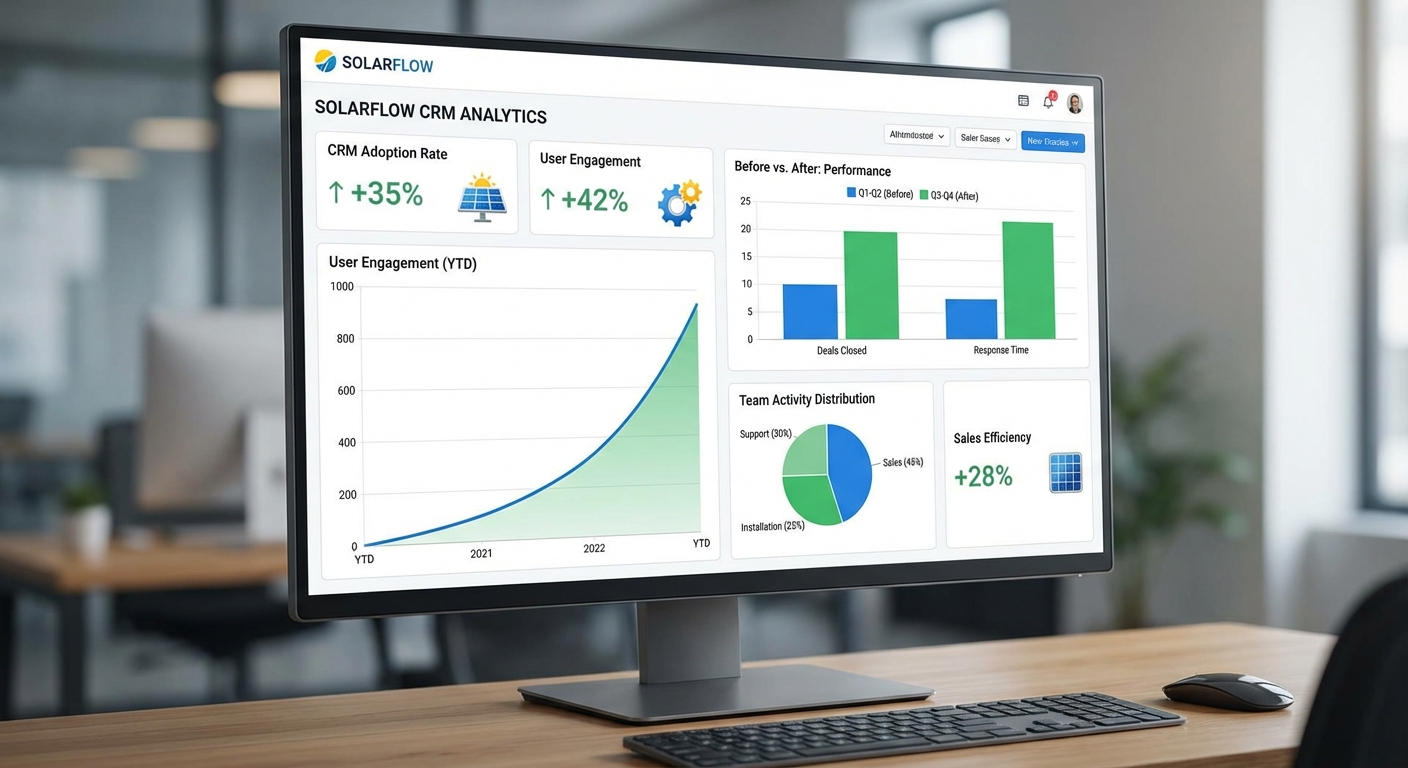
Track key adoption metrics. Monitor both usage metrics and business outcomes. Usage metrics include login frequency, proposals generated per rep, follow-ups completed, and pipeline updates. Business outcomes include proposal turnaround time, lead response time, conversion rates, and average deal size. Compare these metrics to your pre-CRM baseline to quantify the impact of your CRM onboarding efforts.
Analyze sales performance improvements. After 30-60 days of full CRM usage, analyze how sales performance has changed. Are reps closing more deals? Is the sales cycle shorter? Are fewer leads falling through the cracks? Use the CRM’s analytics dashboard to identify trends and patterns. QuickEst’s real-time performance tracking makes it easy to see which team members are leveraging the system most effectively and which might need additional coaching.
Gather user feedback through surveys. Send a brief survey to your sales team 30 days after full rollout. Ask about their experience with CRM onboarding, which features they find most valuable, what’s still confusing, and what improvements they’d like to see. This feedback helps you prioritize ongoing optimization efforts and shows your team that their input matters.
Conduct refresher training sessions. Schedule monthly or quarterly refresher sessions to reinforce best practices and introduce advanced features. As team members become comfortable with basic CRM functions, they’re ready to learn more sophisticated capabilities like custom reporting, advanced automation, or integration features. These ongoing training sessions keep skills sharp and prevent backsliding into old habits.
Recognize top CRM users and share best practices. Publicly acknowledge team members who are using the CRM most effectively. Highlight specific examples: “Priya generated 47 proposals last month using the mobile app during site visits, closing 12 deals.” “Rahul’s automated follow-up sequences achieved a 35% response rate.” Ask top performers to share their workflows and tips with the team. This peer-to-peer learning is often more influential than top-down training.
Continuously optimize workflows based on team input. Your CRM configuration shouldn’t be static. As your team uses the system, they’ll discover inefficiencies or suggest improvements. Maybe a particular proposal template needs adjustment. Perhaps a new pipeline stage would better reflect your sales process. Or an integration with a new tool would streamline workflows. Regularly review and refine your CRM setup based on real-world usage patterns.
Successful CRM onboarding creates lasting behavior change, not just temporary compliance. By measuring results, celebrating wins, and continuously improving, you transform your CRM from a new tool into an essential part of how your solar business operates. To understand the full value of your CRM investment, read our analysis of Solar CRM Software Costs: What You’re Really Paying For.
Common CRM Onboarding Mistakes to Avoid
Even with the best intentions, solar businesses often stumble during CRM onboarding. Avoid these common pitfalls to increase your chances of success.
Rushing the rollout without proper preparation. The temptation to “just get started” is strong, especially when you’re excited about your new CRM. But skipping the preparation phase, auditing data, configuring the system, creating training materials, almost always backfires. You end up with a poorly configured system, confused users, and low adoption. Take the time to do CRM onboarding right from the start.
Neglecting to clean data before migration. Importing messy, duplicate-filled data into your shiny new CRM is like moving into a new house without unpacking your boxes, you’ve just relocated your clutter. The data cleanup work is tedious, but it’s essential. Clean data builds trust in the system and makes the CRM actually useful for your sales team.
Providing one-size-fits-all training. Your sales manager doesn’t need to know how to generate proposals from the mobile app. Your field sales rep doesn’t need training on running team performance reports. Generic training wastes time and overwhelms participants with irrelevant information. Tailor your CRM onboarding training to specific roles and responsibilities.
Failing to designate CRM champions. Without internal advocates who champion the system, CRM onboarding becomes an uphill battle. Champions provide peer support, model good usage habits, and help overcome resistance. They’re your force multipliers during the adoption process.
Not measuring adoption and usage. If you’re not tracking metrics, you have no idea whether your CRM onboarding is working. You might assume everyone is using the system when in reality half your team has reverted to spreadsheets. Regular measurement allows you to identify and address adoption issues before they become entrenched habits.
Ignoring user feedback and resistance. When team members express frustration or resistance, it’s tempting to dismiss it as fear of change. Sometimes that’s true, but often there are legitimate usability issues or workflow problems that need addressing. Listen to feedback, investigate concerns, and make adjustments where appropriate. This responsiveness builds trust and demonstrates that you’re committed to making the CRM work for everyone.
Learning from these common mistakes helps you navigate CRM onboarding more smoothly and avoid setbacks that derail adoption efforts.
How QuickEst Simplifies CRM Onboarding for Solar Teams
While the principles of effective CRM onboarding apply to any system, some platforms make the process significantly easier than others. QuickEst is specifically designed to minimize onboarding friction for solar businesses and B2B service companies.
Intuitive interface designed specifically for solar businesses. Unlike general-purpose CRMs that require extensive customization, QuickEst comes pre-configured with solar industry workflows. The interface uses familiar terminology, system size, panel specifications, installation timelines, that solar sales teams already understand. This industry-specific design reduces the learning curve during CRM onboarding.
Quick setup with solar-specific proposal templates. QuickEst includes ready-to-use proposal templates for residential and commercial solar projects. You can customize these templates with your branding, pricing, and specifications, but the foundation is already built. This means your team can start generating professional proposals within hours of setup, not weeks.
Mobile app for easy adoption by field sales teams. Solar sales happen wherever customers are, at their homes, businesses, or construction sites. QuickEst’s mobile app (available for iOS and Android) ensures that field sales reps can access customer information, generate proposals, and update deal stages from anywhere. This mobile-first approach aligns with how solar sales teams actually work, making CRM onboarding feel natural rather than disruptive.
Bulk import capabilities for seamless data migration. QuickEst’s Excel import feature makes data migration straightforward. You can import thousands of leads and customers in minutes, with clear field mapping to ensure data lands in the right places. This streamlined migration process eliminates one of the most stressful aspects of CRM onboarding.
Built-in automation that reduces training complexity. Features like automated follow-up reminders, WhatsApp proposal delivery, and pipeline stage notifications work out of the box with minimal configuration. Your team doesn’t need to learn complex automation rules or workflow builders, the system handles common tasks automatically. This simplicity accelerates CRM onboarding and helps team members experience value quickly.
Over 1,000 solar businesses and B2B companies currently use QuickEst, including established players like Sunnovative, Heaven Solar, JJ Solar, and Tata Power. These companies have successfully navigated CRM onboarding and now benefit from faster proposal generation, better lead management, and improved sales performance. For insights on connecting QuickEst with your other business tools, check out our Complete Guide to Solar CRM Integration.
Take the First Step Toward Successful CRM Onboarding
Implementing a new CRM system is a significant investment for your solar business, not just financially, but in terms of time, energy, and organizational change. The difference between a CRM that transforms your sales process and one that becomes shelfware comes down to how well you execute CRM onboarding.
The seven-step framework outlined in this guide provides a proven roadmap: prepare thoroughly, configure thoughtfully, migrate data cleanly, train comprehensively, pilot carefully, roll out systematically, and optimize continuously. Each step builds on the previous one, creating momentum toward full adoption and measurable results.
Remember that successful CRM onboarding is not a one-time event but an ongoing process. Your initial rollout might take 4-6 weeks, but reinforcement, optimization, and skill development continue for months afterward. The solar businesses that achieve the highest CRM ROI are those that commit to long-term adoption, not just initial implementation.
Whether you’re onboarding your team to QuickEst or another CRM platform, the principles remain the same: make it relevant, make it practical, provide strong support, and measure results. When your sales team sees how the CRM helps them close more deals faster, generating proposals in 60 seconds instead of hours, never missing a follow-up, accessing customer information from anywhere, adoption becomes natural rather than forced.
Ready to experience CRM onboarding with a platform built specifically for solar businesses? QuickEst offers flexible options to match your team size and needs. Start with our FREE PLAN – ₹0 to explore the platform risk-free, or jump directly to the PRO PLAN – ₹6,999 Per User / Year for full access to proposal automation, follow-up management, and team collaboration tools. Join over 1,000 solar companies that have successfully onboarded their teams and transformed their sales processes.
Your solar business deserves a CRM that your team will actually use. With the right onboarding approach and the right platform, you can turn that vision into reality. Take the first step today and unlock your sales team’s full potential through effective CRM onboarding.
This blog post was written using thestacc.com