

Setting up a CRM system can feel overwhelming, especially when you’re running a busy solar business with proposals to send and deals to close. But here’s the reality: a properly configured CRM setup is the difference between a sales team that’s constantly chasing leads and one that closes deals systematically. For solar companies in India, where competition is fierce and customer expectations are high, getting your CRM setup right from day one isn’t just important—it’s essential for survival and growth.
In this comprehensive guide, we’ll walk you through every step of the CRM setup process, from creating your account to configuring advanced automation that saves your team hours every week. Whether you’re implementing QuickEst or any solar-focused CRM, these principles will help you get operational quickly and start seeing ROI immediately. By the end of this tutorial, you’ll have a fully functional system that helps your solar business capture more leads, send proposals in under 60 seconds, and never miss another follow-up.
Why Proper CRM Setup Matters for Solar Businesses
Before diving into the technical steps, let’s understand why investing time in proper CRM setup pays dividends for solar companies. According to industry research, sales teams that use a well-configured CRM see up to 29% increase in sales productivity and 34% improvement in customer satisfaction. For solar businesses specifically, where the sales cycle can span weeks or months, these improvements translate directly to revenue.

Poor CRM setup leads to predictable problems: leads fall through the cracks, follow-ups get missed, proposals sit in draft folders, and team members duplicate efforts. One solar EPC company in Mumbai reported losing nearly ₹15 lakhs in potential deals over six months simply because their sales team wasn’t using their CRM effectively—not because the software was bad, but because it was never properly configured for their workflow.
When you get your CRM setup right from the start, you unlock several critical benefits:
- Faster team adoption: A CRM configured to match your actual sales process feels intuitive, not forced. Your team will actually use it instead of reverting to spreadsheets.
- Immediate visibility: Properly structured pipelines and dashboards give you real-time insights into what’s working and where deals are stalling.
- Automated efficiency: Correct automation setup means follow-ups happen automatically, proposals generate in seconds, and no lead goes cold.
- Scalable growth: A solid foundation allows you to add team members, expand territories, and grow your solar business without chaos.
The good news? With the right approach, you can complete your initial CRM setup in just a few hours and start seeing benefits immediately. Let’s get started.
Before You Begin: Pre-Setup Checklist
Successful CRM setup starts before you even log into the platform. Taking 30 minutes to prepare will save you hours of rework later. Here’s what you need to gather and decide before beginning your CRM setup process:
Gather Your Existing Data: Collect all your current lead and customer information. This might be in Excel spreadsheets, Google Sheets, old CRM exports, email contacts, or even handwritten notebooks. The goal is to have one master list ready for import. Clean this data first—remove duplicates, standardize phone number formats, and ensure email addresses are valid.
Map Your Sales Process: Document how a lead actually moves through your solar sales cycle. A typical solar sales process might look like: Lead Captured → Initial Contact → Site Survey Scheduled → Proposal Sent → Negotiation → Contract Signed → Installation Scheduled. Write down your specific stages. This becomes your pipeline structure.
Identify Team Roles: List who will use the CRM and what they need to do. Your field sales team needs mobile access and quick proposal generation. Your sales manager needs dashboard visibility and team performance reports. Your admin needs lead import and data management capabilities. Knowing this upfront helps you configure permissions correctly.
Prepare Proposal Templates: Gather your existing proposal formats, pricing structures, product specifications, and company branding assets (logo, colors, fonts). Having these ready means you can configure professional proposal templates during setup instead of coming back to it later.
Define Follow-Up Workflows: Decide on your follow-up cadence. For example: Day 1 after proposal sent—WhatsApp message; Day 3, Email follow-up; Day 7, Phone call; Day 14, Final email. Document these workflows so you can automate them during CRM setup.
With these elements prepared, you’re ready to begin the actual configuration process.
1. Create Your Account and Configure Basic Settings
Your CRM setup journey begins with account creation and basic configuration. This foundation ensures everything else works smoothly.
Account Registration: Visit the QuickEst platform and complete the registration process with your business email address. Use your company email (not personal Gmail) to establish credibility and make it easier to add team members later. Verify your email address immediately, this activates important notification features.
Company Profile Setup: Navigate to the company profile section and fill in complete information. Add your solar company name, business address, GST number, contact details, and website. Upload your company logo in high resolution (at least 500×500 pixels). This logo will appear on all your proposals, so quality matters. Set your brand colors to ensure proposals match your company identity.
Regional Settings: Configure your time zone to Indian Standard Time (IST). This ensures all timestamps, scheduled tasks, and automated follow-ups trigger at the correct times. Set your currency to Indian Rupees (₹) and configure number formatting to Indian standards (lakhs and crores rather than millions).
Notification Preferences: Set up how you want to receive alerts. Most solar sales professionals benefit from immediate mobile notifications for new leads and hot prospects, daily email digests for pipeline updates, and weekly summary reports. You can always adjust these later, but starting with comprehensive notifications helps during the learning phase.
Mobile App Installation: Download the QuickEst mobile app from Google Play Store or Apple App Store immediately. Solar sales often happen in the field, at customer sites, during installations, or at industry events. Having mobile access configured from day one means you can create proposals and update leads from anywhere. Log in with your credentials and enable push notifications.
This initial configuration typically takes 15-20 minutes but establishes the foundation for everything that follows in your CRM setup.
2. Import and Organize Your Leads
Now comes one of the most critical steps in your CRM setup: getting your existing leads into the system. This is where that pre-setup data preparation pays off.
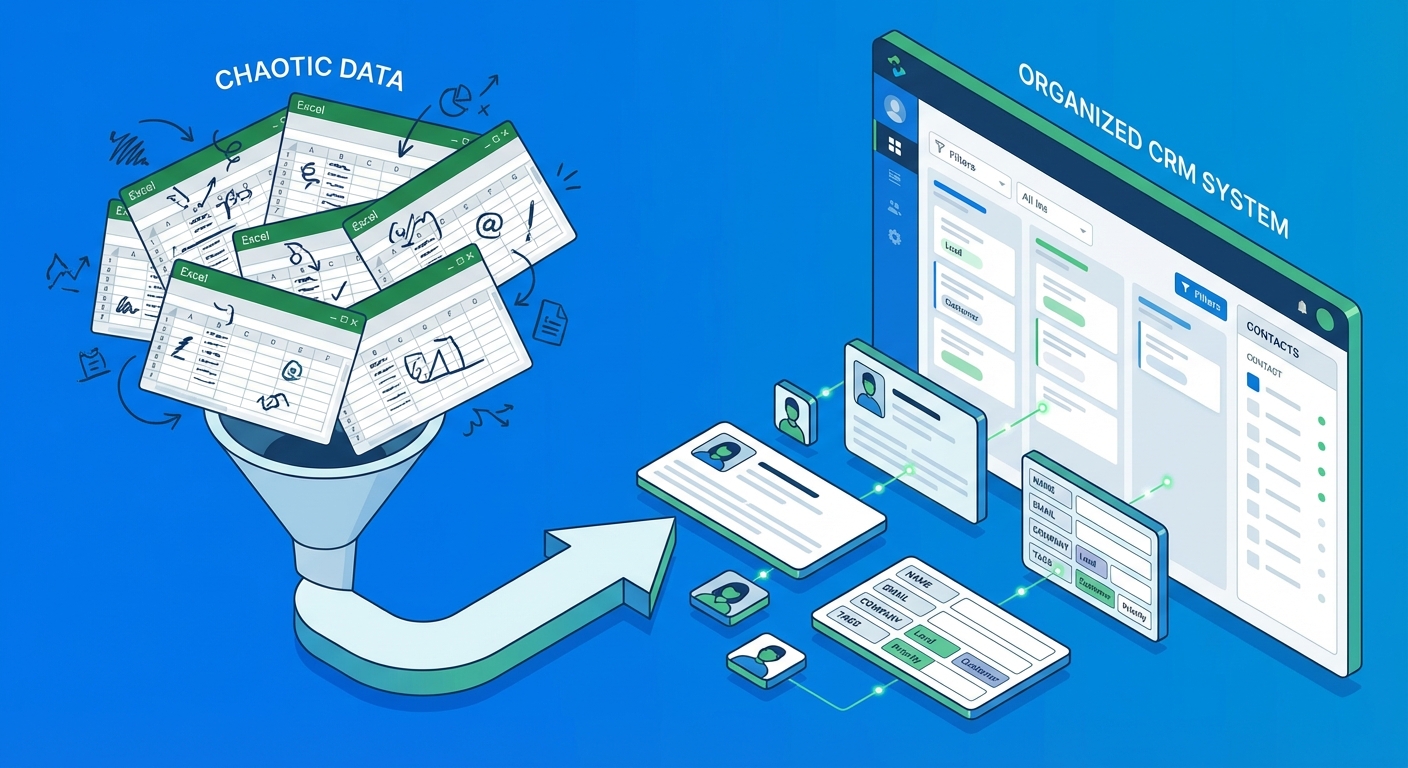
Prepare Your Import File: QuickEst supports bulk lead import from Excel, which is the fastest way to migrate existing data. Create an Excel file with these essential columns: Name, Phone Number, Email, Company Name, Lead Source, Status, and Notes. Ensure phone numbers include the country code (+91 for India) and are formatted consistently. Remove any special characters that might cause import errors.
Execute the Bulk Import: Navigate to the lead management section and select the bulk import option. Upload your prepared Excel file and map the columns to the corresponding CRM fields. The system will show you a preview, review it carefully before confirming. If you have thousands of leads, consider importing in batches of 500-1000 to make troubleshooting easier.
Create Lead Categories and Tags: Organize your leads with meaningful categories specific to solar sales. Create tags like “Residential Solar,” “Commercial Solar,” “Industrial Project,” “Government Tender,” “Hot Lead,” “Needs Follow-Up,” and “Site Survey Completed.” These tags make it easy to filter and prioritize your pipeline. You can apply tags during import or add them afterward.
Set Up Lead Sources: Configure all the channels where leads come from: Website Inquiry, Facebook Ads, Google Ads, Referral, Trade Show, Cold Call, Partner Network, and Walk-In. Tracking lead sources is crucial for understanding which marketing efforts generate the best ROI. QuickEst’s integration with Facebook Ads makes this automatic for social media campaigns.
Integrate Lead Capture Tools: Connect your phonebook to automatically sync contacts. If you’re running Facebook Ads for solar lead generation, integrate that connection during CRM setup so new leads flow directly into your pipeline without manual entry. This integration alone can save your team hours every week and ensure no lead gets lost.
Proper lead organization during initial CRM setup creates a clean foundation. As one solar company owner in Pune told us: “We spent an extra two hours cleaning and organizing our leads during import. That investment saved us weeks of confusion later and helped us close deals we’d forgotten about.”
For more advanced lead management strategies, check out our guide on CRM implementation in India, which covers lead scoring and qualification frameworks.
3. Customize Your Sales Pipeline and Stages
Your sales pipeline is the heart of your CRM. Configuring it to match your actual solar sales process is essential for accurate forecasting and team alignment.
Define Pipeline Stages: Create stages that reflect how solar deals actually progress in your business. A typical solar sales pipeline includes: New Lead → Qualified → Site Survey Scheduled → Proposal Sent → Negotiation → Contract Signed → Installation Planned → Project Completed. Your stages might differ based on whether you focus on residential, commercial, or industrial solar projects. The key is accuracy, your pipeline should mirror reality, not an idealized version.
Set Probability Percentages: Assign win probability to each stage based on your historical data. For example: New Lead (10%), Qualified (20%), Site Survey Scheduled (35%), Proposal Sent (50%), Negotiation (70%), Contract Signed (90%). These probabilities help generate accurate revenue forecasts. If you’re just starting, use industry benchmarks and adjust as you gather data.
Create Custom Fields: Solar projects have unique data requirements. Add custom fields for: System Size (kW), Panel Type, Inverter Type, Estimated Project Value, Installation Timeline, Roof Type, Subsidy Eligibility, and Financing Option. These fields help your team capture complete information and generate accurate proposals. QuickEst allows extensive customization to match your specific solar business needs.
Configure Pipeline Views: Set up different views for different team members. Sales reps need to see their personal pipeline. Managers need team-wide visibility. Create filtered views like “Proposals Sent This Week,” “Deals Closing This Month,” and “Stalled Opportunities Needing Attention.” These views make daily CRM usage efficient and actionable.
Establish Win/Loss Tracking: Configure reasons for why deals are won or lost. Win reasons might include: Best Price, Superior Technology, Faster Timeline, or Strong Relationship. Loss reasons might include: Price Too High, Chose Competitor, Project Delayed, or Not Qualified. This data becomes invaluable for improving your sales strategy over time.
A well-configured pipeline transforms your CRM setup from a database into a strategic sales tool. It provides clarity on where deals stand and what actions move them forward.
4. Set Up Proposal Templates and Automation
One of QuickEst’s most powerful features is the ability to generate professional solar proposals in under 60 seconds. Proper template setup during your initial CRM setup makes this possible.
Create Professional Templates: Design proposal templates that reflect your brand and include all necessary information. A comprehensive solar proposal template should include: Company introduction, customer details, system specifications, panel and inverter details, installation timeline, pricing breakdown, payment terms, warranty information, and terms and conditions. QuickEst provides a template library specifically designed for solar businesses, customize these rather than starting from scratch.
Add Branding Elements: Ensure your logo, brand colors, and fonts are consistently applied across all proposal templates. Professional, branded proposals build trust and differentiate you from competitors who send generic quotes. Include high-quality images of solar installations, product photos, and your team if appropriate.
Configure Product Catalogs: Set up your product catalog with all the solar panels, inverters, mounting structures, and accessories you offer. Include specifications, pricing, and product images. When products are pre-configured, generating a proposal becomes a matter of selecting items rather than typing details manually. Update pricing in the catalog, and all future proposals automatically reflect the new rates.
Enable Quick Generation Workflow: Configure the 60-second proposal workflow. This typically involves: selecting the lead, choosing a template, selecting products from your catalog, adjusting quantities and pricing if needed, and generating the PDF. Practice this workflow during CRM setup to ensure it’s smooth. The faster you can generate proposals, the more deals you’ll close.
Set Up Delivery Options: Configure both WhatsApp and email delivery for proposals. In India, WhatsApp is often the preferred communication channel for quick responses. Being able to send a professional proposal via WhatsApp immediately after a site visit gives you a competitive advantage. Set up email templates with professional messaging that accompanies the proposal attachment.
Proposal automation is where QuickEst truly shines for solar businesses. As one sales manager from a Bangalore-based solar EPC shared: “Before proper CRM setup, creating a proposal took 45 minutes. Now it takes 60 seconds. That time savings means we send 10x more proposals and close 3x more deals.”
5. Configure Automated Follow-Up Systems
Follow-up automation is perhaps the most valuable aspect of proper CRM setup. Research shows that 80% of sales require five follow-up calls after the initial meeting, yet 44% of salespeople give up after one follow-up. Automation solves this problem.
Set Up Email Sequences: Create automated email sequences for different scenarios. For example, after sending a proposal, trigger a sequence: Day 1, Thank you email with proposal recap; Day 3, Value-focused email highlighting benefits; Day 7, Case study or testimonial email; Day 14, Final follow-up with urgency element. QuickEst allows you to create customizable email templates for each stage of your solar sales process.
Configure Reminder Schedules: Set up automatic task reminders for your sales team. When a proposal is sent, automatically create a task to follow up via phone in 48 hours. When a site survey is scheduled, create a reminder to confirm 24 hours before. These automated reminders ensure nothing falls through the cracks, even when your team is busy.
Establish Task Automation: Configure rules that automatically assign tasks based on lead behavior. If a lead opens a proposal email three times, automatically create a high-priority task for the sales rep to call immediately, this indicates strong interest. If a lead hasn’t been contacted in 14 days, automatically create a re-engagement task.
Set Up Notification Triggers: Configure notifications for hot lead indicators. When a lead fills out a contact form requesting a quote, immediately notify the assigned sales rep via mobile push notification and SMS. Speed-to-lead is critical in solar sales, the first company to respond often wins the deal.
Define Follow-Up Best Practices: Document your follow-up cadence and build it into the automation. For solar sales, a typical cadence might be: Immediate response to inquiry → Site survey within 3 days → Proposal within 24 hours of survey → Follow-up call 2 days after proposal → Weekly check-ins for 4 weeks → Monthly nurture emails for long-term prospects. Automate as much of this as possible during your CRM setup.
For a deeper dive into building effective follow-up systems, read our comprehensive guide on follow-up automation in India, which includes templates and timing strategies specific to the Indian market.
6. Customize Your Dashboard and Reports
A well-configured dashboard turns your CRM from a data repository into a strategic command center. During CRM setup, customize your dashboard to show the metrics that actually matter for your solar business.
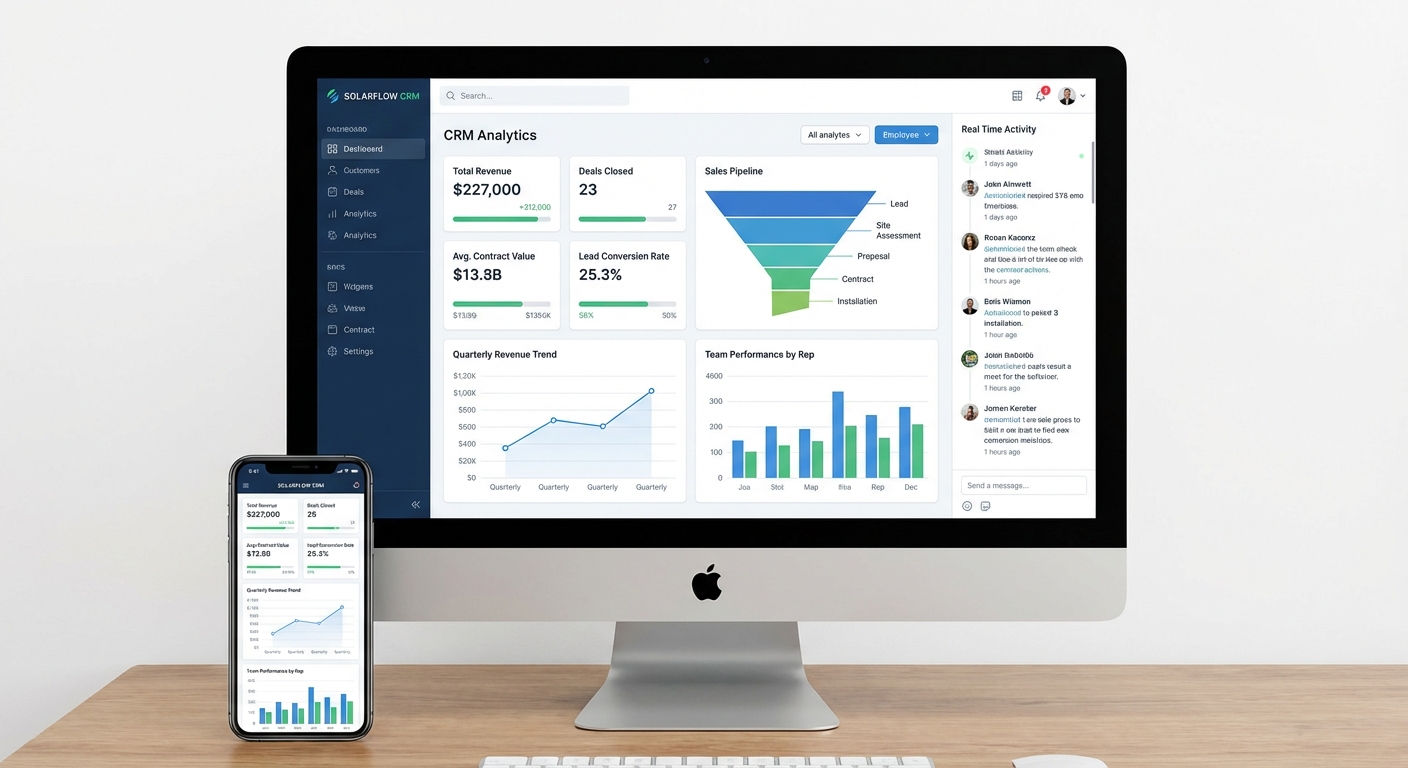
Configure Performance Widgets: Set up widgets that display real-time sales performance data. Essential widgets for solar businesses include: Total Pipeline Value, Deals Closing This Month, Conversion Rate by Stage, Average Deal Size, Sales Cycle Length, and Proposals Sent vs. Closed. These metrics give you instant visibility into business health.
Set Up Team Activity Monitoring: Create dashboard views that show team activity: calls made, proposals sent, follow-ups completed, and deals closed by each team member. This visibility helps managers identify top performers and coach team members who need support. It also creates healthy competition and accountability.
Create Custom Reports: Build reports specific to solar business metrics. Track: Conversion rate by lead source (which marketing channels work best), average system size sold, most popular panel brands, seasonal trends in solar inquiries, and geographic distribution of customers. QuickEst’s reporting capabilities allow you to slice data multiple ways to gain insights.
Establish KPI Tracking: Define your key performance indicators and configure dashboard tracking. Common solar sales KPIs include: Lead-to-Proposal Conversion Rate, Proposal-to-Close Rate, Average Time to Close, Customer Acquisition Cost, and Monthly Recurring Revenue. Seeing these KPIs daily keeps your team focused on what drives results.
Configure Mobile Dashboard: Ensure your dashboard is optimized for mobile viewing. Sales managers and field teams need access to key metrics on the go. QuickEst’s mobile app provides dashboard access, allowing you to check pipeline status, team performance, and deal progress from anywhere.
A solar company director in Delhi shared: “After proper CRM setup with customized dashboards, I went from spending 2 hours every Monday morning compiling sales reports to getting instant insights anytime I open the app. That visibility has transformed how we manage the business.”
7. Add Team Members and Set Permissions
Your CRM is a team tool, so proper user management during CRM setup is essential for collaboration and data security.
Invite Team Members: Add all sales team members, managers, and administrators who will use the CRM. Send invitations from within the platform, this ensures they get proper onboarding instructions and access credentials. Include their name, email, phone number, and role in the organization.
Configure User Roles and Permissions: Set up role-based access control. Sales representatives should be able to manage their own leads, create proposals, and update deal stages, but not delete company-wide data or change pricing. Sales managers need visibility into all team activities and the ability to reassign leads. Administrators need full access to settings and configurations. QuickEst provides flexible permission settings to match your organizational structure.
Set Up Lead Assignment Rules: Configure how new leads get distributed. Options include: round-robin assignment (leads distributed evenly), territory-based assignment (leads assigned by geographic location), or manual assignment (manager assigns leads based on expertise). For solar businesses with both residential and commercial divisions, you might assign leads based on project type and size.
Create Collaboration Workflows: Enable features that facilitate teamwork. Allow team members to share insights on leads, tag colleagues for input on complex proposals, and collaborate on large commercial solar projects. Set up notification rules so team members stay informed about shared opportunities.
Establish Data Visibility Settings: Decide what data each team member can see. Some companies prefer full transparency where everyone sees all deals. Others restrict visibility so sales reps only see their own pipeline. There’s no universal right answer, choose based on your company culture and competitive dynamics.
Proper user management prevents confusion, protects sensitive data, and ensures your team collaborates effectively within the CRM.
8. Integrate with Your Existing Tools
Your CRM doesn’t exist in isolation. Integrating it with other tools during CRM setup creates a seamless workflow and eliminates manual data entry.
Connect Your Phonebook: Sync your phone contacts with QuickEst so you can quickly add leads from your existing network. This integration means when a contact calls, their information automatically appears in the CRM, allowing you to log the conversation and update their status immediately.
Set Up Facebook Ads Integration: If you’re running Facebook or Instagram ads to generate solar leads, connect this integration during CRM setup. New leads from ad campaigns will automatically flow into your CRM with all the information they submitted in the lead form. This eliminates manual data entry and ensures immediate follow-up.
Configure Pabbly Connect for Workflow Automation: Use Pabbly Connect to create advanced automation workflows between QuickEst and other tools you use. For example, automatically add new CRM contacts to your email marketing list, send SMS notifications when proposals are sent, or create Google Calendar events when site surveys are scheduled.
Use APIs and Webhooks for Custom Integrations: For more technical integrations, QuickEst provides APIs and webhooks. You might integrate with your accounting software to automatically create invoices when deals close, connect to your project management tool to initiate installation workflows, or sync with your customer support system for post-installation service.
Test Integration Data Flow: After configuring integrations, test them thoroughly. Create a test lead through Facebook Ads and verify it appears correctly in the CRM. Send a test proposal and confirm it triggers the expected automation. Testing during CRM setup prevents problems when you’re handling real customer data.
For comprehensive guidance on connecting your CRM with other business tools, see our detailed article on solar CRM integration in India.
Team Onboarding: Getting Your Sales Team Up to Speed
Even the most perfectly configured CRM setup fails if your team doesn’t use it. Effective onboarding is critical for adoption and ROI.
Create Training Materials: Develop simple, visual training guides for common tasks: adding a lead, creating a proposal, updating deal stages, and setting follow-up reminders. Screen recordings or short video tutorials work better than lengthy written manuals. QuickEst’s intuitive interface makes training easier, but documentation helps team members reference procedures when needed.
Conduct Hands-On Training Sessions: Schedule live training sessions where team members practice using the CRM with real scenarios. Walk through the complete workflow: receiving a lead, qualifying them, scheduling a site survey, creating a proposal, sending it via WhatsApp, and setting follow-up tasks. Hands-on practice builds confidence and reveals questions that need addressing.
Establish Best Practices and Guidelines: Document how your team should use the CRM. For example: “Update lead status within 24 hours of any interaction,” “Add detailed notes after every customer conversation,” “Send proposals within 48 hours of site survey,” and “Check dashboard every morning to prioritize daily activities.” Clear guidelines create consistency and accountability.
Set Up Accountability Metrics: Define what success looks like and track it. Metrics might include: percentage of leads with updated status, number of proposals sent per week, follow-up completion rate, and data quality score. Regular check-ins on these metrics keep the team engaged and highlight areas needing improvement.
Address Adoption Challenges: Some team members will resist change. Common objections include “I don’t have time to learn new software” or “My old system works fine.” Address these by demonstrating time savings, show how 60-second proposal generation saves 40 minutes per proposal. Highlight success stories from early adopters. Make CRM usage non-negotiable by tying it to performance reviews.
One solar company in Hyderabad achieved 95% CRM adoption within two weeks by gamifying the onboarding process. They created a leaderboard showing who sent the most proposals, made the most updates, and closed the most deals using the CRM. The competitive element drove engagement and made learning fun.
Post-Setup Optimization: Maximizing Your CRM ROI
Your initial CRM setup is complete, but optimization is an ongoing process. Here’s how to continuously improve your CRM performance and maximize return on investment.
Monitor Usage Patterns: Review CRM analytics to understand how your team actually uses the system. Are certain features ignored? Are there bottlenecks in the workflow? QuickEst provides usage reports showing login frequency, feature adoption, and activity levels. Use this data to identify training gaps or configuration issues.
Refine Automation Rules: As you gather data, optimize your automation. If you notice that leads contacted within 5 minutes have a 70% higher conversion rate, adjust your notification triggers to be more aggressive. If certain email templates have low open rates, test new subject lines and content. Continuous refinement improves results over time.
Conduct Regular Data Cleanup: Schedule monthly data maintenance. Remove duplicate leads, update outdated contact information, archive old opportunities, and standardize data entry formats. Clean data ensures accurate reporting and prevents your CRM from becoming cluttered and slow.
Gather Team Feedback: Regularly ask your sales team what’s working and what’s frustrating. They’re the daily users and often have valuable insights about workflow improvements. Monthly feedback sessions can reveal simple configuration changes that dramatically improve efficiency.
Scale Your CRM as You Grow: As your solar business expands, your CRM needs evolve. You might add new pipeline stages for different product lines, create additional user roles for specialized teams, or integrate new tools. QuickEst’s flexible platform grows with your business. Consider reviewing your CRM setup quarterly to ensure it still matches your current needs.
For insights on ensuring your CRM can grow with your business, read our article on CRM scalability and critical questions to ask before buying.
Common CRM Setup Mistakes to Avoid
Learning from others’ mistakes can save you significant time and frustration. Here are the most common CRM setup errors solar businesses make:
Overcomplicating the Initial Setup: The biggest mistake is trying to configure every possible feature and custom field from day one. This creates complexity that overwhelms users and delays launch. Start with core functionality, lead management, proposal generation, and basic automation. Add advanced features gradually as your team becomes comfortable.
Skipping Data Cleanup Before Import: Importing messy data creates long-term problems. Duplicate leads, inconsistent formatting, and incomplete information make your CRM unreliable from the start. Invest time in cleaning data before import. It’s tedious but essential.
Not Defining Sales Processes First: Configuring your CRM before documenting your actual sales process leads to misalignment. The CRM should reflect how you actually sell, not how you wish you sold. Map your process first, then configure the CRM to support it.
Inadequate Team Training: Assuming your team will figure out the CRM on their own is a recipe for poor adoption. Even intuitive platforms like QuickEst benefit from structured training. Budget time for comprehensive onboarding.
Neglecting Mobile Setup: Solar sales happen in the field. If your team can’t easily use the CRM on mobile devices, they won’t use it at all. Configure and test mobile access during initial CRM setup, not as an afterthought.
Failing to Establish Data Entry Standards: Without clear guidelines, team members enter data inconsistently. One person writes “10kW” while another writes “10 kilowatt” and another writes “10000 watts.” This inconsistency breaks reporting and filtering. Define standards during setup and enforce them.
Ignoring Integration Opportunities: Using your CRM as a standalone tool means manual data entry and disconnected workflows. Take advantage of integrations during CRM setup to create seamless processes.
Setting Unrealistic Expectations: A CRM is a powerful tool, but it’s not magic. It won’t fix a broken sales process or compensate for poor products. Set realistic expectations about what the CRM will accomplish and understand that results require consistent usage over time.
Avoiding these mistakes accelerates your path to CRM success and helps you realize ROI faster.
Start Closing More Solar Deals with Proper CRM Setup
Completing your CRM setup is a significant milestone, but it’s just the beginning of your journey toward more efficient, data-driven solar sales. With QuickEst properly configured, you now have a system that captures every lead, generates professional proposals in 60 seconds, automates follow-ups so nothing falls through the cracks, and provides real-time visibility into your sales performance.
The solar industry in India is growing rapidly, with increasing demand for residential, commercial, and industrial installations. Companies that leverage technology to respond faster, propose more professionally, and follow up more consistently will capture the lion’s share of this growth. Your properly configured CRM gives you that competitive advantage.
Remember that CRM setup is not a one-time event but an ongoing optimization process. As your team uses the system, you’ll discover opportunities to refine workflows, improve automation, and customize features to better match your unique sales process. The key is to start with a solid foundation, which you now have, and continuously improve based on real-world usage and results.
The difference between solar companies that thrive and those that struggle often comes down to operational efficiency. When your sales team spends less time on administrative tasks and more time building relationships and closing deals, revenue grows. When you have clear visibility into your pipeline, you can forecast accurately and make informed business decisions. When follow-ups happen automatically, you convert more leads into customers.
Take the first step today toward transforming your solar sales process. QuickEst offers a free plan at ₹0 so you can start implementing these CRM setup strategies immediately without any financial risk. Experience how 60-second proposal generation, automated follow-ups, and real-time analytics can accelerate your sales cycle and increase your close rate.
For growing solar businesses ready to scale, the Pro Plan at ₹6,999 per user per year unlocks advanced features including unlimited proposals, team collaboration tools, comprehensive integrations, and priority support. This investment pays for itself quickly when you consider the time saved and deals closed that would otherwise be lost.
If you have questions about your specific CRM setup needs or want guidance on configuring QuickEst for your solar business, our team is here to help. Contact us to schedule a personalized walkthrough and get expert advice on optimizing your CRM for maximum ROI.
Your solar business deserves a CRM that works as hard as you do. With proper setup, QuickEst becomes your most valuable sales tool, helping you capture more leads, send proposals faster, follow up consistently, and close more deals. The comprehensive CRM setup process outlined in this guide gives you everything you need to get started and succeed.
Don’t let another day go by with leads falling through the cracks and proposals sitting in draft folders. Implement these CRM setup strategies today and start seeing results immediately. Your future self, and your sales numbers, will thank you.
This blog post was written using thestacc.com